
GLOTRENDS M.2 NVMe to PCIe 4.0 X4 Adapter with Heatsink for NVMe SSD
4.6Editor score
Supports PCIe 4.0 and 3.0 SSDs
Includes regular and low profile brackets
Active cooling reduces temperatures significantly
This guide compares the top M2 Pcie Adapter options for performance and compatibility to help you choose the right expansion card for your storage needs.
Selecting the right M2 Pcie Adapter is crucial for maximizing storage potential in modern systems. These adapters enable users to install NVMe SSDs into standard PCIe slots, significantly expanding capacity and speed without replacing the motherboard.
We evaluated ten leading models based on thermal management, slot compatibility, and build quality. Our analysis considers factors like heatsink design, bracket options, and support for various SSD lengths to ensure reliable performance across different builds.
Each pick highlights specific strengths such as budget friendliness or premium features. While prices fluctuate based on availability, our list provides a stable reference for finding the best adapter to suit your specific hardware configuration and budget requirements.
4.6Editor score
4.6Editor score

4.4Editor score
The following table provides a side-by-side comparison of all ten adapters evaluated in this guide. It highlights key specifications including supported generations, form factors, and unique features to help you quickly identify the best fit for your setup.




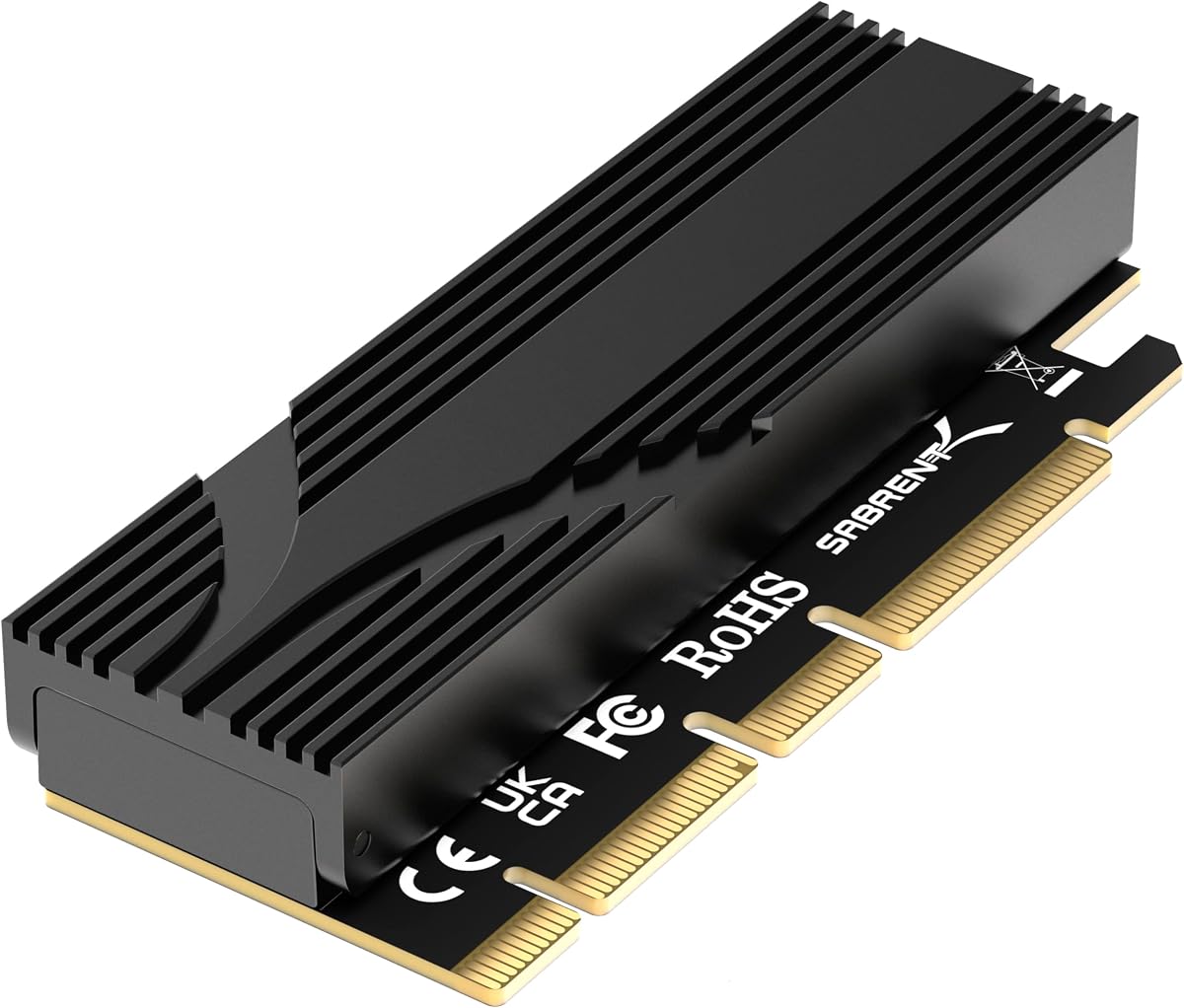
The SABRENT M.2 NVMe SSD to PCIe x16 Adapter Card stands out as a top choice for users seeking high performance. With a rating of 4.6 stars, it offers a blend of speed and ease of use that is hard to match in this category.
We may earn a commission when you buy through this link, at no additional cost to you.
This adapter supports PCIe 5.0, allowing for bidirectional speeds up to 16GBps when paired with a compatible Gen5 slot. The tool-free installation design eliminates the need for tiny screws, making drive swaps effortless. Its built-in aluminum heatsink ensures that the SSD remains cool under sustained load without adding fan noise.
While it is an excellent choice for performance, it does not support SATA M.2 drives, which limits compatibility for older hardware. Additionally, to achieve Gen5 speeds, the motherboard slot must support that generation. Despite these limitations, the stability of the x16 connector makes it a robust option for high-end builds.
We recommend this adapter for users upgrading to Gen5 systems who value quiet operation and easy installation. It is particularly suitable for gamers and professionals who need reliable, fast storage without the complexity of manual screw installation.
The aluminum heatsink and thermal padding work together to keep temperatures low without active cooling fans.
Drop-in design allows for quick SSD insertion and removal without needing a screwdriver.
We may earn a commission when you buy through this link, at no additional cost to you.
The GLOTRENDS M.2 NVMe to PCIe 4.0 X4 Adapter is a fantastic option for those on a budget. With a 4.6 rating, it offers reliable performance and essential features that most users need without the premium price tag.
We may earn a commission when you buy through this link, at no additional cost to you.
This adapter supports both PCIe 4.0 and 3.0 SSDs, making it versatile for different system generations. It includes heatsinks that can reduce SSD temperatures by 5 to 20 degrees Celsius, ensuring stable operation. The package includes both regular and low-profile brackets, accommodating various PC cases.
Users should note that Intel CPUs below 11th generation do not support PCIe 4.0, which may limit speed benefits for older systems. Additionally, it does not support SATA M.2 drives. However, these constraints are common in this price range and do not significantly impact modern users.
We recommend this adapter for budget-conscious builders who still want efficient cooling and compatibility with modern NVMe drives. It is an ideal choice for entry-level gaming rigs or home offices needing extra storage expansion.
Heatsinks provided are effective at lowering operating temperatures by up to 20 degrees.
Inclusion of low profile and regular brackets ensures fit in small and standard cases.
We may earn a commission when you buy through this link, at no additional cost to you.
The ASUS Hyper M.2 X16 PCIe 3.0 X4 Expansion Card V2 is designed for users who need massive storage capacity and speed. With a rating of 4.4, it offers professional-grade features that cater to power users and workstation builds.
We may earn a commission when you buy through this link, at no additional cost to you.
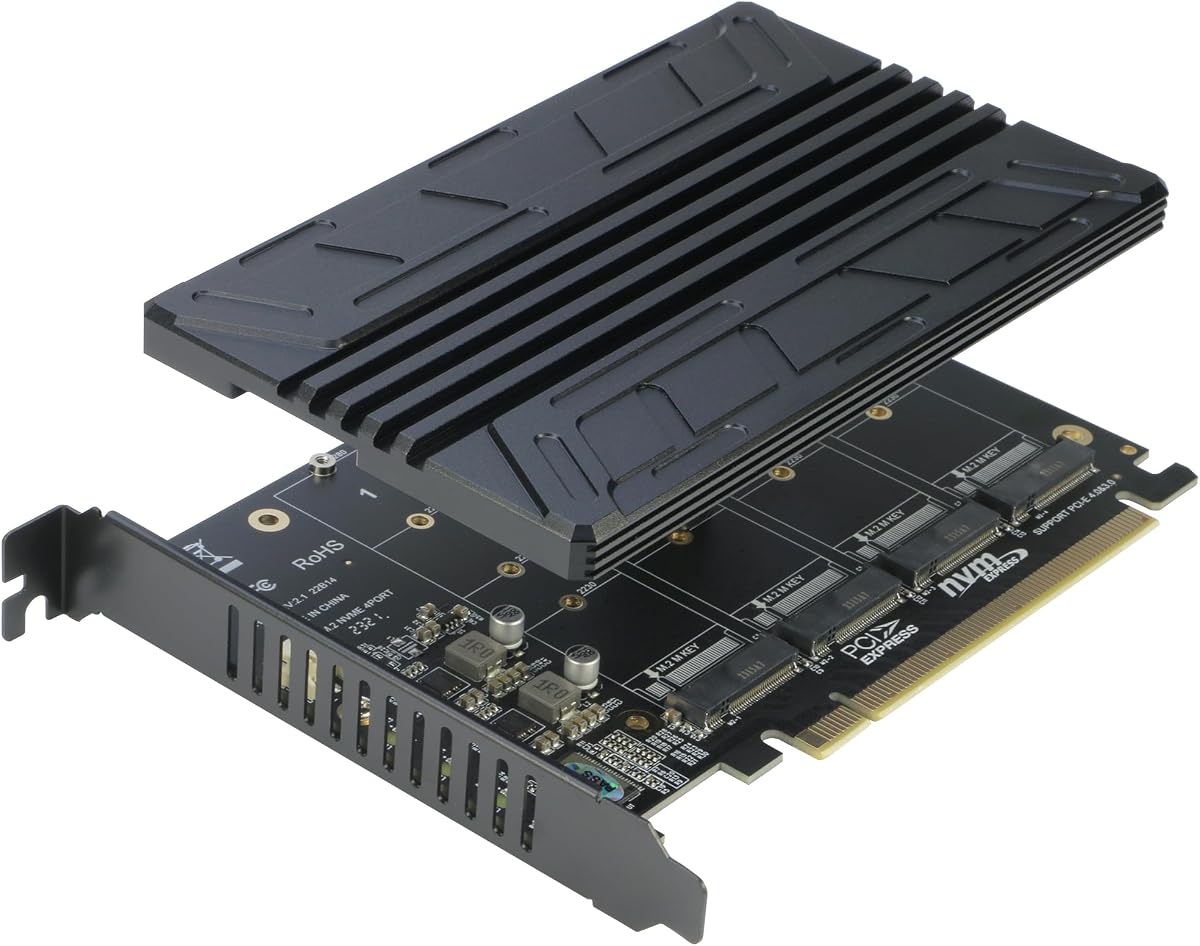
This adapter supports four NVMe M.2 drives simultaneously, enabling transfer speeds up to 128 Gbps. It features an integrated blower style fan to prevent thermal throttling even under heavy workloads. The card is compatible with Intel VROC and AMD Ryzen Threadripper for advanced RAID configurations.
A critical requirement is that the motherboard must support PCIe x16 bifurcation to utilize all four slots effectively. Without this, only one drive may be recognized. The higher price reflects its capability to handle multiple high-speed drives, making it a premium solution.
We recommend this adapter for professionals who require multiple high-performance drives for video editing or server applications. It is best suited for systems with motherboard support for RAID and bifurcation features.
Ability to install four NVMe drives simultaneously greatly expands storage capacity and bandwidth.
Built-in blower fan ensures all four drives remain cool during sustained data transfers.
We may earn a commission when you buy through this link, at no additional cost to you.
The StarTech M.2 PCIe SSD Adapter is a reliable choice for IT professionals and enterprise environments. With a 4.6 rating, it is known for its build quality and compatibility with a wide range of systems.
We may earn a commission when you buy through this link, at no additional cost to you.
This adapter is backward compatible with PCIe 3.0, 2.0, and 1.0, ensuring it works even in older motherboards. It includes both full and low-profile brackets, making it versatile for various case types. The 2-year warranty and 24/5 support provide peace of mind for professional users.
While it is highly compatible, it is limited to PCIe 3.0 speeds, which may not fully utilize newer Gen4 or Gen5 SSDs. Additionally, it does not support AHCI drives on some older configurations. These limitations make it better suited for legacy systems or standard workstations.
We recommend this adapter for IT administrators who prioritize reliability and support. It is ideal for upgrading older workstations or servers where backward compatibility is essential.
Backward compatibility with older PCIe generations ensures it works in a wide range of systems.
Long warranty period and dedicated support teams make it a safe choice for business use.
We may earn a commission when you buy through this link, at no additional cost to you.
The Dual M.2 PCIE Adapter is designed for users who need to install two drives using a single PCIe slot. With a 4.3 rating, it offers a unique solution for expanding storage capacity without occupying multiple slots.
We may earn a commission when you buy through this link, at no additional cost to you.
This adapter supports one NVMe drive and one SATA drive simultaneously, providing flexibility in storage choices. It includes two heat sinks to manage heat effectively and LED indicators to show status. The package includes both regular and low-profile brackets for easy installation.
However, the SATA drive requires a separate cable connection, which adds complexity. The rating is slightly lower than single-drive adapters, suggesting potential compatibility issues. Despite this, it offers unique value for systems requiring mixed drive types.
We recommend this adapter for users with older motherboards that lack M.2 slots but still need SATA and NVMe support. It is ideal for upgrading legacy systems with minimal motherboard changes.
Ability to connect two drives simultaneously maximizes storage without using multiple PCIe slots.
LED indicators provide clear visual status of power and data transfer for both drives.
We may earn a commission when you buy through this link, at no additional cost to you.
The M.2 NVMe to PCIe X4 Adapter with Heatsink is a strong contender for value seekers. With a 4.6 rating, it balances cost and performance effectively, making it an excellent choice for many users.
We may earn a commission when you buy through this link, at no additional cost to you.
This adapter supports PCIe 4.0 and 3.0 SSDs, offering high bandwidth up to 64Gbps. It comes with a comprehensive kit including thermal pads, screws, and brackets. The heatsink and thermal pads work together to maintain optimal temperatures during operation.
While it is affordable, it does not support SATA drives, limiting compatibility for older users. Additionally, it is limited to Gen4 speeds, which may be a drawback for Gen5 enthusiasts. However, for most users, the performance is more than sufficient.
We recommend this adapter for users seeking a reliable, budget-friendly solution for modern NVMe drives. It is particularly suitable for mid-range builds that do not require Gen5 speeds.
Inclusion of screws, thermal pads, and multiple brackets makes installation straightforward.
Aluminum heatsink and thermal pads ensure efficient cooling for sustained performance.
We may earn a commission when you buy through this link, at no additional cost to you.
The RIITOP Quad NVMe PCIe Adapter is designed for users needing multiple high-speed drives. With a 4.4 rating, it offers a cost-effective solution for expanding storage capacity significantly.
We may earn a commission when you buy through this link, at no additional cost to you.
This adapter allows simultaneous connection of four NVMe drives, achieving full speed transmission up to 128Gbps. It includes individual LED indicators to monitor each drive's status. The heatsink design ensures cooling without taking up excessive space.
However, the motherboard must support PCIe x16 bifurcation for all drives to be recognized. Additionally, hardware RAID is not supported, requiring software RAID for redundancy. These requirements make it best suited for advanced users familiar with BIOS settings.
We recommend this adapter for enthusiasts and professionals who need to multiple NVMe drives. It is ideal for storage servers or workstations with bifurcation support.
Support for four drives in a single slot maximizes storage density and performance.
Individual LEDs provide easy status monitoring for each connected drive.
We may earn a commission when you buy through this link, at no additional cost to you.
The ELUTENG M.2 NVMe PCIe Adapter is a practical choice for small form factor builds. With a 4.4 rating, it offers reliable performance and essential features for compact systems.
We may earn a commission when you buy through this link, at no additional cost to you.
This adapter includes a low profile bracket, making it suitable for small cases. It supports PCIe slots ranging from 1X to 16X, ensuring compatibility. The solid-state capacitors help prevent current waves, adding a layer of protection to the SSD.
While it is affordable, the theoretical speed is limited to 16Gb/s, which may bottleneck high-performance Gen4 or Gen5 drives. Additionally, booting as a system disk requires BIOS support. Despite this, it is excellent for storage expansion.
We recommend this adapter for users building small PCs or SFF systems. It is ideal for adding secondary storage to cases where space is limited.
Low profile bracket and small PCB make it ideal for compact chassis.
Solid-state capacitors provide voltage regulation to protect against power surges.
We may earn a commission when you buy through this link, at no additional cost to you.
The M.2 NVME to PCIe 4.0 x4 Adapter with Aluminum Heatsink Solution is a straightforward and reliable choice. With a 4.6 rating, it delivers consistent performance without unnecessary complexity.
We may earn a commission when you buy through this link, at no additional cost to you.
This adapter supports PCIe 4.0 x4 slots, providing full speed for compatible SSDs. It includes an aluminum heatsink that can reduce temperatures by 5 to 20 degrees Celsius. It is compatible with popular models like Samsung 950 Pro and Kingston HyperX.
While it is simple, it does not support larger drives beyond 2280 and lacks extra accessories like screws. This simplicity makes it easy to use but limits advanced use cases. It remains a strong option for standard storage upgrades.
We recommend this adapter for users looking for a no-fuss solution for PCIe 4.0 SSDs. It is ideal for gaming PCs or workstations requiring reliable secondary storage.
Aluminum heatsink provides effective passive cooling without fan noise.
Plug and play design ensures quick installation with minimal effort.
We may earn a commission when you buy through this link, at no additional cost to you.
The GLOTRENDS PA09-X1 M.2 NVMe to PCIe 4.0 X1 Adapter is a unique solution for utilizing free PCIe X1 slots. With a 4.5 rating, it provides a practical way to expand storage without sacrificing GPU slots.
We may earn a commission when you buy through this link, at no additional cost to you.
This adapter allows installation of an NVMe drive in a PCIe X1 slot, leaving the X16 slot open for graphics cards. It supports various drive sizes and capacities without limits. The package includes regular and low-profile brackets for flexibility.
However, the bandwidth is limited to X1 speeds, which significantly reduces transfer rates compared to X4 adapters. It is not suitable for boot drives due to bandwidth constraints. This makes it best for secondary storage purposes.
We recommend this adapter for systems with limited PCIe slots where preserving GPU connectivity is critical. It is ideal for adding high-capacity storage to gaming rigs with single GPU configurations.
Using X1 slots keeps X16 slots available for primary components like GPUs.
Ideal for adding large capacity drives without sacrificing main system performance.
We may earn a commission when you buy through this link, at no additional cost to you.
Selecting the right adapter involves understanding your system's capabilities and your storage needs. This guide outlines key factors to consider before making a purchase.
Ensure the adapter supports your motherboard's PCIe generation. While adapters are backward compatible, maximum speed is limited by the slot and SSD generation.
Check your motherboard manual to confirm if it supports PCIe 4.0 or 5.0 to maximize SSD performance.
Most adapters use a physical x16 connector but operate on x4 lanes. If buying multi-drive adapters, confirm your motherboard supports PCIe bifurcation.
Without bifurcation, multi-drive cards may only recognize one drive, limiting storage expansion.
NVMe drives generate significant heat. Look for adapters with heatsinks or fans to prevent thermal throttling during sustained use.
Passive cooling is preferred for silent systems, while active cooling is better for heavy workloads.
Confirm whether the adapter supports NVMe only or also SATA M.2 drives. Most high-speed adapters only support NVMe.
Check supported drive sizes such as 2280 or 2230 to ensure physical compatibility with your drives.
Small form factor cases require low-profile brackets. Ensure the package includes the right bracket for your chassis.
Most reputable adapters include both regular and low-profile brackets to maximize compatibility.
Tool-free designs allow for quick SSD insertion without tiny screws. This reduces installation time and risk of damage.
Consider this feature if you plan on swapping drives frequently or building in tight spaces.
Brands like StarTech offer extensive warranties and professional support which are valuable for business environments.
Check warranty terms and availability of technical support before purchasing for peace of mind.
Adapters range from budget-friendly single-drive models to premium multi-drive solutions. Balance features with your actual needs.
Basic adapters often provide excellent value if you only need one extra high-speed drive.
Begin by ensuring your PC is powered off and unplugged. Open your case and locate an available PCIe slot. Insert the adapter firmly until it is fully seated.
Place your M.2 NVMe SSD onto the adapter and secure it with the provided screw or locking mechanism. Ensure the SSD is aligned correctly to avoid connection issues.
Install the adapter and SSD back into the case. Boot your system and check your BIOS or operating system to confirm the drive is recognized.
Most modern adapters only support NVMe M.2 drives. Check the product specifications to confirm if it supports SATA. Some dual-drive adapters can support one SATA and one NVMe drive simultaneously.
Yes, most adapters support booting Windows from an NVMe SSD. However, the motherboard BIOS must support PCIe booting. Older motherboards may not support booting from these adapters.
PCIe bifurcation allows a single PCIe slot to be split into multiple independent lanes. It is required for multi-drive adapters to recognize all connected SSDs properly.
No additional drivers are required for modern operating systems like Windows 10 and 11. The adapters use standard PCIe NVMe drivers built into the OS.
Slow speeds may be due to using a lower PCIe generation slot or mismatched adapter capabilities. Ensure your slot supports the SSD's generation for full speed.
Check your motherboard manual or specifications on the manufacturer website. Gen5 support is typically found on the latest chipsets released in recent years.
We have explored the top 10 M2 Pcie Adapter options available in October 2026. The SABRENT model stands out for its performance and ease of use.
Consider your budget and system capabilities when selecting an adapter. Users needing multiple drives should look at multi-drive options with bifurcation support.
Always check current availability and pricing before purchasing. Technology moves quickly, so ensure the adapter meets your needs for years to come.