
Sonnet Breakaway Box 850 T5 Thunderbolt 5 USB4
4.5Editor score
850W Variable Speed PSU
Triple Wide GPU Support
Built-in Thunderbolt 5 Dock
This expert guide compares the top ten eGPU enclosures for Thunderbolt and USB4 laptops, covering performance, compatibility, and build quality for creative
External GPU enclosures transform laptops into powerful desktops by connecting high-end graphics cards via Thunderbolt or USB4. They enable AAA gaming, 3D rendering, and AI workloads on thin notebooks with minimal setup complexity.
We evaluated ten top-rated enclosures based on bandwidth speed, power supply capacity, cooling efficiency, and port selection. Our analysis focuses on real-world performance gains and reliable compatibility with modern Windows and Linux systems.
Each pick highlights specific strengths like AI optimization or compact design. Remember that eGPU availability and pricing fluctuate often, so verify current stock and deals before finalizing your purchase decision online.
4.5Editor score
5.0Editor score

4.5Editor score
The following table provides a side-by-side comparison of the ten selected eGPU enclosures, highlighting key specifications like bandwidth, power support, and unique features to help you choose the right model for your needs.


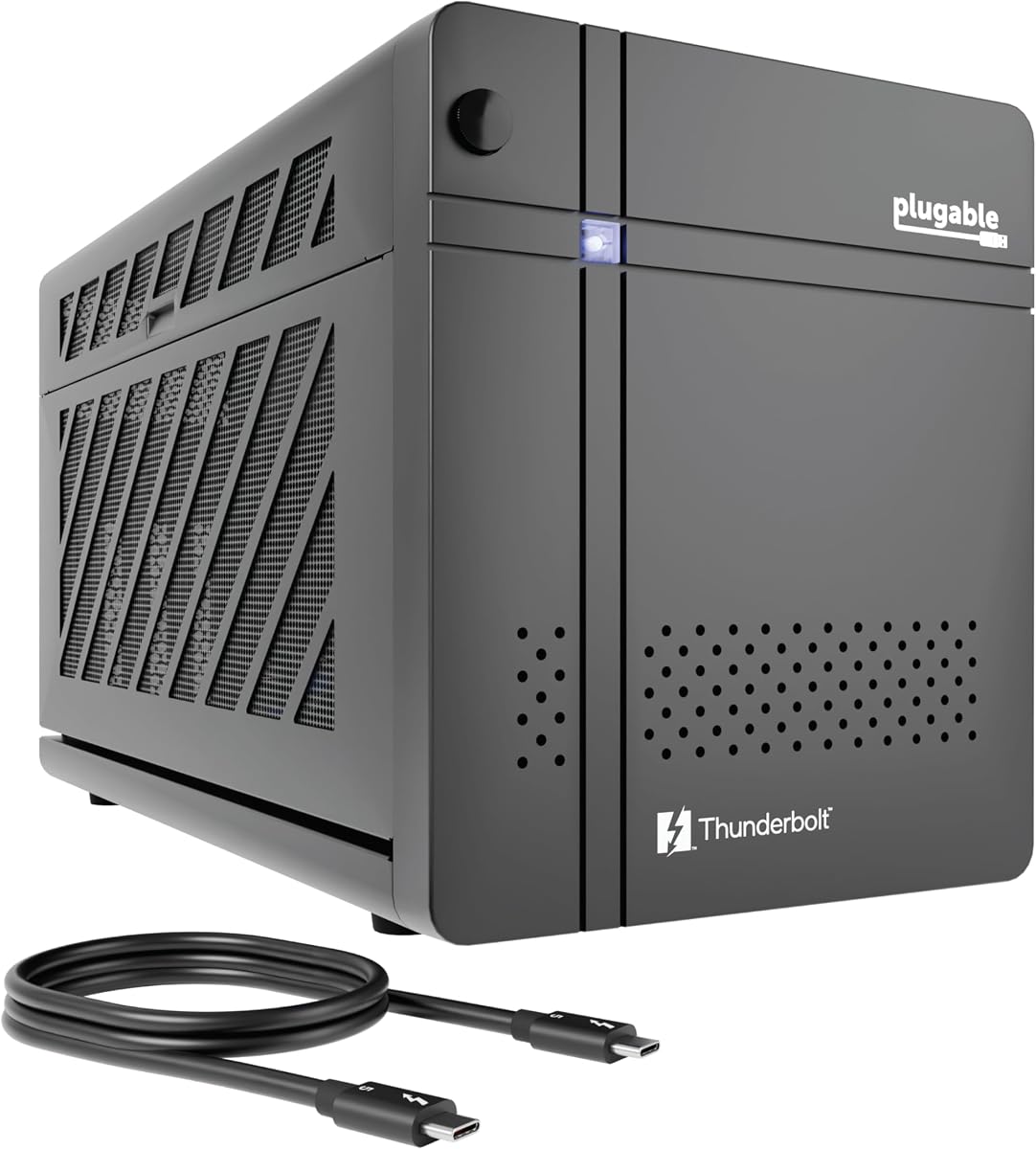
The Plugable TBT5-AI stands out as the top choice for users needing high-speed connectivity and privacy-focused AI workloads. It delivers a massive 80Gbps bandwidth and includes an 850W PSU.
We may earn a commission when you buy through this link, at no additional cost to you.
Its standout feature is the ability to run local AI models like Llama 3 securely without sending data to the cloud. This makes it ideal for developers who need an air-gapped environment for sensitive training tasks.
While it lacks macOS support, which is a limitation for Apple users, the Windows and Linux performance is robust. The included 96W charging ensures your laptop stays powered while the GPU handles heavy computational loads.
If you need a premium enclosure that respects data privacy while offering cutting-edge Thunderbolt 5 speeds, this model is the definitive recommendation. It balances performance with unique utility in ways others do not.
The enclosure allows you to run large language models locally, ensuring that prompts and data never leave your private perimeter.
Thunderbolt 5 provides double the bandwidth of previous generations, significantly reducing bottlenecks during data-intensive rendering tasks.
We may earn a commission when you buy through this link, at no additional cost to you.
The Sonnet Breakaway Box 850 T5 is a powerhouse designed for professionals who need maximum flexibility and performance. It supports triple-wide GPUs and includes a robust 850W power supply.
We may earn a commission when you buy through this link, at no additional cost to you.
Its integrated Thunderbolt 5 dock adds significant value by offering multiple USB ports and Ethernet connectivity. This reduces clutter on your desk and streamlines the connection of peripherals alongside the graphics card.
The only significant downsides are the high cost and the large size of the chassis, which may not fit on every desk. However, for heavy-duty rendering or AI acceleration, the internal power ensures stable performance.
If budget is less of a concern than raw capability, this enclosure offers a future-proof solution that handles the most demanding hardware without throttling. It is a top-tier choice for stationary workstations.
Beyond the GPU, the built-in ports allow you to connect multiple monitors, storage drives, and network cables through the enclosure itself.
The 850W supply ensures that even the most power-hungry graphics cards receive consistent voltage without needing separate adapters.
We may earn a commission when you buy through this link, at no additional cost to you.
This enclosure offers an excellent entry point for users looking to boost graphics performance without spending a fortune. It comes complete with a 240W power supply and a sturdy carrying case for travel.
We may earn a commission when you buy through this link, at no additional cost to you.
The compact aluminum design ensures durability and heat dissipation while maintaining a sleek look. The 85W PD charging feature allows you to power your laptop through a single cable, simplifying the setup process.
While it may not support the most power-hungry GPUs like those requiring 300W, it is perfect for mid-range cards used in casual gaming or light video editing. It is a practical solution for on-the-go needs.
For anyone seeking a reliable and affordable way to upgrade a laptop's graphics, this kit provides the essential hardware without unnecessary bloat. It is a strong recommendation for students and budget-conscious users.
The included carrying case protects the unit during transit, making it easy to move between home and office environments.
Connecting just one Thunderbolt cable handles data transfer and laptop charging, keeping your workspace tidy and organized.
We may earn a commission when you buy through this link, at no additional cost to you.
The Razer Core X V2 is built for gamers who need ample space for large graphics cards and robust cooling. Its steel chassis supports up to four slots wide for maximum flexibility in hardware selection.
We may earn a commission when you buy through this link, at no additional cost to you.
A key benefit is the high 140W PD output via USB-C, which can power high-wattage laptops efficiently. The tool-free installation and adjustable fan curve provide convenience and control over noise and temperature.
The main trade-off is the lack of Apple device support, which restricts its user base. However, for Windows users seeking a durable and spacious enclosure, it offers a reliable platform for AAA gaming.
This enclosure strikes a great balance between performance and ease of use. It is an excellent choice for users who want a premium brand with proven compatibility for desktop-grade graphics cards.
The 140W power delivery ensures that even high-performance gaming laptops receive enough juice to run at full speed while connected.
The active cooling fan adapts to load, providing quiet operation during idle times and maximum airflow when gaming.
We may earn a commission when you buy through this link, at no additional cost to you.
This mini enclosure is uniquely designed to work with handheld gaming devices like the ROG Ally X and Claw 8. It supports multiple power supply forms, giving users flexibility in how they power the system.
We may earn a commission when you buy through this link, at no additional cost to you.
Its compatibility with macOS is a rare feature in the budget segment, making it useful for Mac users who need occasional GPU boosts. The included USB ports also allow it to function as a standard hub.
The bandwidth is limited to Thunderbolt 3/4 speeds which are lower than the latest TB5 models, but sufficient for most handheld use cases. The setup requires some attention to power compatibility for smaller cards.
If you own a handheld console and want to connect it to a monitor for gaming, this is one of the few options that truly supports those devices. It bridges the gap between mobile and desktop gaming well.
Unlike many others, this model supports macOS, allowing Apple laptop users to access GPU acceleration for creative tasks.
Specific design choices ensure seamless connection with modern gaming handhelds for enhanced play on external screens.
We may earn a commission when you buy through this link, at no additional cost to you.
The VK-Y900 is tailored for users who already have an ATX power supply and want a cost-effective way to build an enclosure. It features solid controller support and unique AI capabilities for local model inference.
We may earn a commission when you buy through this link, at no additional cost to you.
It provides a clean single-cable solution that charges the laptop while driving the GPU. This helps in maintaining a neat workspace while still delivering high performance for creative or development tasks.
Since it requires you to supply your own power unit, the total cost can vary significantly. However, if you have spare hardware, this offers a way to repurpose existing components efficiently.
For tech-savvy users who do not mind some assembly, this product delivers strong performance and value. It is a solid option for building a custom high-power setup without buying a full integrated unit.
By not including a power supply, the unit allows users to select a PSU that fits their specific budget and space needs.
Support for TinyGPU on macOS allows developers to run AI models locally using compatible external graphics cards.
We may earn a commission when you buy through this link, at no additional cost to you.
This model is a solid choice for Mac users who still rely on Thunderbolt 3. It offers a full 750W power supply and integrates additional ports like Ethernet and USB for a complete desktop experience.
We may earn a commission when you buy through this link, at no additional cost to you.
The inclusion of macOS support is critical for users with older MacBooks who need GPU acceleration for video editing or design work. The power supply ensures that most professional cards can run without issues.
However, the Thunderbolt 3 interface limits bandwidth compared to newer models, which may bottleneck ultra-fast GPUs. But for many creative workflows, the difference is negligible in real-world performance.
If you own a Mac with Thunderbolt 3 and need a reliable enclosure, this is one of the few options that supports the platform well. It remains a strong tool for professional creative work.
Designed to work with older Mac systems, it provides essential GPU acceleration for video and 3D work.
The additional USB and Ethernet ports allow you to connect multiple devices without extra dongles.
We may earn a commission when you buy through this link, at no additional cost to you.
This compact enclosure is ideal for those who need a small footprint but still want to use standard GPUs. It uses a reliable controller and supports USB4, which broadens device compatibility significantly.
We may earn a commission when you buy through this link, at no additional cost to you.
The dual TB3 ports and USB-A port allow it to act as a small hub. This feature helps in connecting peripherals while the GPU is active, reducing cable clutter on your desk.
You must source your own power supply, which gives you flexibility but adds a step to setup. For many users, this is a small trade-off for the low price and small size.
If you prioritize desk space and want a lightweight solution, this unit is a great candidate. It balances basic functionality with portability well.
Its small size makes it easy to store away when not in use or to pack for travel.
The JHL7440 controller ensures stable data transfer between the laptop and the external graphics card.
We may earn a commission when you buy through this link, at no additional cost to you.
The DEG2 stands out for its unique OCuLink support, which can offer lower latency than Thunderbolt in some scenarios. It also includes an M.2 NVMe slot for direct storage access on the dock.
We may earn a commission when you buy through this link, at no additional cost to you.
Its ability to switch between docking mode and GPU mode allows flexibility. You can use the NVMe slot for projects while keeping the GPU active, maintaining a synchronized workspace without extra cables.
Support for universal power supplies means you can adapt the unit to different needs. The re-drive signal booster helps maintain stability during high-bandwidth tasks like 8K rendering or AI training.
This device is highly innovative for advanced users who want more than a simple enclosure. It merges storage and GPU power into one unit, streamlining the workflow significantly.
OCuLink provides a direct PCIe connection that can improve performance in certain specialized scenarios.
The M.2 slot lets you keep project files close to the GPU, reducing transfer delays during workflows.
We may earn a commission when you buy through this link, at no additional cost to you.
This final pick offers a complete kit with a power supply and case, making it a plug-and-play solution. It features an aluminum shell that is lightweight and durable for regular transport.
We may earn a commission when you buy through this link, at no additional cost to you.
It supports a wide range of devices including NUCs and laptops. The 240W PSU is sufficient for many mainstream graphics cards, and the PD charging keeps your laptop powered while in use.
The design is sleek and portable, fitting well in backpacks. It balances price and performance effectively, though it may not suit users with the largest power-hungry GPU cards.
If you want a hassle-free experience with high ratings and a carrying case, this model is an excellent choice. It is ready for travel and works well with most modern USB4 systems.
The included carrying case makes it easy to carry your graphics upgrade anywhere you need it.
Everything you need is included in the box, allowing you to start using the GPU immediately.
We may earn a commission when you buy through this link, at no additional cost to you.
Selecting the right eGPU enclosure involves evaluating power, bandwidth, and physical size to ensure compatibility with your laptop and desired use case.
Check if your laptop supports Thunderbolt 4, Thunderbolt 5, or USB4. Thunderbolt 5 offers higher bandwidth which is crucial for high-end GPUs.
Always verify the controller and port version on your device to avoid bottlenecks in performance.
The enclosure must provide enough wattage for your graphics card. High-end cards often require 400W or more from the internal supply.
Ensure the PSU wattage meets the minimum requirement of the GPU you plan to install for stable operation.
Measure your graphics card dimensions against the enclosure's internal clearance. Some cases only support cards up to a certain length or width.
Choose a case with adjustable mounting if you plan to upgrade to larger cards in the future.
macOS has strict limitations on eGPU support, especially with Apple Silicon chips. Ensure the enclosure supports your OS specifically.
Windows and Linux generally offer broader compatibility with most enclosure models available today.
Look for models with extra ports like USB or Ethernet. These can reduce clutter by allowing peripherals to connect to the dock instead of the laptop.
Ensure the included cables are of high quality and support the necessary bandwidth for your connection.
Enclosures generate heat when running GPUs. Active cooling fans are essential for maintaining performance during long sessions.
Review the cooling design and fan noise levels to ensure a comfortable working environment.
Metal chassis usually dissipate heat better than plastic. They also offer better protection during transport.
Prioritize sturdy build materials if you plan to move the enclosure frequently.
Prices vary widely based on features and power supply inclusion. Determine a maximum spend before browsing to avoid overspending.
Sometimes cheaper models without a power supply offer better value if you already have compatible hardware.
Start by installing the graphics card into the enclosure and securing it with the provided screws. Connect the power cable to a wall outlet and ensure the fan is spinning.
Connect the Thunderbolt cable from the enclosure to your laptop. Install the necessary drivers for the GPU and the Thunderbolt controller on your operating system.
Keep the enclosure in a well-ventilated area to prevent overheating. Regularly dust the vents to maintain airflow and prolong the life of the internal components.
No, they generally work only with laptops that have Thunderbolt 3, 4, or 5 ports. Standard USB-C ports do not provide the necessary bandwidth for GPU acceleration.
Older Macs with Intel processors and Thunderbolt support can use eGPUs. However, Apple Silicon Macs with M1 or later chips do not support external GPUs.
Complete kits are easier to set up and usually come with a tested power supply. DIY kits are cheaper but require you to source and install your own power supply.
There is usually a small performance loss of around 10-20% compared to a desktop due to the bandwidth limits of the connection. However, it still provides a massive boost over integrated graphics.
For entry-level GPUs, 300W is often sufficient. Mid-range to high-end cards typically require 500W or more to operate stably under load.
Yes, most GPUs support multiple monitors. You can connect displays directly to the GPU ports on the enclosure for a multi-screen setup.
Most Windows and macOS models also support Linux, but you may need to install specific drivers to enable full functionality. Check the manufacturer's documentation before buying.
Check the specifications of your laptop's port to confirm Thunderbolt or USB4 support. Then verify that the GPU dimensions and power requirements match the enclosure's limits.
Our top three picks cover diverse needs including privacy-focused AI work, high-end workstation power, and budget-friendly gaming. Each model offers distinct advantages depending on your specific workflow.
Prioritize power supply capacity and port compatibility to avoid bottlenecks. Ensure that the enclosure supports your operating system and laptop interface before making a final purchase.
Always check current availability and deals as prices for these components fluctuate frequently. A reliable enclosure can significantly extend the life and performance of your laptop setup.