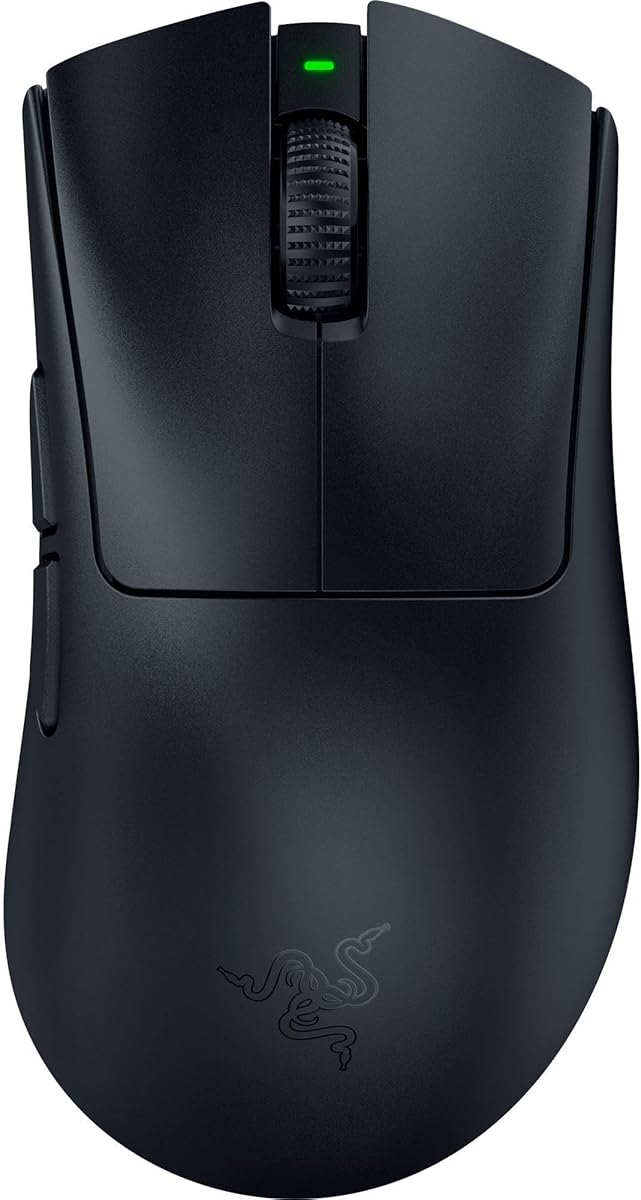
Razer DeathAdder V4 Pro
4.4Editor score
45K DPI Focus Pro sensor
Ultra-light 56g weight
8000 Hz polling rate
Discover the top high DPI mice for 4K gaming precision compared in this guide covering sensor accuracy, polling rates, and ergonomic design for competitive
Finding the right high DPI mouse for 4K gaming precision is essential for competitive players seeking pixel-perfect accuracy. Modern sensors deliver flawless tracking across diverse surfaces while maintaining low latency for responsive gameplay.
This guide compares ten top-rated gaming mice based on sensor performance, build quality, and ergonomic design. We evaluate wireless stability, battery life, and customization options to help you choose the best fit for your setup.
Each pick highlights key strengths and ideal use cases for different play styles. Prices and availability may change, so check the latest details before purchasing to ensure you get the best value for your investment.
4.4Editor score

4.4Editor score

4.6Editor score
The following table compares the key specifications of all ten selected mice to help you quickly identify the best option for your 4K gaming precision needs.
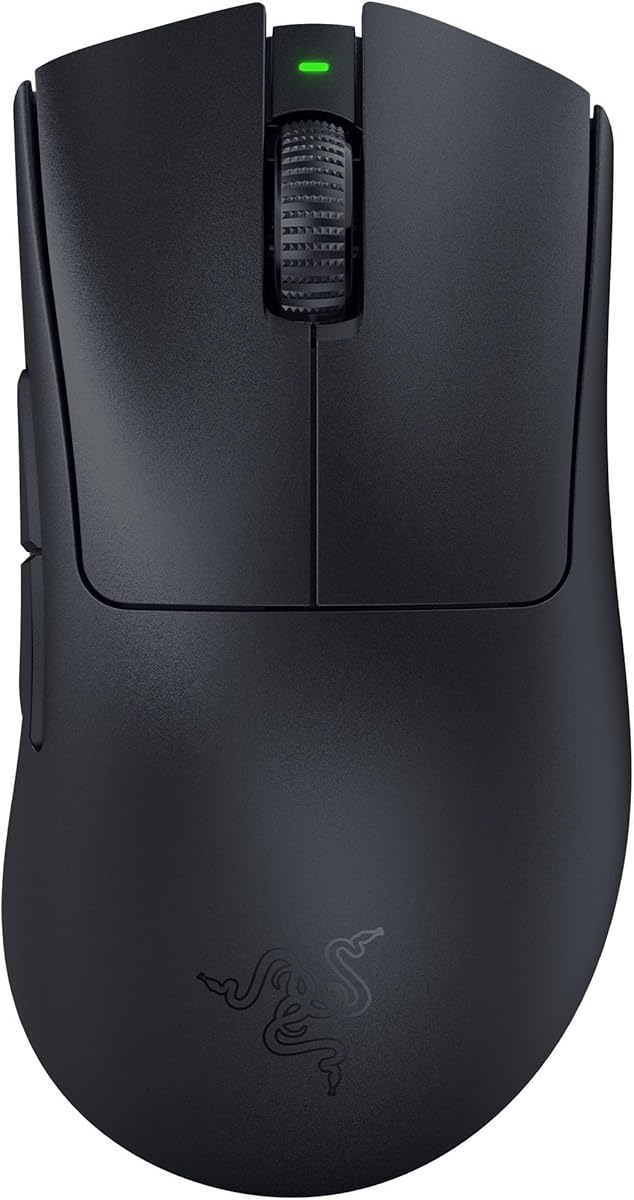




The Razer Basilisk V3 Pro is a top-tier wireless gaming mouse featuring a 35K Focus Pro optical sensor designed for high Dpi precision. It offers a 140-hour battery life and 13 customizable controls for extensive command mapping and automation.
We may earn a commission when you buy through this link, at no additional cost to you.
Its Focus Pro 35K sensor delivers best-in-class tracking performance across various surfaces including glass. The HyperScroll tilt wheel allows seamless switching between tactile and free-spin scrolling. This adaptability enhances both gaming navigation and productivity workflows.
While it supports up to 8000 Hz polling with an optional dock, standard use runs at 1000 Hz. The weight is balanced for comfort but may not suit gamers preferring ultra-light setups under 60g. However, the ergonomic shape fits most hand sizes well.
This mouse is ideal for competitive players and productivity users seeking precision, customization, and reliability. The combination of sensor quality, battery endurance, and versatile controls makes it a standout choice for 4K gaming precision.
The Focus Pro 35K sensor ensures pixel-perfect tracking on diverse surfaces. Intelligent functions adjust to movement speed for consistent aim accuracy during fast-paced 4K gaming.
Razer Hyperspeed wireless provides lag-free performance. With up to 140 hours of battery, you can game continuously without frequent recharges or interruptions.
We may earn a commission when you buy through this link, at no additional cost to you.
The Razer DeathAdder V3 Pro is built for esports professionals seeking speed and control. Weighing only 63 grams it enables faster swipes and precise tracking essential for competitive gaming environments and high DPI settings.
We may earn a commission when you buy through this link, at no additional cost to you.
Its Focus Pro 30K sensor ensures flawless tracking on most surfaces. The optical switches offer 0.2ms actuation with zero debounce delay providing reliable feedback. The ergonomic form reduces fatigue during long sessions while maintaining responsiveness.
While it lacks RGB lighting and extra programmable buttons it focuses on pure performance. The battery lasts up to 90 hours which is sufficient for most players. Its lightweight design may feel fragile to those accustomed to heavier mice.
This model is perfect for competitive gamers prioritizing speed and comfort over extra features. The balance of weight sensor accuracy and wireless stability makes it a strong contender for 4K gaming precision.
The improved ergonomic shape supports natural hand positioning. This reduces strain during extended gameplay while maintaining optimal control for high DPI adjustments.
Hyperspeed wireless technology delivers a connection faster than competitors. It ensures stable low-latency performance even in noisy wireless environments during intense matches.
We may earn a commission when you buy through this link, at no additional cost to you.
The Razer Basilisk V3 Pro Customizable RGB offers a blend of performance and aesthetic flair. Its iconic ergonomic form supports millions of users worldwide providing comfort during extended high DPI gaming sessions with 11 programmable buttons.
We may earn a commission when you buy through this link, at no additional cost to you.
The 30K Focus Pro optical sensor ensures reliable tracking on glass and other surfaces. With 13-zone Chroma lighting you can sync effects with over 150 games for immersive gameplay. The HyperScroll wheel adds versatility for content navigation.
Battery life reaches up to 110 hours on wireless mode but RGB usage can reduce runtime. It requires Razer Synapse for advanced customization which may deter minimalists. However the build quality and features justify the investment.
This mouse suits gamers who value aesthetics and comfort alongside precision. The customizable lighting and ergonomic design make it a versatile choice for both competitive gaming and casual setups.
Over 16.8 million colors allow dynamic lighting effects. Zones react to in-game events enhancing immersion during 4K gaming sessions with synchronized visuals.
The HyperScroll tilt wheel switches between free spin and tactile modes. This dual functionality supports rapid content scrolling and precise navigation in games.
We may earn a commission when you buy through this link, at no additional cost to you.
The Razer DeathAdder V4 Pro represents the pinnacle of high DPI gaming mouse technology. Featuring a 45K DPI Focus Pro sensor and 56g weight it ensures maximum aim precision and tracking across surfaces for esports tournaments.
We may earn a commission when you buy through this link, at no additional cost to you.
Its Lightning-fast wireless performance delivers up to 8000 Hz polling for ultra-stable connectivity. Optical scroll wheel and Gen-4 switches provide tactile feedback with 100 million click durability. Dual wireless and wired modes add setup flexibility.
The high price may be prohibitive for budget gamers. While 8K polling is available via specific dongles most users find standard modes sufficient. The battery lasts up to 150 hours ensuring uninterrupted extended play.
This mouse is ideal for professionals and enthusiasts demanding top-tier performance. Its combination of weight sensor accuracy and polling speed makes it a premium choice for 4K gaming precision.
The 45K Focus Pro sensor offers 99.8% accuracy with 900 IPS. This ensures reliable tracking for FPS and MOBA games requiring precise high DPI adjustments.
8000 Hz polling reduces latency significantly for rapid inputs. This responsiveness is critical in high-stakes scenarios where milliseconds determine outcomes.
We may earn a commission when you buy through this link, at no additional cost to you.
The GravaStar Mercury M1 Pro stands out with its magnesium alloy build and tri-mode connectivity. Designed for ergonomic precision it reduces fatigue during marathon gaming sessions. The 26K DPI sensor ensures pixel-perfect accuracy for competitive setups.
We may earn a commission when you buy through this link, at no additional cost to you.
Its 4K polling rate delivers split-second response times in fights. The receiver provides ultra-low latency and rock-solid stability. GLOWSYNC RGB customization adds aesthetic appeal to match your setup or game themes dynamically.
At 88g it is heavier than ultra-light options which may impact speed. Software support is intuitive but less feature-rich than rivals. However the build quality and battery life offer great value for precision seekers.
This mouse is suitable for gamers wanting durability and high performance. The magnesium alloy construction and 4K polling make it a unique contender for 4K gaming precision.
Sculpted magnesium alloy ensures structural strength and lightweight feel. The ergonomic design naturally fits hands reducing fatigue during extended use.
With up to 200 hours battery life connectivity is flexible. Switch instantly between 2.4G Bluetooth and wired modes for versatile use cases.
We may earn a commission when you buy through this link, at no additional cost to you.
The ATTACK SHARK RS3 Ultra delivers premium features at a budget-friendly price. Its carbon fiber hybrid shell provides structural strength while maintaining a lightweight 63g design for competitive gaming. The 52K DPI sensor supports precise adjustments.
We may earn a commission when you buy through this link, at no additional cost to you.
With up to 800 hours battery life at 1000Hz you won't need frequent charging. Optical microswitches rated for 100 million clicks ensure durability. Web-based customization simplifies setup without installing desktop software.
Web driver limitations may restrict advanced macro features. The shell may feel less premium than metal alternatives. However the performance-to-price ratio remains unmatched for budget-conscious gamers.
This mouse is ideal for gamers seeking high-end specs without high costs. The carbon fiber build and 8K polling make it a top pick for 4K gaming precision.
PAW3955MAX sensor supports up to 52000 DPI with 1-DPI adjustment. Accurate tracking ensures micro-adjustments are reliable during fast-paced gameplay.
Carbon fiber hybrid shell refines texture and handling. Dual-layer skates provide smoother gliding for consistent movement and control.
We may earn a commission when you buy through this link, at no additional cost to you.
The Logitech G502 Hero is a classic choice for customizable performance. Featuring a HERO sensor with up to 25600 DPI it delivers zero smoothing filtering or acceleration. 11 programmable buttons offer extensive control options.
We may earn a commission when you buy through this link, at no additional cost to you.
Adjustable weights let you personalize balance for your play style. The mechanical switch tensioning provides crisp click feedback. LIGHTSYNC RGB technology synchronizes lighting with your gaming for immersive effects.
It lacks wireless capabilities which may limit setup flexibility. The weight can be heavier than ultra-light options. However the wired reliability and adjustability make it a staple for precision gaming.
This mouse suits gamers who value customization and wired stability. The HERO sensor and adjustable weights ensure you can tailor performance to your specific 4K gaming needs.
The HERO sensor tracks movements at sub-micron levels. Zero smoothing ensures accurate pixel-level tracking for precise aiming.
11 buttons allow complex macro assignments. Adjustable weights let you configure balance for personal comfort during gaming.
We may earn a commission when you buy through this link, at no additional cost to you.
The Redragon M916 Wireless offers an ultra-light design for fast movement. Weighing only 49 grams it enables clean control with less effort. The 26K DPI sensor supports five redefinable levels for quick game switching.
We may earn a commission when you buy through this link, at no additional cost to you.
Armed with 4000Hz report rate and Nordic flagship chip it ensures low consumption performance. Tri-mode connectivity allows pure wireless or BT usage. The ergonomic structure fits natural hand positioning for reduced fatigue.
Driver support is basic compared to premium brands. Fewer buttons limit complex macro setups. However the lightweight design and affordability make it accessible for budget gamers seeking speed.
This mouse is ideal for budget-focused gamers wanting lightweight performance. The ultra-light build and high DPI levels provide solid precision for 4K gaming.
Selected ultra-light materials offer fastest and cleanest mouse control. Reduced weight minimizes fatigue during long gaming or work sessions.
Switch between cables 2.4GHz and Bluetooth. This flexibility ensures a precise experience regardless of setup preference or location.
We may earn a commission when you buy through this link, at no additional cost to you.
The Razer Basilisk V3 provides an affordable entry into premium ergonomic design. Featuring a Focus Plus 26K DPI sensor it tracks movement flawlessly with zero smoothing. 11 programmable buttons allow extensive action assignments for various games.
We may earn a commission when you buy through this link, at no additional cost to you.
The HyperScroll tilt wheel offers free-spin or tactile modes for versatile navigation. 11 RGB zones sync dynamically with over 150 games for immersive lighting effects. Optical switches ensure crisp execution with zero unintended misclicks.
Wired limitation restricts wireless setup flexibility. However the reliability and cost-efficiency make it suitable for stationary setups. It remains one of the most accessible ergonomic gaming mice available.
This mouse is perfect for budget gamers seeking ergonomic comfort. The sensor and RGB features deliver high performance without premium pricing for 4K gaming.
Iconic ergonomic design with thumb rest supports natural hand placement. Optimally positioned buttons ensure quick and easy access during gameplay.
HyperScroll tilt wheel switches between free-spin and tactile modes. This flexibility aids rapid content scrolling and precision weapon cycling.
We may earn a commission when you buy through this link, at no additional cost to you.
The Logitech G703 Lightspeed delivers pro-level responsiveness and comfort. Its HERO 25K sensor ensures 1:1 tracking with zero smoothing. LIGHTSPEED wireless provides high performance gameplay with 35 hours of battery life for continuous play.
We may earn a commission when you buy through this link, at no additional cost to you.
POWERPLAY wireless charging compatibility means you can keep the mouse charged at rest. Advanced button technology keeps primary keys poised for consistent response. Rubber side grips enhance comfort for long sessions.
Battery life is shorter than competitors requiring frequent charging. At 95g it is heavier than modern ultra-light models. However reliability and comfort remain strengths for traditional gamers.
This mouse suits gamers prioritizing comfort and reliable wireless. The HERO sensor and POWERPLAY compatibility make it a solid option for 4K gaming precision.
LIGHTSPEED wireless technology provides pro-level responsiveness. Long-lasting connectivity ensures high performance gameplay without interruptions.
Comfortable design with rubber grips and optional weight. Advanced button technology ensures consistent response and button feel.
We may earn a commission when you buy through this link, at no additional cost to you.
Selecting the ideal high DPI mouse for 4K gaming precision involves understanding several key factors that influence performance and comfort.
The sensor is the heart of your mouse. Look for optical sensors with high DPI (dots per inch) such as 30K or higher to ensure pixel-perfect tracking on 4K displays. Advanced sensors often include intelligent functions that adjust sensitivity dynamically for smoother aim.
Prioritize sensors with zero acceleration or smoothing to maintain consistent movement. A high DPI range allows you to customize sensitivity across different games for optimal control.
Polling rate refers to how often your mouse reports data to your computer. Higher rates like 8000Hz reduce latency significantly compared to standard 1000Hz. For competitive 4K gaming precision, higher polling ensures faster response times.
Ensure your PC setup supports high polling rates to fully benefit. Some mice require specific dongles or docks to unlock maximum polling speeds.
Weight impacts speed and comfort. Ultra-light mice around 50-60g enable faster swipes while reducing fatigue. Heavier mice may offer stability but can limit rapid movements. Ergonomic shapes must match your hand size and grip style for precision.
Adjustable weight systems allow customization. Choose an ergonomic form that supports your hand naturally to prevent strain during long gaming sessions.
Wireless mice have advanced significantly with low-latency tech like LIGHTSPEED or Hyperspeed. Wired options offer zero interference but limit mobility. Tri-mode connectivity gives flexibility to switch between Bluetooth, 2.4G, and wired easily.
Check battery life for wireless models. Ensure connectivity remains stable without input lag that could disrupt high-precision gameplay.
Optical switches are becoming standard for gaming mice as they offer faster actuation and longer lifespan. Look for switches rated for at least 50 million clicks to ensure reliability. Mechanical switches may feel tactile but can suffer from double-clicking over time.
Durability matters for intense sessions. High-quality switches reduce maintenance and ensure consistent feedback during critical moments.
More buttons allow for macros and complex actions. Aim for mice with at least 5-7 programmable buttons depending on your needs. Software should be intuitive to map commands and adjust DPI profiles seamlessly.
Advanced software enables DPI step adjustments and lift-off distance tuning. This level of customization is vital for fine-tuning high DPI precision for specific games.
Modern optical sensors track on various surfaces including glass. Ensure the mouse supports your preferred mouse pad material. Intelligent tracking functions can help maintain accuracy across diverse textures.
Testing the mouse on your specific setup ensures optimal results. Some brands advertise glass compatibility as a key advantage for versatility.
For wireless models battery life affects usage without interruptions. Look for options offering 50 hours or more. USB-C charging is standard and quick. Some mice support wireless charging pads for seamless top-ups.
Consider battery efficiency features that reduce power consumption. Extended battery life ensures you can game longer without constant recharging.
Set up the mouse software to calibrate sensor settings and customize DPI levels according to your preferences. Assign macros or keybinds to additional buttons to streamline gameplay actions without cluttering your keyboard.
Clean the mouse feet and sensor regularly using a soft cloth to maintain smooth movement and accurate tracking. Dust accumulation can cause tracking issues which affect high DPI precision especially during fast-paced 4K gaming.
Adjust Windows pointer settings to disable enhanced pointer precision for consistent sensitivity. This ensures that your mouse movements translate exactly as intended without software interpolation altering your aim.
For 4K gaming, a DPI between 1600 and 4000 is typically ideal depending on your monitor size and sensitivity preference. Higher DPI allows finer movements but may require larger physical hand motions. Adjust based on comfort and tracking accuracy.
Modern wireless technologies like LIGHTSPEED and Hyperspeed have reduced latency to near-wired levels. With high polling rates like 4K or 8K, wireless mice are now reliable for competitive use. Ensure your PC meets requirements to minimize any delay.
Ergonomic mice suit palm or claw grips with right-handed support while ambidextrous shapes fit claw or fingertip grips. Consider your hand size and grip style. An ergonomic form reduces fatigue but may limit flexibility.
Yes, high DPI mice often offer versatile DPI switching beneficial for productivity. Customizable buttons can automate workflows. Ensure the ergonomics fit long work sessions to avoid strain during mixed usage.
Optical switches use light to register clicks offering faster actuation and longer lifespan. Mechanical switches provide tactile feedback but may double-click over time. Most modern gaming mice prefer optical for reliability and speed.
Most high DPI mice require dedicated software like Synapse or G Hub for advanced customization. Some offer web drivers for basic settings. Software helps manage DPI profiles macros and lighting to optimize performance for your needs.
This guide highlights ten exceptional mice designed to meet the demands of 4K gaming precision. The Razer Basilisk V3 Pro leads as editor's choice for its sensor and versatility. Top picks balance performance customization and design for every player.
Prioritize sensor accuracy polling rate and ergonomics when selecting your ideal mouse. Whether you prefer wireless speed or wired reliability these options deliver high DPI performance. Choose based on your budget grip style and gameplay needs.
Prices and availability can change so always verify details before purchasing. Investing in a quality high DPI mouse enhances your 4K gaming experience significantly. Happy gaming!