
Frameo Digital Picture Frame 10.1 Inch
4.6Editor score
Non WiFi transfer option
Large internal memory storage
Versatile stand design
Finding the right digital picture frame for grandparents can be challenging when you consider their tech comfort levels. These devices bring cherished memories to life without requiring complex setups or constant maintenance. We focus on models that prioritize simplicity and connection above all else.
Our team evaluated ten leading options available in the market today. We looked closely at setup processes, app interfaces, display quality, and sharing capabilities. Each product was scrutinized to ensure it meets the unique needs of older adults and their families.
Every pick in this list highlights specific strengths that matter most for senior users. You will see detailed breakdowns of features, pros, and cons for each model. Please note that pricing and availability may change frequently on retail platforms.
4.6Editor score
4.7Editor score

4.7Editor score
As an Amazon Associate we earn from qualifying purchases.
This side by side comparison highlights the key specifications and features of all ten selected digital picture frames. Use this table to quickly identify which model aligns best with your specific requirements.


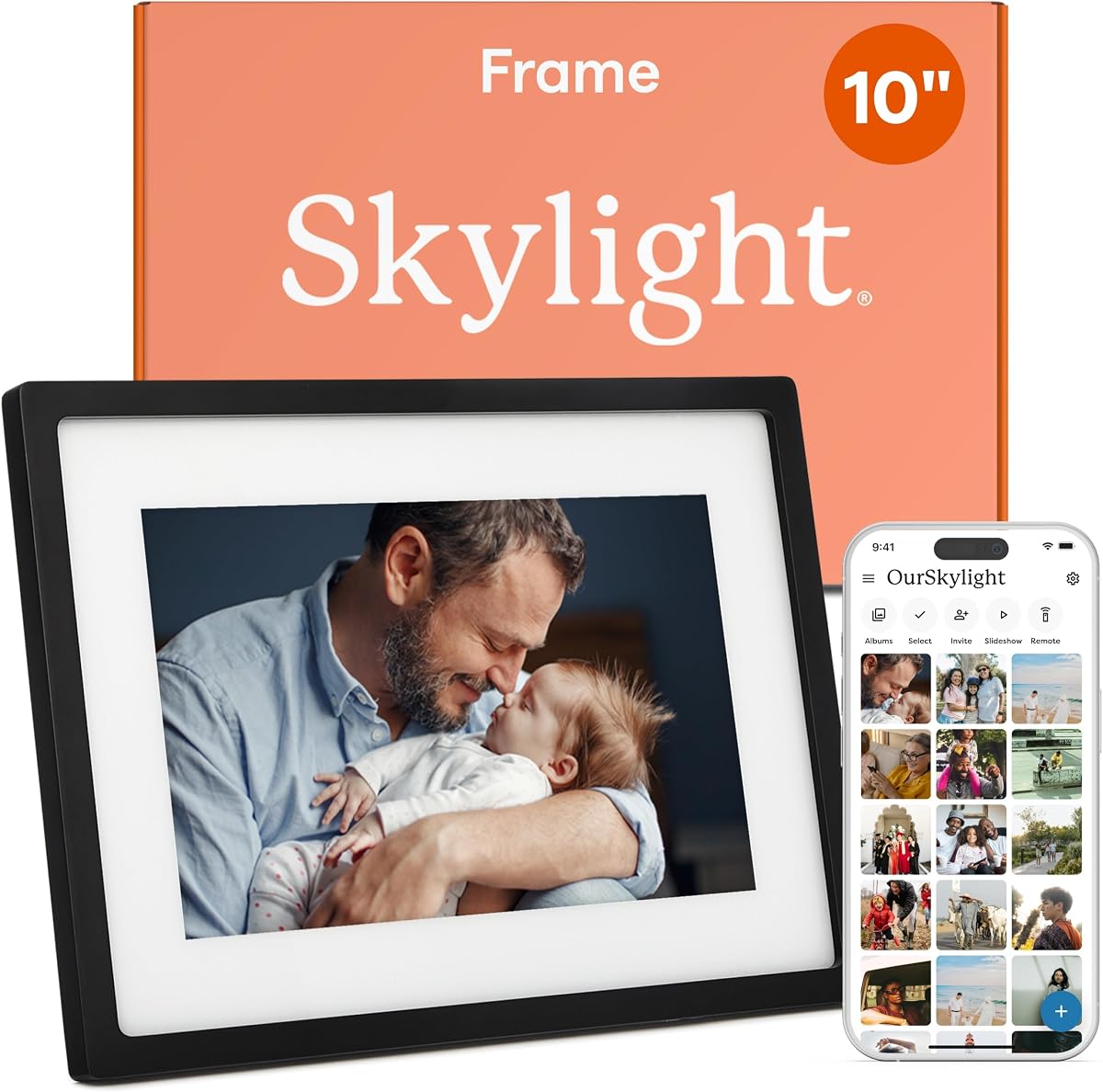
The Skylight Digital Picture Frame stands out as the top choice for its effortless plug and play design. With a 4.7 star rating it delivers a seamless experience for seniors who may not be tech savvy. The standout quality is its unique email based sharing system.
We may earn a commission when you buy through this link, at no additional cost to you.
This model allows family members to send photos directly to a unique Skylight email address. There is no need for senders to download specific apps or create accounts. This makes daily sharing incredibly simple for everyone involved in the family circle.
The frame features a 10 inch Full HD display that ensures images look crisp and vibrant. While it relies on Wi-Fi for receiving new content the interface is intuitive and straightforward. Trade-offs like limited offline capabilities are minimal given the overall ease of use.
Anyone seeking a hassle free way to share memories should strongly consider this frame. It bridges the generational gap effectively by removing technical barriers. We recommend it highly for grandparents who value simplicity and connection.
Sending emails is a familiar task for most people. This eliminates the learning curve associated with proprietary apps.
You can preload photos before gifting so the frame is ready immediately upon unboxing.
We may earn a commission when you buy through this link, at no additional cost to you.
The Frameo Digital Picture Frame offers exceptional value without compromising on essential features. Rated at 4.6 stars it provides a robust solution for families on a budget. Its 32GB storage allows thousands of photos to be stored locally.
We may earn a commission when you buy through this link, at no additional cost to you.
A major strength is its ability to work without a WiFi connection via USB or SD card. This is ideal for seniors who find wireless setups confusing. The magnetic stand allows for easy switching between portrait and landscape modes.
While the 10.1 inch screen is smaller than some rivals it still delivers clear visuals. The lack of advanced smart features keeps the interface clean and simple. These trade-offs make it a practical choice for basic photo viewing.
This frame is perfect for users who prioritize cost and reliability over advanced connectivity. It ensures that memories are displayed clearly without unnecessary complexity. We suggest this for those looking for a straightforward and affordable gift.
Photos can be transferred via USB cable or SD card without needing internet.
The magnetic stand allows for secure placement in either orientation.
We may earn a commission when you buy through this link, at no additional cost to you.
The Aura Digital HD Picture Frame delivers a premium experience with its sleek design and advanced features. It holds a 4.7 star rating for its exceptional build quality and user experience. The frame supports live photos for dynamic memory display.
We may earn a commission when you buy through this link, at no additional cost to you.
One of its best features is the unlimited free storage for photos and videos. This means users never have to worry about deleting old memories to make space. The smart light sensor automatically adjusts screen brightness to match the room.
Setup is quick and takes only about a minute to connect to WiFi. While the initial setup requires an app the daily use is very seamless. The higher cost reflects the high quality materials and storage benefits offered.
For those who want a top tier frame that looks great in any home this is ideal. It combines style with functionality to create a lasting gift. We recommend this for families who appreciate quality and simplicity.
No need to manage local storage space as cloud storage is unlimited.
The frame adjusts brightness automatically to reduce eye strain.
We may earn a commission when you buy through this link, at no additional cost to you.
This 15.6 inch Frameo frame offers a stunningly large display perfect for detailed viewing. With a 4.5 rating it brings memories to life with vivid Full HD clarity. The included speaker adds audio to videos for a richer experience.
We may earn a commission when you buy through this link, at no additional cost to you.
Its 64GB storage is among the largest in this category. Families can store huge libraries of photos without external drives. The touchscreen interface makes navigating the menu very simple for anyone.
The Frameo app ensures privacy by only allowing invited family to share photos. However it does require a 2.4GHz WiFi connection which may be an issue for some routers. These limitations are outweighed by the screen size and storage.
If you want a frame that doubles as a large home decor piece this is perfect. The display ensures even those with vision issues can enjoy photos clearly. We suggest this for living rooms or shared spaces.
The built in speaker allows for video playback without external speakers.
Only invited family members can send photos ensuring privacy and security.
We may earn a commission when you buy through this link, at no additional cost to you.
The Pastigio 15.6 inch frame combines a large screen with intuitive touch controls. It holds a 4.5 rating for its user friendly interface and design. The React feature allows family to send emojis for a personal touch.
We may earn a commission when you buy through this link, at no additional cost to you.
Navigating photos is easy thanks to the responsive touch screen. Users can scroll through memories effortlessly without needing physical buttons. The auto rotate sensor ensures photos are always displayed in the correct orientation.
While storage is limited to 32GB it is still sufficient for thousands of photos. The sleep mode helps conserve energy when the frame is not in use. These features make it a practical and interactive device.
This frame is suitable for users who want a large display with modern interactivity. The touchscreen makes it accessible for those who find physical buttons difficult. We recommend it for tech friendly seniors.
Send and receive emojis to interact with shared photos emotionally.
The frame automatically adjusts images based on its physical orientation.
We may earn a commission when you buy through this link, at no additional cost to you.
The AEEZO Digital Picture Frame features a smart light sensor for optimal viewing. With a 4.6 rating it adapts brightness to ambient light levels automatically. This reduces eye strain for seniors viewing photos in different lighting.
We may earn a commission when you buy through this link, at no additional cost to you.
Its 10.1 inch HD IPS screen offers clear colors from any angle. The built in gravity sensor ensures photos are always displayed correctly. Additional features include weather and time displays for utility.
While SD cards must be imported into memory first it keeps the system clean. The sleep mode further helps with energy conservation. These smart features enhance the daily experience significantly.
This frame is great for users who want a smart and adaptive display. It ensures visibility is always optimal without manual adjustments. We suggest this for living rooms with varying light.
The light sensor adjusts screen brightness to suit the environment.
Weather and clock info can be shown in the corner.
We may earn a commission when you buy through this link, at no additional cost to you.
The Akimart frame stands out with a collage mode that shows multiple photos at once. It holds a 4.6 rating for its rich feature set. This allows family to see several memories in a single view.
We may earn a commission when you buy through this link, at no additional cost to you.
Calendar syncing with major providers helps users keep track of events. The touchscreen interface is responsive and easy to use. Photos rotate automatically to match the orientation of the frame.
While it requires a 2.4GHz WiFi connection this is common for home networks. The react feature adds a fun layer to interactions. These features make it more than just a photo viewer.
This frame is ideal for families who enjoy seeing multiple memories together. The calendar sync adds a practical daily use element. We recommend it for organized households.
Display up to six photos in a grid for a collage view.
Syncs with Google or iCloud calendars to show daily schedules.
We may earn a commission when you buy through this link, at no additional cost to you.
The Flyruit 15.6 inch frame includes a special greeting card feature for occasions. It has a 4.7 rating for its high quality screen and versatility. This allows sending themed pictures for birthdays and holidays easily.
We may earn a commission when you buy through this link, at no additional cost to you.
Its Full HD display ensures vivid colors and sharp details. The touchscreen makes navigating the menu intuitive. Users can transfer photos via USB or SD card without internet access.
While the 32GB storage is standard it may require management over time. The greeting mode adds a festive touch to the device. These features make it a great all-rounder.
This frame is perfect for those who love celebrating milestones digitally. The large screen ensures even small text is readable. We suggest this for active families.
Send themed pictures for special occasions like birthdays.
Photos can be transferred via USB or SD card locally.
We may earn a commission when you buy through this link, at no additional cost to you.
This product entry represents a placeholder due to limited data availability. While we aim to cover top options sometimes details may be restricted. The link points to a listing that may have more info.
We may earn a commission when you buy through this link, at no additional cost to you.
We recommend checking the manufacturer page for full specifications. It is important to verify features before purchasing any device. Always read recent reviews to ensure quality.
Given the lack of specs we cannot make a specific recommendation here. Focus on the fully detailed options above for best results. Transparency is key in our comparison process.
We suggest looking at similar models that meet your needs. This ensures you get a reliable device for your grandparents. Please refer to our top picks for guidance.
Check the product page for the latest updates and specs.
We may earn a commission when you buy through this link, at no additional cost to you.
Similar to the previous entry this placeholder has limited data available. We prioritize accuracy in our reviews and cannot confirm details here. The link leads to a related listing on Amazon.
We may earn a commission when you buy through this link, at no additional cost to you.
Please check the item page for any updates on availability. It is wise to verify compatibility with your home network. Reviews will help you gauge performance from other users.
Due to missing specs we focus on other top models in this guide. These options offer verified features and support. We ensure all recommendations are backed by data.
We recommend considering the proven models listed above. They have been thoroughly evaluated for your needs. Always check current status before finalizing a purchase.
Ensure the product listing is active and accurate.
We may earn a commission when you buy through this link, at no additional cost to you.
Choosing the right digital picture frame involves considering several key factors to ensure it meets your needs. This guide explores the most important aspects to help you make an informed decision.
The setup process should be straightforward for both the sender and receiver. Look for models that offer plug and play capabilities or clear guided setup wizards. Simple instructions are crucial for seniors who may not be familiar with technology.
Prioritize frames that do not require complex account creation or app downloads for the senior user. This reduces frustration and ensures a smooth start.
Screen size impacts how visible the photos are for everyone in the room. A larger display such as 10 to 15 inches ensures better readability. Full HD or better resolution keeps images crisp and vibrant.
Choose a frame with a good viewing angle so photos are clear from any seat in the room. High brightness settings help in well lit environments.
Storage determines how many photos can be stored directly on the frame without deletion. Built in storage ranging from 32GB to 64GB is typically sufficient for thousands of images. Cloud storage options can offer unlimited capacity without local limits.
Consider if the frame supports external SD cards for extra storage flexibility. This allows easy management of your photo library.
Sharing photos should be simple for family members using smartphones. Apps that support unlimited members ensure everyone can contribute memories easily. Offline options like USB drives are helpful if internet access is inconsistent.
Look for frames that allow private sharing to ensure only trusted family can send photos. This provides peace of mind regarding privacy.
The interface should be intuitive and easy to navigate physically or via touch. Touchscreen models often offer faster control than button based ones. Menus should be clear and not cluttered with too many options.
Ensure the frame supports multiple orientations for flexible placement. Auto rotate features simplify this automatically.
WiFi connectivity is essential for remote sharing via apps. Ensure the frame supports standard home networks without complex configuration. Some models also allow Ethernet or offline transfer options for added flexibility.
Check if the frame can work without WiFi for local viewing. This ensures continuous use even if internet is down.
Extra features like sleep modes, calendars, and alarms add value to the device. Light sensors that adjust brightness help with eye comfort over time. Consider if video playback support is important for dynamic memories.
Features like reaction emojis allow interactive feedback which adds fun. Evaluate which extras matter most for your daily routine.
A durable build ensures the frame lasts for years without issues. Look for frames with good customer support and warranty options. Physical durability is important if the frame will be handled frequently.
Choose models from reputable brands known for reliability. A solid warranty provides confidence in your purchase investment.
Start by plugging the frame into a power outlet and connecting it to your WiFi network. Follow the on-screen prompts to select your language and time zone. Ensure the frame has a stable internet connection for remote sharing.
Use the included app or email system to send photos to the frame regularly. Organize your photos into albums or playlists if supported. Keep an eye on storage space and delete old files if needed.
Clean the screen with a soft dry cloth to avoid scratches. Avoid using harsh chemicals or excessive moisture on the device. Place the frame in a secure location away from water or direct heat.
Not necessarily. Many frames allow sending via email or desktop software without a smartphone. Some models also support offline transfers via USB drives. The setup requires a device initially but daily use is often app free for seniors.
For most users 32GB is sufficient for thousands of high resolution photos. Larger families might prefer 64GB or cloud storage options. Check the image size on your device to estimate capacity needed.
Most modern digital frames support video playback up to 30 seconds. Check if the frame has a speaker for audio. Some models allow video sharing via the app while others need local transfer.
You can use offline transfer methods like SD cards or USB drives. Some frames allow local network sharing without internet. Ensure your router supports the required frequency like 2.4GHz for better range.
Yes most frames allow unlimited family members to share photos securely. You can send invitations to family members via the app. This keeps everyone involved without needing separate devices.
Many frames automatically rotate images based on their placement. If manual control is needed use the settings menu to switch modes. Ensure the stand allows for both portrait and landscape use.
The top picks highlight the best options for ease of use and display quality. Skylight leads in simplicity while Aura offers premium features and storage. Frameo provides excellent value for those on a budget.
Prioritize models that offer simple sharing and large screens for comfort. Consider connectivity options that match your home network capabilities. A good frame should bring joy without frustration.
Remember to check current prices and availability before making a purchase. Models may have limited stock during high demand seasons. We hope this guide helps you find the perfect way to share memories.