
Canon imageCLASS LBP6030w
3.8Editor score
Compact wireless design
19 pages per minute speed
150 sheet paper capacity
Find the best laser printer with cheap toner for your needs. This guide compares top models based on print speed, connectivity, and genuine toner costs.
Finding a reliable laser printer with cheap toner is essential for home offices and small businesses aiming to reduce printing costs. These machines offer sharp text and efficient operation without breaking the bank on ongoing supplies. We analyzed current models to help you save money while maintaining quality.
Our team evaluated ten top-rated laser printers focusing on long-term value and toner affordability. We looked at print speeds, connectivity options, and the cost of genuine replacement cartridges for each unit. This comparison ensures you choose a device that fits your budget and workflow needs effectively.
Each pick in this list highlights key features and real-world performance metrics for clarity. We include detailed reviews and a buying guide to simplify your decision process. Please note that prices and availability can change frequently, so check current listings before purchasing your new printer.
3.8Editor score

4.1Editor score

4.5Editor score
This side-by-side comparison highlights the key specifications of all ten selected laser printers. You can easily compare print speeds, paper handling, and connectivity features to find the best fit for your workspace requirements and budget constraints.




The Brother HL-L2405W stands out as a top choice for home offices needing reliable black and white printing. It boasts a rating of 4.1 stars from users who appreciate its consistent performance and sharp text quality. This model delivers documents quickly while maintaining low operational costs over time.
We may earn a commission when you buy through this link, at no additional cost to you.
Its standout quality lies in the combination of 30 pages per minute speed and a generous 250-sheet paper tray. The built-in dual-band wireless ensures you can print from anywhere in your home or office without cables. You can also manage settings remotely using the Brother Mobile Connect app for added convenience.
While it lacks color capabilities, that trade-off helps keep the initial hardware and ongoing toner costs significantly lower. The manual feed slot is small but sufficient for occasional specialty paper jobs like envelopes. Brother offers a Refresh Subscription trial to help you save on genuine supplies right from the start.
This printer is ideal for anyone who needs speed and reliability without complex features. If you are looking for a straightforward device that handles high volumes efficiently, this is a strong recommendation. Check current pricing to confirm it fits your budget before ordering.
Print up to 30 pages per minute to keep your workflow moving without delays or interruptions.
Connect easily via dual-band wireless or USB to print from computers and mobile devices effortlessly.
We may earn a commission when you buy through this link, at no additional cost to you.
The Canon imageCLASS LBP6030w is an excellent entry-level laser printer for those watching their budget closely. With a rating of 3.8 stars, it offers basic wireless printing functionality that is perfect for light home use. The low upfront cost makes it accessible for students or small home offices.
We may earn a commission when you buy through this link, at no additional cost to you.
Its compact design is a major advantage as it fits neatly into tight spaces without taking up much desk room. It supports wireless connectivity so you can print from your phone or laptop without messy cables. The energy saver mode helps reduce power consumption when the printer is not in use.
However, it prints at 19 pages per minute which is slower than other models on this list. You also have to print single-sided manually as there is no automatic duplex feature included. The toner yield is decent but not as high as some Brother alternatives for heavy workloads.
If your main priority is low cost and you do not need high volume printing, this is a smart pick. It covers the basics well and remains easy to use for daily documents. Verify availability and stock levels before placing your order to avoid delays.
Save valuable desk space with a design that fits easily into small offices or student dorms.
Enjoy the freedom to print from compatible mobile devices anywhere within your wireless network range.
We may earn a commission when you buy through this link, at no additional cost to you.
The Brother MFC-L2820DW offers a complete office solution with printing scanning copying and fax capabilities all in one unit. It holds a 4.3 star rating reflecting its reliability and robust feature set. This model is designed for small offices that need more than just simple document output.
We may earn a commission when you buy through this link, at no additional cost to you.
Its key strength is the impressive 36 pages per minute speed combined with a 50-page auto document feeder. You can scan multiple pages at once and send them directly to cloud services like Google Drive or Dropbox. The 2.7 inch touchscreen makes navigation simple for any user without technical experience.
The main trade-off is the higher price point compared to single-function printers. It also takes up more desk space due to the added scanner and fax mechanisms. However, the convenience of having all tools in one device often justifies the extra cost for busy environments.
Choose this printer if you need a full office workstation that handles various tasks efficiently. It is especially good for teams that frequently copy or scan documents alongside standard printing. Ensure you have enough space allocated for its dimensions before purchase.
Handle print copy scan and fax tasks from a single device to streamline your daily office workflow.
Print from and scan to popular cloud apps directly from the touchscreen for seamless digital document handling.
We may earn a commission when you buy through this link, at no additional cost to you.
The Canon imageCLASS MF3010 VP is a reliable wired option for users who prefer a stable USB connection. It earns a 4.2 star rating for its steady performance and included toner supply right out of the box. This model supports both scanning and copying in a compact form factor.
We may earn a commission when you buy through this link, at no additional cost to you.
One of its best features is the inclusion of a high-yield toner cartridge that lasts up to 2,300 pages. This reduces the immediate need for replacements and keeps costs predictable for the first year. The ID card copy function makes duplicating small documents quick and easy without extra steps.
It lacks wireless connectivity which limits its use to a single computer connection via USB. This can be a drawback if you need to print from multiple devices across a home network. However, it remains a cost-effective choice for those who value simplicity and direct access.
This printer is best for home users who do not need mobile printing capabilities. It is straightforward to set up and operate with minimal software requirements. Check system compatibility with your operating system before buying to ensure smooth installation.
Start printing immediately with a high-yield toner cartridge included in the box for up to 2300 pages.
Use a direct USB connection to avoid network setup issues and keep your printing environment secure and stable.
We may earn a commission when you buy through this link, at no additional cost to you.
The Brother HL-L2460DW is designed for efficiency with automatic duplex printing that saves paper and reduces waste. It carries a 4.0 star rating for its dependable output and fast processing speeds. This model is great for home offices needing quick single-function printing capabilities.
We may earn a commission when you buy through this link, at no additional cost to you.
It prints at 36 pages per minute which is among the fastest in its class. The 250-sheet tray reduces the need to reload paper frequently during busy periods. You can also access it remotely via the Brother Mobile Connect app for flexible work arrangements.
Lacking scanning or copying features means it is purely a printing device. You may need separate hardware if you frequently need to copy documents. Still, the speed and duplex capabilities make it a solid choice for text-heavy tasks.
Ideal for users who prioritize speed and paper savings over multifunctionality. It handles large volumes well and maintains high-quality output consistently. Review the dimensions to ensure it fits your desk comfortably before ordering.
Automatic duplex printing reduces paper usage significantly by printing on both sides of each sheet automatically.
Achieve rapid document output with speeds up to 36 pages per minute for high-volume printing tasks.
We may earn a commission when you buy through this link, at no additional cost to you.
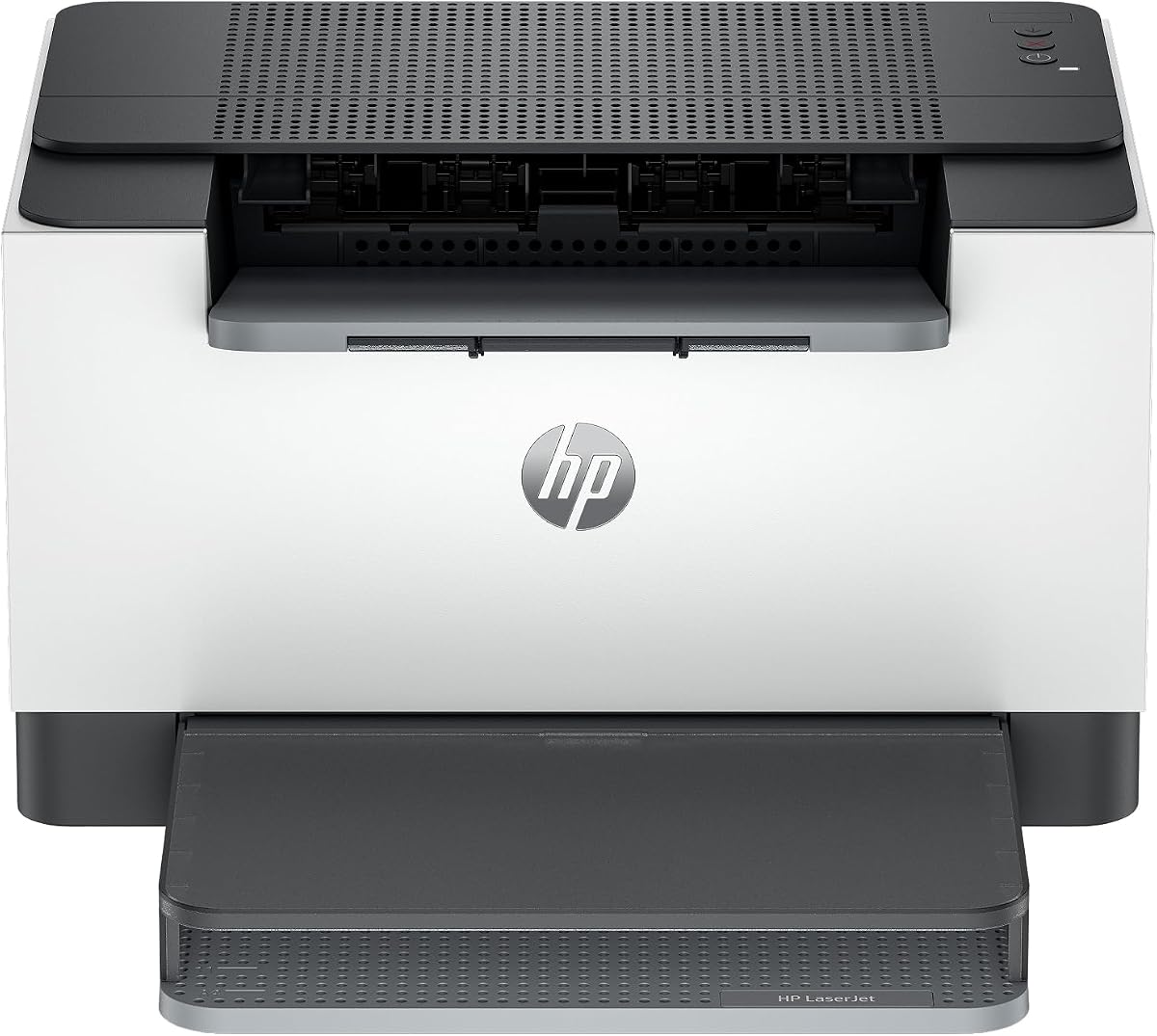
The HP LaserJet M110w is a compact solution tailored for small teams of one to three people. It has a 3.9 star rating reflecting general satisfaction with its simple wireless design and reliable printing. HP's reputation for quality adds confidence to this choice for professional documents.
We may earn a commission when you buy through this link, at no additional cost to you.
Its self-reset wireless feature helps resolve connectivity issues automatically without needing manual restarts. You can print from almost any device using the HP Smart app which simplifies repetitive tasks. The printer fits easily into any corner or small office space.
It only uses specific HP cartridges with original chips which may limit third-party compatibility. There is no Ethernet port limiting you to wireless or USB connections for networking. However, for basic home office needs this is often acceptable and convenient.
Select this printer if you want a straightforward reliable unit from a trusted manufacturer. It is easy to configure and works well for casual professional document printing. Verify cartridge availability and costs in your region before finalizing your purchase.
Enjoy wireless printing with self-reset technology that automatically fixes connection drops to keep you productive.
Use the HP Smart app to print scan and manage your printer from your smartphone with ease.
We may earn a commission when you buy through this link, at no additional cost to you.
The HP LaserJet M209dw offers fast speeds and strong security features for small team use. It holds a 4.2 star rating for its reliability and user-friendly wireless capabilities. This model is notable for its eligibility for HP's Instant Ink subscription service.
We may earn a commission when you buy through this link, at no additional cost to you.
It prints up to 30 pages per minute and supports fast two-sided printing to save time. The dual-band Wi-Fi with self-reset ensures a stable connection without manual intervention. You can also rest assured that your data is protected by built-in security features.
While Instant Ink offers convenience it requires a subscription commitment that may not suit everyone. Security features can sometimes block cartridges with non-HP chips so you may be locked into genuine supplies. Consider your workflow needs before relying on this subscription model.
This printer is perfect for small offices needing reliable wireless printing with security. It balances speed and safety effectively for business documents. Check current cartridge policies to decide if Instant Ink aligns with your budget.
Subscribe to HP Instant Ink to have toner delivered automatically when levels run low for peace of mind.
Protect your office data with built-in security features that guard against potential network attacks.
We may earn a commission when you buy through this link, at no additional cost to you.
The Canon imageCLASS LBP122dw is a compact duplex printer that fits well in home setups. It has a 3.9 star rating for its balance of speed and size. This model handles wireless printing efficiently for those who need basic black and white output.
We may earn a commission when you buy through this link, at no additional cost to you.
It prints at 30 pages per minute and supports automatic duplex to reduce paper waste. The Canon PRINT app allows you to manage printing tasks from mobile devices easily. High-capacity toner options help keep costs lower over time compared to standard cartridges.
It lacks scanning or copying functions so it is strictly a printer. You will need to use separate equipment if you require document duplication or scanning. However, for pure printing needs it performs well and takes up minimal space.
Choose this if you want a small printer that does not compromise on duplex speed. It is suitable for personal use or light home office tasks. Ensure you have enough paper capacity for your volume needs.
Fit this compact printer almost anywhere in your home or office without crowding your workspace.
Print on both sides of the page wirelessly to save paper and money with every job.
We may earn a commission when you buy through this link, at no additional cost to you.
The HP LaserJet MFP M235sdw is an all-in-one printer designed for office environments. It holds a 4.0 star rating for its ability to handle scanning copying and printing. This model is built for teams that need reliable performance and connectivity.
We may earn a commission when you buy through this link, at no additional cost to you.
It prints up to 28 pages per minute with fast two-sided printing capabilities. Ethernet connectivity ensures stable wired connections for offices with multiple users. Strong security features help protect sensitive business documents from unauthorized access.
The larger footprint and higher price point are considerations for smaller home offices. You may not need all features if you only print occasional documents. However, for serious office use the added functions provide significant value.
Select this if you need a full office printer that handles multiple tasks efficiently. It is suitable for small business environments requiring network stability. Check dimensions to ensure it fits your office space before ordering.
Designed specifically for office use with robust features that handle high volumes of professional documents.
Ethernet included allows for stable wired connections that are essential for busy team environments.
We may earn a commission when you buy through this link, at no additional cost to you.
The Brother HL-L2480DW is a top-rated multi-function laser printer with a 4.5 star rating. It combines printing scanning and copying in a compact design for home offices. The 36 pages per minute speed makes it one of the fastest options available.
We may earn a commission when you buy through this link, at no additional cost to you.
Its 2.7 inch touchscreen simplifies navigation and allows direct printing from cloud apps. You can manage tasks via the Brother Mobile Connect app for remote control convenience. Automatic duplex saves time and reduces paper usage during heavy printing jobs.
The lack of a fax function means it is limited to scan and copy for non-printing tasks. Some users might find the touchscreen interface initially confusing until they get used to it. Still the speed and reliability make it a strong contender for office use.
This printer is ideal for home offices needing a fast and versatile all-in-one solution. It balances performance with a user-friendly interface effectively. Check current pricing and trial offers to maximize your savings.
Navigate easily with a large touchscreen that simplifies settings and cloud app selection.
Get up to 36 pages per minute to complete your printing tasks quickly and efficiently.
We may earn a commission when you buy through this link, at no additional cost to you.
Selecting the right laser printer involves weighing hardware costs against long-term toner expenses. This guide breaks down the critical factors to help you make an informed decision.
Print speed measured in pages per minute affects how quickly your documents are ready. For busy environments higher speeds prevent bottlenecks. Consider your daily volume needs to pick a suitable rate.
Aim for at least 30 pages per minute for efficient office work.
Toner yield determines how many pages one cartridge prints. Higher yields mean fewer replacements and lower per-page costs. Check the standard and high-capacity options available for your model.
Look for yields of 3,000 pages or more for better value.
Modern printers offer wireless Ethernet or USB connections. Wireless enables printing from multiple devices without cables. USB is reliable but limits you to a single computer.
Choose wireless if you need flexible multi-device access.
Automatic duplex printing saves paper by using both sides of the sheet. This feature is essential for reducing waste and costs. Ensure your model includes this if environmental impact matters.
Prioritize models with built-in automatic duplex capabilities.
Larger paper trays reduce how often you must refill. A 250-sheet tray is standard for home offices. High-volume environments may need trays of 500 sheets or more.
Select a tray size matching your typical print job frequency.
Reliable customer support is crucial when technical issues arise. Established brands often provide better warranties and online resources. Check reviews for service quality before committing to a brand.
Choose a brand with strong positive service feedback.
Genuine toners ensure quality but compatible ones are cheaper. Some printers block non-genuine cartridges with firmware updates. Research compatibility policies before buying third-party supplies.
Verify printer policies if you plan to use third-party toners.
Print subscriptions like HP Instant Ink or Brother Refresh automate supply delivery. They can lower costs if you print regularly but require commitments. Evaluate if monthly fees fit your budget.
Consider subscriptions for predictable printing costs.
Place your printer on a stable flat surface away from direct sunlight to prevent paper jams and overheating. Ensure there is enough space around the unit for ventilation and easy access to trays.
Keep the paper tray filled with high-quality paper to avoid jams that can damage internal parts. Use the manual feed slot for specialty items like envelopes to protect the standard tray.
Run regular test prints and clean the exterior with a soft cloth to maintain performance. Update firmware periodically to ensure security features and toner tracking work correctly.
Most models focused on cost efficiency are monochrome laser printers that print in black and white. Color laser printers typically have much higher hardware and toner costs. For the cheapest toner options, stick to black and white models unless color is essential.
Many printers allow third-party cartridges, but some brands may block them with firmware updates. Check your specific model policy before purchasing compatible toners. Using compatible cartridges can save money if they are not blocked.
Standard cartridges usually yield around 1,500 to 2,000 pages. High-capacity options often reach 3,000 pages or more. Choosing high-yield versions generally lowers the cost per page significantly.
Use the printer's menu or a mobile app to connect to your Wi-Fi network. Enter your network credentials during setup. Once connected, install the printer driver on your computer to enable wireless printing.
Subscriptions like HP Instant Ink offer convenience but may not always save money for low-volume users. Evaluate your monthly print volume to decide if a fixed monthly fee is beneficial. It helps if you print consistently and want auto delivery.
Toner levels are estimated based on usage and may not be precise. If the printer functions normally, you can continue printing until quality degrades. Resetting the toner sensor may allow continued use with a new cartridge.
Regularly clean the exterior and paper trays with a soft cloth. Replace toner when print quality drops or low warnings appear. Check firmware updates to maintain security and feature functionality.
Most models support both Windows and macOS operating systems. Check the product specifications for specific OS version requirements. Mobile devices also work via AirPrint or dedicated manufacturer apps.
We have reviewed ten top laser printers that balance performance with affordable toner costs. Models like the Brother HL-L2405W and Canon LBP6030w offer excellent value for different budgets. Each pick brings unique strengths depending on your specific printing needs.
Prioritize high toner yield and duplex printing to keep long-term expenses low. Connectivity and speed are also critical for smooth daily operation. Choose a model that aligns with your workflow requirements.
Always check current prices and availability before purchasing. Toner costs and subscription deals may vary by region. We hope this guide helps you find a printer that serves you well.