This guide compares the top 10 Coax to Ethernet Adapter models for speed, reliability, and compatibility to help you choose the right wired network solution
As an Amazon Associate we earn from qualifying purchases. We may earn a commission when you buy through links on this page, at no additional cost to you. Read our affiliate disclosure.As an Amazon Associate we earn from qualifying purchases.Purchases through our links may earn us a commission, at no extra cost to you. Read our affiliate disclosure.
Finding the right Coax to Ethernet Adapter can transform your home network by leveraging existing coaxial wiring for high-speed connectivity without new cables.
We compared ten leading models based on speed performance, ease of installation, compatibility with major ISPs, and user feedback to identify the most reliable options available today.
Each pick highlights specific strengths like gaming optimization or whole-home coverage, but remember that prices and availability change frequently so check current details before purchasing.
Top 3 Picks for Best Coax to Ethernet Adapter
Best Budget
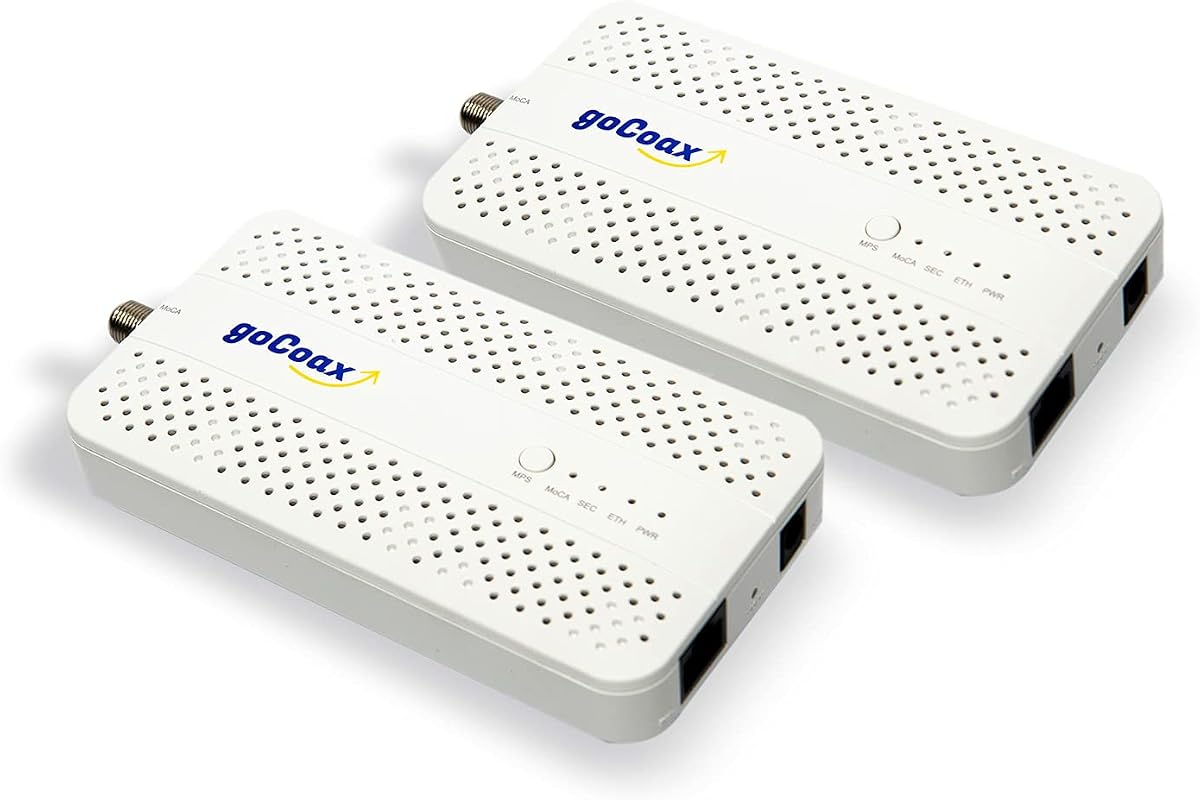
goCoax MoCA 2.5 Adapter (2-Pack) with 2.5GbE Ethernet Port | MA2500D Ethernet Over Coax for Gaming & 4K Streaming | 2.5Gbps, Plug and Play | for Cable Internet Homes – Not for Satellite TV (White)
Top 10 Best Coax to Ethernet Adapter in 2026 Compared
The following table provides a side-by-side comparison of all ten products analyzed in this guide, highlighting key specifications and capabilities for informed decision making.
The ScreenBeam ECB7250K02 stands out as the top choice for users seeking maximum speed and reliability from their coax infrastructure. With MoCA 2.5 technology this kit delivers up to 2.5 Gbps speeds which significantly outperforms standard Wi-Fi in many scenarios.
Pros
Fastest MoCA speeds available
Complete kit for easy setup
Backwards compatible with older devices
Strong performance for gaming
Works with most major ISPs
Cons
Some DOCSIS 3.1 modems conflict
Not compatible with satellite services
We may earn a commission when you buy through this link, at no additional cost to you.
Its standout quality lies in the inclusion of a full starter kit featuring two adapters splitters and cables so you can get started immediately without extra purchases. The high bandwidth supports 4K streaming and remote work without buffering making it ideal for modern households.
One trade-off is that some DOCSIS 3.1 modems may experience frequency overlap leading to disconnects so checking with your ISP is wise. Additionally it does not work with satellite providers like DirecTV or AT&T so verify your setup before buying.
Anyone needing a robust wired backbone for multiple rooms will find this adapter worth the investment. It provides stable connections for gaming consoles smart TVs and PCs ensuring your home network keeps pace with your internet plan.
Unmatched Speed Performance
The 2.5 Gbps port ensures you can utilize your full internet plan without bottlenecks typical of older adapters.
Complete Installation Kit
Everything needed from splitters to power adapters is included to simplify the deployment process for any home.
goCoax MoCA 2.5 Adapter (2-Pack) with 2.5GbE Ethernet Port | MA2500D Ethernet Over Coax for Gaming & 4K Streaming | 2.5Gbps, Plug and Play | for Cable Internet Homes – Not for Satellite TV (White)
MoCA 2.5
2.5 Gbps Ethernet port
Under 3ms latency
Includes coax and power cables
The goCoax MA2500D delivers impressive performance at a competitive price point making it the best budget option on this list. It utilizes MoCA 2.5 to provide full 2.5 Gbps bandwidth through your existing coaxial wiring without needing new cables.
Pros
Excellent price for 2.5 Gbps
Ultra-low latency for gaming
Plug and play simplicity
Works with major cable ISPs
Supports up to 16 nodes
Cons
Requires PoE filter separately
Not for satellite wiring
We may earn a commission when you buy through this link, at no additional cost to you.
Its key strength is the ultra-low latency of under 3ms which rivals direct Ethernet connections and eliminates lag during competitive gaming or video conferencing. This makes it a preferred choice for gamers who need responsiveness without rewiring their home.
While highly capable users should note that a PoE filter is recommended at the entry point for optimal security and performance and is sold separately. Also ensure your home has interconnected coax outlets as it will not work if lines are isolated.
This adapter is perfect for budget conscious users wanting next-gen speeds. It works seamlessly with Comcast Spectrum Cox and FiOS allowing you to extend high-speed connections to remote rooms effortlessly.
Gaming Grade Latency
Achieves less than 3ms latency ensuring smooth gameplay even during intense online sessions without packet loss.
Cost Effective High Speed
Offers 2.5 Gbps performance at a lower price than many competitors saving money without sacrificing quality.
Kiwee Broadband MoCA 2.5 Adapter with Dual 2.5GbE Ports (2-Pack) | High-Speed Ethernet Over Coaxial | 2.5Gbps Wired LAN for Streaming, Gaming, Mesh WiFi | Includes Coax & Ethernet Cables | KB-M3-02
MoCA 2.5
Dual 2.5GbE Ports
2.5 Gbps throughput
Plug and play design
The Kiwee KB-M3-02 is a standout premium option offering dual 2.5GbE ports on each adapter allowing multiple devices to connect at full speed from a single unit. This is a unique feature not found on other adapters in the current market.
Pros
Unique dual 2.5GbE ports
Future-proof for high speeds
Includes all installation cables
Stable low latency connection
Compatible with all major ISPs
Cons
Higher cost than single port models
Requires existing coax network
We may earn a commission when you buy through this link, at no additional cost to you.
By providing two fast Ethernet ports you can connect a gaming console and a smart TV or a NAS drive and a desktop simultaneously without extra switches. This versatility makes it ideal for offices or entertainment centers needing multiple wired connections.
The trade-off is the higher price point compared to single port models but the added utility often justifies the cost. You must still ensure your coax wiring is interconnected and not isolated by satellite installations for proper operation.
For users needing maximum flexibility and future-proofing this adapter is highly recommended. It supports MoCA 2.5 standards ensuring you can take advantage of evolving internet speeds without replacing hardware.
Dual Port Versatility
Connect multiple devices directly to each adapter reducing cable clutter and switch dependency in home setups.
High Performance Reliability
Built with high grade components to ensure years of reliable service under demanding network loads.
TRENDnet 2.5Gbps Ethernet Over Coax Adapter (2-Pack), TMO-313C2K
MoCA 2.5
2.5 Gbps port
NDAA and TAA compliant
Compact lightweight housing
The TRENDnet TMO-313C2K boasts an impressive user rating indicating high satisfaction among owners. It uses MoCA 2.5 technology to ensure consistent voice and 4K HD video bandwidth with lowered latency for seamless entertainment.
Pros
Highest user rating
Government compliance ready
Reliable streaming performance
Compact design for hiding
Up to 16 nodes support
Cons
Not compatible with satellite
Requires existing coax wiring
We may earn a commission when you buy through this link, at no additional cost to you.
Its NDAA and TAA compliance makes it a preferred choice for government or institutional installations that require adherence to specific procurement standards. This sets it apart from many consumer only adapters offering broader applicability.
The compact design allows it to fit discreetly into entertainment centers or desktops without taking up much space. However it is strictly for coax networks and will not work with satellite TV wiring or isolated coax runs.
Whether for home or office use this adapter delivers stable performance that reduces reliance on Wi-Fi. It is a robust choice for anyone needing a trustworthy connection without complex configuration steps.
Government Compliance
NDAA and TAA compliant so suitable for restricted procurement environments in the U.S. and Canada.
User Satisfaction
Earned a 4.8 rating from users reflecting reliable performance and ease of setup in real world scenarios.
Hitron HTEM5 MoCA 2.5 Network Adapter (2-Pack) – Extends Network via Coax | NOT a Modem/Router/WiFi | Requires Cable TV Wiring (NOT Satellite) | Works with Cable & Most Fiber (NOT AT&T) | 2.5 Gbps
MoCA 2.5
2.5 Gbps speed
Kit includes cables
Free technical support
The Hitron HTEM5 is a solid choice for extending your network with clear guidelines on compatibility to prevent confusion. It delivers up to 2.5 Gbps speeds making it ideal for 4K streaming and high bandwidth devices.
Pros
Free technical support
Works with most fiber ISPs
Complete kit with cables
Clear setup guide
2.5 Gbps throughput
Cons
Not for AT&T Fiber
Satellite incompatibility noted
We may earn a commission when you buy through this link, at no additional cost to you.
One notable feature is the inclusion of free technical support to assist if you encounter connectivity issues which are often due to wiring configuration. This support can be valuable for those new to MoCA technology.
It works with most cable and fiber providers but explicitly excludes AT&T Fiber which may interfere with MoCA signals. Also verify your coax outlets are interconnected and not isolated by previous satellite service before purchasing.
For users seeking a straightforward solution with support backing this adapter offers good value. It includes everything needed to get started and simplifies extending high-speed internet to distant rooms.
Technical Support
Free support available to help verify coax network compatibility and optimize performance if issues arise.
ISP Compatibility
Works with Xfinity Spectrum Cox and most fiber services excluding AT&T Fiber for broad usability.
LNOVISION LongReach PoE over Coax EoC Converter, IP Ethernet over Coax
PoE over Coax
100Mbps bandwidth
BNC to twist pair
Built-in heat sink
The LNOVISION PoE over Coax Converter serves a specialized niche for upgrading analog surveillance systems to IP without replacing coaxial cables. It supports standard PoE and PoE+ allowing power and data over existing lines.
Pros
Supports PoE standards
Ideal for analog upgrades
Industrial heat sink
Small design
Plug and play
Cons
Lower 100Mbps speed
Industrial design may be bulky
We may earn a commission when you buy through this link, at no additional cost to you.
Its industrial design with a built-in heat sink ensures reliability in environments like elevators or server rooms where temperature can vary. This focus on durability makes it suitable for commercial applications rather than typical home use.
The bandwidth is limited to 100Mbps which is sufficient for most security cameras but not for general high speed internet needs. It also requires specific power configurations via PoE switch or injector for the receiver.
If you need to retrofit CCTV cameras using existing cabling this adapter is an excellent tool. It simplifies installation by combining power and data transmission into one coaxial run.
Surveillance Upgrade
Turns analog systems into IP ready setups using existing RG59 RG6 coax without new wiring.
Industrial Durability
Built with heat sink for reliable operation in varied indoor conditions over long periods.
G.hn Ethernet Over Coax Adapter Kit – 1.2Gbps Network for Unused/Dark Coax – Secure Wired Connection for Gaming & Streaming – Easy Setup – Not for Cable TV/Internet – 2 Units (GCA-1200-KIT)
G.hn Technology
1.2 Gbps speed
Dark coax only
Up to 800m range
The Nexuslink G.hn Kit is unique because it is designed specifically for unused or dark coaxial wiring that is not carrying cable TV or internet signals. This isolation ensures a secure dedicated network for your devices.
Pros
Works on unused coax
Secure isolated network
No cable TV interference
Easy plug and play
Up to 800m range
Cons
Only for dark coax
Not for cable internet
We may earn a commission when you buy through this link, at no additional cost to you.
It supports speeds of up to 1.2 Gbps over distances up to 800 meters making it ideal for large homes where running Ethernet would be difficult. The G.hn technology provides stable connections without interference from broadcast signals.
Because it is not for cable TV you must verify your coax outlets are truly disconnected from your ISP service. If they are active you should use MoCA instead. This specificity is both its strength and a setup constraint.
For creating a private network for gaming or streaming in a home with dark cabling this kit is perfect. It avoids the need for new wiring and leverages existing infrastructure effectively.
Dark Coax Exclusive
Requires unused coax lines to prevent signal interference from active cable TV or internet services.
Extended Range
Can transmit data up to 800 meters allowing network extension across very large properties.
MoCA 2.5 Adapter Kit with 2.5G Ethernet Port and PoE+ 30W for Ethernet Over Coax – Ideal for Wi-Fi 6E/7 Access Points, IP Cameras, and More – Model KB-M3-03
MoCA 2.5
2.5 Gbps port
PoE+ 30W output
Includes 2 units
The Kiwee KB-M3-03 combines data transmission with PoE+ power output making it suitable for devices like Wi-Fi 6E/7 access points or IP cameras that need both internet and power. This simplifies installation by eliminating extra power adapters.
Pros
PoE+ power output
High-speed data and power
Ideal for access points
Simple plug and play
Stable long distance
Cons
Requires existing coax
Higher price point
We may earn a commission when you buy through this link, at no additional cost to you.
It achieves 2.5 Gbps data speeds over coaxial wiring ensuring your network backbone is fast enough to handle modern traffic loads. The integrated PoE+ allows you to power devices through the Ethernet port directly.
This is a premium feature that streamlines deployment in hard-to-reach spots where power outlets are scarce. You still need to verify coax compatibility and ensure it is not isolated by satellite service to function properly.
For users installing smart home security or mesh Wi-Fi systems this adapter offers a complete solution. It handles both power and data efficiently reducing clutter and cable runs.
PoE+ Power
Delivers up to 30W power over Ethernet to support access points and cameras without separate outlets.
Simplified Setup
Just plug in coax Ethernet and power to get started quickly without complex configuration steps.
TRENDnet Ethernet Over Coax MoCA 2.5 Adapter, TMO-312C
MoCA 2.5
Gigabit LAN port
3-year manufacturer protection
Compact lightweight
The TRENDnet TMO-312C is a single unit option that offers reliable performance with a Gigabit LAN port. It uses MoCA 2.5 to ensure smooth flow of traffic reducing bottlenecks even if speeds cap at 1Gbps.
Pros
Compact design
Manufacturer protection included
Supports up to 16 nodes
Reliable streaming
Easy setup
Cons
Gigabit only not 2.5G
Single unit sold
We may earn a commission when you buy through this link, at no additional cost to you.
Its compact and lightweight housing makes it suitable for desktop or entertainment center installations without taking up much room. The inclusion of three years of manufacturer protection adds value for long term reliability.
While it offers great stability it may not match the 2.5Gbps speeds of newer models. This is acceptable for users with standard 1Gbps internet plans who prioritize dependability over raw maximum throughput.
If you need an extra adapter to add one more connection to your MoCA network this model is a solid choice. It works with most cable ISPs and simplifies extending wired access to one more device.
Compact Footprint
Designed to fit discreetly into entertainment centers or on desktops without clutter.
Manufacturer Support
Backed by 3 years of manufacturer protection ensuring long term reliability and peace of mind.
ScreenBeam ECB6200S02 Network AdapterAdd-On Only Bonded MoCA 2.0 – Fast
MoCA 2.0
1Gbps port
Add-on unit
Kit includes cables
The ScreenBeam ECB6200S02 is an add-on unit designed to expand an existing MoCA 2.0 network. It provides a 1Gbps connection which is faster than typical Wi-Fi and sufficient for most household devices.
Pros
Low price point
Add-on for existing kit
Includes cables
Surpasses Wi-Fi speeds
Works with most routers
Cons
Only MoCA 2.0 speed
Not a starter kit
We may earn a commission when you buy through this link, at no additional cost to you.
It is ideal for users who already have a starter kit and need one more connection without replacing the entire system. The package includes a single adapter cables and power so you can add it easily.
While slower than 2.5Gbps models it remains cost-effective for expanding coverage to extra rooms. It does not work with satellite TV or requires specific compatibility with your gateway for optimal performance.
For budget conscious users looking to extend coverage this adapter is a practical choice. It leverages existing wiring to deliver reliable speeds without requiring a full system upgrade.
System Expansion
Designed as an add-on to existing starter kits allowing flexible network growth.
Cost Effective Speed
Provides faster speeds than Wi-Fi at a lower price point than newer 2.5G models.
We may earn a commission when you buy through this link, at no additional cost to you.
Buying Guide – How to Choose the Best Coax to Ethernet Adapter
Choosing the right adapter requires understanding your home's wiring and network needs to ensure compatibility and optimal performance.
MoCA Version
MoCA 2.5 adapters support up to 2.5 Gbps speeds which are ideal for modern gigabit internet plans and heavy traffic. Older MoCA 2.0 models cap at 1 Gbps which may suffice for standard plans but will limit future growth.
Look for MoCA 2.5 on the product label to ensure you get the highest speed capability available today.
Ethernet Port Speed
Check that the adapter has a 2.5GbE port if you want to maximize speed. Some lower end models only offer standard Gigabit ports which restrict throughput regardless of the MoCA standard.
Always verify the port speed matches your network needs to avoid bottlenecks in your wired connection.
ISP Compatibility
Most cable providers like Xfinity Spectrum and Cox work well with MoCA adapters. However some fiber providers like AT&T may have signal issues so confirm with your ISP before buying.
Ensure the product lists your provider as compatible to avoid return hassles.
Coax Wiring Type
Your home must have interconnected coax wiring that was not cut for satellite service. If you had DirecTV or Dish the lines might be isolated and the adapter will not work.
Check that your coax outlets are linked to a main splitter rather than isolated runs.
Kit vs Single Unit
Starter kits include two adapters and cables so you can start immediately. Single units are for adding to existing networks and may save money if you already have the other hardware.
Choose a kit if you are starting from scratch to ensure you have all necessary components.
PoE Capability
Some adapters offer PoE or PoE+ to power devices like access points or cameras through the Ethernet port. This eliminates the need for separate power outlets in hard to reach locations.
Select PoE models if you plan to connect powered devices directly without additional cables.
Latency Requirements
Gaming and video conferencing benefit from low latency. MoCA adapters generally offer sub 5ms latency but some models advertise under 3ms for optimal performance.
Prioritize adapters that emphasize low latency if you play competitive games.
Manufacturer Support
Brands like TRENDnet and Hitron offer technical support and manufacturer protection which can help resolve setup issues. Look for included warranties to protect your investment.
Check for support availability if you are new to MoCA technology.
How to Use and Care for Your Coax to Ethernet Adapter
To begin connect one adapter to your router and the other to your device using the included Ethernet and coax cables. Ensure the coax cables are screwed in tightly to maintain a solid connection.
Verify that your coax network is interconnected and not isolated by satellite wiring. If you had previous satellite service consult your ISP to confirm the lines are reconnected for MoCA use.
For optimal performance place a PoE filter at the cable entry point if recommended. This prevents signal leakage and enhances security and speed throughout your home network.
Frequently Asked Questions
Do coax to ethernet adapters work with satellite TV wiring?
No they generally do not work with satellite TV wiring because providers like DirecTV or Dish often disconnect or isolate coax lines. You must ensure your coax is interconnected for MoCA adapters to function properly.
Can I use these adapters with AT&T Fiber?
AT&T Fiber often causes interference with MoCA signals so these adapters are not compatible with AT&T Fiber networks. Most other cable and fiber providers like Xfinity Spectrum and Google Fiber work fine.
What is the difference between MoCA 2.0 and 2.5?
MoCA 2.5 supports speeds up to 2.5 Gbps while MoCA 2.0 caps at 1 Gbps. Choosing 2.5 ensures better performance for high-speed internet plans and future-proofing.
Do I need a PoE filter?
A PoE filter is recommended at the cable entry point for optimal security and performance but is often sold separately. It prevents signal leakage and ensures a stable connection across your coax network.
Can I connect multiple devices to one adapter?
Some models like the Kiwee KB-M3-02 offer dual ports allowing multiple devices per adapter. Others may require a separate Ethernet switch to connect more than one device to the coax network.
Will these adapters replace my modem?
No these are network adapters that extend your existing network using coax. They do not provide internet service so you must have a working modem and router to use them.
Do coax to ethernet adapters work with cable internet?
Yes they work well with most cable internet providers like Xfinity Spectrum and Cox. Ensure your coax outlets are active and interconnected for the adapters to function properly.
How do I verify my coax network is compatible?
Check if your coax outlets are round screw-on connectors and not satellite F-connectors. Also ensure they connect to a main splitter rather than being isolated runs from satellite wiring.
Final Thoughts on Choosing the Best Coax to Ethernet Adapter
We reviewed ten top adapters including the ScreenBeam ECB7250K02 for speed and the goCoax MA2500D for value. Each offers unique features like dual ports or PoE+ support to suit different needs.
Prioritize MoCA 2.5 and verified ISP compatibility to ensure reliable performance. If you need maximum speed look for dual port models but if budget is key the goCoax offers excellent rates.
Remember that prices and availability change often so check the current details before purchasing. Verify your coax wiring is properly interconnected to avoid compatibility issues.
Discover the best headset for Dota 2 players with our expert guide comparing sound quality, comfort, and mic clarity across ten top-rated gaming models.