
Canon PIXMA TR4720
3.8Editor score
Wireless printing capability
Built-in fax functionality
Compact home office design
Discover the top rated cheap fax machine options for 2026. We compare features, reliability, and value to help you pick the right office tool today.
Finding a reliable fax machine without overspending can be challenging in today's digital landscape. Many businesses still require fax capabilities for legal and medical documents. This guide helps you identify affordable models that deliver consistent performance without breaking the bank.
We analyzed ten top-rated fax machines and all-in-one printers with fax functionality. Our evaluation focused on transmission speed, paper capacity, ease of use, and overall build quality. Each product listed offers unique benefits suited for home offices or small business environments.
Every selection includes detailed specifications, pros and cons, and real-world usage insights. Prices and availability may change frequently due to market conditions and stock levels. Please verify the current details on the product page before making your final purchase decision.
3.8Editor score

4.0Editor score

4.0Editor score
The following table provides a side-by-side overview of all ten selected products. Compare key specifications and features to find the model that best fits your specific workflow requirements and budget constraints.


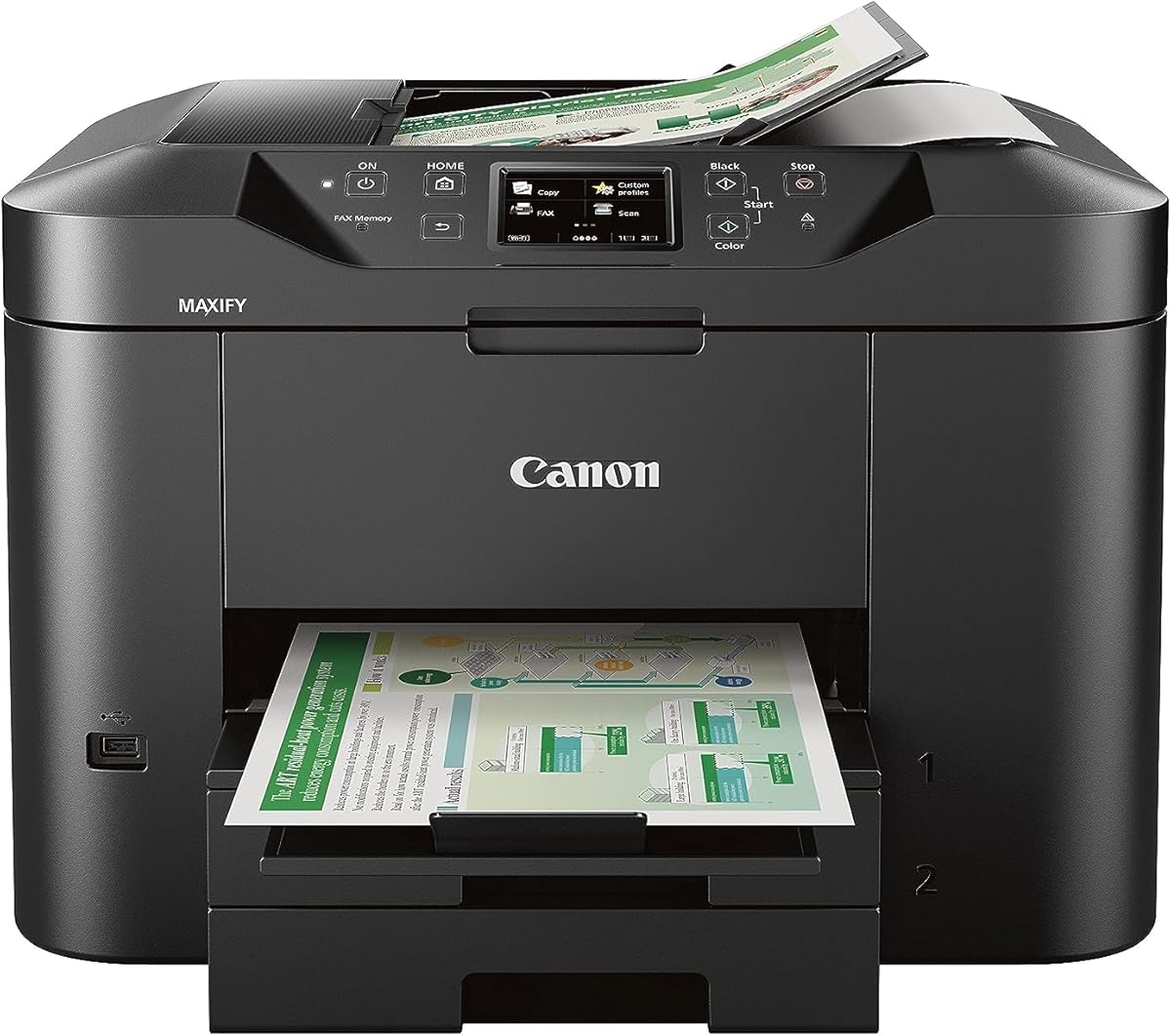


The Canon PIXMA TR4720 stands out as an affordable all-in-one solution for small offices. With a solid 3.8 rating, users appreciate its versatility in printing scanning and faxing. It delivers reliable performance for basic document needs without requiring complex configurations.
We may earn a commission when you buy through this link, at no additional cost to you.
Its built-in fax capability makes it a practical choice for businesses needing to send physical documents. The auto document feeder simplifies bulk scanning tasks while the mobile printing feature enhances flexibility. You can manage tasks directly from your smartphone easily.
While the paper tray is standard at 100 sheets it may require frequent refilling during high volume days. Ink cartridge longevity depends on usage frequency which can affect long-term operational costs. These trade-offs are acceptable for budget-conscious buyers prioritizing initial savings.
This model is ideal for home offices or small businesses needing occasional fax access. Its wireless connectivity ensures seamless integration with modern devices. We recommend it for users seeking value and functionality in a single unit.
Connect wirelessly to multiple devices for seamless printing and faxing from anywhere in your workspace.
Its compact build fits easily on desks or shelves without consuming excessive office space.
We may earn a commission when you buy through this link, at no additional cost to you.
The Brother FAX-575 offers a robust solution for those needing dedicated fax performance. With a 4.0 rating it is known for consistent operation and ease of use. This machine combines faxing copying and phone capabilities in one convenient package.
We may earn a commission when you buy through this link, at no additional cost to you.
Its 9,600 BPS modem ensures quick transmission times which is crucial for busy environments. The 512 KB memory stores up to 25 pages allowing you to queue documents efficiently. Users appreciate the straightforward controls that minimize learning curves.
The initial price is higher than multifunction printers but the dedicated hardware offers longevity. It lacks modern wireless features found in newer models which might limit flexibility. However for traditional faxing needs it remains a strong and reliable choice.
Choose this if you prioritize fax reliability over smart features. It suits offices that handle high fax volumes daily. The durability and performance justify the investment for those needing a workhorse machine.
Transmit documents in about 15 seconds per page to keep workflows moving quickly.
Store up to 25 pages in memory to handle multiple outgoing tasks simultaneously.
We may earn a commission when you buy through this link, at no additional cost to you.
The Canon PIXMA TR8620a is a high-end all-in-one printer that excels in fax functionality. Rated 4.0 it brings smart home features to the office desk. Users love the ability to control printing tasks using voice commands via Alexa.
We may earn a commission when you buy through this link, at no additional cost to you.
Its auto 2-sided printing saves paper and costs while maintaining professional document quality. The 200 sheet capacity reduces refilling interruptions significantly. You can handle heavy workloads with ease thanks to its solid duty cycle and robust design.
The cost is higher than budget options but the added features justify the price for power users. It requires more setup time than simpler models which may deter less tech-savvy individuals. However the flexibility it offers is unmatched in this category.
This is the top pick for those wanting modern features alongside fax needs. It fits well in tech-forward home offices or small businesses. We recommend it for anyone seeking efficiency and smart integration.
Use Alexa to discover and control your printer without touching any buttons.
Load 200 sheets at once to minimize interruptions during busy work periods.
We may earn a commission when you buy through this link, at no additional cost to you.
This renewed version of the Brother FAX-575 offers significant savings for budget shoppers. It maintains the core features of the original model including fax and copier functions. Users appreciate the balance between affordability and proven performance.
We may earn a commission when you buy through this link, at no additional cost to you.
The unit undergoes inspection to ensure it works correctly upon arrival. It provides the same transmission speed and memory capacity as the new version. This makes it a smart choice for those needing fax capabilities without the premium price tag.
However buying renewed means accepting some risk compared to brand new items. The warranty might be limited compared to a standard retail purchase. Still for cost-conscious buyers the savings often outweigh these minor concerns.
Ideal for small offices needing a secondary fax machine. It serves well as a backup unit or for low-volume use. We suggest checking return policies before purchasing to ensure peace of mind.
Save money while accessing the same core fax and copying features as the new model.
Rely on a known model with a track record of reliable performance in offices.
We may earn a commission when you buy through this link, at no additional cost to you.
The Canon MAXIFY MB2720 is built for business environments requiring high volume output. With a 3.9 rating it handles daily tasks efficiently. The 500 sheet capacity ensures you rarely run out of paper during critical work.
We may earn a commission when you buy through this link, at no additional cost to you.
Its laser-sharp text is highlighter and smudge resistant which is perfect for legal or formal documents. The duty cycle supports up to 20,000 pages making it a long-term investment. Mobile app integration allows quick access to print and scan features from anywhere.
The cost per page might be higher than standard inkjet models due to ink technology. The control panel can be complex for users unfamiliar with business printers. Yet for productivity and speed these trade-offs are often acceptable.
Best for small businesses needing reliable daily printing and faxing. It reduces downtime with its large capacity and speed. We recommend it for offices prioritizing workflow efficiency over initial savings.
Handle up to 20,000 pages monthly to support demanding business environments.
Produce text that withstands highlighters and smudges for professional looking documents.
We may earn a commission when you buy through this link, at no additional cost to you.
The Brother intelliFAX-2840 delivers laser quality prints for professional faxing needs. With a 3.9 rating it is known for consistent performance. The laser technology ensures sharp text output that remains crisp over time.
We may earn a commission when you buy through this link, at no additional cost to you.
It offers a speed of 21 ppm which is fast for a dedicated fax machine. This means less waiting time for outgoing documents and better efficiency. The machine focuses on core faxing functions ensuring reliability without unnecessary complexity.
The initial price is higher compared to thermal or ink models. It lacks scanning or copying features found in all-in-one units. For businesses prioritizing fax quality and speed this model remains a solid option.
Ideal for offices needing high-quality fax output daily. It suits environments where document clarity is crucial. We recommend it for those who value performance over multi-functionality.
Get sharp professional prints that do not fade or smear easily.
Process documents quickly with a speed of 21 pages per minute.
We may earn a commission when you buy through this link, at no additional cost to you.
The HP DeskJet 2955 is a modern all-in-one printer with fax capabilities for home use. With a 3.7 rating it appeals to users needing basic document tasks. The AI features help optimize layout reducing wasted paper and printing time.
We may earn a commission when you buy through this link, at no additional cost to you.
Wireless printing ensures you can send faxes and print from any device. Its compact design fits easily on home desks without taking up much space. The Instant Ink trial helps manage costs during the initial usage period.
Fax functions are basic and lack advanced features like memory storage. Speeds are slower compared to dedicated machines which may impact high volume tasks. However for casual home use the trade-off is often acceptable.
Best for home offices needing occasional fax access alongside printing. It offers modern connectivity and easy setup. We suggest it for users prioritizing design and convenience over heavy faxing.
Optimize web pages and emails for printing without awkward layouts.
Fits easily in small home spaces without compromising on functionality.
We may earn a commission when you buy through this link, at no additional cost to you.
The Sharp UXB20 provides essential fax functions in a simple package. With a 3.3 rating it is a basic but functional choice for small offices. It includes a corded handset which makes it useful as a landline phone too.
We may earn a commission when you buy through this link, at no additional cost to you.
Its 9,600 bps modem speed ensures timely document transmission. The 30 speed dial presets allow quick access to frequently called numbers. This is convenient for businesses needing to fax the same contacts regularly.
The lack of wireless connectivity limits modern workflow integration. The interface feels older compared to newer all-in-one models. Still for pure faxing needs it remains a straightforward and reliable tool.
Ideal for traditional offices relying on wired phone lines. It works well for low volume fax tasks. We recommend it for users needing a simple dedicated fax machine.
Set up 30 speed dial presets for quick access to frequent contacts.
Use the included handset for phone calls alongside fax operations.
We may earn a commission when you buy through this link, at no additional cost to you.
The Brother IntelliFax 575 Thermal offers a classic fax experience for minimal cost. With a 3.3 rating it serves basic fax and copy needs. The thermal transfer technology means no ink cartridges are needed for printing.
We may earn a commission when you buy through this link, at no additional cost to you.
Its 512 KB memory allows storing up to 25 pages for later transmission. The 50 sheet input tray handles standard volumes well. Energy Star certification ensures it remains efficient during operation.
Thermal paper can be more expensive long-term than plain paper options. Resolution is lower compared to inkjet or laser models which affects document clarity. These factors make it best suited for light usage scenarios.
Best for offices needing a simple budget-friendly fax unit. It works well for occasional document transmission. We recommend it for users prioritizing low initial cost over advanced features.
Print without ink cartridges for simpler maintenance and lower upfront cost.
Operate with lower power usage thanks to Energy Star certification.
We may earn a commission when you buy through this link, at no additional cost to you.
The Panasonic KX-FHD331 is a basic plain paper fax machine for budget buyers. With a 2.7 rating it covers essential fax tasks without extra complexity. It supports caller ID which helps manage incoming documents effectively.
We may earn a commission when you buy through this link, at no additional cost to you.
Using plain paper avoids the issues of thermal paper fading over time. The 9.6 Kbps modem ensures consistent though not fastest transmission speeds. It also interfaces with answering machines for integrated phone line use.
The lower user rating indicates potential reliability concerns compared to competitors. Features are limited compared to modern all-in-one printers. It remains an option for those strictly needing a no-frills fax solution.
Best for simple home or office faxing tasks. It serves well where budget is the main priority. We recommend verifying current stock and reviews before purchase to ensure quality.
Use standard paper to avoid fading and ensure document longevity.
Identify incoming faxes easily with built-in caller ID support.
We may earn a commission when you buy through this link, at no additional cost to you.
Selecting the right fax machine involves balancing cost with functionality. Consider transmission speed memory capacity and connectivity options to match your workflow needs.
Transmission speed determines how quickly documents are sent over phone lines. Higher speeds reduce wait times especially during busy periods. Look for modems rated at least 9,600 bps for decent performance.
Choose faster speeds if you send many documents daily to maintain efficiency.
Memory stores documents when paper runs out or during transmission queues. More memory allows you to store more pages before printing. This helps prevent interruptions in high volume environments.
Select models with at least 512 KB memory for basic multi-document tasks.
Paper capacity dictates how many sheets the machine holds at once. Larger trays mean fewer refills and less downtime. Standard models hold around 50 sheets while business units offer 200 or more.
Prioritize higher capacity if you fax frequently to save time on refilling.
Modern machines often offer wireless connectivity for printing and faxing via apps. This allows sending documents from computers or mobile devices directly. Traditional models may rely solely on physical connections.
Pick wireless capable models if you need mobile access to fax tasks.
Beyond upfront costs consider expenses for ink paper and maintenance. Thermal models save on ink but require special paper. Laser and inkjet use plain paper but incur cartridge costs.
Calculate long-term supply costs to ensure the machine fits your budget.
User friendly interfaces simplify setup and daily operation. Look for intuitive control panels and clear instructions. Complex machines may require training which slows down workflows.
Choose simple controls if multiple staff members will operate the machine.
Extra features like auto document feeders or voice control add value. These tools streamline scanning and faxing tasks significantly. Decide which features truly benefit your workflow before paying extra.
Focus on features that directly improve your daily document handling efficiency.
Durability ensures the machine withstands daily use without failures. Check for strong warranties and reliable brand support. High duty cycles indicate robust construction suitable for heavy workloads.
Invest in solid build quality to avoid frequent repairs or replacements.
Start by connecting the fax machine to a working telephone line and power outlet. Load the paper tray according to the manufacturer instructions and align the guides properly. Ensure the document is placed flat in the feeder or on the glass for scanning.
Regularly clean the rollers and glass surface with a soft lint-free cloth to prevent jams. Check ink or toner levels periodically and replace cartridges before they run empty. Update firmware if available to maintain compatibility and performance.
Store the machine in a cool dry place to protect internal components from damage. Avoid placing heavy items on top of the unit to prevent structural stress. Follow the user manual for troubleshooting common errors like communication failures.
Most traditional fax machines require an analog phone line to transmit documents. Some modern models support fax over internet or VoIP services as an alternative. Check if your selected model supports VoIP before relying on it.
A basic fax machine typically lasts three to five years with moderate use. Heavy daily usage may reduce this lifespan due to wear on mechanical parts. Regular maintenance helps extend the operational life of the unit.
Some machines use plain paper while others require special thermal paper. Check your model specifications to confirm compatible paper types before purchasing. Using the wrong paper can cause jams or poor print quality.
You can use online fax services that allow sending via email or web apps. Some all-in-one printers support cloud faxing over Wi-Fi. This eliminates the need for a physical phone line entirely.
Fax remains relevant in industries like healthcare and law due to security regulations. Many organizations still require fax for legal documentation and contracts. It provides a secure method for sending sensitive information.
Check the phone line connection to ensure it is secure and functional. Verify that no other devices are using the line when sending. Try sending again after waiting a short time for the line to clear.
We reviewed ten top options ranging from simple dedicated units to modern all-in-one printers. The Canon PIXMA TR4720 and TR8620a offer excellent value with smart features. Brother models provide reliable performance for traditional faxing needs.
Prioritize transmission speed and memory capacity based on your daily workload. Consider connectivity options like wireless to integrate with your existing devices. Balancing upfront cost with long-term supply expenses ensures the best investment.
Prices and stock levels change frequently so verify details before purchasing. Check customer reviews for recent insights on reliability and performance. Choose the model that fits your specific office requirements and budget best.