
VORMOR Translator Pen
5.0Editor score
112 languages translation support
3.5 inch touch screen display
Two-way real-time voice translation
Finding the right tool to support reading challenges requires careful consideration of technology and usability. A good Dyslexia Reading Pen should offer accurate scanning, clear audio output, and intuitive controls for users of all ages.
We analyzed ten leading models based on OCR accuracy, language support, battery life, and ease of use. Our comparison focuses on how well each device converts printed text into accessible audio and digital formats for learning.
Each pick highlights specific strengths like offline translation, note-taking capabilities, or specialized dyslexia features. Please note that availability and pricing can change frequently, so verify details before purchasing your chosen device.
5.0Editor score

4.0Editor score
3.9Editor score
As an Amazon Associate we earn from qualifying purchases.
The following table provides a side-by-side comparison of all ten models selected for this guide. Each entry highlights key specifications to help you quickly identify the device that best fits your specific reading and learning needs.



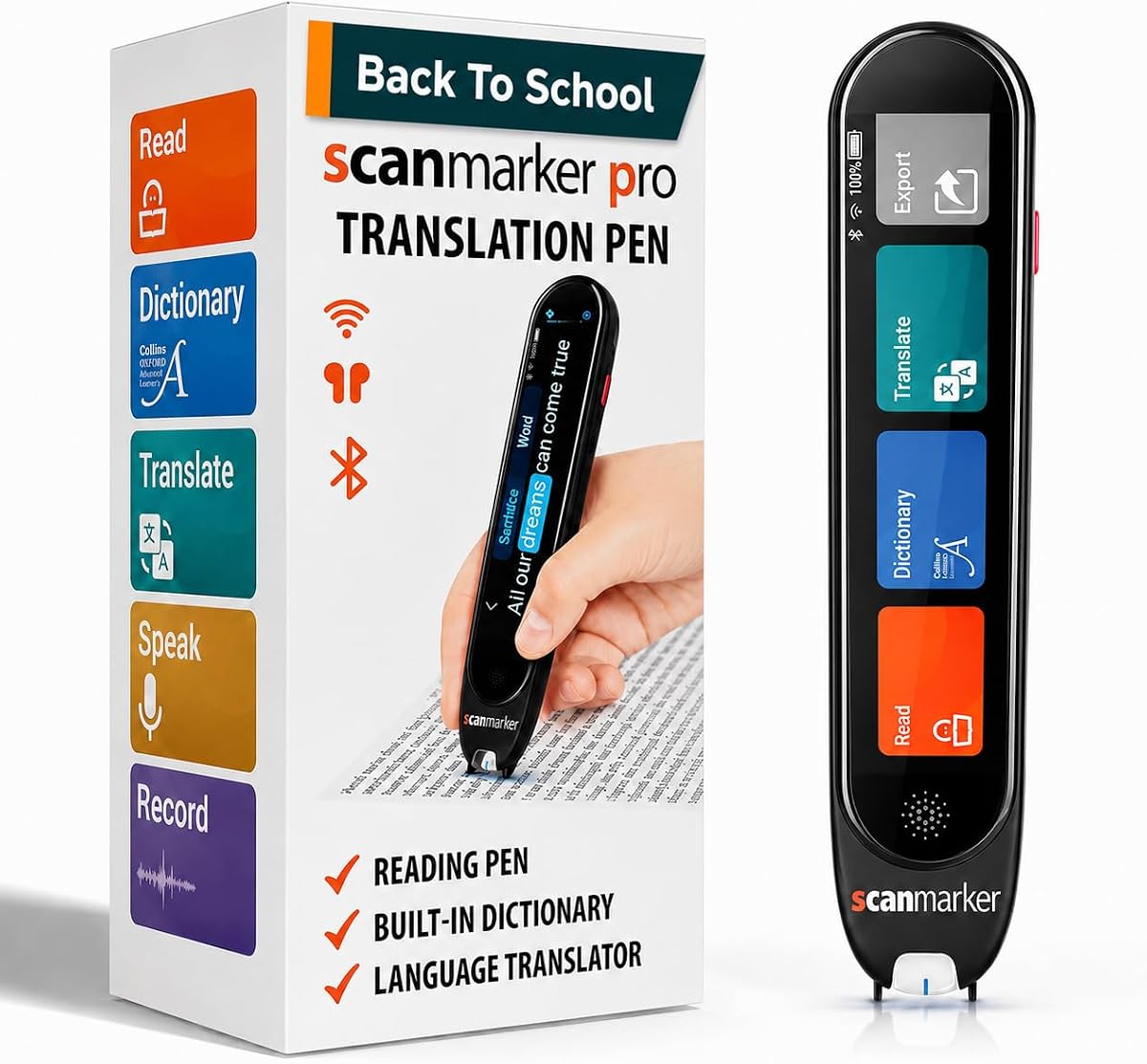
The Scanmarker Pal stands out as a versatile assistant for those facing reading challenges. With a solid rating, it offers instant translation and text-to-speech features that enhance comprehension significantly.
We may earn a commission when you buy through this link, at no additional cost to you.
Its ability to scan and read text aloud while highlighting words on the screen makes it ideal for auditory learners. The device supports over 100 languages, ensuring broad utility for travelers and multilingual students.
While the rating is good, it is not perfect, suggesting room for improvement in user experience. However, the portable design and offline capabilities make the trade-offs acceptable for daily study and travel.
Anyone seeking a reliable tool to overcome language barriers and reading difficulties should consider this device. It balances functionality with portability, making it a top recommendation for diverse learning needs.
This device scans and translates text in over 100 languages including offline support for key European languages.
Text is read aloud instantly with highlighted words on the screen for improved comprehension and auditory support.
We may earn a commission when you buy through this link, at no additional cost to you.
This device earns a perfect rating for its robust feature set at an accessible price point. It combines OCR scanning with translation and text-to-speech capabilities to assist readers with difficulties effectively.
We may earn a commission when you buy through this link, at no additional cost to you.
The 3.5 inch touch screen provides a clear interface for navigation, while the inclusion of Collins Dictionary enhances vocabulary building. Two-way real-time voice translation supports communication in over 100 languages.
Some users may find the reliance on internet connectivity for full language support a limitation in remote areas. However, the reverse scanning direction and photo translation features offer excellent value for the cost.
Budget-conscious buyers looking for high performance will find this pen meets their needs without compromising on essential tools. It is a strong choice for students and travelers alike.
Supports text scanning in 55 languages and reads words aloud instantly after scanning for immediate comprehension.
High definition camera allows pointing at text for automatic translation and audio recording for meetings or interviews.
We may earn a commission when you buy through this link, at no additional cost to you.
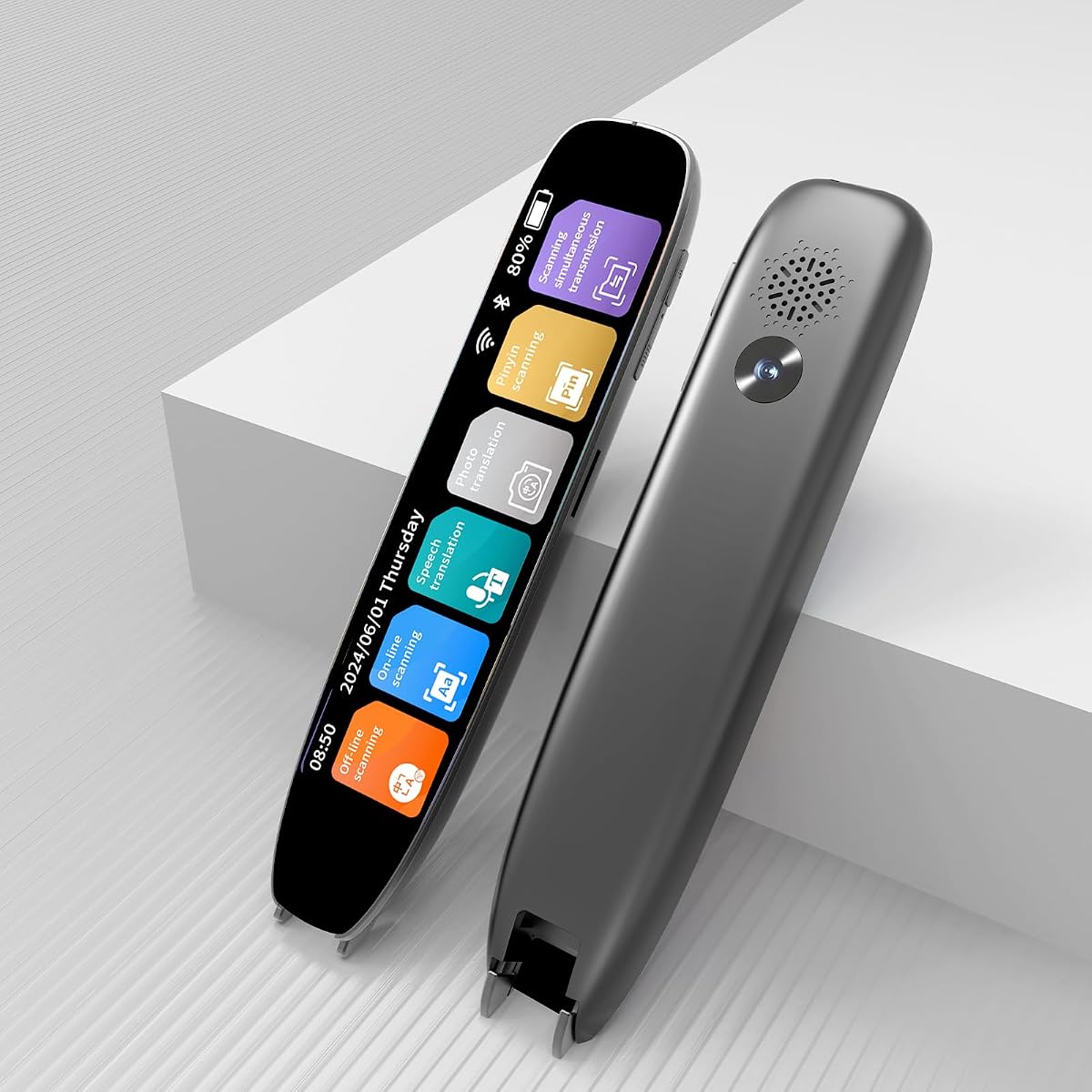
This translation pen enables high-precision scan and translate functions that are valuable for students and global travelers. It supports a vast range of languages both online and offline for flexible usage.
We may earn a commission when you buy through this link, at no additional cost to you.
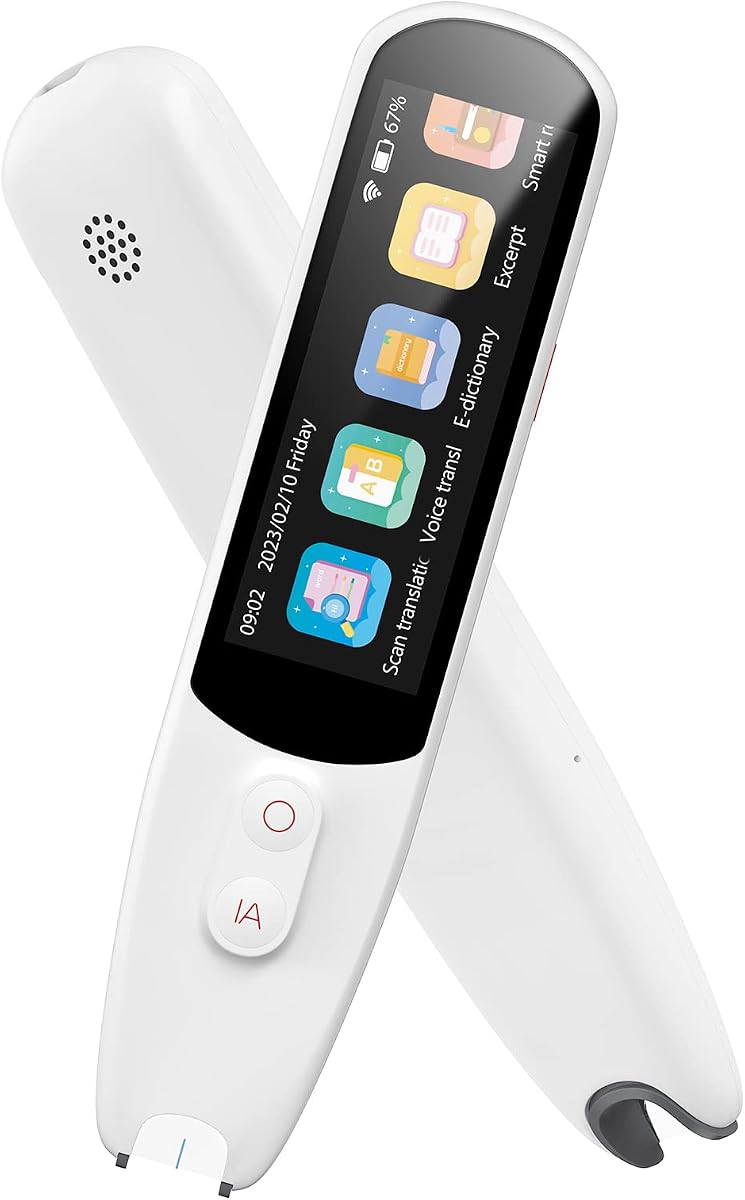
Key strengths include voice translation and text excerpt features that sync to phones for editing. The ability to read scanned text aloud improves pronunciation and comprehension for ESL students and dyslexia learners.
Users should note that vertical Japanese text recognition is not supported which limits utility for specific texts. Additionally, the device is not designed for blind users despite its audio features.
Those needing broad language coverage and offline reliability will appreciate this device's capabilities. It serves well as a study guide and classroom tool for multilingual environments.
Enables voice translation text excerpt and online offline scanning translation for diverse learning and travel scenarios.
Reads scanned original text aloud to improve pronunciation and comprehension with highlighted word support.
We may earn a commission when you buy through this link, at no additional cost to you.
Unlock learning potential with this versatile tool designed for dyslexia and language learners. It scans text and reads it aloud while highlighting words on the screen for enhanced focus.
We may earn a commission when you buy through this link, at no additional cost to you.
The built-in English dictionary and word translator help improve vocabulary and comprehension skills significantly. Smart note-taking features allow capturing memos directly on the device for organized data collection.
While the rating is respectable, some users may prefer models with export capabilities. However, the standalone nature and warranty provide peace of mind for long-term use and support.
Students and professionals needing a dedicated device for organization and language support will find this premium option suitable. It simplifies workflows with efficient data management tools.
Scans text reads aloud while highlighting words on screen making it excellent for ESL students and classrooms.
Capture notes and memos directly on device for accurate data collection and professional workflow organization.
We may earn a commission when you buy through this link, at no additional cost to you.
This all-in-one pen features high-precision scanning and translation capabilities that make it an ideal assistive tool. It supports both online and offline modes for versatile usage in various environments.
We may earn a commission when you buy through this link, at no additional cost to you.
The built-in camera allows instant recognition and translation of text by taking photos. A voice recorder function ensures that no important information is missed during meetings or classes.
While the rating is lower, the inclusion of recording and photo translation adds significant utility for the price. Users should be aware of Japanese text recognition limitations before purchase.
Students and travelers on a budget will appreciate the multifunctional design. It serves well for organizing information and capturing content efficiently.
Capture notes and memos directly on device for data collection and use as a recording tool for meetings.
Built-in camera recognizes and translates text by taking photos supporting 142 online languages and 10 offline.
We may earn a commission when you buy through this link, at no additional cost to you.
This device integrates OCR translation, text-to-speech playback, intelligent voice recording, and digital note-taking into one portable unit. It delivers fast and accurate scanning for diverse daily scenarios.
We may earn a commission when you buy through this link, at no additional cost to you.
Adjustable text-to-speech audio reading converts scanned text into clear audio playback to lower reading barriers. The noise reduction technology captures clear audio for lectures and meetings with high quality.
While the rating is modest, the focus on audio quality and smart notes makes it useful for students. However, users should check offline language support before relying on it abroad.
Educators and learners needing organized study materials and clear audio support will find this tool valuable. It helps manage information efficiently and systematically.
Converts scanned text into smooth and expressive audio playback compatible with Bluetooth earbuds.
Adopts smart noise reduction technology to capture clear audio for lectures meetings and creative inspirations.
We may earn a commission when you buy through this link, at no additional cost to you.
Equipped with AI Dictionary, Homework Checker, and real-time AI Chat, this pen serves as a 24/7 study buddy. It integrates multi-language dictionaries for in-depth word explanations.
We may earn a commission when you buy through this link, at no additional cost to you.
Tailored for readers with dyslexia, it allows adjustments to word reading speed and pause time to reduce reading stress. The special font design makes text easier to process.
While the rating is decent, the AI features offer unique value for homework assistance. The storage capacity supports exporting to various formats without extra software.
Students needing adaptive learning tools and homework support will benefit from this device. It grows with learners from pre-readers to advanced readers.
Equipped with AI Dictionary AI Homework Checker and real-time AI Chat to explore the world around you.
Tailored for readers with dyslexia lets you adjust word reading speed and pause time with accent options.
We may earn a commission when you buy through this link, at no additional cost to you.
This device features high-precision scanning and translation capabilities suitable for individuals with dyslexia. It supports 142 languages online and 10 offline for broad utility.
We may earn a commission when you buy through this link, at no additional cost to you.
The two-way language translation ensures effective communication across barriers. The text excerpt function allows users to capture important details quickly from documents or images.
While not perfect, the combination of photo translation and text extraction offers strong value for travelers. Users should note the Japanese text direction limitations before buying.
Professionals and travelers needing to gather essential information on the go will find this helpful. It makes accessing relevant parts of any text easier.
Ensures effective communication across language barriers with features for dyslexia ESL students and classrooms.
Extracts and translates key text from documents allowing users to capture important details quickly.
We may earn a commission when you buy through this link, at no additional cost to you.
Built-in accurate OCR instantly scans printed documents and reads text aloud to boost reading comprehension. It features a perfect 5 star rating from users who value its learning assistance.
We may earn a commission when you buy through this link, at no additional cost to you.
The 5MP HD camera decodes images and non-standard layouts that regular scanners miss. It supports 142-language online voice dialogue and syncs editable files directly to your phone.
While it relies on internet for full features, the offline capability provides reliability without network. The recording feature captures lectures and courses for review.
Adult users with language study needs and office staff will find this tool efficient. It handles tricky text scenarios reliably for flexible translation.
Unlike regular scanners its camera decodes images and non-standard layouts for fast flexible multi-language translation.
Combines text reading multi-mode translation and HD voice recording in one pen fully capturing meetings and lectures.
We may earn a commission when you buy through this link, at no additional cost to you.
This versatile translator pen supports online voice and scanning translation in 142 languages for students and adults. It highlights words on the screen to make language study easier.
We may earn a commission when you buy through this link, at no additional cost to you.
Equipped with left and right hand mode selection, it adapts to holding habits for comfortable fatigue-free scanning. The lightweight design fits easily into pockets or pencil cases.
While the rating is average, the ergonomic design is a strong plus for daily use. Text sync and recording features ensure key content is captured for later review.
Frequent travelers and students preparing for exams will appreciate the portability. It allows scanning translation and reading anytime anywhere.
With a 70g lightweight design translation pen fits easily into a pocket or pencil case ideal for daily use.
Translation pen adapts to your holding habits so left-handed users can enjoy comfortable fatigue-free scanning.
We may earn a commission when you buy through this link, at no additional cost to you.
Selecting the right reading pen requires evaluating several key factors to ensure it meets your specific learning and accessibility needs.
Optical Character Recognition is the core technology that converts printed text into digital data. Look for models with high detection rates to ensure words are captured correctly without errors that disrupt reading flow.
High accuracy is critical for maintaining focus during study sessions.
The audio output should be clear, natural, and adjustable in speed. This feature helps auditory learners process information more effectively by listening to content while following along.
Adjustable speed and accents allow personalized learning experiences.
Consider how many languages the device supports both online and offline. A wider range ensures utility for multilingual students, travelers, or those learning a new language.
Offline support is essential for use without internet connectivity.
A lightweight, compact design makes the device easy to carry in a bag or pocket. Battery life should last through long study sessions or travel days without frequent recharging.
Portability ensures you can use the tool anywhere.
A touch screen or clear display helps navigate menus and view highlighted text. An intuitive interface reduces frustration and allows quick access to translation or recording features.
Simple controls improve overall user experience significantly.
Look for extras like voice recording, note-taking, and dictionary access. These tools help organize study materials and enhance vocabulary development beyond simple translation.
Extra features add value for students and professionals.
Bluetooth connectivity and mobile syncing allow seamless transfer of scanned text to computers or phones. This ensures you can edit and save notes efficiently across devices.
Connectivity supports organized data management workflows.
To begin using your pen, fully charge the battery and pair any Bluetooth headphones for private audio playback. Navigate the initial setup to select your preferred language and audio preferences.
When scanning text, glide the pen smoothly across the line at a steady pace to ensure accurate OCR recognition. Pause briefly to listen to the text being read aloud before moving to the next section.
Clean the optical sensor regularly with a soft cloth to maintain scanning quality. Store the device in a protective case to prevent scratches and damage during transport.
Yes, reading pens assist with dyslexia by converting text to speech and highlighting words to improve comprehension. They reduce the cognitive load of decoding text allowing users to focus on understanding.
Many models support offline translation for a limited number of major languages. This allows basic functionality like scanning and audio playback without needing an internet connection.
Most devices are designed for both students and adults. Features like adjustable reading speeds make them versatile for children, teenagers, and older users with reading difficulties.
Advanced models feature OCR detection rates up to 98 percent for accurate text capture. This ensures that most printed words are recognized correctly for reliable translation and reading.
Yes, many pens support exporting scanned text via USB or Bluetooth to mobile devices. This allows you to edit and organize notes on your computer or tablet.
Some high-end models include built-in dictionaries like Collins to provide word definitions. This feature helps expand vocabulary while reading translated or original text.
We reviewed ten top models including the Scanmarker Pal and VORMOR Translator Pen which excel in language support and budget value. Each device offers unique strengths to assist readers with challenges effectively.
Prioritize features like offline support and audio quality based on your specific usage needs. A portable device with strong OCR accuracy will provide the best long-term value for study and travel.
Remember to check current availability and verify specs before purchasing your preferred model. The right tool can significantly enhance your reading experience and learning efficiency.