
Hearvo USB 3.0 HDMI KVM Switch
4.0Editor score
4K@60Hz support
USB 3.0 data speed
Plug and play design
This guide compares the top laptop with KVM support options for seamless switching between systems using monitors and peripherals efficiently.
Finding the right laptop with KVM support can transform your workflow by allowing seamless switching between multiple systems on a single desk setup.
We compared ten top-rated KVM solutions focusing on compatibility, speed, and features to help you choose the best fit for your needs.
Each pick highlights key strengths and ideal use cases so you can build a powerful workspace while noting that availability and offers may change.
4.0Editor score

4.2Editor score
4.6Editor score
The following table provides a quick side-by-side overview of the top ten KVM solutions evaluated for laptop connectivity and performance.


The Hearvo USB 3.0 HDMI KVM Switch offers an affordable way to manage two computers on a single monitor setup without requiring complex drivers or software.
We may earn a commission when you buy through this link, at no additional cost to you.
It supports stunning 4K resolution at 60Hz ensuring clear visuals for work while providing four USB 3.0 ports for fast peripheral sharing between systems.
While it lacks advanced docking features like charging or video mixing the included remote and plug and play design make it reliable for basic home office use.
This unit is ideal for users needing a cost effective solution to share a keyboard mouse and display between a work PC and personal laptop easily.
Enjoy crisp display output at 4K@60Hz for detailed work and smooth multimedia viewing on compatible monitors.
Connect up to four USB devices simultaneously and switch them instantly between computers using the dedicated USB 3.0 ports.
We may earn a commission when you buy through this link, at no additional cost to you.
This versatile KVM switch allows you to connect up to four computers including laptops and desktops with different video port configurations to two shared monitors.
We may earn a commission when you buy through this link, at no additional cost to you.
It delivers crystal clear dual 4K@60Hz visuals and includes a 100W Power Delivery port that keeps your laptop charged while you work on the active system.
Although it requires multiple video cables per desktop and external power the flexible hybrid input design handles complex setups that simpler switches cannot manage.
It is best suited for advanced users who need to toggle between multiple desktop PCs and laptops while maintaining consistent display quality and peripheral access.
Supports combinations of USB-C DP and HDMI inputs to connect nearly any laptop or desktop without adapter hassles.
Keep your laptop powered during operation through the dedicated 100W PD port integrated into the KVM switch design.
We may earn a commission when you buy through this link, at no additional cost to you.
This USB-C docking KVM switch expands a single laptop to three external displays while allowing instant toggling between two laptops for shared peripherals and screens.
We may earn a commission when you buy through this link, at no additional cost to you.
It delivers dual 4K@60Hz and one 1080P@60Hz output with 10Gbps USB data transfer to ensure smooth workflows for high bandwidth tasks and file transfers.
While macOS users may be limited to mirrored displays the device works exceptionally well with Windows laptops that support MST and USB-C video output natively.
Ideal for power users managing multiple workloads this dock replaces a separate hub and switch providing a streamlined triple monitor experience in one unit.
Expand productivity by turning one laptop screen into three external displays for multi-window multitasking capabilities.
Transfer large files quickly using the four USB 3.1 Gen2 ports that offer blazing 10Gbps speeds for storage and peripherals.
We may earn a commission when you buy through this link, at no additional cost to you.
The AV Access 8K KVM Switch combines high resolution video support with a complete docking station to simplify dual computer setups into one efficient device.
We may earn a commission when you buy through this link, at no additional cost to you.
It allows sharing of three displays network audio and USB peripherals between a laptop and desktop while keeping both computers online on the network during switching.
With support for up to 8K resolution and 480Hz refresh rates this unit is perfect for design gaming and trading workflows that demand visual precision and speed.
Choosing this switch means investing in a future proof solution that reduces desk clutter and delivers premium features for professional multi system environments.
Background tasks and downloads continue on the unselected computer thanks to shared Ethernet connectivity that remains active during switching.
Experience smooth visuals for gaming and motion content with support for refresh rates up to 480Hz on compatible monitors.
We may earn a commission when you buy through this link, at no additional cost to you.
This docking KVM switch simplifies managing two laptops by letting you control work and personal machines through one dual monitor setup instantly with one button press.
We may earn a commission when you buy through this link, at no additional cost to you.
It offers 12-in-1 connectivity including dual HDMI outputs USB ports Ethernet and audio so you avoid swapping cables when switching between different tasks.
While macOS extended display features are limited to mirror mode the fast switching and charging capabilities make it strong for hybrid workspaces.
It is best for users who need to separate environments like coding and writing across two laptops without duplicating monitor and peripheral investments.
Switch instantly between work and personal laptops without reconnecting displays or peripherals to maintain continuous productivity.
Access a wide range of shared ports including Ethernet SD card and USB so all your devices stay connected effortlessly.
We may earn a commission when you buy through this link, at no additional cost to you.
This KVM docking station brings one laptop and one desktop into a single triple monitor setup enabling efficient sharing of displays peripherals and network resources.
We may earn a commission when you buy through this link, at no additional cost to you.
With support for 8K@60Hz and 4K@165Hz the system delivers exceptional visual fidelity for detailed work while maintaining smooth motion for media consumption.
The shared Gigabit Ethernet port ensures both computers stay connected to the internet even when you switch control to a different machine.
It is a top choice for professionals who demand high resolution displays and reliable performance without managing separate docks and switches.
Achieve sharp detail for design and coding across three screens with high resolution support up to 8K.
Combine KVM switching audio access charging and network into one device to reduce clutter on your desk significantly.
We may earn a commission when you buy through this link, at no additional cost to you.
This dual monitor KVM switch allows you to connect two laptops to two monitors effortlessly enabling seamless switching between work and personal environments.
We may earn a commission when you buy through this link, at no additional cost to you.
It includes an 11-in-1 docking station with ports for USB Ethernet audio and SD cards making it a complete solution for a home workstation.
While macOS users face mirror mode limits the unit supports smooth gaming and high refresh rates so visual performance remains strong on active systems.
It is an excellent option for users who need shared internet access and quick switching without buying separate hubs or switches for each laptop.
Both laptops can access the internet simultaneously through the single Gigabit LAN port ensuring consistent connectivity.
Enjoy fluid lag-free experiences in high speed games with support for refresh rates up to 240Hz on compatible displays.
We may earn a commission when you buy through this link, at no additional cost to you.
This KVM switch allows two computers to share a single monitor and peripherals with support for high resolution video up to 8K@60Hz.
We may earn a commission when you buy through this link, at no additional cost to you.
It comes with four USB 3.0 ports for connecting mice keyboards and printers while providing an external power adapter to ensure stable performance.
Although it is limited to one display the inclusion of a desktop wire controller and LED status lights makes switching between sources intuitive and efficient.
It is best suited for users who prioritize DisplayPort bandwidth and need reliable single monitor control without additional docking complexity.
Leverage DisplayPort 1.4 cables to access up to 8K resolution for detailed professional work and media.
Connect the included 12V power adapter to ensure USB devices like hard disks work reliably without power drops.
We may earn a commission when you buy through this link, at no additional cost to you.
This USB C switch lets you control two computers with a single monitor or dock without installing any software on your systems.
We may earn a commission when you buy through this link, at no additional cost to you.
It supports ultra-fast data transfer up to 20Gbps and pass-through charging up to 140W so your laptop stays powered during work.
While not all docking stations are compatible the included wireless remote and compact tool-free design make it convenient for travel.
It is a solid pick for users with USB-C/Thunderbolt setups who need fast switching and high power delivery in a small package.
Enjoy 20Gbps speeds for file transfers and streaming so your workflow remains smooth without lag.
Carry the switch easily anywhere thanks to its tool-free design and included wireless remote for line-of-sight control.
We may earn a commission when you buy through this link, at no additional cost to you.
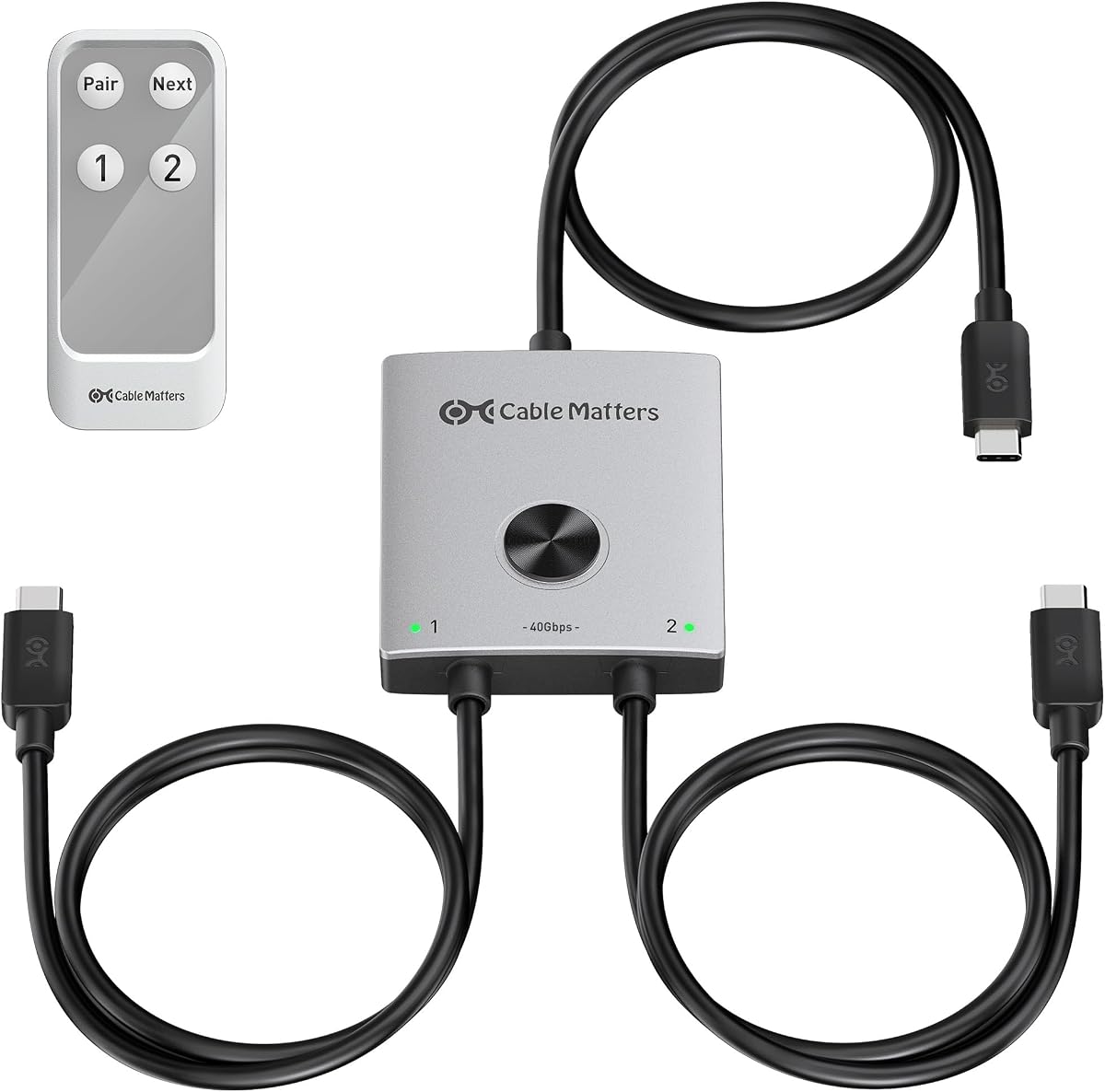
This high-speed USB C switch provides connection bandwidth of up to 40Gbps for external storage dock peripherals and video conferencing equipment.
We may earn a commission when you buy through this link, at no additional cost to you.
It is compatible with Thunderbolt 4 docks and monitors allowing you to share a single display and its peripherals between two laptops seamlessly.
With an RF remote and built-in input cables the setup is streamlined so you do not need to manage multiple loose cables for your laptops.
It is best for professionals needing maximum performance and Thunderbolt compatibility who want premium features without compromising speed or reliability.
Connect to certified Thunderbolt 4 docks to unlock full bandwidth and high resolution support.
Use built-in input cables and an RF remote to reduce clutter and switch between systems easily.
We may earn a commission when you buy through this link, at no additional cost to you.
Selecting the right KVM solution involves understanding video types port counts and power needs for your specific laptop setup.
Match the KVM switch to your laptops video ports such as HDMI DisplayPort or USB-C to avoid extra adapters.
Confirm the switch supports your desired resolution and refresh rate to ensure clear visuals on your monitors.
Decide how many monitors and systems you need to connect such as dual displays for two laptops or four computers for two screens.
Check that the switch supports multi-stream transport for extended desktops on Windows but note Mac limitations.
Look for switches with Power Delivery ports if you want to charge your laptop through the KVM dock.
Verify the wattage matches your charger needs to prevent slow charging or power drops while working.
Prioritize USB 3.0 or USB 3.1 ports for faster transfers of large files between computers and peripherals.
Check the total USB bandwidth to ensure your devices like drives webcams or printers work without lag.
Basic switches only share monitors and peripherals but docking stations add Ethernet audio and card readers.
Choose a docking KVM if you want a single device for all connections to reduce cables on your desk.
Some models offer buttons remotes or hotkeys for switching and pick the method that fits your workflow.
Consider remote options if you hide the switch under the desk to keep your workspace clean and accessible.
Look for plug and play solutions that require no drivers on Windows or macOS for easy installation.
Confirm macOS support for extended modes if you use a Mac with multiple external displays.
Check if the package includes necessary cables or if you must buy HDMI DP and USB cables separately.
Ensure the unit has sufficient power from its adapter to support high power devices during operation.
Start by connecting your laptops to the KVM inputs and your monitors to the outputs ensuring each cable is secure for stable signal transmission.
Use the switch button or remote to toggle between computers and verify that your peripherals like keyboard and mouse connect instantly to the active system.
Keep the switch in a ventilated spot away from heat and moisture to maintain performance and extend its lifespan during daily use.
Yes most KVM switches support both laptops and desktops provided you match their video ports and USB requirements with the switch inputs. Hybrid models allow mixing different interfaces.
Most modern KVM switches work plug and play on Windows and macOS without extra drivers. Check the product page for specific OS compatibility if you plan extended modes.
Macs often limit extended displays via USB-C unless using specific docks. Many KVM docks mirror on Mac but Windows supports extended modes via MST.
Look for a KVM with a Power Delivery port and connect your laptop to it using a USB-C cable. Ensure the PD wattage matches your laptop charger to prevent slow charging.
A switch shares one monitor and peripherals between systems while a docking KVM adds extra ports like Ethernet audio and SD for a full workspace solution.
Many models support high refresh rates up to 240Hz or more for gaming. Confirm the switch specs match your monitor capabilities before purchasing.
Most KVMs including power adapters for stability especially with USB devices. Built-in power may not support high draw drives so follow the included power guide.
Only specific high bandwidth switches support Thunderbolt docks. Verify the switch lists Thunderbolt 4 or USB4 compatibility to work with these docks.
The top picks range from budget HDMI switches to premium Thunderbolt docks so choose based on your resolution needs and port requirements.
Focus on models that support your specific laptop outputs and include charging or docking features to reduce desk clutter effectively.
Check current availability and offers before buying since product details and prices may change as new KVM solutions enter the market.