
Canon PIXMA TS4320
4.0Editor score
Compact wireless all-in-one design
Dual-band Wi-Fi connectivity
Apple AirPrint compatible
This guide compares the top Airprint printers for iOS devices, evaluating features, performance, and value to help you choose the best wireless printing
Finding the right printer for your iPhone or iPad can be challenging with so many options available today. You need a device that connects seamlessly without complex drivers and delivers high-quality prints for both work and personal use.
We have analyzed the leading models on the market to identify the most reliable options for Apple users. Our comparison focuses on connectivity ease, print quality, and overall value to ensure you make an informed decision.
Each pick below highlights specific strengths tailored to different needs like budget or portability. Please note that availability and pricing can fluctuate frequently so check current listings before purchasing your new device.
4.0Editor score

4.2Editor score

4.2Editor score
The following table provides a side-by-side overview of all ten selected printers to help you quickly compare their core specifications and capabilities.



The Canon PIXMA TS6520 stands out as a top choice for iOS users seeking a balance of quality and versatility. With a strong rating and comprehensive features, it handles both documents and photos effortlessly while maintaining a sleek profile.
We may earn a commission when you buy through this link, at no additional cost to you.
Its hybrid ink system ensures sharp text and vibrant colors which is crucial for mixed workload printing. The OLED display simplifies status checks making it intuitive to manage print jobs directly from your iPhone or iPad.
While it lacks an automatic document feeder which might limit heavy scanning tasks, the manual scanning process is quick for occasional use. The compact footprint is a significant advantage for home offices with limited space.
This printer is ideal for households or individuals needing reliable daily printing without cluttering their workspace. We recommend it for users who prioritize print quality and ease of use over heavy-duty paper handling capabilities.
The two-cartridge hybrid ink system delivers exceptional sharpness for text and vividness for photos ensuring professional results.
The 1.42 OLED display allows you to monitor ink levels and status instantly without needing a smartphone screen.
We may earn a commission when you buy through this link, at no additional cost to you.
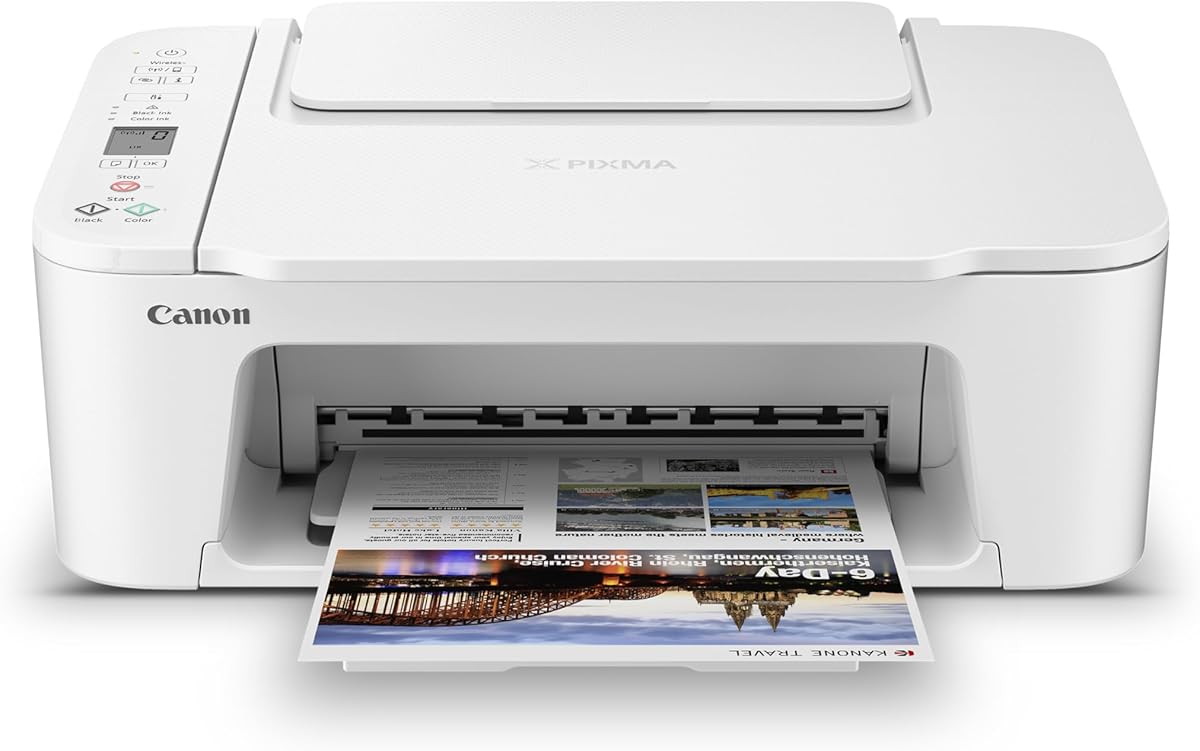
For budget-conscious buyers the Canon PIXMA TS4320 offers impressive value by including essential features like duplex printing at a low cost. It meets the core needs of casual users and hybrid workers effectively.
We may earn a commission when you buy through this link, at no additional cost to you.
Setup is straightforward allowing you to start printing from your iOS device almost immediately. The dual-band Wi-Fi ensures stable connections reducing the frustration of dropped signals during important tasks.
The trade-off lies in slightly slower speeds compared to higher-end models and basic scan capabilities. However for simple document and photo needs these limitations are often negligible for most home users.
We suggest this model for students or light home office users who need reliable printing without breaking the bank. It is a solid starting point for anyone new to wireless printing.
Despite the lower price tag this printer maintains high print quality and reliable connectivity.
Energy Star certification helps reduce power consumption making it a greener choice for daily printing.
We may earn a commission when you buy through this link, at no additional cost to you.
The Epson EcoTank ET-2803 revolutionizes home printing by eliminating cartridges entirely in favor of refillable bottles. This premium option delivers exceptional value over time despite a higher initial purchase price.
We may earn a commission when you buy through this link, at no additional cost to you.
Print quality is outstanding for both text and graphics thanks to the unique heat-free technology. Users can print up to thousands of pages on the included ink reducing the need for frequent refills.
The larger size means it requires dedicated desk space but the savings on ink justify the space usage. It is particularly beneficial for households with high printing volumes or families.
We recommend this printer for those looking to maximize long-term savings and minimize environmental impact. It is a robust choice for users committed to a cartridge-free printing workflow.
The included ink provides years of printing drastically reducing the recurring cost of consumables.
Refillable tanks significantly reduce plastic waste compared to standard disposable cartridge systems.
We may earn a commission when you buy through this link, at no additional cost to you.
The Brother Work Smart 1360 is designed specifically for home office environments needing efficient document handling. Its inclusion of an automatic document feeder sets it apart for scanning multi-page tasks quickly.
We may earn a commission when you buy through this link, at no additional cost to you.
Cloud integration allows direct printing from services like Google Drive and Dropbox making file access seamless. The color display simplifies navigation for various functions without needing a computer.
While color print speeds are moderate black document speeds are quite fast which suits office workflows. The compact design ensures it fits well in smaller spaces without sacrificing essential features.
This printer is best suited for small business owners or remote workers needing document management tools. It offers a practical balance of speed and functionality for daily administrative tasks.
The automatic document feeder streamlines scanning multi-page documents saving significant time and effort.
Direct cloud app support allows printing documents directly from storage services without downloading first.
We may earn a commission when you buy through this link, at no additional cost to you.
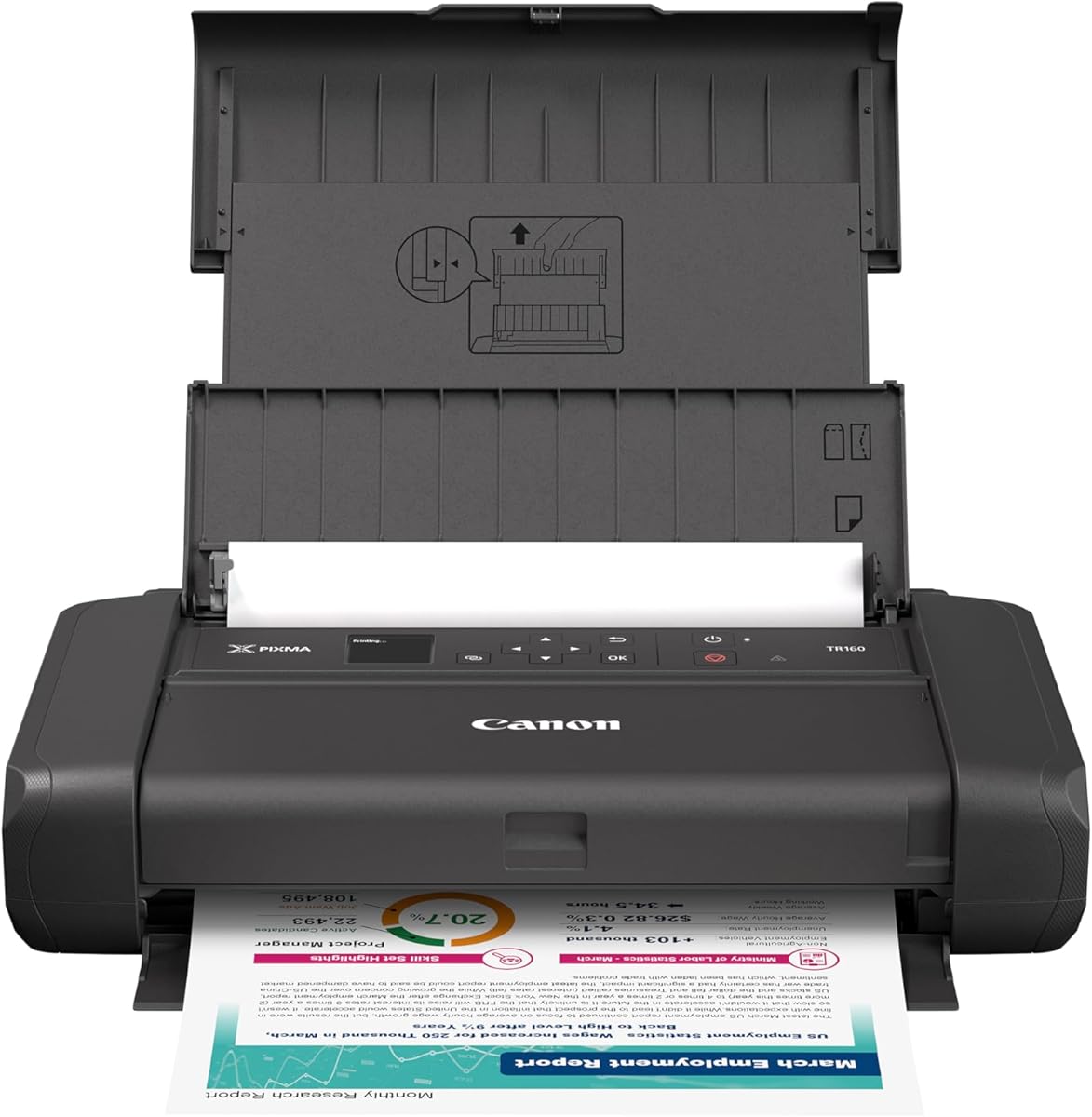
The Canon PIXMA TR160 is a game changer for users who need to print away from home. It fits easily into backpacks yet still supports full-size paper making it versatile for travel.
We may earn a commission when you buy through this link, at no additional cost to you.
Quality is not sacrificed for size with a five-color hybrid ink system delivering sharp text and vibrant colors. Wireless Direct Mode ensures you can connect without needing a router which is great for remote spots.
The trade-off involves smaller paper capacity requiring frequent refills during heavy usage. Additionally battery operation is necessary for full portability which adds slight bulk to the setup.
We recommend this model for students digital nomads and travelers who need reliable printing on the go. It bridges the gap between portability and professional print quality effectively.
Designed to fit in bags it allows you to print anywhere without being tethered to a desk.
Wireless Direct Mode connects your iPhone directly to the printer without relying on home Wi-Fi.
We may earn a commission when you buy through this link, at no additional cost to you.
The Epson EcoTank ET-2903 is built for households with high printing demands. It offers up to three years of ink in the box ensuring minimal interruptions for refills over time.
We may earn a commission when you buy through this link, at no additional cost to you.
Speed is a major highlight with up to eleven pages per minute and no warmup time meaning instant printing on demand. The high resolution scanner is perfect for archiving documents and photos efficiently.
The larger size and higher initial investment are justified by the convenience and cost savings. It handles heavy workloads gracefully without overheating or slowing down during batches.
We suggest this printer for families or small offices with frequent printing needs. It provides robust performance and reliability making it a long-term investment for productivity.
Zero warmup time ensures you can print immediately without waiting for the device to heat up.
Keyed bottles make refilling easy and mess-free reducing the risk of spills during maintenance.
We may earn a commission when you buy through this link, at no additional cost to you.
The Canon TS5320 combines functionality with a stylish design available in multiple colors to match your decor. Its compact build fits well in living spaces while maintaining high performance standards.
We may earn a commission when you buy through this link, at no additional cost to you.
A large OLED display provides clear status updates which simplifies troubleshooting and monitoring. The integration with Amazon Dash Replenishment ensures you never run out of ink unexpectedly.
Print quality is excellent particularly for photos making it a great choice for creative users. However ongoing cartridge costs might be higher compared to tank-based systems.
We recommend this model for users who value aesthetics alongside performance. It is ideal for creative professionals or home users needing a printer that looks as good as it works.
Available in multiple colors it adds a touch of style to your workspace while remaining compact.
Dash Replenishment keeps you stocked automatically ensuring uninterrupted printing without manual orders.
We may earn a commission when you buy through this link, at no additional cost to you.
The Canon IP8720 is tailored for photographers and artists needing high-quality large format prints. It supports paper sizes up to thirteen by nineteen inches allowing for professional portfolio outputs.
We may earn a commission when you buy through this link, at no additional cost to you.
The six-color ink system includes a dedicated gray cartridge ensuring smooth grayscale and accurate color tonal. This results in incredible detail and depth for both black and white and color images.
Due to its specialized nature it is less suited for standard document printing. The size is substantial and requires a dedicated area for optimal performance and maintenance.
We suggest this printer for creative professionals and hobbyists focused on photography. It delivers unparalleled image quality that standard printers cannot match.
The dedicated ink system ensures museum-quality prints suitable for professional displays and portfolios.
Capability to print up to thirteen inches by nineteen inches allows for detailed wide format work.
We may earn a commission when you buy through this link, at no additional cost to you.
The Canon TS5120 offers robust connectivity options including Bluetooth and social media integration for diverse printing needs. It simplifies connecting various devices ensuring flexibility in how you send jobs.
We may earn a commission when you buy through this link, at no additional cost to you.
Auto power on off features help conserve energy making it an efficient choice for households. The cloud link support allows seamless printing from online sources without manual file transfers.
While it is more expensive than basic models the convenience of multiple connection methods is valuable. It supports a wide range of operating systems ensuring compatibility across your tech ecosystem.
We recommend this model for tech-savvy users needing versatile connection options. It is perfect for environments where different devices need to access the printer effortlessly.
Bluetooth support offers an alternative to Wi-Fi for devices that need direct short-range connections.
Auto power management reduces energy consumption during idle times supporting eco-friendly practices.
We may earn a commission when you buy through this link, at no additional cost to you.
The Canon PIXMA TS3720 is a straightforward solution for basic home printing needs. It covers print scan and copy tasks without complex features ensuring simplicity for casual users.
We may earn a commission when you buy through this link, at no additional cost to you.
Setup is incredibly quick allowing you to get started in minutes. The dual-band Wi-Fi ensures a stable connection to your home network for consistent performance.
Lacking duplex printing means manual page flipping is needed for two-sided documents. While speeds are moderate the price point makes it an accessible entry-level option.
We suggest this printer for users with minimal printing requirements. It is ideal for those needing occasional schoolwork or document printing without advanced capabilities.
Designed for ease of use it offers essential features at an accessible price point for home users.
Dual-band support ensures stable connectivity reducing interruptions during essential printing tasks.
We may earn a commission when you buy through this link, at no additional cost to you.
Selecting the right printer requires understanding your specific needs regarding connectivity print quality and ongoing costs.
Ensure the printer supports AirPrint and offers stable Wi-Fi connections. Dual-band Wi-Fi is preferable as it reduces congestion and maintains faster speeds.
Look for additional features like Bluetooth or direct connection modes which enhance flexibility when routing is unavailable.
High resolution is essential for photos while sharp text is crucial for documents. Check DPI ratings and ink types to ensure the output meets your standards.
Hybrid ink systems often provide a good balance of photo vibrancy and text clarity for mixed use cases.
Consider the cost of ink or toner over time. Tank-based systems might have a higher upfront cost but offer significantly lower long-term expenses.
Calculate the cost per page based on cartridge yields to understand the true financial impact of your choice.
If you print frequently check the input tray capacity and whether it supports duplex printing. Large volume users benefit from automatic document feeders for scanning.
Compact models may have smaller trays requiring frequent refills which can interrupt workflow.
A dedicated mobile app simplifies setup and management. Look for apps that allow ink monitoring and remote printing directly from your device.
Some apps also offer cloud integration which streamlines document handling without transferring files manually.
Measure your available workspace before purchasing. Compact printers fit well in small apartments while larger models offer more features.
Aesthetic appeal might also matter for home offices where the printer is visible in the living area.
If you need to digitize documents ensure the scanner resolution is sufficient. Color scanning is important for preserving document fidelity.
Some models include features like auto-crop or scanning to email which adds convenience to the workflow.
Check the manufacturer warranty length and what it covers. Reliable support ensures peace of mind if issues arise.
Reading user reviews can provide insight into the reliability of customer service for specific brands.
To start using your printer ensure your iOS device is connected to the same Wi-Fi network as the printer. This allows seamless communication for printing jobs.
Keep firmware updated to maintain security and feature compatibility. Manufacturers often release updates that improve performance and fix bugs.
Regular maintenance like cleaning print heads and running calibration prints ensures consistent output quality over time.
Most modern iPhone models running recent iOS versions support AirPrint natively. It is advisable to check the device settings for connectivity options.
Many printers support Wireless Direct Mode allowing your iPhone to connect directly to the device. This bypasses the need for an external network.
Some printer apps integrate with social media services allowing direct printing. Otherwise you must save the image to your photo library first.
Most models support standard paper sizes and glossy photo paper. Always check the manufacturer guidelines for specific media compatibility.
Using draft mode for text documents saves ink significantly. Borderless printing typically uses more ink so adjust settings based on necessity.
Yes all listed printers support AirPrint which works seamlessly with iPads. Setup is identical to iPhone connectivity procedures.
Tank-based supertank systems generally offer the lowest cost per page over time. Cartridge systems are cheaper upfront but cost more in the long run.
Some printers offer Bluetooth connectivity but AirPrint over Wi-Fi is more common and reliable. Check device specs for specific wireless protocols.
We have reviewed ten top-rated printers that cater to diverse needs from budget-friendly models to high-volume solutions. Each option offers unique strengths tailored to different user requirements.
Prioritize features like connectivity and ink costs based on your daily usage. Investing in the right model can save time and frustration in the long run.
Always verify current pricing and availability as market conditions change frequently. Select the device that aligns best with your specific printing goals.