
Logitech G305 Lightspeed Wireless Gaming Mouse – Black
4.6Editor score
12000 DPI HERO sensor
1ms LIGHTSPEED wireless
250 hours battery life
This guide compares the top lightweight mouse options for gaming and productivity, analyzing sensor performance, battery life, ergonomics, and build quality to
Finding the right lightweight mouse can transform your daily computing experience by reducing hand fatigue and improving precision. Whether you are a competitive gamer or a professional working long hours, a lighter design often translates to faster reactions and less strain on your wrist and forearm over extended sessions.
We have evaluated ten distinct models from leading manufacturers to identify the standout options in this category. Our analysis focuses on key performance metrics such as sensor accuracy, wireless latency, battery longevity, and overall build durability to ensure you get the best value for your specific needs and usage patterns.
Each selection below highlights unique strengths and trade-offs so you can make an informed decision based on your priorities. Please note that product availability and pricing can fluctuate frequently due to market demand and seasonal sales, so checking the current status before purchasing is always recommended.
4.6Editor score

4.5Editor score

4.6Editor score
The following table provides a side-by-side comparison of all ten models to help you quickly identify key differences in sensor technology, connectivity options, weight specifications, and unique features that define each device.


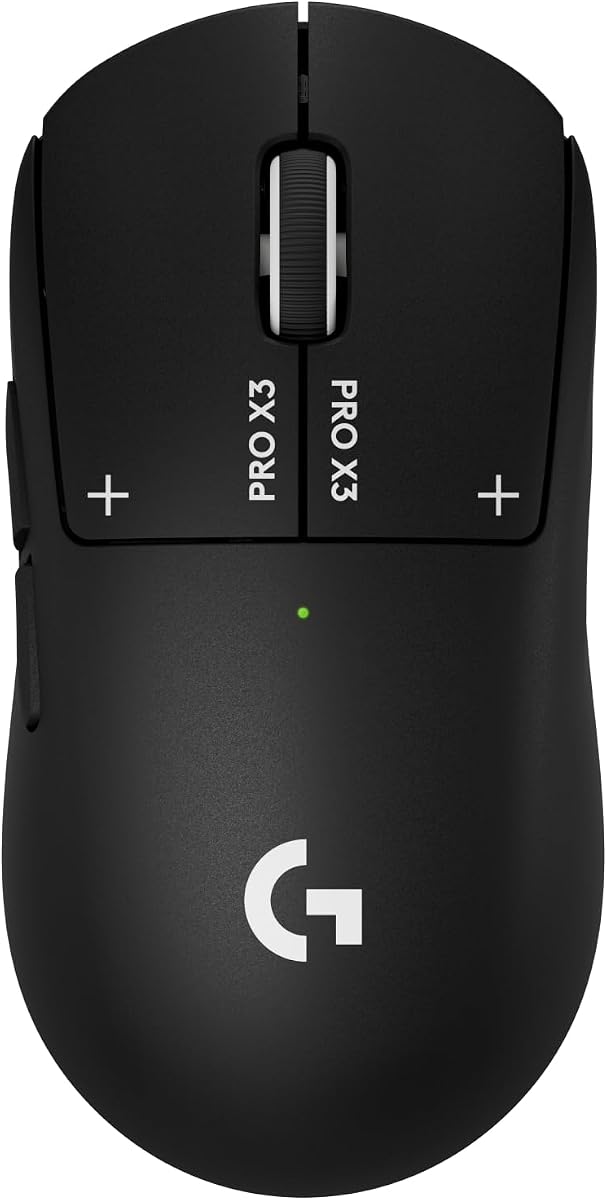



The Logitech G305 stands out as a top contender for users seeking a lightweight wireless gaming mouse that balances performance with portability. With a high rating from verified buyers, it delivers reliable tracking and rapid response times that are essential for competitive play or efficient daily tasks.
We may earn a commission when you buy through this link, at no additional cost to you.
Its next-generation optical HERO sensor provides incredible precision and power efficiency, ensuring that your movements are captured accurately without draining the battery quickly. The ultra-fast LIGHTSPEED wireless technology guarantees a lag-free experience with a 1ms report rate, making it feel as responsive as a wired mouse while offering the freedom of wireless movement.
While the use of a single AA battery might seem outdated compared to rechargeable lithium-ion solutions, the G305 impresses with up to 250 hours of continuous gameplay on one charge. This longevity is a significant trade-off that many users find acceptable given the convenience of quick battery swaps and the reduced need for charging cables.
This mouse is ideal for gamers and professionals who prioritize weight and battery life over flashy features like RGB lighting. Its compact design with built-in nano receiver storage makes it a great travel companion for laptops. For those wanting a dependable lightweight mouse that performs consistently, the G305 is a highly recommended choice.
The efficient battery usage allows for extended gaming sessions without frequent interruptions, ensuring you stay focused on your game or work.
With 12000 DPI sensitivity, the HERO sensor ensures that even the most minute movements are tracked accurately for competitive advantage.
We may earn a commission when you buy through this link, at no additional cost to you.
The white variant of the Logitech G305 offers the same exceptional performance as its black counterpart while providing a distinct aesthetic that appeals to users who prefer a cleaner, more minimalist setup. It maintains the high standards of reliability and precision that the series is known for across all color options.
We may earn a commission when you buy through this link, at no additional cost to you.
Equipped with the next-gen 12000 DPI HERO optical sensor, this mouse delivers unrivaled gaming performance and accuracy. The advanced LIGHTSPEED wireless technology ensures a super-fast 1ms response time, which is faster than many wired alternatives. The classic shape remains comfortable for long periods and maximizes maneuverability for precise control.
One of the primary trade-offs for this model is the potential for the white surface to show dust or wear more visibly than darker models. However, the durable mechanical design and convenient built-in storage for the USB wireless receiver make it a practical choice for daily use and travel.
This mouse is perfect for gamers and professionals who want the performance of a top-tier wireless device with a specific color preference. Whether you are playing competitively or working on productivity tasks, the G305 White delivers the speed and reliability needed without compromising on style or portability.
The sleek white finish adds a modern touch to your desk setup while maintaining the ergonomic comfort of the original design.
The familiar ergonomic form ensures that switching to this model feels natural and comfortable right out of the box.
We may earn a commission when you buy through this link, at no additional cost to you.
The Logitech G PRO X Superlight 2 is designed for professional gamers and enthusiasts who demand the highest level of precision and speed from their peripherals. With its championship-winning design, this wireless mouse represents a significant leap forward in performance and refinement for competitive play.
We may earn a commission when you buy through this link, at no additional cost to you.
It features the HERO 2 sensor, which offers tracking over 888 IPS and up to 44000 DPI with zero smoothing or filtering. This ensures that every movement is translated directly to the screen without any artificial interference. The LIGHTFORCE hybrid switches deliver pro-level precision and reliability with a tactile click that enhances the gaming experience.
While the lightweight design at 60 grams is a major advantage for reducing hand fatigue and increasing speed, the higher price point reflects the premium materials and technology used. Some users might find the shape less ergonomic for large hands or specific grip styles, but the performance benefits often outweigh these limitations.
This mouse is the best choice for serious esports athletes or those who want the absolute best wireless performance available. With 8kHz polling and USB-C charging, it supports high-intensity gaming sessions. If you need a mouse that helps you win, the G PRO X Superlight 2 is a top-tier investment.
At just 60 grams, the mouse allows for rapid flicks and precise tracking without weighing down your hand during intense sessions.
The HERO 2 sensor eliminates lag and ensures consistent tracking even during the most extreme and rapid movements.
We may earn a commission when you buy through this link, at no additional cost to you.
The Logitech G PRO X2 SUPERSTRIKE is a groundbreaking wireless gaming mouse designed alongside top esports athletes to deliver unmatched speed and customization. It introduces a Haptic Inductive Trigger System that provides real-time feedback, creating a more immersive experience for various game scenarios and play styles.
We may earn a commission when you buy through this link, at no additional cost to you.
With the HERO 2 sensor, this mouse delivers tracking at over 888 IPS and up to 44000 DPI, ensuring pinpoint accuracy that champions rely on. The lightweight case built with 0.7 mm thin-wall technology and extra-large UHMWPE feet allows for effortless movement and smooth gliding across any surface.
The main trade-off is the dependency on Logitech G HUB software to unlock advanced features like actuation points and polling performance. Additionally, the premium price tag places it in a high-end category that may not be accessible to casual users. However, for serious competitors, the features justify the cost.
This mouse is ideal for professionals and enthusiasts who want the latest in wireless technology and customization. The combination of speed, precision, and haptic feedback offers a unique advantage in competitive matches. If you want to dominate your games with cutting-edge hardware, this mouse is a strong contender.
The Haptic Inductive Trigger System gives real-time feedback that enhances your awareness and reaction time during gameplay.
The thin-wall case and UHMWPE feet ensure the mouse remains durable and smooth even during long marathon gaming sessions.
We may earn a commission when you buy through this link, at no additional cost to you.
The Redragon M612 offers a robust gaming experience for users who prefer a wired connection and want extensive customization without breaking the bank. With an 8000 DPI optical sensor and 11 programmable buttons, it provides the necessary tools for tactical gaming and productivity tasks.
We may earn a commission when you buy through this link, at no additional cost to you.
The skin-friendly frosted coating ensures a comfortable and fingerprint-free tactile experience, while the rubber texture on the left side improves friction for better control. The dynamic RGB backlit modes allow you to decorate your gaming space and match your personal style easily.
The main trade-off is the wired connection, which limits mobility compared to wireless options. Additionally, it may be heavier than ultra-light wireless mice, which could cause fatigue during very long sessions. However, the affordability and solid build quality make it a reliable choice for many users.
This mouse is perfect for gamers who prioritize value and customization over wireless freedom. If you want a mouse with plenty of buttons and a satisfying feel at an entry-level price, the M612 delivers excellent performance for the cost and is a great addition to any setup.
With 11 programmable buttons, you can assign complex macros and keybinds to suit any game or workflow requirement.
The claw-grip design and frosted coating reduce fatigue and ensure a secure hold during intense gaming battles.
We may earn a commission when you buy through this link, at no additional cost to you.
The Logitech G502 Hero is a legendary mouse known for its versatility and customizable features. With a next-generation HERO sensor capable of precision tracking up to 25600 DPI, it ensures accurate movement detection at sub-micron levels for pinpoint accuracy in any scenario.
We may earn a commission when you buy through this link, at no additional cost to you.
You can adjust the weight and balance configuration with up to five included weights to match your specific playing style and preference. The mechanical switch button tensioning system provides a crisp click feel, while the dual-mode hyper-fast scroll wheel offers flexible navigation options for different tasks.
The primary trade-off is the baseline weight, which is heavier than ultra-light gaming mice. Some users may find this less ideal for fast-paced competitive gaming that requires minimal resistance. However, the ability to customize the feel makes it a fantastic option for those who prefer a substantial grip.
This mouse is best suited for gamers and users who want a versatile device with high customization potential. Whether you are navigating complex spreadsheets or playing intense shooters, the G502 Hero adapts to your needs. It remains a top choice for those who value control and adjustability.
The included weights allow you to fine-tune the balance and feel of the mouse to suit your personal preference.
The HERO sensor delivers tracking accuracy that ensures every movement is registered precisely without smoothing or acceleration.
We may earn a commission when you buy through this link, at no additional cost to you.
The Logitech G PRO X3 SUPERSTRIKE combines cutting-edge sensor technology with exceptional battery life to support uninterrupted gaming sessions. Designed with esports athletes, it delivers the fastest and most customizable click experience available on the market today.
We may earn a commission when you buy through this link, at no additional cost to you.
The HERO 2 sensor tracks over 930 IPS and up to 48000 DPI, providing the exact precision needed for high-stakes matches. The LIGHTSPEED wireless technology operates at up to 8 kHz polling to ensure a highly responsive tournament-grade connection for your PC gaming setup.
A key trade-off is the dependency on software to access advanced features like the electromagnetic field switch system. Additionally, the high price point places it in a niche market for dedicated professionals. However, the performance and battery longevity make it a strong investment for serious users.
This mouse is ideal for those who need a wireless mouse that performs flawlessly for extended periods. With up to 135 hours of battery life, it reduces the need for frequent charging. If you want top-tier speed and reliability, the G PRO X3 SUPERSTRIKE is a compelling choice.
Enjoy up to 135 hours of continuous gameplay on a single charge, keeping you focused for weeks without interruption.
The 8kHz polling rate ensures that your inputs are registered instantly for a competitive edge in any game.
We may earn a commission when you buy through this link, at no additional cost to you.
The Logitech M185 is a reliable wireless mouse designed for portability and simplicity. With a comfortable and contoured shape, it feels great in either right or left hand, making it a superior alternative to touchpads for laptop users on the go.
We may earn a commission when you buy through this link, at no additional cost to you.
It features a line-by-line scroll wheel and up to 1 year of battery life thanks to a smart sleep mode function. The tiny nano USB receiver ensures a strong and reliable connection up to 33 feet, allowing for seamless work on various surfaces and devices.
The trade-offs include a lack of advanced features like high DPI settings or customizable buttons. It is also basic in design compared to gaming mice. However, for general office work and travel, its simplicity and durability are significant advantages that ensure consistent performance.
This mouse is perfect for travelers and professionals who need a dependable tool for everyday computing. The compact size makes it ideal for tight workspaces or offices. If you want a hassle-free wireless experience that works anywhere, the M185 is a practical and efficient solution.
Studies show that using this mouse over a touchpad increases productivity and speeds up work significantly for laptop users.
Plug and play simplicity means you can start working in seconds without any software installation or configuration steps.
We may earn a commission when you buy through this link, at no additional cost to you.
The Logitech M330 Silent Plus is designed for users who value a quiet working environment. Its SilentTouch Technology reduces over 90 percent of clicking sounds, ensuring top performance while contributing to a quieter atmosphere for yourself and those around you.
We may earn a commission when you buy through this link, at no additional cost to you.
It features naturally shaped contoured plastic grips for long-lasting comfort and functionality specifically for right-handed users. The 18-month battery life with auto-sleep mode means you can focus on your work without the hassle of changing batteries frequently.
The trade-off is that it is optimized for productivity rather than high-performance gaming. Additionally, its full-size design may not fit smaller hands or smaller desks comfortably. However, for office work and shared spaces, the noise reduction and reliability are outstanding benefits.
This mouse is ideal for open offices or home setups where noise is a concern. The ergonomic design ensures comfort during long workdays. If you want a silent and reliable wireless mouse that minimizes distractions, the M330 Silent Plus is a highly effective choice.
Reduce noise and distractions by up to 90 percent, creating a peaceful environment for focused work and collaboration.
With up to 18 months of battery life, this mouse ensures uninterrupted workflow without frequent maintenance or battery changes.
We may earn a commission when you buy through this link, at no additional cost to you.
The Logitech MX Master 4 redefines productivity with advanced features like the Haptic Sense Panel and MagSpeed scroll wheel. It is designed for professionals who need efficiency and comfort during long workdays and complex projects.
We may earn a commission when you buy through this link, at no additional cost to you.
The customizable haptic feedback on specific actions enhances productivity on this wireless Bluetooth mouse. The MagSpeed scroll wheel allows you to scroll 1000 lines per second and stop on a pixel, providing the fastest and most precise scrolling experience available.
The trade-off is the high price and large size, which may not suit users with smaller hands. It is also overkill for casual users who do not need advanced customization. However, for power users, the features and ergonomics justify the investment.
This mouse is perfect for professionals and creatives who need powerful navigation tools. The ergonomic design reduces hand stress and keeps you in flow. If you want a mouse that enhances productivity and comfort, the MX Master 4 is a top-tier solution.
Navigate large documents effortlessly with the fastest and most precise scroll wheel that allows for both precision and speed.
Customizable haptic feedback provides tactile cues for shortcuts and notifications to keep your focus without visual distractions.
We may earn a commission when you buy through this link, at no additional cost to you.
Selecting the right lightweight mouse involves considering several factors that impact performance and comfort. This section breaks down the most important aspects to help you make an informed decision.
The sensor is the heart of any mouse, determining how accurately it tracks movement. High DPI settings allow for greater sensitivity, which is crucial for gaming and detailed graphic design work. Look for modern optical sensors that offer consistent tracking without acceleration or smoothing.
Prioritize sensors with high DPI ranges and proven reliability in various lighting conditions for better precision.
Wireless mice offer freedom of movement and a clutter-free desk, but wired models guarantee zero latency and no battery concerns. Modern wireless technologies have largely closed the gap in performance, making them viable for competitive gaming. Consider your environment and whether you prefer the convenience of wireless or the reliability of a cable.
Choose wireless for portability and gaming if you want reduced latency, or wired if you prefer simplicity and no charging.
For wireless mice, battery life is a critical factor. Some models use replaceable AA batteries that offer long usage but require periodic changes. Rechargeable lithium-ion batteries provide convenience but may need frequent charging depending on usage patterns. Always check the expected hours of continuous use before purchasing.
Select a battery option that aligns with your daily usage habits to avoid interruptions during important tasks.
The shape of the mouse should complement your hand size and grip style to prevent strain. Ambidextrous designs work for both hands, while ergonomic right-handed shapes offer more comfort for extended use. A lightweight design can help reduce fatigue but must still provide enough stability for accurate control.
Ensure the mouse feels comfortable in your hand and supports your natural grip to minimize wrist strain over time.
A lightweight mouse should not sacrifice durability. Look for models with high-quality materials and sturdy switches to ensure long-term performance. The quality of the feet also affects how smoothly the mouse glides across surfaces. Durable construction helps maintain precision and comfort over years of use.
Invest in a mouse with robust materials and reliable switches to ensure it withstands daily wear and tear.
Many modern mice come with software that allows you to remap buttons and adjust DPI settings. This flexibility is valuable for gamers and professionals who need tailored configurations. Ensure the software is user-friendly and compatible with your operating system to maximize the mouse's potential.
Check that the available software supports your customization needs and offers a stable interface for adjustments.
Lightweight mice range from affordable options to premium models with advanced features. Determine your budget and prioritize features that matter most to your workflow. While expensive models often offer better build quality and performance, there are excellent mid-range options that balance cost and capability.
Evaluate the features against the price to find a model that offers the best value for your specific needs and goals.
Ensure the mouse is compatible with your operating system and devices. Most wireless mice work across Windows, Mac, and Linux with plug-and-play functionality. Some advanced features may require specific software or hardware compatibility which can limit cross-platform use if not verified.
Verify that the mouse works seamlessly with your primary devices to avoid any connectivity or functionality issues.
Proper maintenance ensures your lightweight mouse performs at its best. Keep the sensor lens clean by wiping it gently with a soft, dry cloth. Dust and debris can obstruct tracking and reduce accuracy, so regular cleaning helps maintain consistent performance.
Adjust your mouse settings to suit your hand strength and grip style. Most software allows you to customize button actions and scroll speeds. Taking time to personalize these settings can significantly improve your productivity and reduce physical strain.
Store your mouse properly when not in use to prevent damage. If using a wireless model, store it in a dedicated case or pouch to protect the receiver and USB cable. Avoid exposing the mouse to extreme temperatures or humidity to extend its lifespan.
Yes, lightweight mice are generally preferred for gaming as they reduce hand fatigue and allow for faster movements. This can improve reaction times and precision in competitive scenarios. However, some users prefer heavier mice for better control and stability depending on their play style.
Wireless latency refers to the delay between moving the mouse and seeing the cursor move. Modern technologies have minimized this delay to near-zero levels, making wireless mice as responsive as wired ones. High-quality wireless mice ensure smooth tracking without noticeable lag.
The ideal weight varies by preference, but many competitive gamers prefer mice weighing between 60 and 80 grams. This range offers a balance between agility and stability. Heavier mice may be preferred for users who want more resistance or stability during precise movements.
Absolutely, lightweight mice are suitable for work tasks as they reduce strain during long hours of use. Ergonomic designs and customizable buttons can further enhance productivity for office tasks. Choose a model that prioritizes comfort and features you need for daily workflows.
Yes, lighter mice often incorporate efficient sensors and battery-saving modes to extend usage time. Some models can run for months on a single AA battery due to optimized power management. This efficiency is beneficial for reducing maintenance and keeping your setup running smoothly.
Yes, many manufacturers design lightweight mice with durable materials and reinforced switches to withstand heavy use. Look for models that highlight high-quality construction in their descriptions. Proper care and handling will ensure that the mouse remains functional for years.
Basic functions like movement and clicks work without software for most lightweight mice. However, advanced features such as button customization and DPI adjustments may require specific software. It is worth checking the requirements to ensure you can access all intended features.
The primary difference is the connection method; wired mice use a cable for power and data while wireless use radio signals. Wireless models offer freedom of movement and reduced desk clutter while wired models ensure zero latency. Modern wireless technology has largely closed the performance gap.
In summary, selecting the right lightweight mouse depends on balancing performance needs with personal comfort preferences. The Logitech G305 offers exceptional value for budget-conscious users while the PRO X Superlight 2 sets a high standard for professionals. For those seeking advanced features, the SUPERSTRIKE models provide unmatched speed and feedback.
Prioritize features that align with your specific use case whether it is competitive gaming, productivity, or casual daily use. A lighter design can improve your workflow and reduce strain significantly over time. Ensure you choose a sensor and connectivity option that matches your environment and expectations.
Prices and availability for these models change frequently due to demand and promotions. Always verify the latest details and current pricing on the retailer site before making your purchase. With the right choice, you can enjoy a seamless and efficient computing experience tailored to your needs.