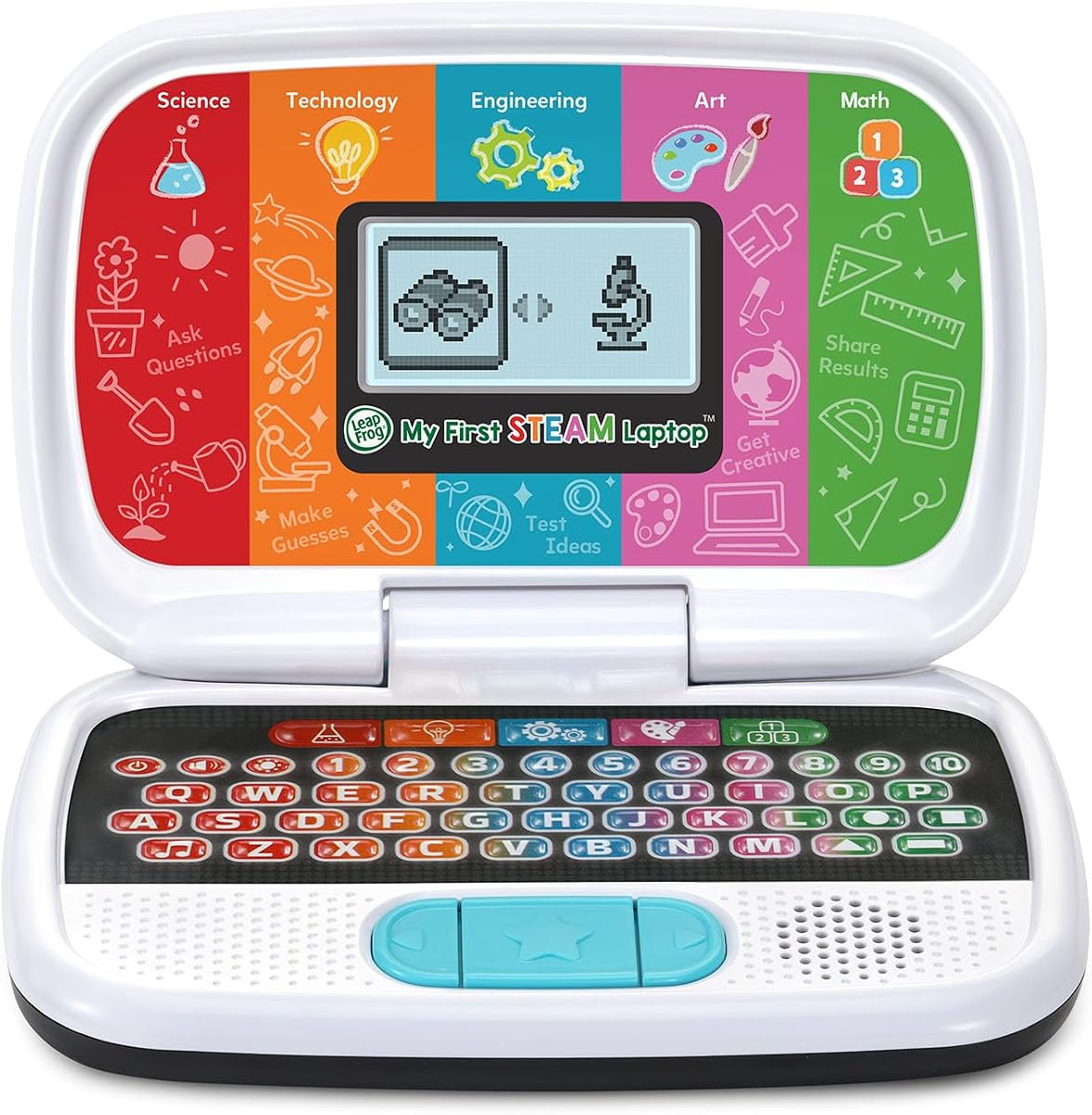
LeapFrog My First STEAM Laptop
4.5Editor score
STEAM learning focus
Robot building activities
Affordable price point
Discover the top 10 laptops for 3 year olds reviewed for educational value, durability, and fun features to help your child learn and play safely.
Finding the right laptop for a 3 year old can be challenging. Parents want devices that are engaging, educational, and safe. This guide reviews the best options available to ensure your child gets the most out of their playtime.
We compared these products based on durability, educational content, and ease of use. Each item was selected for its ability to stimulate young minds while standing up to toddler handling. Our team analyzed ratings and features to bring you this curated list.
Every pick highlights unique strengths like bilingual options or themed adventures. Prices may vary over time so check current listings before buying. This overview helps you choose the perfect learning companion for your preschooler.
4.5Editor score

4.8Editor score

4.5Editor score
This table provides a side-by-side view of all ten selected products. Compare key features and specifications to find the perfect match for your child.




This laptop stands out as the top choice for toddlers who love the Bluey series. With a rating of 4.8 stars it offers a fun blend of learning and entertainment. The design mimics a real computer while keeping activities simple and accessible.
We may earn a commission when you buy through this link, at no additional cost to you.
Children can choose characters using a slider and jump into games inspired by the show. They hear familiar phrases and interact with friends like Bingo and Mum. This deep connection to the content keeps them engaged for longer periods.
The trade-off is that it focuses heavily on the Bluey brand. If your child does not watch the show they may not enjoy it as much. However the gameplay mechanics are solid enough to appeal to preschoolers generally.
Buy this if your child is a fan of Bluey and needs an interactive toy. It combines entertainment with light learning to make it a strong recommendation for parents.
The slider allows kids to pick their favorite character before starting games.
Pressing buttons triggers lines from the show enhancing the immersive experience.
We may earn a commission when you buy through this link, at no additional cost to you.
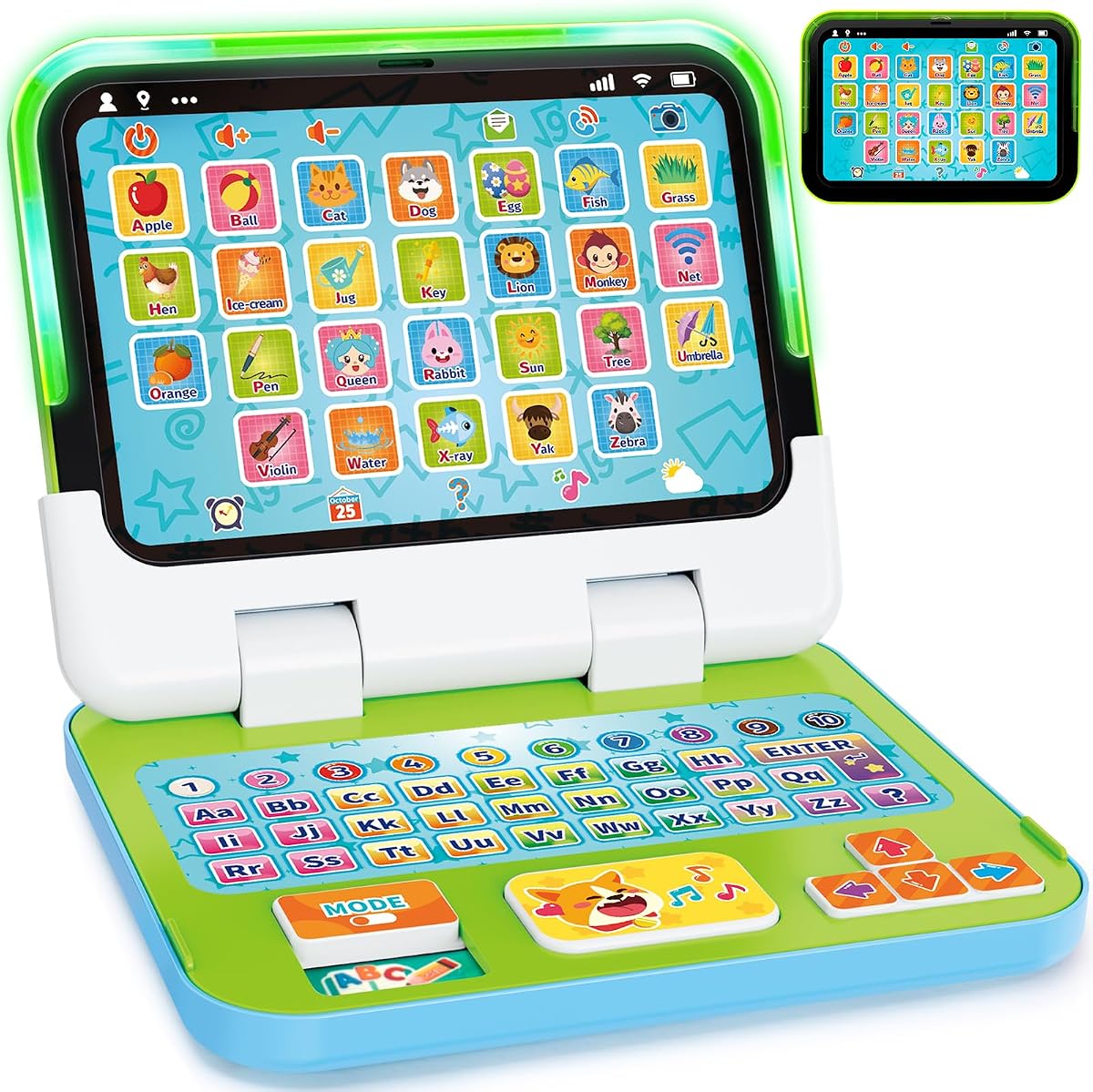
This toy offers a unique 2-in-1 design that converts from a laptop to a tablet. Rated 4.7 stars it provides versatile play options for preschoolers. The ability to switch modes keeps the toy fresh as the child grows.
We may earn a commission when you buy through this link, at no additional cost to you.
Kids can pretend to email or use the tablet for touch activities. Parents can customize the name which adds a personal touch. The five learning modes cover ABCs numbers and games to support early skills.
While the screen is not backlit it remains readable in most lighting conditions. The need for AA batteries is standard but parents should stock up. The value of dual modes outweighs these minor limitations.
Select this model for its adaptability and strong role-play features. It grows with your child from ages two to five making it a practical choice.
Flip the screen to switch between keyboard typing and touch tablet play.
Parents can input the child's name to personalize the learning experience.
We may earn a commission when you buy through this link, at no additional cost to you.
With a sleek black look this laptop resembles a grown-up device. Rated 4.6 stars it offers 30 activities with leveled learning to grow with your child. The personalization features let you add their name and avatar for fun.
We may earn a commission when you buy through this link, at no additional cost to you.
Activities include Spanish words letters and numbers to build a broad base. You can categorize foods or listen to instrument sounds. The progressive levels ensure the content remains challenging over time.
The lightweight plastic might feel less sturdy than some options. However the activity variety compensates for this. The bilingual aspect adds unique educational value not found in many other toys.
Pick this for its extensive activity library and personalization. It is a great tool for introducing basic skills and a new language to toddlers.
Introduction to Spanish words helps broaden language exposure early on.
Creating a custom avatar makes the learning feel more personal.
We may earn a commission when you buy through this link, at no additional cost to you.
This pink laptop is designed to let kids act like mom and dad. Rated 4.7 stars it includes fun role-play activities like emailing characters. The handle makes it easy to carry around the house.
We may earn a commission when you buy through this link, at no additional cost to you.
Children can send pretend emails and learn animal names. There are 16 songs and melodies to sing along with. The four learning modes cover ABCs messages games and music.
The age range stops at four which might be short for some families. Also remember to buy new batteries for regular use. However the social learning aspect is a standout feature for this age group.
Ideal for imaginative play this model encourages communication skills. It helps toddlers mimic adult behaviors in a safe and fun environment.
Send and receive fake emails to practice communication concepts.
The built-in handle lets kids take their laptop anywhere.
We may earn a commission when you buy through this link, at no additional cost to you.
This model mimics a real computer with a full QWERTY keyboard. Rated 4.5 stars it is designed for children five and older. The bilingual feature allows activities in English or Spanish.
We may earn a commission when you buy through this link, at no additional cost to you.
Explore over 80 activities including apps like calendars and notebooks. It covers math science and language arts. You can play offline since all content is pre-loaded and ready to go.
The price is higher than simple toys but the educational value is significant. The battery requirement is also higher. However the cursor controller and keyboard setup build valuable computer skills.
Invest in this for older toddlers who need a step up. It bridges the gap between toy laptops and real computers effectively.
Full size keys help develop typing skills early.
No internet connection is required making it safe for travel.
We may earn a commission when you buy through this link, at no additional cost to you.
Designed for ages one to three this toy focuses on durability. Rated 4.4 stars it is made of chew resistant materials. The detachable base allows use as a tablet or laptop.
We may earn a commission when you buy through this link, at no additional cost to you.
There are 120 learning themes including letters and colors. You can press a quiz button for questions. The lights and sounds engage fine motor skills effectively.
The design is generic compared to branded options like VTech. This often keeps the price lower. However the safety features are robust for this age group.
Choose this for babies and toddlers who are still exploring. The safety features and simplicity make it ideal for younger users.
Chew resistant materials ensure safety for oral toddlers.
Remove the keyboard to use just the screen for play.
We may earn a commission when you buy through this link, at no additional cost to you.
This orange laptop is compact and easy to carry. Rated 4.5 stars it introduces mouse skills with an attached controller. You can customize the computer with your child's name.
We may earn a commission when you buy through this link, at no additional cost to you.
It plays 30 melodies and teaches over 60 words. The progressive levels ensure the content is not too easy. Logic games help develop critical thinking skills.
The screen is not backlit so avoid dark rooms. Despite this it remains a solid educational tool. The attached mouse adds unique value over other toys.
Select this for learning computer skills and music. It is perfect for travel due to its size and included accessories.
The attached mouse introduces basic navigation concepts early.
Listen to rock country and jazz melodies for variety.
We may earn a commission when you buy through this link, at no additional cost to you.
This laptop features an ergonomic design with a slim profile. Rated 4.3 stars it looks like a real computer for kids. The design includes a realistic mouse and keyboard for practice.
We may earn a commission when you buy through this link, at no additional cost to you.
Activities cover math logic and general knowledge. You can test knowledge with different levels. Music activities include note learning and composing melodies.
The unicorn theme might not appeal to all children. Also the rating is slightly lower than others. However the realistic layout is excellent for skill building.
Pick this for its design and educational depth. It is suitable for toddlers interested in creative and logical activities.
The slim design fits easily in small hands.
Quiz levels help reinforce what the child has learned.
We may earn a commission when you buy through this link, at no additional cost to you.
Explore letters and counting with Pixel the animated friend. Rated 4.7 stars this laptop includes 11 activities for preschoolers. The coding feature lets kids create simple programs for Pixel.
We may earn a commission when you buy through this link, at no additional cost to you.
Text back and forth with Chip in Pixel's adventures. The digital face animates and sings to encourage learning. This mix of humor and education keeps kids engaged.
The coding concepts are very basic but effective. It builds a foundation for logic and sequencing. The age range extends to seven which adds long-term value.
Ideal for tech curious kids this model is great for early coding exposure. It balances fun with structured learning effectively.
Create simple programs to make Pixel clean or cuddle.
Pixel reacts to your input with movement and sound.
We may earn a commission when you buy through this link, at no additional cost to you.
This affordable option introduces science and engineering. Rated 4.5 stars it features Dr. Frankensteam to guide learning. Kids can grow plants and investigate fossils.
We may earn a commission when you buy through this link, at no additional cost to you.
Build robots and match shapes to parts. It uses 2 AA batteries which is efficient. The STEAM concepts help prepare kids for future learning.
While the mechanics are simpler than complex laptops the content is solid. The price point makes it accessible for many families. It is a great introductory tool.
Buy this for its price and educational focus. It offers a budget-friendly way to explore science and engineering.
Explore science technology engineering art and math basics.
Match shapes to build imaginative machines.
We may earn a commission when you buy through this link, at no additional cost to you.
Choosing a laptop for a 3 year old requires looking at safety, content, and battery life. This guide outlines key factors to help you decide.
Ensure the laptop matches your child's developmental stage. Some models suit ages 1 to 3 while others are for 3 to 7. Picking the right range prevents frustration.
Check the age recommendations on the box before buying.
Toddlers drop toys often. Look for laptops made with strong ABS plastic or chew resistant materials. Rounded edges are safer for little hands.
Sturdy build ensures the toy lasts longer.
Good laptops teach ABCs numbers and colors. Some offer bilingual options like Spanish to broaden horizons. Themed content like Bluey can boost engagement.
Prioritize models with varied activities.
Most toys run on AA batteries. Check how many are required to avoid frequent changes. Rechargeable models are rare but convenient.
Keep extra batteries on hand for playtime.
Look for features like touch screens or music modes. Interactive elements keep toddlers interested for longer. Simple buttons are easier to use.
Choose laptops with sound and light feedback.
Ensure the product meets all safety standards. Small parts should be avoided for younger kids. Check for certification marks on packaging.
Safety should always be your top priority.
A lightweight laptop is easier to carry around. Handles help children move their toys between rooms. Compact size fits well in backpacks.
Portability allows for play anywhere.
Prices vary based on features and brand. Basic models are affordable while premium ones cost more. Decide what fits your budget before shopping.
Set a price range before buying.
Insert fresh batteries and check the power button to turn it on. Follow any setup instructions for personalization.
Clean the surface with a dry cloth to remove dust. Avoid using water or cleaners directly on the screen.
Store the toy in a cool dry place to extend battery life. Keep the compartments closed to prevent accidental access.
Yes most are designed with non-toxic materials and rounded edges. Always check for safety certifications. Avoid models with small detachable parts for younger children.
Most require standard AA batteries. Some need 2 to 4 depending on features. Check the product description to know how many to buy.
No all reviewed models work offline. Activities are pre-loaded for immediate play. This makes them safe for travel.
Many allow personalization with names and avatars. Some let parents choose learning modes. Check settings menus for customization options.
Battery life varies by usage. Expect a few hours of active play. Use alkaline batteries for better performance.
Yes they teach letters numbers and problem solving. Some include Spanish or coding basics. They support early learning skills.
For 3 year olds choose models labeled 3 to 6. Ensure the content is challenging enough. Avoid ones designed for infants.
We reviewed ten laptops for 3 year olds highlighting the Bluey laptop as top choice. The Genio offers premium features while the STEAM model is budget friendly.
Prioritize durability and educational value when selecting. Ensure the content matches your child's interests.
Prices may change so verify current listings before purchasing. Your child will love the interactive learning experience.