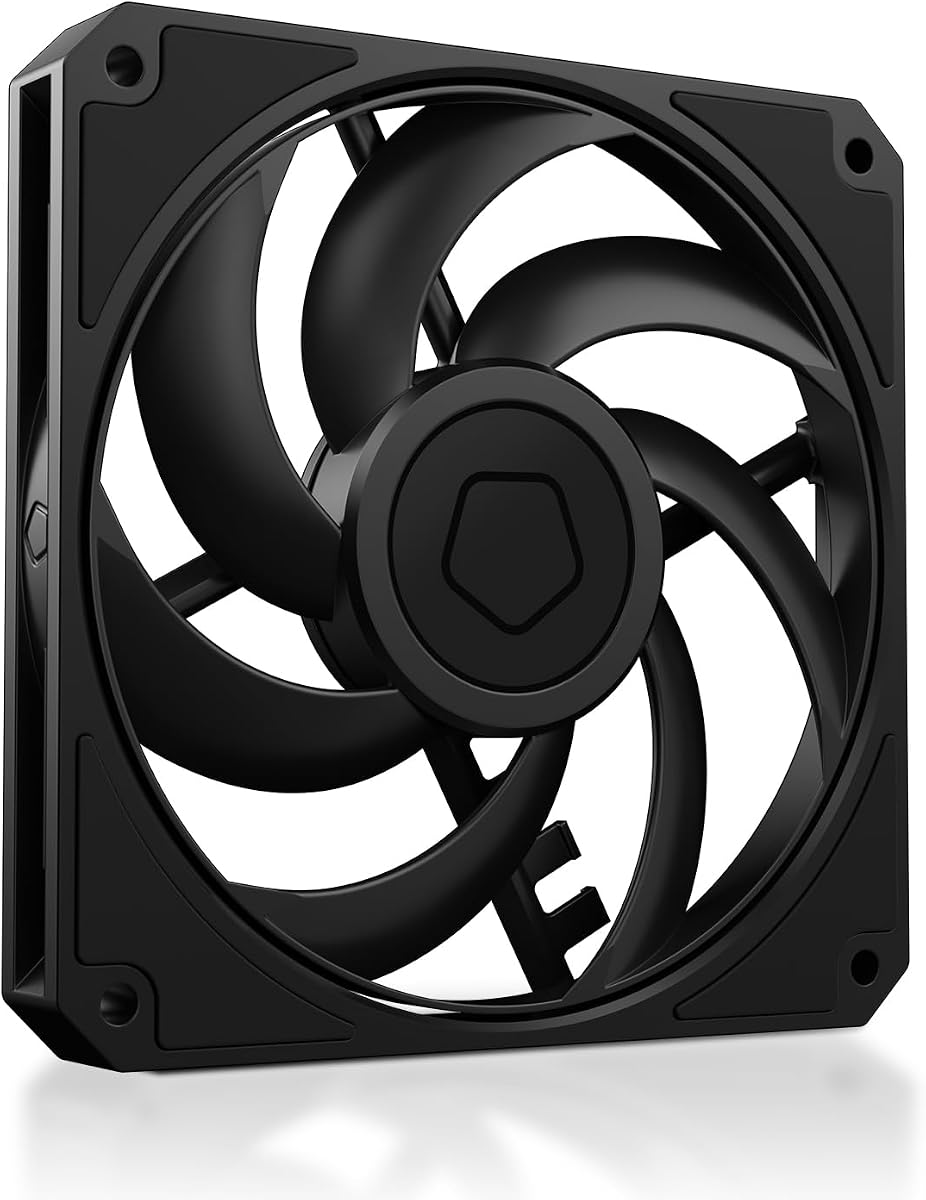
ID-COOLING AM-120-SLIM
4.8Editor score
Ultra-slim 15mm design
59.6 CFM high airflow
2.7mmH₂O static pressure
This guide compares the top low profile case fans for small form factor builds, focusing on cooling performance, noise levels, and slim designs for compact PCs.
Building a compact PC often means sacrificing cooling space, but low profile case fans solve this by delivering efficient airflow in thin 15mm frames. These fans are essential for small form factor cases, low-profile CPU coolers, and tight radiator setups where standard fans cannot fit.
We compared ten top-rated slim fans based on static pressure, airflow, noise output, and build quality. Our analysis includes industry leaders like Noctua and Arctic alongside value-focused brands to help you find the perfect balance of performance and silence for your restricted build area.
Each pick below highlights key specifications, pros, cons, and ideal use cases to simplify your decision. Note that prices and stock fluctuate frequently, so verify current details on the product pages before purchasing to ensure you get the best deal available today.
4.8Editor score

4.9Editor score

4.8Editor score
This side-by-side comparison table lists all ten selected low profile case fans with their core specifications. Use this overview to quickly identify which model offers the right balance of airflow, noise, and static pressure for your specific small form factor or low-profile cooling needs.



The Noctua NF-A12x15 PWM stands out as the premier choice for low profile cooling, earning a 4.9 rating for its exceptional balance of performance and silence. This fan delivers high static pressure and airflow within a mere 15mm thickness, making it perfect for restrictive environments.
We may earn a commission when you buy through this link, at no additional cost to you.
Its award-winning A-series design incorporates Flow Acceleration Channels and an Advanced Acoustic Optimisation frame, which significantly reduce noise while maximizing cooling efficiency. The 4-pin PWM support allows automatic speed control, ensuring the fan runs quietly at idle and speeds up only when necessary.
While the price point is higher than many competitors, the longevity exceeding 150,000 hours and included accessories like anti-vibration mounts and extension cables justify the investment. The only minor trade-off is the distinctive brown color, which may not match all-black builds without modification.
Enthusiasts building HTPCs, ITX systems, or using low-profile CPU coolers should buy this fan for reliable, whisper-quiet performance. It remains the gold standard for slim fans where noise and thermal efficiency are critical priorities.
The flow acceleration channels reduce turbulence and noise, while the AAO frame optimizes airflow to ensure efficient cooling without disturbing sound.
Included anti-vibration mounts, fan screws, and y-cables simplify installation and allow multiple fans to run on a single header for added flexibility.
We may earn a commission when you buy through this link, at no additional cost to you.
The ARCTIC P12 Slim PWM PST 3 Pack offers exceptional value for builders needing multiple low profile fans without breaking the budget. With a 4.6 rating, it delivers reliable cooling in a slim 15mm frame suitable for heat sinks and radiators where space is tight.
We may earn a commission when you buy through this link, at no additional cost to you.
Its high static pressure design ensures efficient airflow even through restricted areas like radiators or dense heatsinks. The 4-pin PWM PST connector allows chain linking of fans and speed control via motherboard headers, keeping noise minimal at low RPMs.
While it does not match the ultra-quiet performance of premium brands, its robust engineering and low price point per fan make it a practical choice for budget builds. The 2100 RPM maximum ensures adequate airflow, though it may generate more noise than quieter alternatives.
Users seeking affordable cooling for multiple spots in small form factor cases or radiator setups should choose this pack. It provides solid performance and flexibility for those prioritizing cost-efficiency and bulk installation.
The fan guarantees efficient cooling even with increased air resistance, making it highly suitable for use on heat sinks and radiators where space is constrained.
The 4-pin connector enables fan speed control via PWM PST, allowing multiple units to be daisy-chained and managed automatically by your system.
We may earn a commission when you buy through this link, at no additional cost to you.
The ARCTIC P14 Slim PWM PST expands low profile options to the 140mm size, rated at 4.6 for its ability to move significant air in thin 16mm frames. It is ideal for cases that accept larger fans but lack depth for standard 25mm units.
We may earn a commission when you buy through this link, at no additional cost to you.
Upgraded engine technology and a newly developed fan design boost its cooling performance significantly over previous models. The fan operates quietly with speeds controlled via PWM PST, ensuring efficient airflow without excessive noise even at higher RPMs up to 1800.
Its 47 CFM airflow is impressive for a slim fan, though it requires compatible mounting space. While only 1mm thicker than standard 15mm slim fans, it still fits many restricted areas where full-depth fans cannot fit.
Builds needing larger cooling capacity in compact spaces should consider this fan for its balance of size and efficiency. It offers a practical solution for radiator mounts or rear exhaust positions requiring low clearance.
Numerous improvements including upgraded engine technology and a newly developed fan design noticeably increase performance over previous models.
The fan keeps noise to a minimum while ensuring maximum cooling performance through precise PWM speed control via the 4-pin connector.
We may earn a commission when you buy through this link, at no additional cost to you.
The Noctua NF-A12x15 PWM chromax.Black.swap combines top-tier cooling with a striking all-black design, rated at 4.8 for its premium build and silent operation. It features self-adhesive colored anti-vibration pads for custom styling without compromising function.
We may earn a commission when you buy through this link, at no additional cost to you.
Built on the award-winning A-series fan design, it delivers superior quiet cooling with Flow Acceleration Channels and an Advanced Acoustic Optimisation frame. The 4-pin PWM version includes semi-passive support, stopping at 0 percent PWM for whisper-quiet idle states.
The chromax.black.swap edition allows users to personalize their build with red, white, blue, yellow, or green pads, adding versatility to its black aesthetic. This flexibility is rare among premium fans and appeals to style-conscious enthusiasts.
High-end builders seeking both performance and aesthetics should invest in this fan for its reliability and custom options. It is a worthwhile choice for those who want Noctua quality with a modern black look.
The frame reduces noise and vibration effectively, ensuring superior quiet cooling performance even under demanding conditions.
Eight pads each of multiple colors allow color-customising the fan mounts to match case accents or personal preferences.
We may earn a commission when you buy through this link, at no additional cost to you.
The be quiet! Pure Wings 3 120mm brings German engineering quality to standard case cooling, rated at 4.7 for its optimized frame and quiet performance. While typically 25mm, it represents high airflow design principles applicable to slim fan choices.
We may earn a commission when you buy through this link, at no additional cost to you.
Its fan frame is optimized for peak performance on radiators, and seven airflow-optimized blades ensure performance under demanding configurations. The rifle bearing provides an operating lifetime of 80000 hours, ensuring reliability in continuous use scenarios.
Although not a slim 15mm model in this specific listing, its design philosophy of minimizing noise through blade shape is relevant for airflow-focused buyers. It can be run at very low RPMs for quiet operation when full speed is not needed.
Users prioritizing brand heritage and long-term durability should consider this fan for standard mounting points. It delivers consistent airflow with minimal noise for those who trust be quiet! engineering standards.
The fan frame outlet is designed for peak performance on radiators, enhancing efficiency in restricted airflow scenarios.
The long-life rifle bearing guarantees an operating lifetime of 80000 hours, reducing maintenance and replacement frequency.
We may earn a commission when you buy through this link, at no additional cost to you.
The ID-COOLING AM-120-SLIM delivers impressive performance at a budget-friendly price, rated at 4.8 for its powerful specs in a 15mm frame. It supports 4-pin PWM speed control from 500 to 2500 RPM for flexible cooling management.
We may earn a commission when you buy through this link, at no additional cost to you.
It boasts a high 59.6 CFM airflow and 2.7 mmH2O static pressure, making it suitable for unrestricted airflow and restrictive radiators alike. Premium hydraulic bearing technology ensures quieter operation compared to standard sleeve bearings while extending lifespan.
At its price point, it offers features typically found in higher-end models, such as robust static pressure. However, plastic construction and noise at maximum speed reflect its cost-saving trade-offs that budget builders accept easily.
Budget-conscious SFF builders needing high airflow and static pressure without premium costs should choose this fan. It provides reliable performance for Mini-ITX cases and tight radiator mounts where space is limited.
Delivers up to 59.6 CFM airflow and 2.7 mmH2O static pressure, making it suitable for both unrestricted airflow and restrictive heatsinks.
Premium hydraulic bearing reduces friction and vibration for quieter performance while extending fan lifespan significantly.
We may earn a commission when you buy through this link, at no additional cost to you.
The Thermalright TL-C12015 offers a well-balanced mix of speed and noise for small form factor builds, rated at 4.7. It measures 120x120x15mm and runs at 1500 RPM to deliver 52 CFM airflow with quiet operation.
We may earn a commission when you buy through this link, at no additional cost to you.
Its S-FDB bearing keeps noise low and extends service life while four vibration-absorbing pads reduce friction and sound. PWM connection allows automatic speed control via motherboard headers, ensuring the fan runs only when needed for efficiency.
While not the fastest option, its 1500 RPM maximum helps maintain silence in compact enclosures. The design suits downward coolers and low-profile CPU air coolers, helping maximize heat dissipation performance in tight setups.
Builders seeking a reliable, quiet fan for SFF cases should choose this model for its balance of performance and noise. It fits perfectly for those needing cooling without excessive volume.
The four corners of the fan are equipped with vibration absorbing pads which reduce friction and noise perfectly.
Fan speed is automatically controlled through 4pin PWM connection on the motherboard with max speed at 1500RPM.
We may earn a commission when you buy through this link, at no additional cost to you.
The Noctua NF-A9x14 HS-PWM chromax.Black.swap is the premium 92mm slim fan, rated at 4.8 for its high performance and compact design. It measures 92x92x14mm making it ideal for 9cm low-profile CPU coolers and small cases.
We may earn a commission when you buy through this link, at no additional cost to you.
Powered by the renowned A-Series fan with Flow Acceleration Channels and AAO frame system, it delivers superior cooling and extra-quiet operation. The HS-PWM version offers a wide speed range from 500 to 2500 RPM with standstill at 0 percent PWM.
The chromax.black.swap edition adds style with self-adhesive anti-vibration pads in red black white blue green and yellow. These allow users to customize the fan color to match their build while maintaining premium performance quality.
Users needing a high-quality 92mm fan should buy this for its reliability and noise control. It suits ITX or HTPC builds where standard 120mm fans will not fit.
The 14 mm thin design is ideal for 9 cm low-profile CPU coolers and compact PC cases such as HTPC or ITX.
HS-PWM version enables automatic control via PWM with a wide speed range and standstill for semi-passive operation.
We may earn a commission when you buy through this link, at no additional cost to you.
The Noctua NF-A12x15 FLX offers a 3-pin connection option, rated at 4.8 for its flexibility and whisper-quiet design. It uses Low-Noise Adaptors to provide 1850 1400 and 950 RPM settings for maximum airflow or near-silent operation.
We may earn a commission when you buy through this link, at no additional cost to you.
Its award-winning A-series design includes Flow Acceleration Channels and an Advanced Acoustic Optimisation frame for superior quiet cooling. The fan runs with minimal noise up to 1850 RPM while remaining silent at lower speeds via included adaptors.
The 3-pin FLX version includes a 3:4-pin adaptor for powering directly from the power supply or connecting to 3-pin headers. This makes it versatile for older motherboards or systems lacking dedicated PWM fan headers.
Users needing 3-pin compatibility or fixed speeds should choose this fan for its quality and adaptability. It suits enthusiasts who prefer manual speed control without relying on PWM headers.
The 3-pin FLX version provides speed settings via Low-Noise Adaptors to fine-tune for maximum airflow or near-silent operation.
Includes anti-vibration mounts and 3:4-pin adaptor for powering the fan directly from the power supply.
We may earn a commission when you buy through this link, at no additional cost to you.
The Noctua NF-A12x15 PWM delivers premium performance in a slim 15mm frame, rated at 4.8 for its reliability and quality. It is ideal for low-profile CPU coolers, HTPCs, and ITX builds where space is restricted.
We may earn a commission when you buy through this link, at no additional cost to you.
Its 4-pin PWM version enables automatic speed control via headers, ranging up to 1850 RPM. The fan uses Flow Acceleration Channels and Advanced Acoustic Optimisation to ensure superior quiet cooling performance under load.
Included anti-vibration mounts, screws, and extension cables simplify installation and reduce noise transmission. The 150000 hours MTTF ensures long-term durability and consistent operation for critical cooling applications.
High-end builders prioritizing quality and silent operation should invest in this fan. It remains a top choice for those needing dependable low-profile cooling with minimal noise.
The 4-pin PWM version provides automatic speed control via 4-pin PWM fan headers for efficient thermal management.
With a mean time to failure exceeding 150,000 hours, this fan guarantees years of reliable cooling.
We may earn a commission when you buy through this link, at no additional cost to you.
Selecting the right low profile case fan requires understanding dimensions, performance metrics, and compatibility. This section breaks down the essential factors to ensure your choice fits your build constraints while delivering optimal thermal performance and noise levels.
The most critical factor is the fan thickness. Standard fans are 25mm thick while low profile options are typically 15mm. Verify your case, CPU cooler, or radiator can accommodate the height before purchasing.
Measure all clearance spaces carefully. Choosing a fan that is too thick can prevent case closure or cause cable interference.
Fans with high static pressure perform better when pushing air through restricted areas like radiators or dense heatsinks. Airflow fans excel in open mounts where resistance is low.
For radiators or heatsinks prioritize static pressure. For intake or exhaust in free space prioritize airflow numbers for maximum ventilation.
Noise is measured in dB(A). Lower numbers indicate quieter operation. Look for fans with noise levels below 30 dB(A) for silent builds especially when running at low RPMs.
Consider how the fan sounds under load. Some fans are quiet at idle but become loud when accelerating to full speed.
Fan bearings affect noise and longevity. Hydrodynamic or rifle bearings usually last longer and operate quieter than sleeve bearings. Check MTTF ratings to estimate how many hours the fan will run without failure.
Invest in fans with rated MTTF over 150,000 hours for better reliability and reduced replacement needs over time.
PWM fans offer automatic speed adjustment based on temperature. They allow your motherboard to control fan speed efficiently. 3-pin fans require adapters or fixed voltage control.
Select 4-pin PWM fans if your motherboard supports it. This feature minimizes noise when cooling demand is low.
Accessories like screws, rubber mounts, extension cables, or adapters impact ease of installation. Some high-end models include y-cables to run multiple fans on one header.
Check what is included. Missing parts can force extra purchases. Ensure mounts match your case screw holes or mounting rails.
Higher-end fans use better plastics and balanced blades to reduce vibration. Metal hubs or frames may add weight and stability but cost more.
Check reviews for vibration issues. A well-built fan will operate smoothly without wobbling or excessive rattling.
Fan appearance matters for visible builds. Some come in black white or brown. Others offer customizable anti-vibration pads for styling.
Choose colors matching your components. Black blades and frames are standard for stealthy looks. RGB fans add lighting effects if supported.
First clean the area before installing the fan. Remove dust from the slots and ensure no cables block the rotation path to prevent vibration or damage.
Second secure the fan using provided screws or mounts. Tighten evenly to avoid tilting which causes noise. Use rubber grommets if available to reduce transmission to the case.
Third monitor speeds through software after installation. Test at low and high RPMs to ensure noise levels meet expectations. Adjust curves if the fan spins up too aggressively.
A low profile case fan is designed to be thinner than standard fans, typically 15mm instead of 25mm. This allows installation in compact cases, low-profile CPU coolers, or tight radiator spaces where depth is restricted.
While they move slightly less air due to smaller blade surface area, modern designs with improved blade shapes and motors deliver comparable cooling performance. High static pressure options work especially well in restrictive areas.
They are often quieter at low speeds due to optimized blades and bearings but may spin faster to match standard cooling output. Quality models include noise-reducing features like vibration mounts and PWM control.
Yes you can use them on standard coolers but you might lose some cooling capacity. They are most beneficial when the cooler itself is low profile or space is too tight for a 25mm fan.
PWM uses a fourth wire to send pulse signals for precise speed control. DC adjusts speed by changing voltage on the main three wires. PWM fans are more efficient and quieter across varying speeds.
With modern bearings rated for over 150,000 hours fans rarely need replacement within a normal PC lifespan. Replace them if noise increases significantly or rotation slows indicating bearing wear.
The Noctua NF-A12x15 PWM leads our picks for overall performance and silence. The ARCTIC P12 Slim PWM PST 3 Pack offers unmatched value for bulk builds. ID-COOLING AM-120-SLIM provides budget-friendly high static pressure.
Prioritize static pressure for radiators and airflow for open mounts. Check dimensions carefully before buying to avoid fitment issues. Noise tolerance varies so review decibel ratings and user feedback thoroughly.
Prices fluctuate daily so confirm current deals before finalizing your order. Selecting the right fan ensures your compact system stays cool and quiet without compromising on style or reliability.