
The Braille Store Business Card Slate
4.9Editor score
Ultra-thin aluminum construction
Built-in signature guide
Includes durable classic stylus
Discover the top Braille displays for blind users in 2026. We compare refreshable models, slates, and keyboards to help you choose the right accessibility tool.
Finding the right Braille display can transform how blind users access digital content. A good device offers reliable connectivity, clear tactile feedback, and seamless integration with screen readers for daily tasks.
We evaluated ten distinct products ranging from advanced refreshable displays to manual slates and learning tools. Each option was assessed based on portability, feature set, and overall user experience for diverse needs.
Each pick highlights unique strengths to match specific workflows and budgets. Please note that product availability and pricing fluctuate frequently, so verify current details before making your final purchase decision today.
4.9Editor score

5.0Editor score

4.8Editor score
This side-by-side comparison highlights the core specifications of each product to help you quickly identify the device that best fits your specific accessibility requirements and workflow needs.




The Brailliant BI 40X stands out as a top-tier refreshable Braille display designed for serious daily use. It boasts a generous 40-cell display with cursor routing keys for efficient reading and screen reader access.
We may earn a commission when you buy through this link, at no additional cost to you.
Its ability to connect to five Bluetooth devices and one USB device simultaneously makes switching between phones, tablets, and computers seamless. The onboard KeySoft Lite apps add significant value for note-taking and library access.
While the price is higher than basic slates, the reliability and feature set justify the investment for users needing consistent performance. The 32GB storage and robust battery life ensure long sessions without interruption.
This device is ideal for students or professionals who need a reliable primary display for extended periods. Its comfort and connectivity make it a strong recommendation for those seeking the best overall experience.
Bluetooth 5 technology ensures stable wireless connections across multiple devices, allowing users to switch effortlessly between workstations and mobile phones without manual re-pairing.
Integrated apps like Editor, Braille Editor, and Calculator provide essential tools directly on the device, reducing dependency on external software for basic tasks.
We may earn a commission when you buy through this link, at no additional cost to you.
The Brailliant BI 20X offers a more portable option while retaining many premium features found in larger models. Its 20-cell display is perfect for users who prioritize mobility without sacrificing essential functionality.
We may earn a commission when you buy through this link, at no additional cost to you.
It connects to multiple devices via Bluetooth and USB, ensuring compatibility with various platforms. The onboard apps support reading, writing, and calculation, making it a self-contained productivity tool.
Although it has less storage than the 40X, the 16GB capacity is sufficient for most users. The compact design makes it easier to carry around for daily commutes or travel.
This model is excellent for individuals who need a reliable Braille display that fits easily into a bag. Its balance of size and capability makes it a top choice for active users.
The compact 20-cell design allows users to carry the device effortlessly in bags or pockets, ensuring accessibility is available wherever they go throughout the day.
Direct access to Bookshare and NLS BARD through onboard features simplifies finding and reading books, enhancing the user experience for avid readers.
We may earn a commission when you buy through this link, at no additional cost to you.
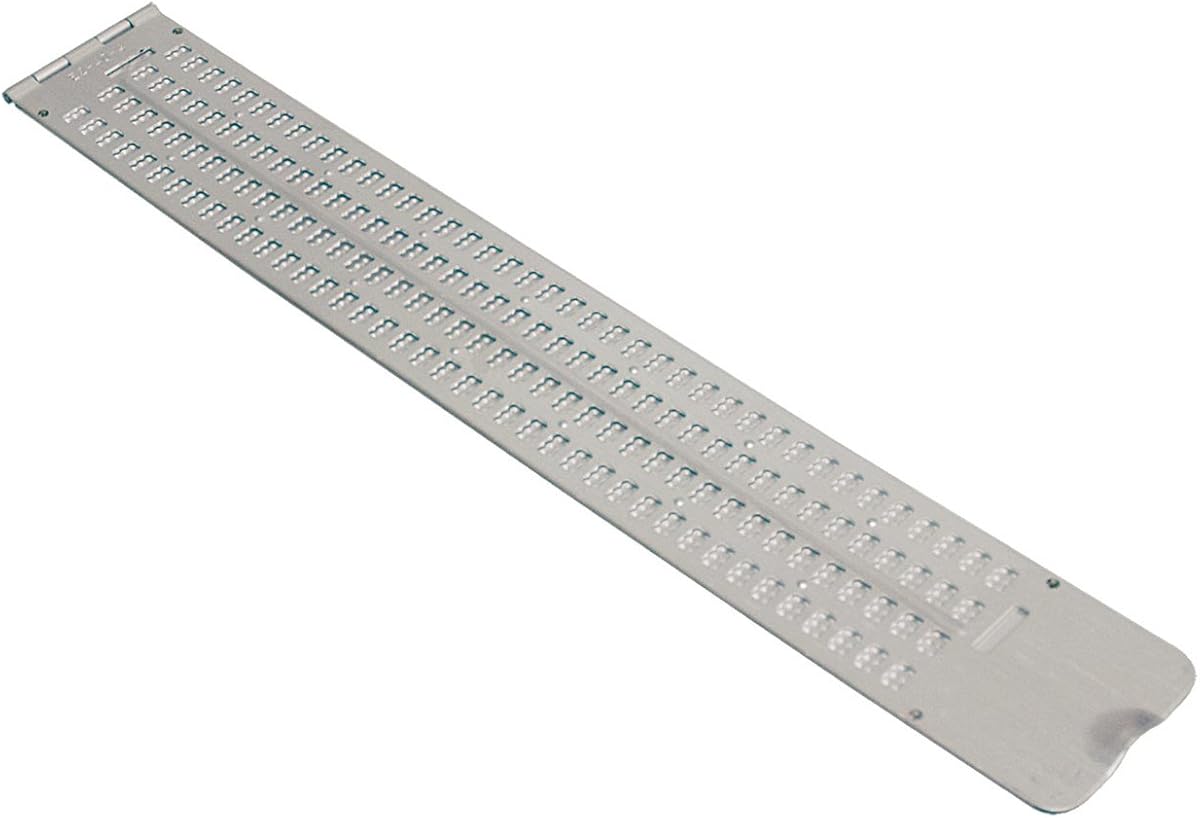
For those needing a simple way to write or sign Braille, this business card slate is an exceptional budget-friendly option. It allows users to emboss notes or labels quickly and easily.
We may earn a commission when you buy through this link, at no additional cost to you.
The ultra-thin aluminum design is sturdy yet portable, fitting easily into a pocket or wallet. The signature guide helps ensure straight lines, which is particularly useful for professional contexts.
While it lacks the dynamic capabilities of digital displays, its simplicity and low cost make it a perfect addition to any toolkit. It requires no batteries or charging, ensuring readiness at all times.
This slate is recommended for beginners or professionals who need a reliable manual writing tool. Its high rating reflects its effectiveness and value for specific, targeted use cases.
The compact size and signature guide enable users to quickly write notes or sign business cards with precision, making it a versatile tool for daily interactions.
Constructed from high-quality aluminum, this slate withstands daily wear and tear, ensuring longevity even with frequent use in various environments.
We may earn a commission when you buy through this link, at no additional cost to you.
This traditional slate offers a substantial writing area with 13 lines and 36 cells across, allowing for longer notes or assignments. Its pins-down design provides stability during writing.
We may earn a commission when you buy through this link, at no additional cost to you.
The durable aluminum construction ensures it can handle regular use without bending or breaking. A thumb notch makes opening and closing the slate easy for users with limited dexterity.
While the rating is lower than electronic options, it remains a reliable manual tool for those who prefer tactile writing. It is perfect for learning Braille fundamentals or keeping quick notes.
This product is suitable for educators or students who need a robust manual writing device. Its simplicity and durability make it a solid choice for specific educational or personal tasks.
With 13 lines and 36 cells, this slate allows users to write longer texts without constantly flipping pages, enhancing productivity during study or work sessions.
The thumb notch feature simplifies the process of opening and closing the slate, making it accessible and easy to use for individuals with varying dexterity levels.
We may earn a commission when you buy through this link, at no additional cost to you.
Designed specifically for North American letter-size paper, this slate allows users to write full pages without interruption. It eliminates the need to move the slate frequently while writing.
We may earn a commission when you buy through this link, at no additional cost to you.
The thick, durable plastic construction ensures longevity while operating quietly, making it suitable for shared environments like classrooms or offices. The built-in line numbers help users resume work easily.
It is an excellent tool for students or professionals needing extensive note-taking capabilities. The ability to leave paper inside prevents wrinkling and ensures a clean workflow.
This slate is highly recommended for those who need a large writing surface for assignments or notes. Its design prioritizes ease of use and efficiency in manual Braille production.
The full-page design allows for continuous writing without constant adjustments, saving time and effort when completing large assignments or detailed notes.
Plastic construction not only reduces noise during use but also ensures the slate remains lightweight enough for portable use while maintaining durability.
We may earn a commission when you buy through this link, at no additional cost to you.
This pocket slate is designed for maximum portability, making it easy to slip into a briefcase or backpack. It offers 4 lines with 40 cells each, providing a good writing area for its size.
We may earn a commission when you buy through this link, at no additional cost to you.
Made from lightweight aluminum, it is durable without adding significant weight to a user's load. The pins-up design ensures stability while writing, preventing the paper from shifting.
It is ideal for users who need a reliable writing tool for quick notes on the go. The balance of size and capacity makes it more practical than smaller business card slates.
This slate is recommended for professionals or students who need a manual backup for digital devices. Its high rating reflects its effectiveness and convenience for daily carry.
Despite its pocket-friendly dimensions, this slate provides enough space for meaningful notes, ensuring users can capture information without bulk or inconvenience.
Constructed from lightweight aluminum, it adds minimal weight to bags, making it an ideal companion for travel or commuting without sacrificing durability.
We may earn a commission when you buy through this link, at no additional cost to you.
The Hable One transforms smartphones into accessible Braille devices using eight tactile buttons. It allows blind users to type and navigate with high accuracy without touching the screen directly.
We may earn a commission when you buy through this link, at no additional cost to you.
Its intuitive design means users do not need prior Braille knowledge to start, thanks to free onboarding calls and tutorials. This lowers the barrier to entry for new users effectively.
The device offers exceptional battery life lasting over a month on a single charge, ensuring it remains reliable for daily use. Its compact size makes it easy to carry discreetly in a bag.
This keyboard is perfect for mobile users who need independence and privacy when accessing their phones. It bridges the gap between visual displays and tactile input for seamless mobile navigation.
By integrating seamlessly with smartphones, the Hable One empowers users to navigate apps and messages accurately, enhancing independence in daily mobile interactions.
Free tutorials and onboarding support help users master the device quickly, ensuring a smooth transition to tactile typing without requiring prior Braille expertise.
We may earn a commission when you buy through this link, at no additional cost to you.
This handheld label-maker provides a simple way to create Braille labels for organizing items at home or work. It embosses directly onto vinyl tape, ensuring clear tactile markers.
We may earn a commission when you buy through this link, at no additional cost to you.
The spin dial makes selecting letters and numbers intuitive, while the squeeze trigger creates the Braille symbols instantly. It comes with a roll of tape to get started immediately.
Its lightweight design ensures it is easy to use for extended periods without fatigue. It is an essential tool for maintaining organized spaces that are accessible to everyone.
This product is recommended for users or families looking to make their living spaces more accessible. Its ease of use and clear output make it a practical addition to home organization.
The spin dial and squeeze trigger mechanism allow users to produce labels quickly and accurately, making organization tasks efficient and straightforward.
Embossing on durable vinyl tape ensures labels remain visible and tactile even in challenging conditions, providing long-term organization solutions.
We may earn a commission when you buy through this link, at no additional cost to you.
These stickers offer an affordable way to add Braille labels to an existing computer keyboard. They are transparent, allowing the original key legends to show through for bilingual use.
We may earn a commission when you buy through this link, at no additional cost to you.
Made from clear Lexan material, they are durable and resistant to slipping or curling. The 3M adhesive ensures a secure fit on various keyboard surfaces without residue.
While not a full display, they help users identify keys by touch, improving typing speed and accuracy for those learning Braille. They are particularly useful for shared computers or workstations.
This product is recommended for beginners or environments where dual-language keyboards are beneficial. Its low cost and ease of installation make it a practical upgrade for accessibility.
The transparency of the stickers ensures original keys remain visible while adding Braille, creating a bilingual layout that supports both visual and tactile users.
The peel-and-stick application with 3M adhesive makes installation simple and ensures the stickers stay in place even with frequent use and touch.
We may earn a commission when you buy through this link, at no additional cost to you.
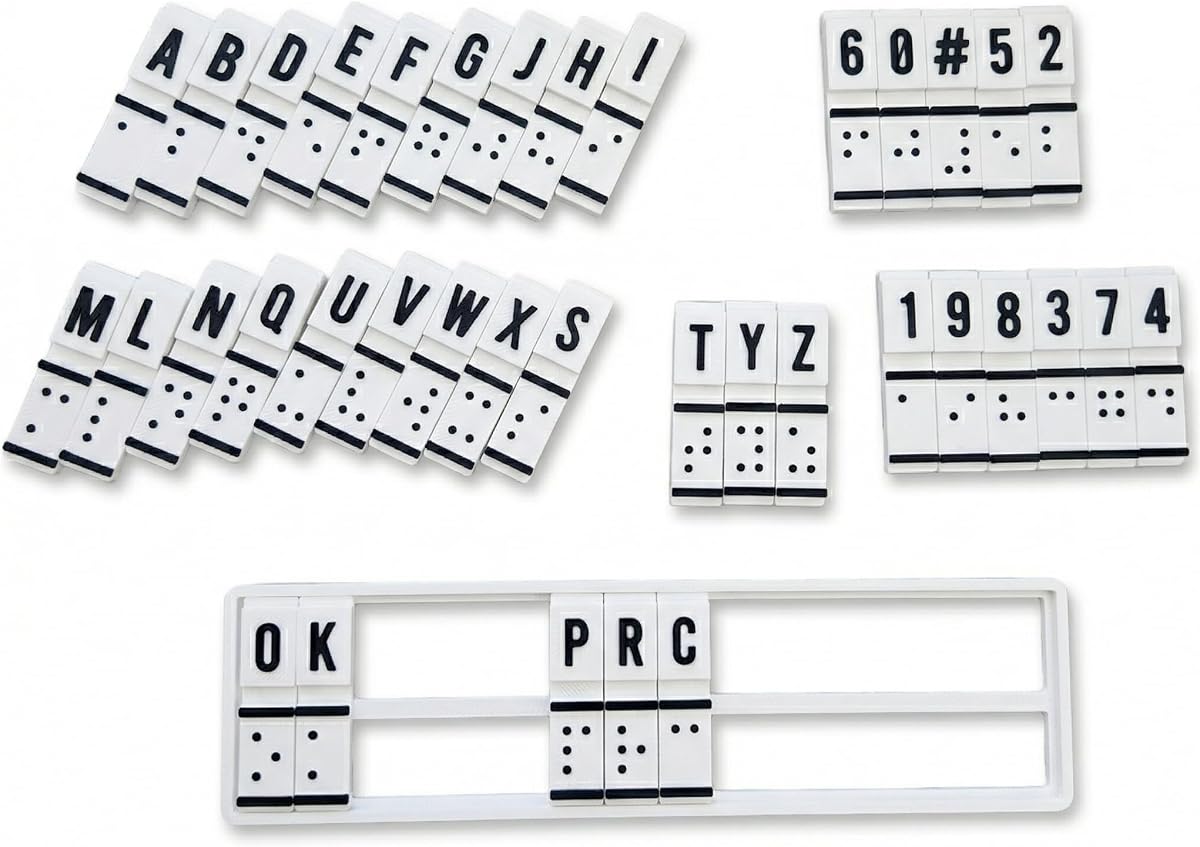
This interactive Braille trainer combines education and translation functions in a compact device. It allows users to feel and create Braille patterns to build muscle memory without electronics.
We may earn a commission when you buy through this link, at no additional cost to you.
It supports text-to-Braille conversion through physical interaction, making it a practical tool for daily learning. The design is thoughtful for educators, parents, or rehabilitation specialists.
Although it has a basic feature set, it focuses on tactile literacy development which is essential for beginners. The durable build ensures it can handle repeated use in therapy or home settings.
This machine is recommended for those starting their Braille literacy journey. Its focus on hands-on training provides a solid foundation for understanding and reading Braille effectively.
The interactive design focuses on tactile feedback to build muscle memory, ensuring learners develop a strong foundational understanding of Braille patterns.
By supporting text and Braille conversion, this device helps bridge the gap between sighted and non-sighted communication, promoting inclusion and shared learning.
We may earn a commission when you buy through this link, at no additional cost to you.
Selecting the right Braille display involves assessing connectivity, size, and budget to match your daily workflow and specific accessibility requirements effectively.
Refreshable displays like the Brailliant BI series offer dynamic text that changes as you read, which is essential for digital navigation. Manual slates provide a fixed surface for writing and are often more portable.
Choose a display size that balances portability with readability. Larger displays like the 40-cell models offer more context, while compact 20-cell versions are easier to carry daily.
Modern displays should support both Bluetooth and USB connections to work with various devices like smartphones, tablets, and computers. Multi-device pairing allows seamless switching between workstations.
Ensure the device supports the latest Bluetooth standards for stable connections. Reliable wireless functionality is crucial for maintaining productivity without constant tethering to cables.
For mobile use, battery life is a critical factor. Devices with long-lasting batteries reduce downtime and ensure the display remains accessible throughout long workdays.
Look for USB-C charging for modern convenience. A battery lasting over 10 hours or more ensures uninterrupted usage during commutes or travel.
Some displays come with pre-installed apps for note-taking, calculation, and reading library books. These features add value by reducing reliance on external software.
Check for compatibility with libraries like Bookshare or NLS BARD. Built-in access simplifies the reading process and enhances overall independence for the user.
Manual slates and keyboards are excellent for learning basics or writing notes without power. They offer durability and simplicity for users who prefer tactile interaction.
Electronic devices provide dynamic reading and screen reader integration. Consider whether you need static writing tools or dynamic digital navigation for your primary tasks.
Electronic displays are a significant investment compared to manual slates or stickers. Determine your budget based on how frequently you will use the device daily.
While budget options exist, premium models often offer better build quality and features. Balance cost with functionality to ensure you get value for your needs.
If you travel frequently, choose a lightweight device that fits easily in bags. Heavy slates might be durable but can be cumbersome for daily carry.
Check the dimensions and weight of the device before buying. Compact designs ensure accessibility is available wherever you go without burdening your daily routine.
Ensure the device works seamlessly with your preferred screen reader software. Compatibility ensures smooth navigation and reduces potential technical frustrations.
Most modern devices support standard screen readers. Confirm specific compatibility details to guarantee a smooth user experience across your favorite platforms.
Start by connecting your device to your computer or smartphone via Bluetooth or USB. Follow the on-screen instructions to pair the device and install necessary drivers if required.
Clean the surface of refreshable Braille displays regularly with a soft, dry cloth to prevent debris from affecting the cells. Avoid using harsh chemicals that could damage the sensors.
For manual slates, ensure the stylus is sharp and stored safely when not in use. Keep your slates in a protective case to prevent dents or scratches during transport.
A Braille display is an electronic device that refreshes cells dynamically to show digital text, while a Braille slate is a manual tool used for embossing static notes on paper.
Yes, many modern Braille displays connect via Bluetooth to both Android and iOS smartphones, allowing users to navigate and read text directly on their mobile devices.
Electronic displays generally cost more than manual slates, with prices varying based on features and display size. However, they offer significant value for daily digital access.
Yes, many displays have onboard apps and memory to function independently for reading books or writing notes without needing to be connected to a computer constantly.
Battery life varies by model but many premium devices last up to 20 hours on a single charge, ensuring reliable use throughout the day.
While Braille literacy helps, some devices offer features that assist users in learning. However, reading and writing effectively usually require understanding standard Braille patterns.
Choosing the right device depends on whether you prioritize portability, display size, or specific features like multi-device connectivity.
Consider your daily routine and budget to determine if an electronic display or a manual tool best suits your needs.
Always verify current availability and features before purchasing to ensure the device aligns with your expectations for accessibility.