
15.6 Inch Privacy Screen Filter
4.2Editor score
Blocks side view privacy
Reduces blue light strain
Simple slide installation
Protecting your sensitive data on the go is essential for modern professionals and students. A laptop privacy screen filter limits the viewing angle so others cannot read your screen from the side.
We evaluated ten leading privacy filters based on clarity, installation ease, and protection features. Each option offers unique benefits for different screen sizes and aspect ratios.
Our picks highlight top performers across budget and premium categories. Note that product availability and features may change so verify details before purchasing.
4.2Editor score

4.2Editor score

4.2Editor score
As an Amazon Associate we earn from qualifying purchases.
We analyzed ten top privacy filters to help you find the right fit for your laptop. Below is a side by side comparison of key features and specifications.


This privacy screen filter offers reliable protection for 15.6 inch laptops at a budget friendly price. It effectively blackouts side views while maintaining clarity from the front.
We may earn a commission when you buy through this link, at no additional cost to you.
The filter blocks harmful blue light to reduce eye strain during long work sessions. Installation options include sliding tabs or adhesive strips for flexibility.
While it lacks touch compatibility the design focuses on securing your data in public spaces. The viewing angle limits to 60 degrees ensures privacy from passersby.
Ideal for students or professionals needing affordable security. Check your screen dimensions carefully before purchase to ensure a perfect fit.
The micro louver design blocks side views beyond 60 degrees keeping your data secure in public areas.
It filters out harmful blue light between 380 and 495nm to help reduce eye fatigue during extended use.
We may earn a commission when you buy through this link, at no additional cost to you.
The SightPro Magnetic Privacy Screen stands out for its easy snap on magnetic attachment. It fits 14 inch 16:10 laptops and protects data without messy adhesives.
We may earn a commission when you buy through this link, at no additional cost to you.
Users benefit from the ability to remove and reattach the filter quickly. The package includes a webcam cover and cleaning cloth for complete protection.
While the price is higher than basic filters the convenience and quality justify the investment. It is designed for travelers and office workers needing flexible privacy.
Best for those who prioritize ease of use and data security. Ensure your screen width and height match the listed dimensions before ordering.
Proprietary magnets attach along the top edge for instant privacy without damaging your laptop screen or frame.
The package includes a storage folder and cleaning cloth to keep your filter safe and clean on the go.
We may earn a commission when you buy through this link, at no additional cost to you.
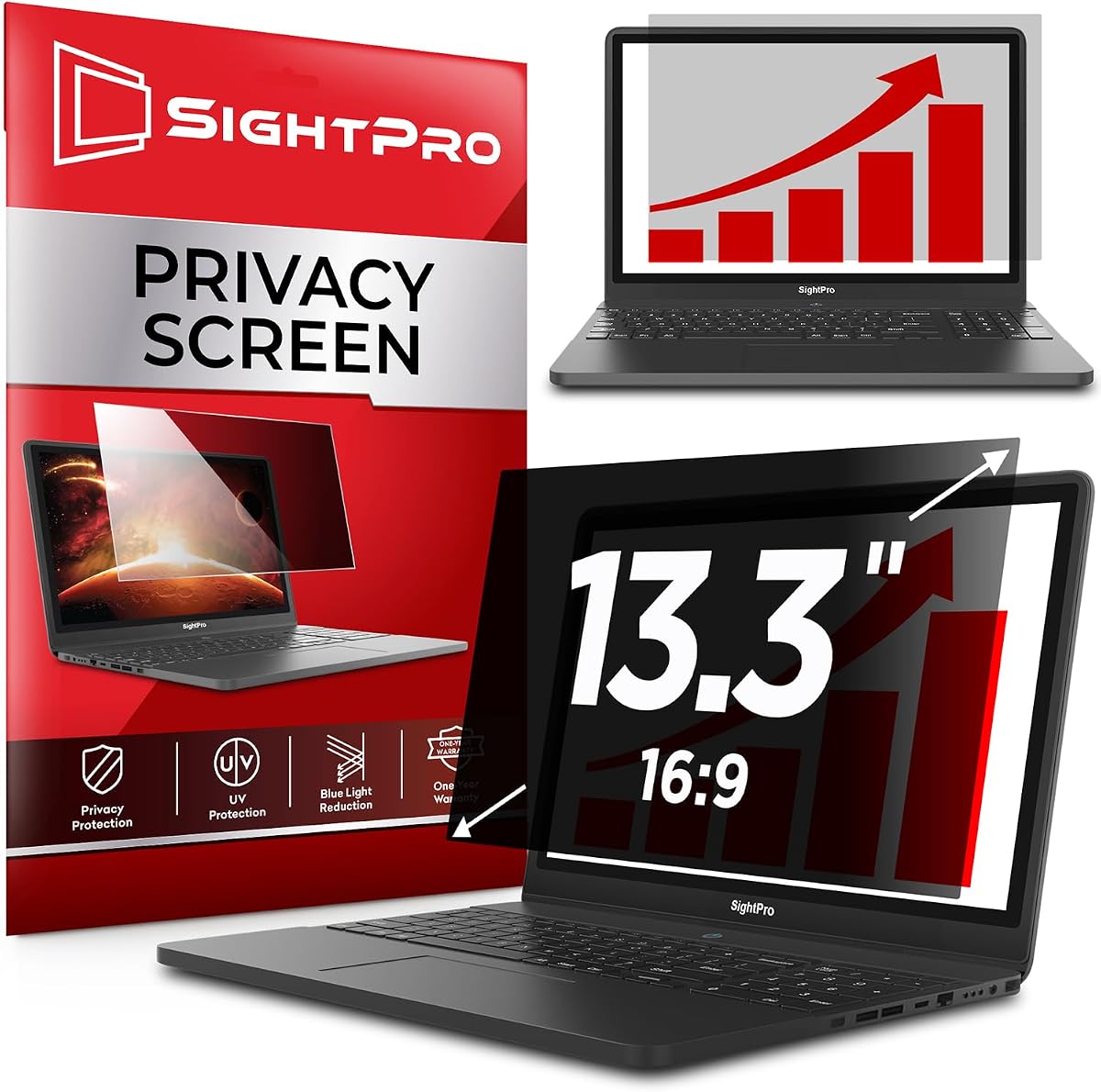
This SightPro filter delivers high clarity for 13.3 inch 16:9 screens. It maintains a bright view from the front while blocking side visibility effectively.
We may earn a commission when you buy through this link, at no additional cost to you.
Installation is flexible with adhesive strips or slide mount tabs. The anti glare feature helps in bright environments like coffee shops or offices.
Although not compatible with MacBooks it works with most Windows laptops from major brands. The price remains competitive for the quality provided.
Recommended for users seeking clear visuals without compromising privacy. Verify your screen dimensions as diagonal size alone may not guarantee fit.
The multi layered film keeps the screen crystal clear from the front while blacking out side angles.
Choose between clear adhesive strips for a fixed look or slide tabs for removable convenience.
We may earn a commission when you buy through this link, at no additional cost to you.
The ZOEGAA filter offers unique 360 degree protection covering up down left and right. It is designed for 14 inch 16:10 laptops and provides comprehensive privacy.
We may earn a commission when you buy through this link, at no additional cost to you.
You can choose between a glossy finish for better protection or a matte finish to reduce glare. Both sides block harmful light to ease eye fatigue.
Installation involves either slide tabs or double sided adhesive at the corners. While the setup takes care it ensures a secure fit for sensitive data.
Ideal for frequent travelers needing all around privacy. Check that your laptop model is compatible as this does not fit Surface or MacBook series.
Standard filters block side views but this one protects from all four directions ensuring complete privacy.
Select glossy for maximum privacy or matte to reduce glare depending on your environment.
We may earn a commission when you buy through this link, at no additional cost to you.
This SightPro filter combines privacy with anti-glare properties for 15.6 inch laptops. It keeps the screen clear from the front while blocking side views.
We may earn a commission when you buy through this link, at no additional cost to you.
The multi-layered film reduces glare and protects against UV and blue light. It includes adhesive strips and slide tabs for flexible installation.
While it does not block direct rear visibility it effectively prevents side viewing in crowded areas. The included cloth helps keep the filter clean.
Suitable for office environments with bright lighting. Ensure your laptop dimensions match exactly before purchasing to avoid fit issues.
The matte finish reduces glare making it easier to view screens in bright offices or outdoor areas.
It blocks harmful UV and blue light to reduce eye strain during long work sessions.
We may earn a commission when you buy through this link, at no additional cost to you.
This 14 inch filter offers lifetime free support and includes alcohol wipes for cleaning. It limits viewing angles to plus or minus 30 degrees.
We may earn a commission when you buy through this link, at no additional cost to you.
The reversible design allows matte for anti-glare or glossy for extra privacy. It blocks 92 percent of blue light to protect eyes during use.
Although the rating is lower it still provides effective privacy. The anti-scratch layer helps keep your screen safe from dust and damage.
Best for budget conscious buyers needing reliable support. Verify your screen width and height to ensure the correct fit for your laptop.
The manufacturer promises free replacements for any issues giving peace of mind with your purchase.
Advanced optical materials reduce blue light and UV to minimize eye strain and fatigue.
We may earn a commission when you buy through this link, at no additional cost to you.
The 3M Bright Screen filter uses nanolouver tech to transmit up to 85 percent of light. It is up to 25 percent brighter than typical privacy screens.
We may earn a commission when you buy through this link, at no additional cost to you.
The flip attach system lets you switch between privacy and screen sharing easily. Each unit is 100 percent hand inspected to ensure quality.
While more expensive it offers superior clarity and brightness. The reversible glossy or matte options help reduce fingerprints and glare.
Recommended for professionals needing top tier performance. Measure your screen carefully as dimensions are critical for compatibility.
Advanced tech ensures the screen remains bright and clear even with privacy features active.
Quickly flip between privacy mode and screen sharing mode for meetings or presentations.
We may earn a commission when you buy through this link, at no additional cost to you.
This filter covers the full screen of 14 inch laptops using 3M nanolouver technology. It delivers up to 85 percent light transmission for clarity.
We may earn a commission when you buy through this link, at no additional cost to you.
The included flip attach makes sharing content simple when needed. It helps reduce blue light without distorting colors on your display.
While priced at a premium the quality ensures long lasting performance. The hand inspection process confirms each filter meets strict standards.
Best for users needing full coverage on specific models. Verify exact screen dimensions to avoid any fit issues during installation.
Designed to cover the entire display area for uniform privacy and protection.
The film reduces blue light without changing the natural colors of your display.
We may earn a commission when you buy through this link, at no additional cost to you.
The 3M COMPLY attachment system uses a hinge to switch between privacy and sharing. It delivers effective black out privacy outside a 60 degree angle.
We may earn a commission when you buy through this link, at no additional cost to you.
It reduces 35 percent of blue light to help protect eyes from strain. The reversible design offers glossy or matte finishes for different needs.
Although an older model the hinge ensures durability for daily use. Privacy remains reliable for protecting sensitive business data.
Good for those valuing the hinge system over brightness. Measure your screen carefully as compatibility depends on exact dimensions.
The proprietary hinge allows quick transitions between privacy and screen sharing with one flip.
It reduces 35 percent of blue light transmission to protect your eyes during long use.
We may earn a commission when you buy through this link, at no additional cost to you.
This 3M filter combines nanolouver tech with a 16:9 aspect ratio. It transmits up to 85 percent light for a bright clear display.
We may earn a commission when you buy through this link, at no additional cost to you.
The flip attach enables easy switching for presentations. It is hand inspected to ensure quality meets strict standards.
Users appreciate the high rating and reliable privacy protection. The reversible finish reduces fingerprints and glare effectively.
Ideal for professionals needing top tier performance. Check screen dimensions to ensure exact fit before ordering.
The nanolouver tech maintains screen brightness without compromising privacy security.
Glossy or matte options help reduce glare and fingerprint marks on your screen.
We may earn a commission when you buy through this link, at no additional cost to you.
Selecting the right privacy screen involves understanding key features and your specific needs. This guide covers essential factors to help you make an informed choice.
Always check your laptop's exact width and height rather than just the diagonal size. Laptops come in various ratios like 16:9 or 16:10 which affect fit.
Measure your screen excluding bezels to ensure the filter aligns perfectly without gaps.
Filters offer slide tabs or adhesive strips. Adhesive is permanent while slide tabs allow removal for privacy when needed.
Consider if you want a permanent setup or the flexibility to remove the filter easily.
Standard filters block side views beyond 60 degrees. Some models like the 4-way filter offer 360 degree protection.
Choose based on where you typically sit or work to determine the needed coverage angle.
Most standard filters are not compatible with touchscreens. If your laptop has touch you may need a specialized model.
Check product details to confirm if the filter works with your touch enabled device.
Many filters reduce blue light and UV to protect your eyes. Matte finishes help reduce glare in bright environments.
Prioritize eye protection if you spend long hours on your device daily.
Premium materials like 3M nanolouver tech offer better clarity and durability. Ensure the film has a protective layer against scratches.
Look for models that include cleaning cloths to maintain the surface.
Established brands like 3M and SightPro often provide better warranty and support. They are known for quality control and compliance standards.
Choosing a reputable brand ensures reliability and customer service if issues arise.
Prices range from budget to premium. Higher cost often brings better clarity and extra features like flip attach.
Balance your budget with the features you need for security and eye comfort.
Before installation clean your laptop screen thoroughly with the included cloth. Remove any dust to prevent scratches under the filter.
Align the filter carefully with your screen edges. For adhesive types peel the backing slowly and press down from the center outward.
Regularly clean the filter with a soft cloth to maintain clarity. Avoid using harsh chemicals that may damage the film coating.
Most standard filters are not touch compatible. You need a specialized touch screen filter to maintain functionality. Check the product details before buying.
Measure the width and height of the visible display area excluding bezels. Use a ruler for accuracy. Do not rely only on the diagonal size.
Privacy screens may reduce brightness slightly. Premium models like 3M Bright Screen offer higher light transmission to keep the display bright.
Adhesive strips may lose stickiness after removal. Slide mount tabs are better for reusable privacy. Adhesive is usually for permanent setup.
Privacy filters are legal and used in corporate and government sectors. They protect sensitive data from unauthorized viewing in public spaces.
Many filters reduce blue light which helps lower eye strain. Matte finishes also cut glare. Look for models with eye protection features.
Contact the seller before installation if unsure. Some offer support to confirm dimensions. Measure your screen twice to avoid wrong sizes.
Standard filters block side views beyond 60 degrees. They do not block direct rear viewing. 360 degree filters offer more complete protection.
We highlighted ten top privacy screens offering options for different needs and budgets. The magnetic and nanolouver models stand out for ease and clarity.
Prioritize dimensions and attachment methods to ensure a proper fit. Consider eye protection features for long term comfort during work.
Always check current availability and compatibility before purchasing. Security is essential for protecting your data while on the move.