
UGREEN 2K@30Hz 1080P 60FPS Video Capture Card 4K Input HDMI to USB 3.0
4.5Editor score
4K Input Support
Low Latency Performance
USB A and C Ports
Discover the top capture cards for console streaming in 2026. We compare features, compatibility, and performance to help you choose the right hardware for
Streaming gameplay from your console requires reliable hardware to ensure smooth broadcasts. A good capture card converts video signals into digital data without lag or quality loss, making it essential for streamers.
We evaluated ten top-rated models based on resolution support, latency, and software compatibility. Our analysis focuses on real-world performance across PS5, Xbox, and Switch systems to help you make an informed decision.
Each pick highlights unique strengths like portability or professional features. Note that product availability and pricing can change frequently, so verify current details before purchasing to ensure you get the best value available.
4.5Editor score

4.6Editor score

4.4Editor score
This side-by-side comparison outlines the core specifications and capabilities of each model. By reviewing resolution limits, connection types, and unique features, you can quickly identify which device aligns with your streaming needs.

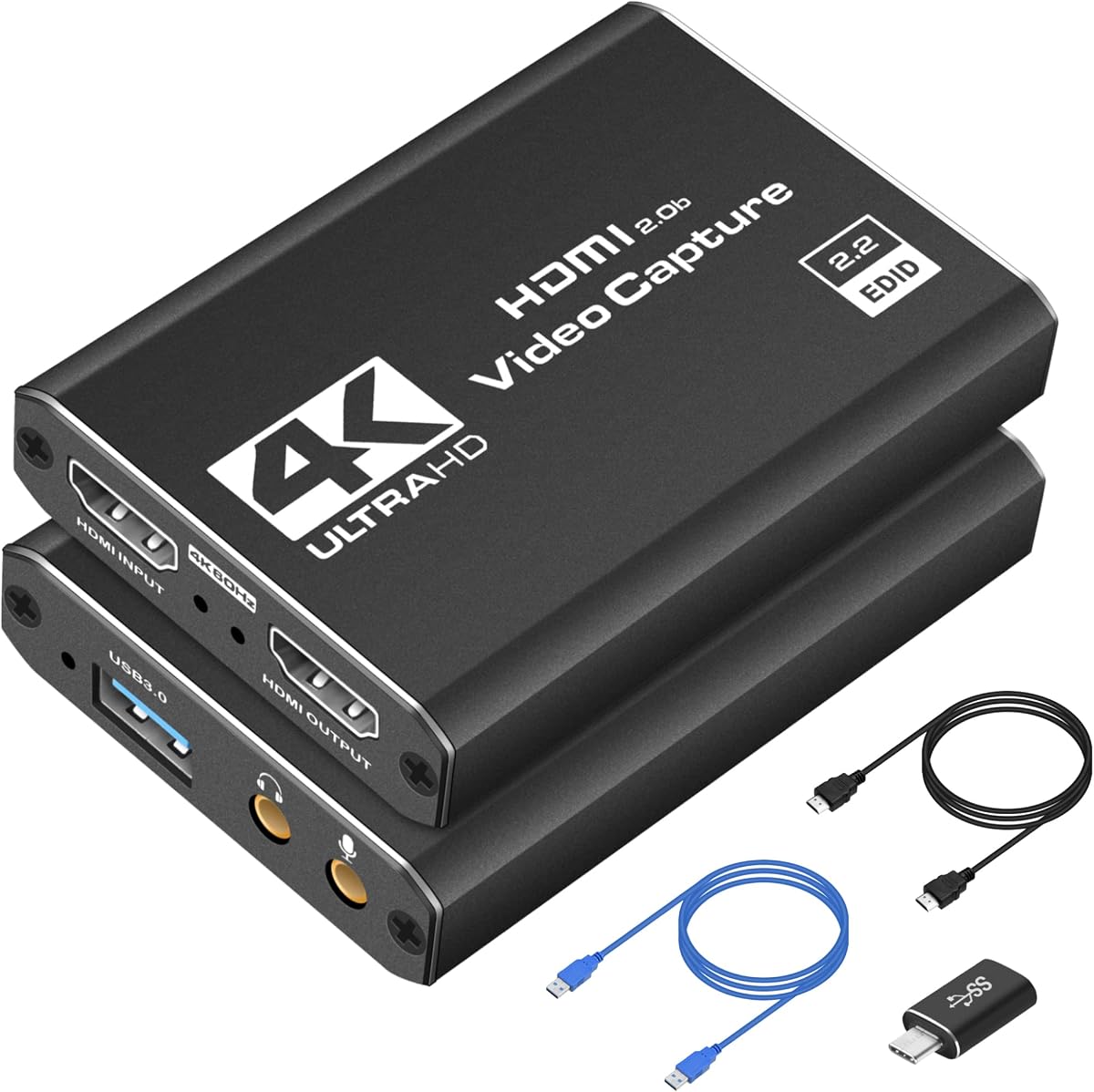



This model offers a solid entry point for streamers needing reliable HDMI conversion. It captures up to 1080p resolution at 60fps, ensuring smooth gameplay footage for major platforms.
We may earn a commission when you buy through this link, at no additional cost to you.
Its plug-and-play nature simplifies setup significantly. The device identifies automatically as a webcam, allowing immediate use with OBS or Streamlabs without complex drivers. The HDMI loop-out lets you monitor gameplay without lag, which is vital for competitive titles.
While it lacks 4K120Hz support, this limitation is acceptable for budget-conscious users. Audio capture works via a 3.5mm mic input, enabling commentary integration. Some users may need to adjust settings to avoid freeze frames.
This card suits beginners or casual streamers looking for a functional device. Its broad compatibility with Xbox, PS5, and Switch makes it versatile. For standard streaming needs, it delivers consistent performance.
The device works instantly when connected to a PC or laptop. No external power source is needed, making it easy to set up anywhere.
HDMI loop-out allows you to watch gameplay on a monitor while recording. This feature eliminates delay during live sessions, ensuring a seamless experience.
We may earn a commission when you buy through this link, at no additional cost to you.
Designed for creators on the go, this capture card balances performance and portability. It handles 1080p 60fps capture reliably, making it suitable for Twitch or YouTube streams from various consoles.
We may earn a commission when you buy through this link, at no additional cost to you.
The plug-and-play functionality ensures quick deployment. Whether you are at a LAN party or a home studio, connecting via USB 3.0 provides sufficient bandwidth. The low-latency tech helps maintain sync between video and audio.
Compactness is a key advantage here. You can slip it into a bag without added bulk. However, the focus on 1080p means high-end 4K streams are not its strength. Still, for most users, the quality is professional.
This device is ideal for travelers or those with minimal desk space. It supports Switch and Xbox Series X effectively. If you need a reliable stream companion, this model delivers consistent results.
Works with virtually any HDMI-enabled device including consoles and DSLRs. This flexibility allows for diverse content creation scenarios.
Minimizes delay between gameplay and broadcast for real-time feedback. This ensures your audience sees actions as they happen.
We may earn a commission when you buy through this link, at no additional cost to you.
This acer model emphasizes visual fidelity through YUY2 technology. This delivers richer colors compared to MJPEG, enhancing the look of live streams. It captures 1080p at 60Hz with minimal latency.
We may earn a commission when you buy through this link, at no additional cost to you.
Setup is straightforward with no drivers needed. The mic-in port allows direct headset connection, which simplifies commentary. It integrates well with platforms like OBS and XSplit, making it versatile for different workflows.
Portability is another strong point. Its small size fits easily in a bag for on-the-go recording. While some users report needing to restart software after audio setup, this is a minor hurdle for most.
Ideal for creators who prioritize color accuracy and ease of use. The broad system support ensures it works across Windows, macOS, and even Android devices. For standard streaming needs, it performs reliably.
Delivers lifelike streaming by offering richer colors than standard compression. This makes footage look more professional to viewers.
Plug in a headset or mic directly for easy commentary. No extra adapters are needed, streamlining your audio setup.
We may earn a commission when you buy through this link, at no additional cost to you.
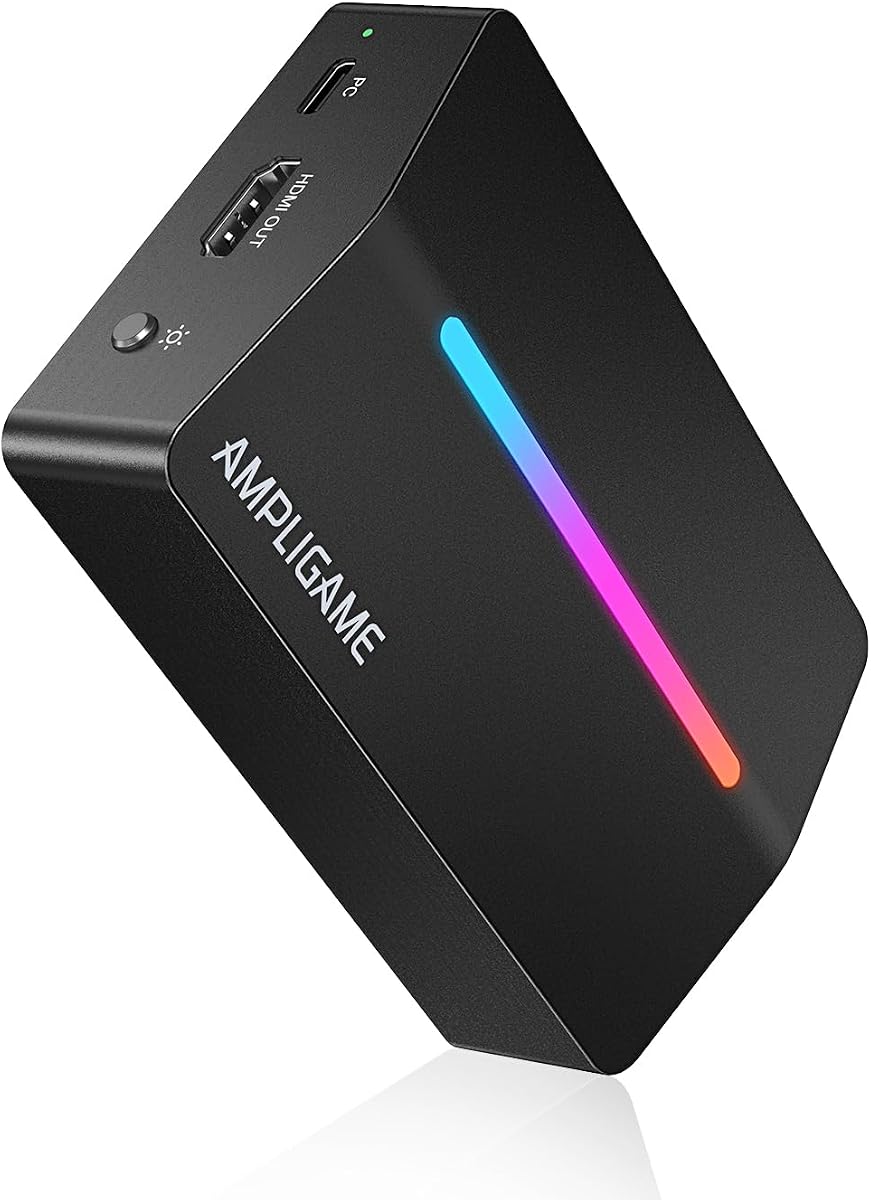
This Fifine card stands out with customizable RGB lighting. It offers 9 modes to match your streaming aesthetic, making it a visual addition to your desk. The core capture performance targets 1080p at 60fps.
We may earn a commission when you buy through this link, at no additional cost to you.
Features like HDMI output pass-through ensure smooth monitoring during gameplay. The inclusion of headset ports allows seamless communication with teammates. It integrates well with platforms like Discord and YouTube.
Users are advised to use the original USB cable for best performance. This suggests sensitivity to power or data transfer requirements. While the rating is slightly lower, the features appeal to style-conscious streamers.
Choose this if you want a device that doubles as a decor piece. The compatibility with major consoles makes it functional for daily streaming. For those valuing looks alongside utility, it is a strong contender.
Dynamic lighting matches your content mood or setup theme. This adds immersion and visual interest to your stream.
Headset ports enable seamless teammate communication during intense gameplay. This feature supports collaborative gaming sessions effectively.
We may earn a commission when you buy through this link, at no additional cost to you.
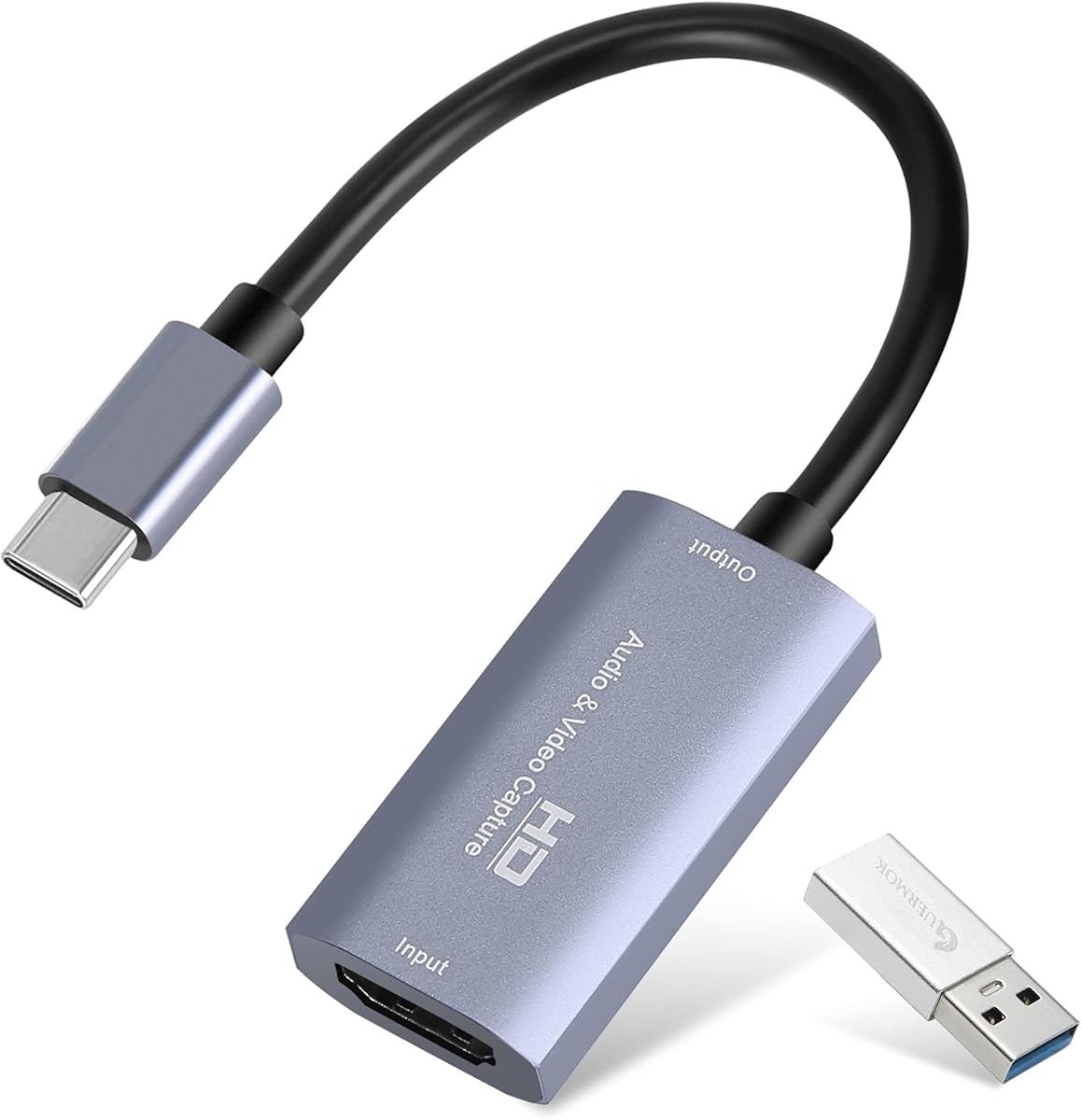
This model features a USB-C interface, aligning with modern laptop and tablet designs. It supports 1080p at 60fps and 2K at 30fps, providing flexibility for different source resolutions. The aluminum alloy body aids heat dissipation.
We may earn a commission when you buy through this link, at no additional cost to you.
Ultra-low latency ensures smooth sharing during live sessions. This is critical for maintaining audience engagement without lag. It works with major platforms like YouTube and Twitch out of the box.
Portability is enhanced by its lightweight design. You can carry it easily for outdoor streams or travel. Note that it requires capture software to function, which may add a step for beginners.
Ideal for users with USB-C ports who want reliable streaming. The build quality suggests durability for daily use. For those needing modern connectivity, this card is a practical choice.
Type C interface meets modern device needs. This ensures compatibility with newer laptops and tablets.
Aluminum alloy casing manages heat effectively. This promotes stable performance during prolonged streaming sessions.
We may earn a commission when you buy through this link, at no additional cost to you.
This card offers higher frame rate support, handling up to 1080P at 120FPS. This benefits competitive gamers who need smoother motion clarity. It also supports 4K60FPS capture via USB 3.0.
We may earn a commission when you buy through this link, at no additional cost to you.
The inclusion of 3.5mm Audio In and Out ports allows flexible audio integration. You can embed commentary directly without extra hardware. The dual USB A and C connection adds setup versatility.
Passthrough enables real-time monitoring while recording. This ensures you stay synchronized with your game. However, full 4K60FPS depends on source device support. For high-end setups, it provides robust capabilities.
Recommended for serious streamers needing high-resolution output. The technical features align well with demanding content creation. If you prioritize frame rates and audio flexibility, this model serves you well.
Handles 1080P recording up to 120FPS. This ensures smoother video for fast-paced competitive games.
3.5mm Audio In and Out allow external audio embedding. This simplifies commentary integration into your stream.
We may earn a commission when you buy through this link, at no additional cost to you.
This UGREEN model provides 4K input with 2K output support. This balance preserves quality for editing while ensuring smooth streaming. The USB 3.0 technology facilitates high data transfer speeds.
We may earn a commission when you buy through this link, at no additional cost to you.
Both USB-A and USB-C ports ensure broad device compatibility. You can connect it to older desktops or modern laptops easily. The aluminum shell protects against heat and EMI interference.
It supports major consoles like Switch and PS5 when HDCP is off. The low latency ensures minimal delay during live broadcasts. Users should note that iPadOS requires updates for USB-C compatibility.
A top choice for cost-conscious streamers seeking quality. Its durable build and flexible connections make it versatile. For most streaming needs, this model delivers excellent value and performance.
4K input preserves original video quality for editing. This ensures your post-production files retain high detail.
USB A and C interfaces work with modern and older devices. This ensures you can connect to various computers easily.
We may earn a commission when you buy through this link, at no additional cost to you.
This premium UGREEN card supports 4K loop-out at 30Hz. This enables local monitoring with zero latency, ideal for reacting quickly during streams. It captures up to 2K 30fps for high detail.
We may earn a commission when you buy through this link, at no additional cost to you.
Built with an advanced chip to manage high-bandwidth signals. The aluminum casing promotes heat dissipation, ensuring stability during prolonged use. You can choose between MJPEG and YUY2 formats for compression or clarity.
Compatibility extends to Switch and Xbox Series X when HDCP is off. Windows 7 users may need USB drivers, but most OS are plug-and-play. The lack of Fire TV Stick support is a noted limitation.
Recommended for professionals needing high-fidelity monitoring. The loop-out feature sets it apart from standard models. If you demand premium control over your video signal, this card is a top pick.
Real-time preview allows instant reactions to gameplay events. This ensures you stay synchronized with your broadcast.
MJPEG and YUY2 formats offer efficiency or clarity. This lets you adjust settings based on your needs.
We may earn a commission when you buy through this link, at no additional cost to you.
The Elgato HD60 S is a standard in streaming circles for reliability. It captures 1080p60 with ultra-low latency, ensuring smooth viewing. True passthrough allows gameplay without lag while recording.
We may earn a commission when you buy through this link, at no additional cost to you.
Instant Gameview powers your workflow by providing real-time preview. Flashback Recording lets you save epic moments retroactively. This feature is invaluable if you miss a key event during a stream.
It works seamlessly with major platforms like OBS and Twitch. The compatibility with PS5 and Xbox Series X makes it future-proof. While expensive, the build quality and software integration justify the investment.
Best for serious streamers seeking professional-grade consistency. The combination of hardware and software tools simplifies production. For those prioritizing reliability and ecosystem, this card is a top choice.
Play console games with zero lag while recording. This ensures a smooth experience for both you and your audience.
Save epic moments retroactively to capture missed highlights. This feature ensures you never lose a key play.
We may earn a commission when you buy through this link, at no additional cost to you.
This legacy model provides flawless 1080p quality at 60 fps. It supports unlimited capture directly to your PC or Mac for extended sessions. One-click sharing makes distribution to social platforms simple.
We may earn a commission when you buy through this link, at no additional cost to you.
Built-in live commentary allows adding voice without extra setups. It includes a USB and HDMI cable for immediate use. The design is classic, focusing on core functionality without extra fluff.
Compatibility extends to Xbox 360, which newer cards may not support. This makes it a niche option for retro gaming streams. For modern consoles, it still functions but lacks newer features.
Choose this if you need specific Xbox 360 support or a basic setup. It delivers professional quality for standard streaming needs. For most new buyers, a newer model is recommended.
Works with older consoles like Xbox 360. This expands your streaming options for classic games.
Direct sharing to YouTube and Facebook simplifies distribution. This saves time after recording gameplay.
We may earn a commission when you buy through this link, at no additional cost to you.
Choosing the right hardware requires understanding your specific streaming goals and budget. This guide breaks down key factors to help you select a device that performs reliably.
Resolution and frame rate determine the visual quality of your stream. Most cards support 1080p at 60fps, which is standard for smooth gameplay. If you need 4K, verify if the card supports input or just loop-out. Some models only capture 2K at 30fps, which may limit detail for high-end consoles. Always match the card specs to your console capabilities to avoid bottlenecks.
Look for cards matching your console output capabilities to ensure smooth streaming.
Latency is the delay between gameplay and your screen or stream. Low latency ensures you react quickly in competitive games. Look for features like true passthrough which allows lag-free play while recording. High latency can ruin the experience for both you and your viewers. Check technical specs for latency claims, usually listed in milliseconds.
Prioritize cards with true passthrough for zero-lag monitoring during games.
USB connectivity affects data transfer speeds and stability. USB 3.0 offers high bandwidth essential for HD capture. Some cards offer USB-C for modern laptops, while others use USB-A. Ensure your computer has the correct port or adapters. A stable connection prevents dropped frames or interruptions during live broadcasts.
Verify USB 3.0 or USB-C availability for reliable data transfer.
Audio capture quality impacts viewer experience significantly. Some cards have built-in mic inputs for commentary. Others require external audio interfaces for better sound. If you plan to talk during streams, check for audio-in ports. Clear audio often matters more than video resolution for engagement.
Check for dedicated mic or audio inputs to streamline voice commentary.
Software support determines how easily you can manage streams. Most devices work with OBS or Streamlabs via UVC driver. Ensure the card is recognized by your preferred platform immediately. Proprietary software might limit your workflow but offer advanced editing. A driver-free plug-and-play experience reduces setup time.
Select devices compatible with your preferred streaming software like OBS.
HDMI loop-out lets you monitor gameplay on a separate display. This is vital if you want to see gameplay while streaming. Not all models offer this feature. If you use a single monitor, loop-out may be less critical. For dual setups, it ensures synchronization between capture and play.
Ensure HDMI loop-out is available if you use a separate gaming monitor.
Build quality impacts long-term reliability of your device. Aluminum casings dissipate heat better than plastic. This prevents overheating during long streaming sessions. Durability ensures the device survives travel or frequent plugging. Invest in a sturdy model if you plan to use it daily.
Choose aluminum casings for better heat management and durability.
Platform support covers operating systems and consoles. Ensure the card works with Windows, Mac, or Linux as needed. Some cards have specific requirements for iPadOS or Android. Check if HDCP needs to be disabled for certain consoles. Full compatibility prevents frustrating connection errors.
Confirm compatibility with your PC OS and target gaming consoles.
Start by connecting your console to the capture card via HDMI cable. Ensure the other end of the card connects to your computer's USB port. If your setup has a monitor, use the loop-out port to connect to the display for lag-free gaming.
Install any necessary software like OBS Studio to manage your video feed. Configure the audio settings to ensure your microphone and game sounds mix correctly. Test the stream briefly before going live to check resolution and timing.
To maintain longevity, keep the card in a cool, dry place when not in use. Avoid bending cables excessively to prevent internal damage. Regularly check for firmware updates from the manufacturer to ensure performance remains optimal.
No, most capture cards require a computer to process and record video. They act as input devices for your PC to convert console signals. Some standalone recorders exist, but standard streaming relies on a connected system.
Not for most streamers since 1080p60 is the standard on platforms. 4K is useful if you plan to edit high-resolution footage later. However, it demands more bandwidth and processing power from your setup.
Lag often stems from high latency or weak USB connections. Ensure you use USB 3.0 ports and that your hardware meets software requirements. Using true passthrough can eliminate gameplay lag entirely.
Yes, most models support Xbox One, Series X, and S. Some may require you to disable HDCP in system settings to enable capture. Always check the product details for specific console compatibility.
Most modern capture cards are plug-and-play without drivers. They work automatically with Windows and macOS as webcams. Only specific legacy models may require installing software for full functionality.
Loop-out sends the video signal from the console to the display. Pass-through allows you to play games without latency while the card records. Essentially they provide the same benefit of monitoring gameplay separately.
Many capture cards include audio pass-through via HDMI. Some also have dedicated mic inputs for commentary. Verify if your model requires separate audio cables for full sound setup.
Use capture software like OBS to save video directly to your drive. This allows you to keep the footage for later editing without broadcasting. Ensure your hard drive has enough space for large files.
We explored ten options ranging from budget-friendly to premium models like the Elgato HD60 S. Each device offers unique benefits such as loop-out, RGB lighting, or portability. Your final choice depends on your resolution needs and workflow style.
Prioritize latency and build quality over minor feature variations. A reliable card ensures your stream remains professional and uninterrupted. Consider your console and computer setup before deciding on the interface.
Prices and availability change frequently on retail platforms. Always verify current specs and bundles before purchasing to get the best deal. This guide serves as a reference to help you start your streaming journey.