
BENFEI USB C Hub 5-in-1
4.6Editor score
4K HDMI display output
100W power delivery support
Soft silicone cable design
Lightweight portable form factor
Compare the top HDMI hub for PC options including docking stations and switchers to find the best connectivity solution for your desktop or laptop setup today.
Finding the right HDMI hub for PC can transform how you work and play by adding essential ports to your modern computer. These devices allow you to connect multiple monitors, peripherals, and storage drives through a single cable connection efficiently.
We evaluated ten highly rated products based on video quality, data transfer speeds, build durability, and overall value. Our analysis covers USB C hubs, HDMI switchers, and docking stations to help you make an informed decision quickly.
Each pick highlights key strengths and potential limitations so you know exactly what to expect. Remember that prices and availability can change frequently so always check current listings before finalizing your purchase decision online.
4.6Editor score

4.5Editor score

4.4Editor score
This side by side comparison highlights the unique strengths and technical specifications of each top rated HDMI hub for PC option available on the market today.






The Anker Laptop Docking Station stands out as a top contender for those needing robust connectivity options. It features a clean aluminum design and offers two HDMI ports alongside essential data and power connections. This makes it ideal for power users who want a single cable solution for their workspace.
We may earn a commission when you buy through this link, at no additional cost to you.
Its ability to drive two 4K displays at 30Hz is a major plus for productivity tasks like coding or data analysis. The included Ethernet port ensures stable network connectivity which is often missing in thinner hubs. Additionally the 85W pass through charging keeps your laptop powered during intensive sessions.
While it works flawlessly with Windows and ChromeOS Linux users should look elsewhere as support is not available. MacOS users can connect two monitors but they will mirror the same image rather than extend the desktop. These limitations are acceptable given the overall versatility and build quality offered by the device.
If you need a reliable hub that expands your laptop into a full workstation this model is highly recommended. It balances performance price and build quality better than many competitors in its class. Just ensure your laptop supports DP Alt Mode and Power Delivery before purchasing for optimal results.
Connecting two external displays allows for multitasking across apps without switching windows constantly.
The 85W pass through charging keeps your laptop running at full power during demanding workloads.
We may earn a commission when you buy through this link, at no additional cost to you.
The BENFEI USB C Hub 5-in-1 is an excellent choice for budget conscious users who still demand reliable performance. Its standout feature is the soft silicone cable which resists tangling and feels premium in the hand. This small detail makes a huge difference when traveling or using the hub in tight desk spaces.
We may earn a commission when you buy through this link, at no additional cost to you.
It supports 4K video output at 30Hz which is sufficient for most office work and casual streaming needs. The inclusion of three USB A ports means you can connect a keyboard mouse and drive simultaneously without additional dongles. Power delivery up to 100W ensures your laptop stays charged even while transferring large files.
The main trade off is the cable length which is only 20 centimeters. This works well for laptops placed close to a monitor but might require extension cables for desktop setups. Also the 30Hz refresh rate means it is not ideal for competitive gaming or high refresh rate monitors.
For anyone seeking a simple lightweight and affordable hub this model offers incredible value. It is perfect for students professionals or anyone who needs to expand their USB-C port capabilities on a tight budget. Just check the cable length requirement before buying to ensure it fits your specific setup needs.
The soft silicone cable resists knots and makes storage in a bag much easier than braided types.
With 100W PD support you can keep your laptop fully charged while using all connected peripherals simultaneously.
We may earn a commission when you buy through this link, at no additional cost to you.
For users with powerful graphics cards the DisplayPort to Dual HDMI Adapter offers top tier performance that few others match. It leverages MST technology to extend your desktop across two independent 4K displays at 60Hz. This is a massive upgrade for creatives and power users who need screen real estate and smooth motion.
We may earn a commission when you buy through this link, at no additional cost to you.
The build quality is exceptional with a rugged aluminum alloy housing that helps dissipate heat during long sessions. Gold plated connectors ensure a stable connection and prevent corrosion over time. Since it requires no drivers it works seamlessly with Windows and compatible Mac systems as soon as you plug it in.
The primary limitation is that it needs a DisplayPort source with DP 1.4 support. It will not work if you connect it to another hub or docking station which limits its flexibility for some setups. Also verify your graphic card supports at least 18Gbps bandwidth to achieve the full 4K660Hz output.
If you have the right hardware this adapter transforms a single video output into a dual monitor powerhouse. It is perfect for gaming workstations or editing suites where performance and clarity are non-negotiable. Just make sure your computer meets the specific port and bandwidth requirements before making your purchase decision.
Dual 4K at 60Hz ensures smooth visuals for gaming and video editing without screen tearing or lag.
The aluminum housing efficiently dissipates heat to maintain stable performance during extended video output sessions.
We may earn a commission when you buy through this link, at no additional cost to you.
The Anker 7-in-1 hub is a versatile tool for creators and professionals who need specific connectivity options. Its HDMI port supports 4K at 60Hz which provides smoother video playback than many competitors in this category. Additionally the dual card slots make it easy to offload photos from cameras directly to your laptop.
We may earn a commission when you buy through this link, at no additional cost to you.
With up to 85W charging capacity your laptop remains powered even under heavy load. The two USB A ports and USB-C data port offer plenty of room for drives and mice. The sleek aluminum body matches modern laptops well and keeps the desk setup looking clean and organized.
Keep in mind that the USB-C port on the hub is for data transfer only and not for video output. Also there is no Ethernet port which might be a drawback for users in areas with unstable Wi-Fi. These minor omissions do not significantly impact the overall value given the strong feature set provided.
This hub is ideal for photographers and designers who need fast data access and high refresh video output. It balances form and function effectively making it a strong choice for everyday productivity. Ensure your laptop supports the required video modes to take full advantage of the 4K660Hz capabilities.
The HDMI port delivers 4K at 60Hz for smoother scrolling and better motion clarity in videos.
Built-in SD and TF slots allow quick transfers from cameras without needing separate card readers.
We may earn a commission when you buy through this link, at no additional cost to you.
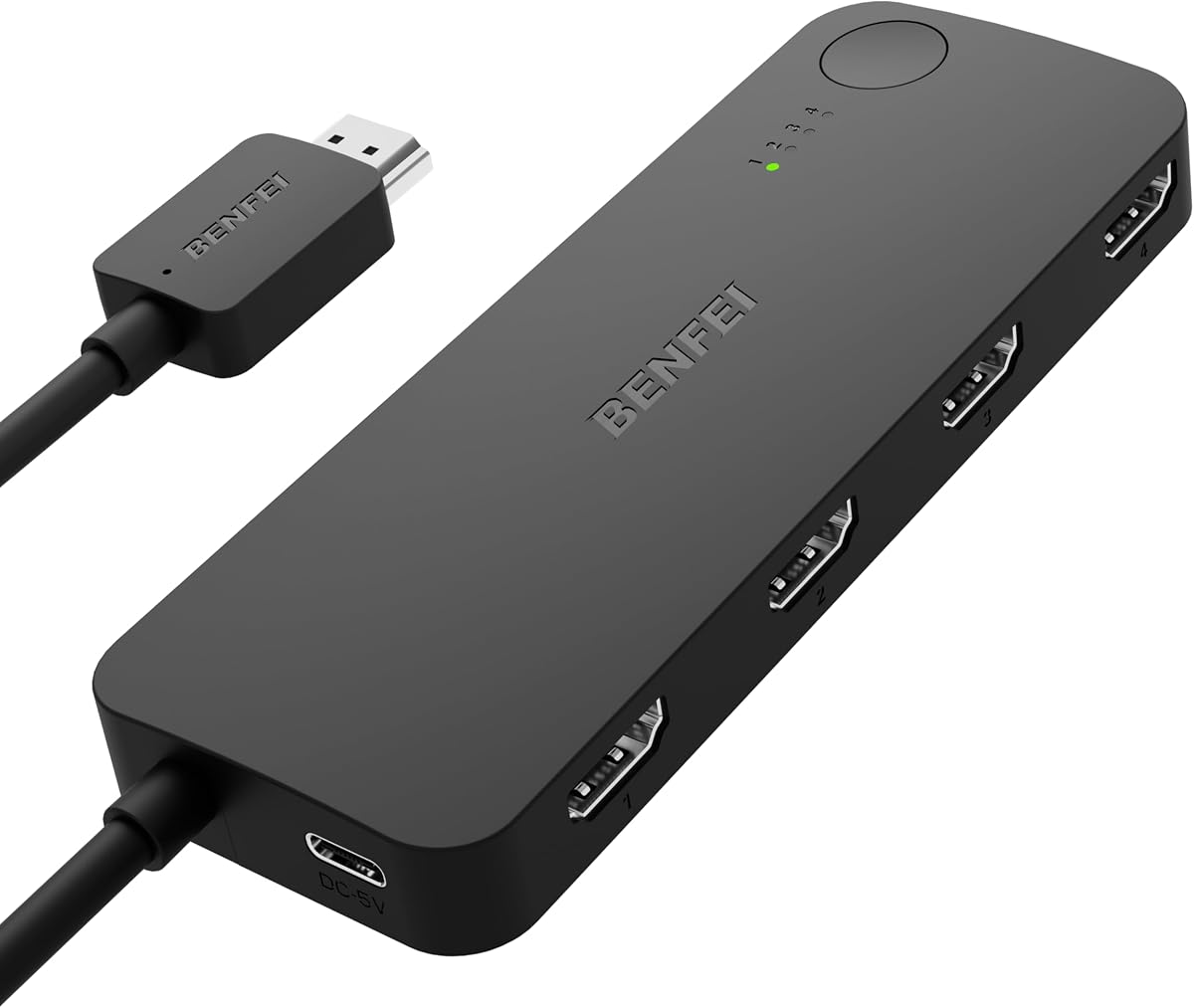
This BENFEI device is designed for gamers and home theater enthusiasts who need to switch between multiple console inputs. It supports high refresh rates like 144Hz at 2K and smooth 60Hz at 4K making it suitable for next gen consoles. The fixed pigtail cable saves you from buying extra connectors and reduces clutter on your TV.
We may earn a commission when you buy through this link, at no additional cost to you.
The Adaptive Equalization technology ensures stable signal transmission even over longer cable runs up to 30 feet. This is particularly useful if you have gaming consoles in a media cabinet far from the TV. HDCP 2.3 compliance means it works seamlessly with modern streaming devices and protected content sources.
Note that this is a switch not a splitter so it connects four inputs to one output screen. It also requires an external USB C power cable to operate which is included but adds another cord to manage. While this is standard for high performance switches it might be slightly inconvenient for minimalists.
For PS5 and Xbox users looking to reduce TV input clutter this switch is a smart buy. It delivers the performance needed for modern gaming without breaking the bank. Just ensure you have power access near the unit and verify your cables match the high speed requirements for best results.
Supports 4K at 60Hz and 2K at 144Hz for smooth gameplay on modern consoles like PS5 and Xbox.
Adaptive Equalization maintains strong video signals over distances up to 30 feet without quality loss.
We may earn a commission when you buy through this link, at no additional cost to you.
This Anker hub is a solid mid range option for those who need basic expansion without excessive bulk. It supports 4K video output at 30Hz which is perfect for document work and general media consumption. The 100W power delivery input ensures your laptop gets enough power even when multiple devices are connected.
We may earn a commission when you buy through this link, at no additional cost to you.
The inclusion of a USB-C data port allows for more flexible connectivity compared to hubs that only offer USB-A ports. You can connect a docking station or monitor with a USB-C cable if needed. Anker is known for reliability and this product comes with a worry free warranty for added peace of mind.
It is important to note that the USB-C port is strictly for data and not video output. Also the 30Hz refresh rate limits its usability for gaming or fast motion applications. However for office work and content viewing these limitations are rarely an issue for the average user.
This hub is best suited for MacBook and Windows users who want a dependable tool for daily tasks. It strikes a good balance between portability and performance at a reasonable price point. Always check your laptop requirements to ensure compatibility with DP Alt Mode for video functionality.
The addition of a USB-C data port allows for more versatile connections to various peripherals.
Anker offers a strong warranty and customer support record making this a safe investment for daily use.
We may earn a commission when you buy through this link, at no additional cost to you.
The NEWCARE HDMI Switch is a straightforward device for those needing to swap between a few HDMI sources easily. It offers fourK output at 60Hz and supports 12-bit deep color for vibrant visuals on compatible TVs. The included 2.6ft cable helps get started quickly without needing additional purchases right away.
We may earn a commission when you buy through this link, at no additional cost to you.
Switching between inputs is done via a manual button on the unit which is easy to locate and press. This simplicity is great for bedroom setups or basic conference rooms where remote control is not necessary. The unit supports standard HDCP 2.2 ensuring it works with most modern streaming devices and consoles.
It requires an external power adapter to operate which is a standard requirement for active switches. There is no remote control included meaning you must reach the device to change inputs manually. While this is a minor inconvenience it keeps the unit compact and affordable for basic use cases.
This switch is ideal for budget conscious users who want to reduce HDMI port clutter on their TV. It is perfect for swapping between a laptop a console and a streaming stick. Just ensure you have an available outlet nearby to power the switch properly during use.
The physical button on the device allows quick input switching without needing extra accessories or remotes.
Support for 12-bit deep color ensures more accurate and vibrant image quality on compatible screens.
We may earn a commission when you buy through this link, at no additional cost to you.
This StarTech adapter is designed specifically for Windows PCs that need dual monitors but lack video ports. It uses a single USB-A 3.0 port to drive a 4K display and a 1080p display simultaneously. This is a great solution for older desktops or laptops that are missing HDMI or DisplayPort outputs entirely.
We may earn a commission when you buy through this link, at no additional cost to you.
It is built for IT environments with a robust driver installation process and a 3-year warranty. The device works on Intel AMD and even Snapdragon platforms providing broad compatibility for enterprise users. Since it is Windows only it is not suitable for Mac or Linux systems which limits its general consumer appeal.
Installation requires administrator rights to set up the driver which might be a hurdle for some users. However once installed the performance is stable and reliable for office work and standard productivity tasks. The short cable length ensures the adapter stays close to the port reducing potential signal issues.
If you are managing a fleet of PCs or need to add screens to a basic Windows machine this adapter is an excellent choice. It provides a cost effective way to expand display capabilities without buying new hardware. Just ensure your system meets the OS requirements before ordering for a smooth setup experience.
Built for IT pros with a 3-year warranty and broad support for Intel and AMD processor platforms.
One USB port drives two screens enabling multitasking even on computers without built-in video outputs.
We may earn a commission when you buy through this link, at no additional cost to you.
The VIENON USB 3.0 to HDMI adapter is a versatile hub for users needing basic expansion and video output. It offers multiple USB ports for peripherals while providing 1080P video output for monitors or projectors. This is useful for older computers that need to connect to external displays without high-end graphics cards.
We may earn a commission when you buy through this link, at no additional cost to you.
It includes a USB-C power port to ensure stable power delivery when multiple devices are connected. The driver installation is straightforward and works on both Windows and Mac systems for broad compatibility. The USB 3.0 ports offer fast data transfer for external drives and other high speed peripherals.
Video output is limited to 1080P which may not be sufficient for high resolution work or detailed design tasks. Also Windows 7 users should note that extend mode is not supported on that older operating system version. These limitations are reasonable given the price point and overall functionality of the device.
This adapter is best for casual users or schools with older hardware that need basic screen expansion. It is affordable and functional for presentations and general office tasks. Just verify your OS version supports the features you need before making your final purchase decision online.
Seven ports allow multiple peripherals to be connected to a single USB slot on your computer.
The dedicated power port ensures all connected devices receive enough power to function without drops.
We may earn a commission when you buy through this link, at no additional cost to you.
Acer USB C hub delivers solid performance for those needing a range of ports at an affordable price. It supports 4K video at 30Hz and includes dual card slots for easy photo transfers. The aluminum housing provides a premium feel and helps with heat dissipation during use.
We may earn a commission when you buy through this link, at no additional cost to you.
With 100W power delivery support your laptop can be fully charged while using other hub functions. The USB ports support fast 5Gbps data speeds for efficient file transfers between devices. It is compatible with a wide range of operating systems including Windows macOS and Linux for broad appeal.
Video output is limited to 30Hz which is fine for office work but not ideal for gaming. The device requires a separate PD charger to provide enough power for all functions. While this adds a small cost it ensures the hub operates reliably without draining your laptop battery quickly.
This hub is a great choice for students and home users who want reliable connectivity on a budget. It offers essential features without unnecessary complexity. Just ensure you have the right charger to power the PD port for the best performance and stability.
The aluminum housing improves durability and keeps the hub cool during extended periods of use.
Works with Windows Mac and Linux making it accessible for users across different computing environments.
We may earn a commission when you buy through this link, at no additional cost to you.
Selecting the right HDMI hub for PC depends on your specific connection needs and hardware capabilities.
Check if the hub supports 4K at 60Hz or 30Hz. Higher refresh rates are better for smooth motion and gaming while 30Hz is fine for office work.
Choose 60Hz if you plan to use the hub for video editing or gaming to avoid motion blur.
Ensure the hub supports sufficient wattage like 85W or 100W for pass through charging. This keeps your laptop powered while using connected peripherals.
Look for hubs with PD input ports to avoid needing extra power adapters for your computer.
Count the number of USB A and USB C ports you need for drives and peripherals. Some hubs offer Ethernet or card slots which can be useful.
Pick a hub with enough ports to cover your devices without needing additional dongles or extensions.
Verify that the hub works with your specific OS like Windows macOS or Linux. Some adapters require specific drivers or have limited support.
Check product reviews to confirm stable performance on your system before purchasing to avoid compatibility issues.
Assess the cable material for durability such as aluminum or silicone. Longer cables can be helpful for desktop setups but may tangle easier.
Opt for braided or silicone cables to prevent fraying and ensure a stable connection over time.
Aluminum housings help with heat dissipation and provide a premium look. Compact designs are easier to carry in a bag for travel.
Consider the overall size and how it fits on your desk or in your bag before buying.
Set a budget based on the features you truly need. Higher priced models often offer better build quality and longer warranty periods.
Look for at least an 18-month warranty to ensure you are protected against defects or failures.
Determine if you need a hub for dual monitors video switching or basic data transfer. Each use case requires different specs and capabilities.
Match your primary use case to the hub's strengths to get the best value for your investment.
Connect the hub to a USB-C port on your computer that supports video output. Ensure the port supports DP Alt Mode if you plan to use the HDMI display feature.
Plug in your HDMI cable from the hub to your monitor or TV before connecting other USB devices. This helps prevent initialization issues with the video signal.
Avoid bending the cable sharply near the connector and store it loosely to maintain signal integrity. Dust can accumulate in ports so use a dry cloth occasionally to keep them clean.
Not every USB-C port supports video output. You need a port that supports DP Alt Mode or Thunderbolt to connect to a monitor. Check your laptop specs to confirm this before purchasing a hub.
Flickering often occurs due to insufficient power. Ensure your hub is connected to a power source if it has a PD port. Also check that your cables are high speed and fully inserted.
Yes but verify that the hub supports 60Hz refresh rates for smooth gameplay. Lower refresh rates like 30Hz can cause lag or stuttering in fast moving games.
Most hubs work with macOS but features like extended displays may vary. Some models mirror screens on macOS while others allow true extended desktops. Check the specific compatibility notes before buying.
Many hubs are plug and play and require no drivers. Some models like USB adapters may require installing specific software from the manufacturer. Follow the included instructions for your specific device.
A hub focuses on adding ports via USB while a docking station is designed to turn a laptop into a desktop. Docking stations often include Ethernet and more robust power delivery options.
The Anker Laptop Docking Station offers the best balance of features for power users needing dual monitors and Ethernet. It delivers reliable performance and build quality that stands out among competitors.
Budget buyers will appreciate the BENFEI 5-in-1 Hub for its soft cable and decent speed at a low price point. It is perfect for basic connectivity needs without breaking the bank.
Always verify your laptop's port capabilities before purchasing to ensure compatibility with video output. Prices and availability change frequently so check current listings for the best deals.