
ASUS ProArt PZ13 2-in-1
3.9Editor score
OLED 3K Touchscreen
Snapdragon X Plus CPU
1TB NVMe SSD Storage
Finding the right detachable laptop for usage with a dock requires balancing portability with desktop-level productivity. These devices offer the flexibility of a tablet while supporting robust connections for external monitors and peripherals.
We analyzed ten leading models based on processor power, display quality, and docking compatibility. Our evaluation focuses on real-world performance when connected to USB-C hubs and Thunderbolt stations for extended work sessions.
Each pick highlights specific strengths like screen resolution or battery life. Prices and availability change frequently so please verify current listings before making your final purchase decision online today.
3.9Editor score

4.5Editor score
4.4Editor score
As an Amazon Associate we earn from qualifying purchases.
This side-by-side comparison highlights key specifications for all ten selected detachable laptops. We focus on processor type, screen quality, and storage to help you identify the best fit for your docking station setup.


This Dell Latitude 7320 stands out as the top pick for docking scenarios due to its robust processor and versatile port selection. It holds a strong 4.5 star rating from users who value its reliable performance in professional settings.
We may earn a commission when you buy through this link, at no additional cost to you.
The Core i7 1180G7 processor handles multitasking efficiently, making it suitable for complex workflows when connected to external displays. Thunderbolt 4 support ensures high-speed data transfer and power delivery through a single cable to your dock.
While the device is renewed, it offers significant savings without sacrificing core functionality. The included detachable keyboard transforms the tablet into a full laptop experience, though you may need to buy a stylus for note-taking.
If you need a capable workstation that transitions smoothly between portable and docked modes, this model is an excellent choice. Its balance of power and price makes it the best overall option for most users.
The 11th generation Intel Core i7 provides ample headroom for running multiple applications while connected to a docking station for expanded workflows.
With Thunderbolt 4 and USB ports, you can easily connect monitors, storage drives, and peripherals without needing extra adapters.
We may earn a commission when you buy through this link, at no additional cost to you.
The ASUS ProArt PZ13 offers a premium viewing experience with its vibrant OLED 3K display, making it ideal for content creators who dock frequently. While the rating is moderate, the visual fidelity is unmatched in this category.
We may earn a commission when you buy through this link, at no additional cost to you.
Its Snapdragon X Plus processor delivers efficient power usage, though some legacy x86 applications may require emulation. The 1TB storage ensures you have plenty of space for large files when synced via your docking station.
Upgrades were performed to enhance performance, but buyers should be aware of the ARM-based architecture limitations. The included USB hub facilitates connectivity, though native Thunderbolt support is not present on this model.
Choose this model if display quality and storage are your top priorities. It is best suited for media consumption and creative tasks rather than heavy computational workloads in a docked environment.
The 3K OLED panel provides deep blacks and accurate colors, perfect for photo editing or viewing high-resolution content while docked.
With 1TB of SSD storage, you can keep extensive libraries of documents and media locally without relying solely on cloud services.
We may earn a commission when you buy through this link, at no additional cost to you.
This budget-friendly Dell Latitude 7320 delivers exceptional value with 16GB of RAM at a competitive price point. It is an excellent choice for users who need solid performance for docking without breaking the bank.
We may earn a commission when you buy through this link, at no additional cost to you.
The Core i5 processor provides enough power for office tasks and web browsing, even when connected to external monitors. Users appreciate the 16GB RAM which ensures smooth multitasking across multiple browser tabs and applications.
While storage is limited to 256GB, the speed of the SSD compensates for the lower capacity. It is important to check battery health on renewed units as performance can vary slightly between individual devices.
For small businesses or students seeking a reliable dockable tablet, this model is the best budget option. It balances cost and performance effectively for everyday productivity tasks and light professional use.
The combination of 16GB RAM and a capable i5 processor makes this unit a strong performer for basic business applications and docked use.
Windows 11 Pro ensures you have access to advanced security and management features needed for organizational environments.
We may earn a commission when you buy through this link, at no additional cost to you.
This variant offers 512GB of storage which is a nice step up from the base models. It maintains the reliable Core i5 processor and Windows 11 Pro, making it a solid option for those needing more file space.
We may earn a commission when you buy through this link, at no additional cost to you.
The 16GB RAM ensures that performance remains smooth during daily tasks. While the rating is lower, the specifications are competitive for the price range when used with a docking station for expanded workspace.
Users should inspect the device upon arrival to ensure it meets expectations given its renewed status. The keyboard and touch capabilities are responsive enough for most business and personal computing needs.
It serves as a good compromise between storage needs and performance. If you find this model at a discount, it can be a practical choice for general office work and media consumption.
512GB of SSD storage provides ample room for applications and files without requiring immediate external storage solutions.
The 1140G7 processor handles daily productivity tasks with ease, ensuring a smooth experience even when docked.
We may earn a commission when you buy through this link, at no additional cost to you.
This model is equipped with a massive 1TB SSD which is ideal for users who store large amounts of data locally. It retains the proven Core i5 architecture and Windows 11 Pro for consistent performance.
We may earn a commission when you buy through this link, at no additional cost to you.
While the specs are attractive, the lower rating suggests potential variability in the condition of renewed units. Buyers should weigh the storage benefit against the possibility of receiving a unit with minor wear.
When connected to a dock, the performance is sufficient for office applications and media streaming. The 16GB RAM ensures that the system remains responsive even when running multiple programs simultaneously.
If storage is your primary concern and you find this unit at a fair price, it could be a viable option. Just be prepared to check the warranty details thoroughly before finalizing your purchase.
The 1TB SSD allows you to store extensive archives and large datasets without worrying about space limitations.
The 16GB RAM and i5 processor provide a stable foundation for multitasking and daily computing tasks.
We may earn a commission when you buy through this link, at no additional cost to you.
The Lenovo Chromebook Duet offers a lightweight and efficient solution for users who primarily work in the cloud. It supports dual external monitors via USB-C which is great for a docked setup without needing extra hardware.
We may earn a commission when you buy through this link, at no additional cost to you.
Its MediaTek processor and 8GB RAM are sufficient for web browsing and light office work. The 400-nit brightness ensures the screen is visible even in bright environments when used in portable mode.
Chrome OS provides a streamlined experience but limits traditional desktop software. You can run up to 12 hours on a single charge which makes it ideal for long workdays or travel scenarios.
Consider this if you need a secondary device that pairs well with a docking station. It is perfect for students or professionals who rely on browser-based applications and value portability above all else.
USB-C allows connection to two 4K monitors directly, creating a powerful multi-screen workspace when docked.
With up to 12 hours of battery life you can work uninterrupted from your desk to your living room.
We may earn a commission when you buy through this link, at no additional cost to you.
This silver variant of the Dell Latitude 7320 offers a cost-effective entry point into the detachable laptop market. It features the same reliable processor but with reduced RAM which may limit heavy multitasking capabilities.
We may earn a commission when you buy through this link, at no additional cost to you.
For basic office tasks and web browsing the performance should be acceptable. The 8GB RAM is sufficient for single-tasking but might slow down if you open too many browser tabs while docked.
It is an ideal choice for users who have a strict budget and need a simple device for specific tasks. The Windows 11 Pro OS ensures you have professional features without paying for high-end specs.
Ensure you check the current availability as ratings are not listed for this specific configuration. It remains a viable option for basic computing needs in a home or office environment.
The lower price point makes it accessible for those who need basic functionality without extra performance costs.
Windows 11 Pro supports enterprise features like BitLocker and Active Directory for secure business usage.
We may earn a commission when you buy through this link, at no additional cost to you.
This version of the ProArt PZ13 comes with Windows 11 Home which is suitable for personal use rather than business environments. It maintains the same high-quality OLED screen and storage specs as the Pro variant.
We may earn a commission when you buy through this link, at no additional cost to you.
The Snapdragon processor is energy efficient but may have compatibility issues with certain Windows apps. For most users this will not be a major issue but developers should test their specific software stack.
The included portable hub helps with connectivity when docked which is a thoughtful inclusion. If you prioritize visual fidelity and storage over advanced enterprise features this is a strong contender.
It is recommended for creative professionals who work primarily within a browser or supported ecosystem. The visual experience is exceptional for content consumption and creation in a docked setup.
The OLED panel offers unmatched color accuracy and contrast which is ideal for creative tasks.
A portable USB hub is included to help expand connectivity options without buying extra adapters.
We may earn a commission when you buy through this link, at no additional cost to you.
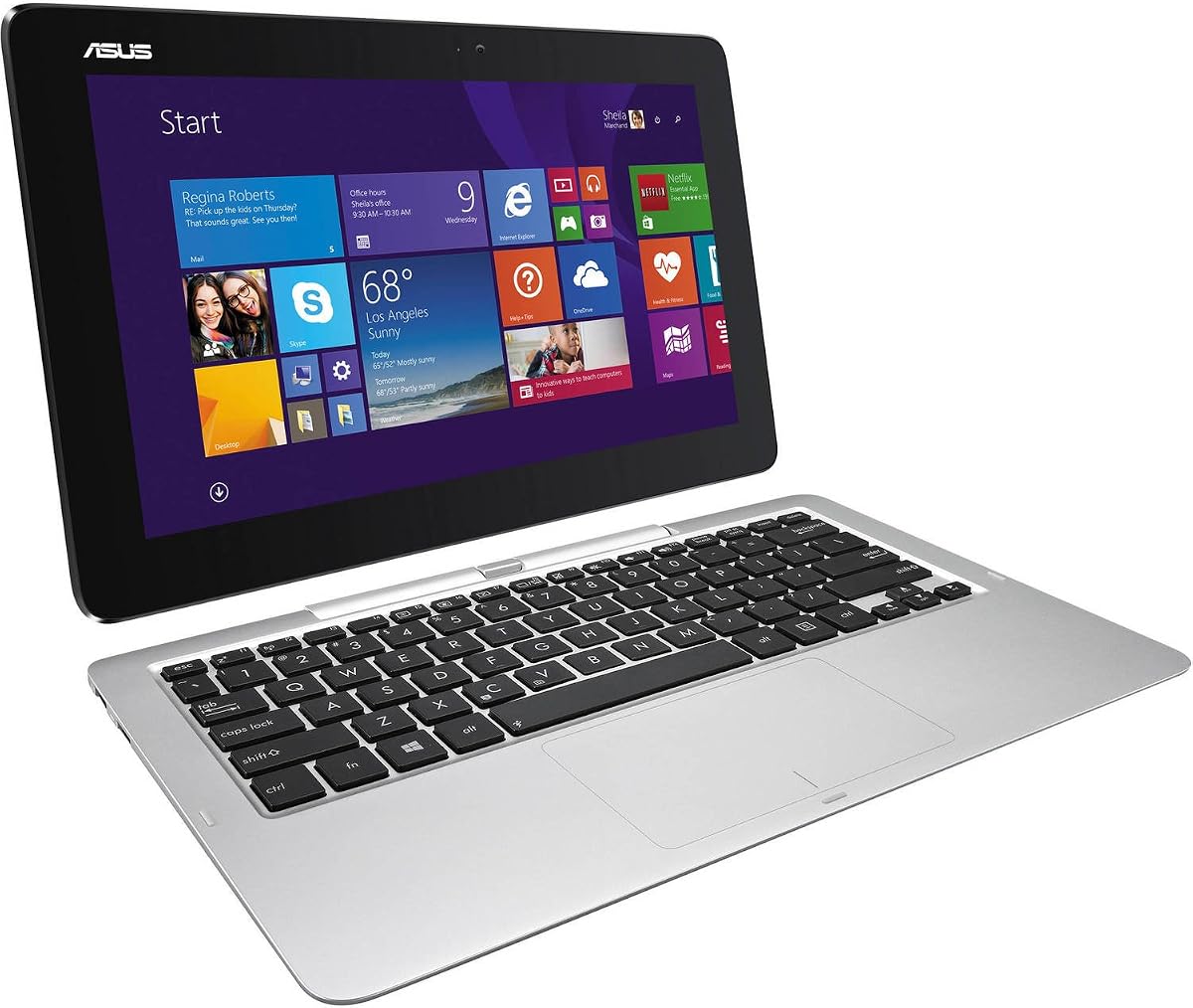
This older model serves as a reference point for how far technology has come. With only 4GB RAM and 64GB storage it struggles with modern web browsing and heavy applications.
We may earn a commission when you buy through this link, at no additional cost to you.
Windows 8.1 is no longer supported by Microsoft which poses security risks for daily use. However it can still function for basic tasks like reading or light email checks when connected to a keyboard.
The 11.6 inch screen is smaller than the modern standard but sufficient for simple tasks. It is rarely recommended for new buyers unless you have a very specific legacy requirement for this hardware.
We include it for historical context but suggest modern alternatives for better value and security. It does not meet current standards for a productive docked workstation experience.
While outdated this device shows the early evolution of detachable form factors in the PC market.
It can handle very light tasks like reading documents but lacks the power for modern productivity.
We may earn a commission when you buy through this link, at no additional cost to you.
This model shares the same high storage specs as other variants but carries a lower user rating. It provides the necessary power and space for a docked setup if you verify the device condition upon receipt.
We may earn a commission when you buy through this link, at no additional cost to you.
The combination of 16GB RAM and 1TB SSD is powerful for local file management. However the rating suggests quality control might be inconsistent for this specific listing from the seller.
It is a good option if you find a deal and understand the risks of renewed hardware. The performance is there for professional tasks but you must ensure warranty coverage is robust.
Prioritize checking the return policy before purchasing this specific configuration. For those with strict storage needs and a trusted seller it can be a cost-effective alternative to new units.
The 1TB drive allows for extensive local storage which is critical when offline access is needed.
Given the rating it is wise to inspect the device thoroughly to ensure it meets your work standards.
We may earn a commission when you buy through this link, at no additional cost to you.
Selecting the right detachable laptop requires careful consideration of several factors to ensure compatibility with your docking station and workflow needs.
The processor determines how well the device handles tasks when connected to a dock. Look for at least an Intel Core i5 or equivalent ARM chip to ensure smooth multitasking with external monitors.
Prioritize newer generations like 11th Gen or Snapdragon X Plus for better efficiency and software support.
At least 8GB of RAM is necessary for basic tasks but 16GB is recommended for professional workflows with multiple apps. Storage should be an SSD for speed with 256GB as a minimum for system files.
If you store large files locally aim for 512GB or 1TB to avoid relying too heavily on cloud services.
A high-resolution screen enhances productivity when used in tablet mode or docked. Look for Full HD+ resolution (1920×1280) or higher for sharp text and clear visuals.
OLED panels offer better color accuracy but standard IPS displays are sufficient for general business use.
Verify that the device has USB-C or Thunderbolt ports to connect to modern docking stations. The more versatile the ports the easier it is to attach monitors and storage without extra dongles.
Check for HDMI or USB-A ports if your dock requires legacy connections for specific peripherals.
Windows 11 Pro provides advanced features like BitLocker and remote desktop which are essential for business users. Chrome OS is simpler but limits app compatibility if you need traditional desktop software.
Ensure the OS version supports the security and management tools your organization requires.
Since detachable laptops are often used mobile, a solid battery life is crucial. Look for models that offer at least 8 to 12 hours of usage on a single charge.
Efficient processors like Snapdragon or newer Intel chips help maximize battery performance when docked and undocked.
A durable chassis ensures the device withstands frequent connection and disconnection from docks and peripherals. MIL-STD tested bodies offer extra protection for rough handling during travel.
Check reviews for hinge reliability and keyboard quality as these parts see the most wear in detachable models.
Many models come with a detachable keyboard which is essential for typing efficiency. Some also include a USB hub or pen which adds value to your purchase.
Verify what is included in the box before buying to avoid extra costs for essential accessories.
To ensure safe connection always align the ports carefully before plugging in cables. Force can damage connectors so push gently until you feel a firm click or secure fit.
Regularly clean the screen and keyboard with a microfiber cloth to remove dust and oils. Keep liquids away from the device especially when using the keyboard attachment.
Store the device in a protective case when not in use to prevent scratches and impact damage. Update your operating system regularly to maintain security and performance levels.
Not all devices are universally compatible with every dock. You must check the port types on your laptop such as USB-C or Thunderbolt to match your docking station. Some docks require specific power delivery wattage to function correctly.
Most modern detachable laptops support external monitors via USB-C or HDMI ports. Ensure your dock supports video output so you can extend your screen to an external display for increased productivity.
Windows 11 offers broader software compatibility for business and professional tools. Chrome OS is simpler and faster but limited to web apps. Choose Windows if you need traditional programs like Excel or specialized business software.
For basic tasks 8GB RAM is sufficient but 16GB is recommended for multitasking with multiple monitors. More RAM ensures your system stays smooth when running several applications alongside external displays.
Renewed devices can be reliable if bought from trusted sellers with warranties. Always check return policies and inspect the device upon arrival for physical defects. Many renewed units are tested and restored to working condition.
A 13-inch screen offers a good balance between portability and workspace. Smaller screens are more portable but may be cramped for detailed work. Larger screens are less mobile but better for reading and writing.
We explored ten top detachable laptops ranging from the powerful Dell Latitude series to the visually stunning ASUS ProArt models. Each offers unique strengths for different user needs and budgets.
Prioritize performance and connectivity if you rely heavily on a docking station for your work. RAM and processor speed will determine how smoothly your workflow runs during long sessions.
Remember to verify current prices and availability before buying as deals change frequently. Choose the model that best fits your daily tasks and portability requirements for the best long-term value.