
TP-Link ER605
4.4Editor score
Five Gigabit Ports
Advanced Security Features
Highly Secure VPN
This guide compares the top Dual Wan Router models for 2026, evaluating performance, security, failover capabilities, and value for businesses and power users.
Finding a reliable Dual Wan Router is essential for modern businesses and remote work setups. These devices ensure continuous internet connectivity by managing multiple connections. They provide critical failover and load balancing features that keep operations running smoothly without interruption.
We have analyzed the leading models available this month based on throughput, security features, and management tools. Our comparison covers options ranging from budget-friendly choices to enterprise-grade systems. Each product was evaluated for its ability to handle multiple ISPs effectively and securely.
This list highlights the unique strengths of every router including VPN support and port configurations. You will see detailed breakdowns of performance and security options. Please note that availability and pricing can change frequently so verify details before purchasing.
4.4Editor score

4.2Editor score

4.4Editor score
This table provides a side-by-side overview of all ten routers. It highlights key specifications like port types, VPN support, and management features to help you compare options quickly and make an informed decision for your network needs.



The TP-Link ER605 is a solid entry-level option for users seeking reliable dual WAN functionality. It boasts a rating of 4.4 stars from users who value its straightforward performance and security tools.
We may earn a commission when you buy through this link, at no additional cost to you.
This router stands out for its five Gigabit ports which allow flexible connection configurations. The inclusion of a USB WAN port supports mobile broadband backups ensuring you stay connected even during primary outages. Its advanced firewall policies and DoS defense provide essential protection for small business networks.
While it lacks wireless capabilities which means you may need separate access points the trade-off is a focused and efficient wired solution. The interface is functional though not as modern as premium models.
Small offices or home labs looking for cost-effective failover and load balancing should consider this model. It delivers essential enterprise features without the high cost.
The combination of WAN LAN and WAN LAN ports allows you to optimize bandwidth usage efficiently without needing additional hardware.
With IP MAC and URL filtering plus deep packet inspection capabilities your network data remains protected from external threats.
We may earn a commission when you buy through this link, at no additional cost to you.
The Peplink B-One is designed for enterprise branch offices that require blistering speeds and resilient connectivity. With a rating of 4.4 stars it delivers on its promise of uninterrupted internet experiences.
We may earn a commission when you buy through this link, at no additional cost to you.
Its SpeedFusion technology ensures smooth video calls and maintains network stability even when the primary internet fails. The router integrates effortlessly with Starlink allowing you to backup or load balance cable fiber or satellite connections seamlessly.
The investment is significant compared to budget routers but the reliability and speed justify it for business environments. The dual-band Wi-Fi 6 adds wireless flexibility without compromising on the wired backbone.
Businesses needing a robust network that stays online during outages will find this router indispensable. Its automatic firmware updates and stable architecture reduce maintenance headaches.
This feature combines multiple internet connections to create a robust network that keeps you online even if one line drops completely.
Connecting multiple Starlinks or balancing them with cable is simplified making satellite internet a viable backup or primary option.
We may earn a commission when you buy through this link, at no additional cost to you.
The NETGEAR PR60X delivers high performance with a 10G configurable port and dual WAN ports for reliable connectivity. It holds a solid 4.2 rating from professionals who need enterprise-grade reliability.
We may earn a commission when you buy through this link, at no additional cost to you.
This router excels in secure remote network access with IPSec OpenVPN and WireGuard support allowing up to 100 client device connections. The NETGEAR Insight tool allows remote management from anywhere which is perfect for distributed teams.
While the price is higher than standard models the speed and management tools offer significant value for SMEs. The 10G SFP+ port supports long-distance backhaul making it suitable for complex setups.
Organizations needing secure fast and easily manageable network infrastructure should prioritize this model. It integrates well with other Pro WiFi Access Points and Smart switches.
With multiple VPN protocols supported you can ensure that remote employees connect safely to your central network resources.
Remote network management via the cloud simplifies monitoring and troubleshooting without needing physical access to the router.
We may earn a commission when you buy through this link, at no additional cost to you.
The Cudy R700 is an excellent choice for users who want full control over their network environment. Its 4.4 rating highlights satisfaction with its OpenWRT support and business continuity features.
We may earn a commission when you buy through this link, at no additional cost to you.
This router allows connection to up to five ISPs with automatic failover and load balancing. The OpenWRT readiness unlocks VLAN segmentation and custom QoS policies which appeal to advanced users and developers.
While the web GUI and cloud management are user-friendly the full potential of OpenWRT requires some technical familiarity. However the included diagnostic tools like Ping and Traceroute simplify troubleshooting.
Tech-savvy professionals or home lab enthusiasts who value customization will appreciate this device. It balances enterprise features with an open-source flexibility.
Full support for OpenWRT lets you install community packages and custom rules for a tailored network experience.
Connect up to five ISPs for ultimate redundancy ensuring your business stays online even during multiple line failures.
We may earn a commission when you buy through this link, at no additional cost to you.
The Omada ER707-M2 offers high-bandwidth aggregation connectivity with a focus on centralized cloud management. It holds a 4.4 rating for its reliable VPN support and capacity.
We may earn a commission when you buy through this link, at no additional cost to you.
This router supports up to 500000 concurrent sessions and 1000+ clients which is impressive for its size. The cloud access feature allows remote management via the Omada app which simplifies multi-site administration.
Users may need to set up a controller for full functionality which adds a step to the initial setup. However the 5-year warranty provides long-term peace of mind for businesses.
Network administrators managing multiple sites will find the centralized control efficient and robust. It is well-suited for growing businesses needing scalable solutions.
Manage your whole network from different sites via a single interface anywhere and anytime for consistent security policies.
Support for over 1000 clients ensures that large office environments remain connected without performance degradation.
We may earn a commission when you buy through this link, at no additional cost to you.
The ASUS RT-BE88U combines blazing-fast WiFi 7 tech with versatile WAN configuration options. It holds a 4.3 rating for its throughput and robust security features.
We may earn a commission when you buy through this link, at no additional cost to you.
This router boosts throughput up to 7200Mbps using Multi-Link Operation. Its AI WAN detection establishes always-on internet by optimizing configuration options automatically ensuring seamless connectivity for demanding applications.
While WiFi 7 requires compatible devices to fully utilize speeds it is a forward-looking choice. The commercial-grade AiProtection Pro powered by Trend Micro provides comprehensive security scanning.
Users wanting the latest wireless speeds alongside a powerful wired network should choose this model. It integrates easily into existing AiMesh setups for whole-home coverage.
AI continuously optimizes your WAN settings to maintain the fastest and most stable connection possible.
AiProtection Pro with Trend Micro ensures site-to-site VPN and deep packet inspection keep your network safe.
We may earn a commission when you buy through this link, at no additional cost to you.
The ASUS ExpertWiFi EBG15 is designed for businesses needing robust security and WAN management. With a 3.8 rating it provides features like IPS intrusion prevention and Layer 7 firewall.
We may earn a commission when you buy through this link, at no additional cost to you.
This router supports up to 3 WAN Ethernet ports allowing load balancing for multi-line broadband usage. The VLAN feature allows assigning ports to specific IDs for additional business security.
While the setup is easier than ever with the ExpertWiFi app users may find the feature set basic for large enterprises. However the deep packet inspection and free AiProtection Pro subscription add value.
Small businesses seeking reliable security without complex hardware will appreciate this router. It ensures stable connectivity with its backup USB WAN port.
Assign each Ethernet port to one or more VLAN IDs to isolate traffic and enhance network security.
IPS features like deep packet inspection block malicious traffic ensuring public WiFi connections remain safe.
We may earn a commission when you buy through this link, at no additional cost to you.
The D-Link DSR-250V2 is perfect for agencies and businesses under strict regulations. It holds a 2.9 rating but meets TAA and NDAA standards for enhanced trust.
We may earn a commission when you buy through this link, at no additional cost to you.
This router extends your corporate network to homes with enterprise-grade encryption like AES and 3DES. Its Dual WAN Failover automatically switches to a backup source if the primary goes down.
While user feedback is mixed the compliance features are vital for certain organizations. The simplified management tools make deployment easier without complex troubleshooting.
Organizations needing TAA or NDAA compliance will find this router a reliable choice. It supports both router-based and client-based VPN options for flexible needs.
Making this router compliant with government standards ensures it meets strict agency and industry requirements.
Minimizes disruptions by automatically switching to a backup internet source during primary connection failures.
We may earn a commission when you buy through this link, at no additional cost to you.
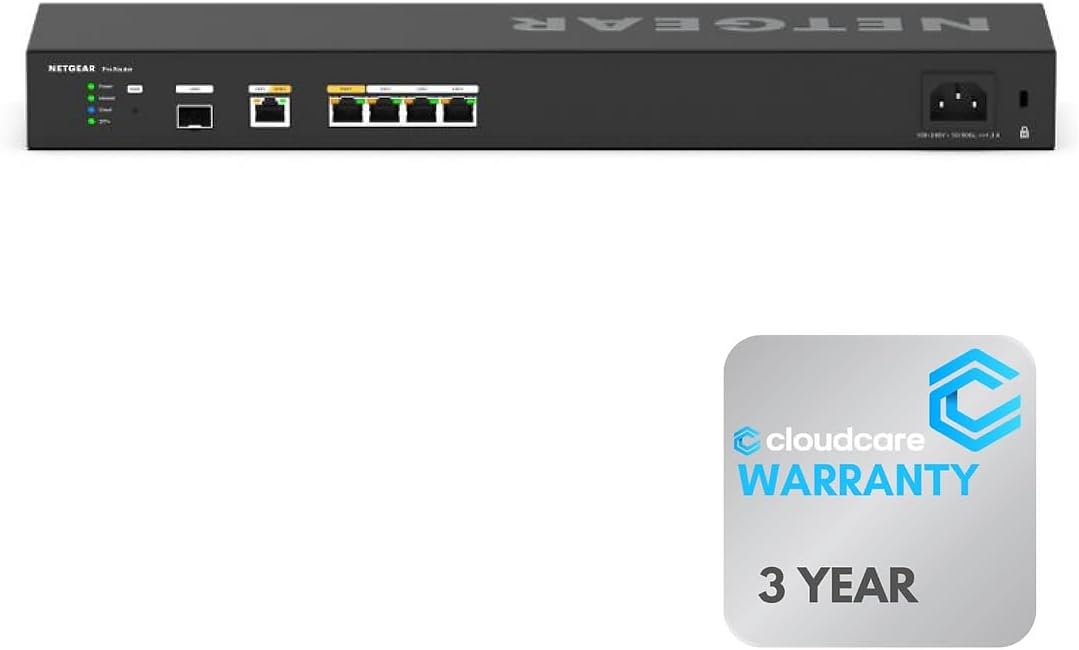
The NETGEAR PR60X V2 offers six 10G Multi-Gigabit ports for maximum speed. It holds a strong 4.6 rating for its professional deployment features.
We may earn a commission when you buy through this link, at no additional cost to you.
This router ensures uninterrupted connectivity with load balancing and failover support. Its rack-mountable design saves space and organizes equipment efficiently for enterprise environments.
The Cloud Care warranty provides added support which simplifies claims and claims. Management via NETGEAR Insight offers cloud-based control for easy setup and maintenance.
Enterprise environments needing dense high-speed ports and professional support will value this model. It delivers high performance and reliability in a compact package.
Ideal for professional and enterprise environments needing efficient space organization.
A single warranty for all products purchased allows easy claims and long-term peace of mind.
We may earn a commission when you buy through this link, at no additional cost to you.
The Linksys LRT224 is a feature-rich router designed to meet a wide range of business network requirements. It holds a 4.0 rating for its reliable connectivity and simple setup.
We may earn a commission when you buy through this link, at no additional cost to you.
It supports up to 50 IPsec tunnels and 5 OpenVPN tunnels for mobile users. Its load balancing and WAN failover features ensure highly reliable internet connectivity.
While the interface may feel older compared to newer models it delivers consistent performance. The firewall throughput and session capacity are sufficient for small businesses.
Businesses needing a simple reliable router without complex features will appreciate this model. It offers essential security and VPN support.
Load balancing and WAN failover ensure that your business remains online without interruptions.
OpenVPN and IPsec tunnels allow secure access for traveling users and remote employees.
We may earn a commission when you buy through this link, at no additional cost to you.
Selecting the right Dual Wan Router involves evaluating your bandwidth needs security requirements and management preferences. This guide outlines key factors to consider.
Ensure the router has enough WAN and LAN ports to meet your needs. Look for multi-gigabit or 10G ports if you require high-speed data transfer.
Prioritize routers with flexible port configurations to allow for future expansion and load balancing.
Evaluate how the router handles failover and load balancing. Seamless failover ensures uninterrupted connectivity if one connection drops.
Choose models that offer automatic failover to maintain business continuity without manual intervention.
Look for robust VPN protocols like OpenVPN IPSec and WireGuard for secure remote access. Advanced firewall features add extra protection against threats.
Ensure the router supports sufficient VPN tunnels for your client base and security policies.
Decide between cloud-based management and local web interfaces. Cloud management simplifies remote access and monitoring for distributed networks.
A user-friendly interface reduces the time needed for configuration and troubleshooting.
Consider the maximum client count and session limits of the router. Ensure it can handle your current and projected device load.
High-performance hardware ensures consistent speed even when multiple connections are active simultaneously.
Check the warranty duration and the quality of technical support provided. Longer warranties offer peace of mind for business investments.
Prioritize brands known for responsive customer service to resolve issues quickly.
If you need advanced customization look for OpenWRT support. This allows for custom scripts and packages tailored to your network.
Advanced users should prioritize routers that offer open-source firmware options.
Consider whether you need a desktop or rack-mount design. Rack-mountable routers are ideal for professional equipment rooms.
Choose a form factor that fits your physical space and mounting requirements efficiently.
Begin by connecting your primary and secondary internet lines to the WAN ports. Configure the load balancing settings in the router interface to distribute traffic effectively.
Ensure the firewall and VPN settings are updated regularly to protect against new threats. Use the cloud or local dashboard to monitor connection health and throughput.
Keep the router in a cool ventilated area to prevent overheating. Regularly restart the device or update its firmware to maintain optimal performance and security.
A Dual Wan Router manages two internet connections simultaneously. It provides redundancy through failover and speeds through load balancing to ensure reliable connectivity.
If you rely on consistent internet for business or critical tasks a Dual Wan Router is essential. It minimizes downtime by automatically switching to a backup connection.
Yes by combining two connections through load balancing. However actual speed depends on your ISP plan and the router's load balancing capabilities.
Cloud management allows remote access and monitoring from anywhere. Local management is sufficient for setups where physical access is convenient.
OpenWRT support allows you to customize the router's firmware. It offers advanced features like custom firewall rules and community packages.
Small businesses typically need 10 to 50 tunnels. Enterprise setups may require up to 100 or more depending on remote users.
Look for 2.5G or 10G Ethernet ports. Multi-gigabit support ensures your router can handle modern high-speed fiber connections.
It is ideal for server rooms and professional offices. Desktop routers work fine for small offices or home setups.
This guide reviewed ten top Dual Wan Routers ranging from budget options to premium enterprise solutions. Each model offers unique strengths in security port configuration and management tools.
Prioritize failover speed and security based on your specific needs. Businesses requiring high uptime should focus on models with seamless failover and strong encryption.
Verify current prices and availability before purchasing as these details can change frequently. Select the model that best aligns with your network performance and security goals.