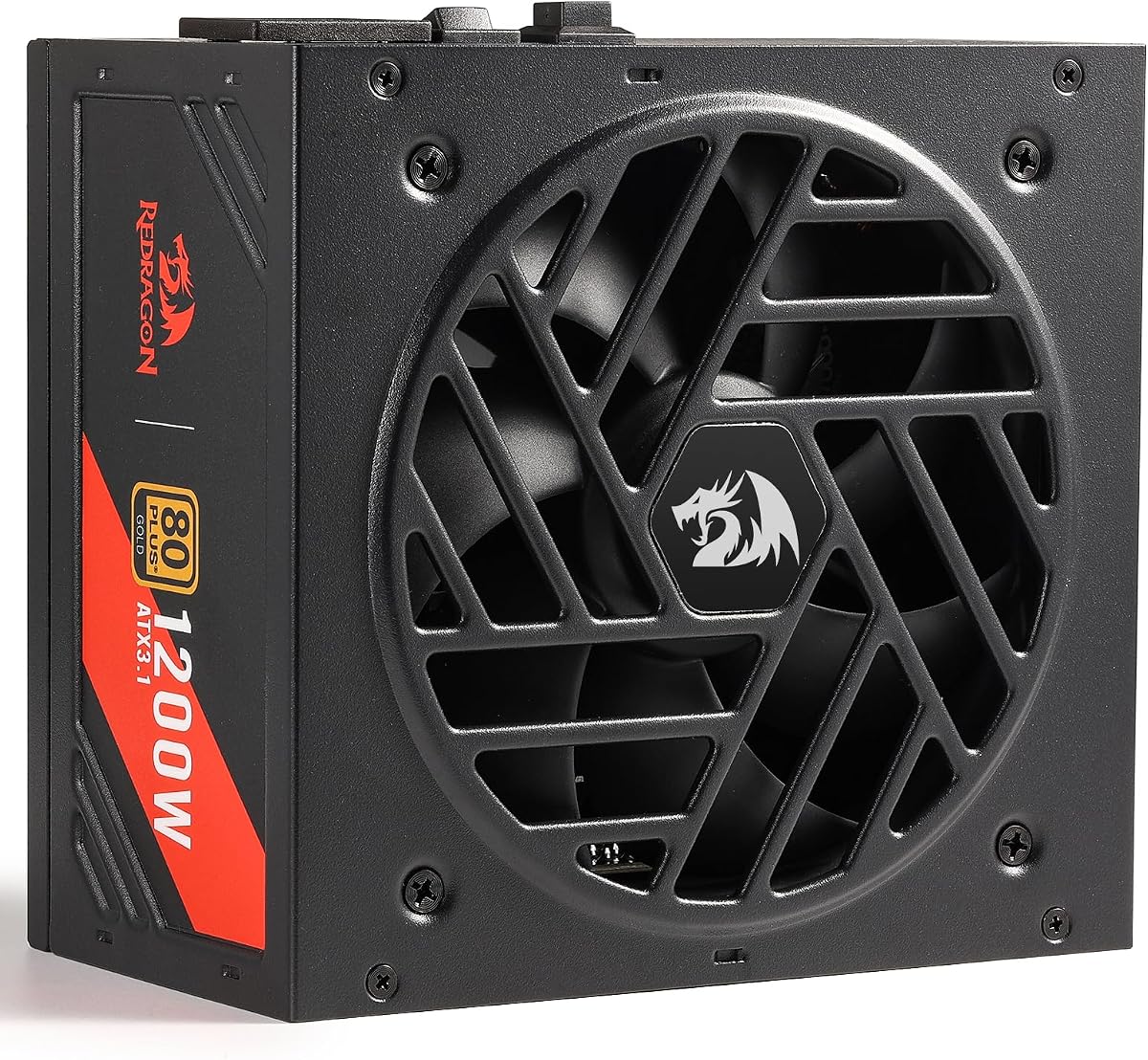
Redragon RGMS-1200W PRO
5.0Editor score
80 Plus Gold Efficiency
ATX 3.1 Compliant
Compact 150mm Size
Discover the top 1200W power supplies for high-end gaming rigs. We compare efficiency, features, and reliability to help you choose the right unit.
Choosing the right power supply is critical for modern high-performance PCs. A 1200W unit ensures you have enough headroom for the latest graphics cards and processors without worrying about system stability or power delivery issues.
We analyzed ten top-rated models from leading brands like Corsair, MSI, and ASUS. Our comparison focuses on efficiency ratings, cable management, fan noise, and compliance with the latest ATX 3.1 and PCIe 5.1 standards for future-proofing your build.
Each pick below highlights specific strengths for different needs and budgets. While the models listed are highly rated, prices can fluctuate daily. Always verify current availability and specs before making your final purchasing decision for your system.
5.0Editor score

4.4Editor score

4.5Editor score
The following table provides a side-by-side overview of every model included in this guide. Use this reference to quickly compare key specifications and design features before diving into the detailed reviews below.



The CORSAIR HX1200i is a powerful unit designed for enthusiasts building with the latest hardware. It holds a strong rating for its ability to handle high-power components while maintaining silence. Its compliance with new standards makes it a future-proof choice.
We may earn a commission when you buy through this link, at no additional cost to you.
This power supply features fully modular cabling which allows for clean cable management. The 140mm fan ensures efficient cooling without excessive noise. You can monitor and control settings using CORSAIR iCUE software for tailored performance.
While highly capable, the price reflects its premium features. Software reliance might not suit everyone who prefers plug-and-play simplicity. However, the benefits of control and stability usually outweigh these minor inconveniences for serious builders.
If you need a reliable high-wattage unit with advanced features, this is a top recommendation. It suits gamers and creators who demand consistent power and low noise. It delivers professional-grade stability for demanding workloads.
iCUE software lets you customize fan curves and check real-time power draw easily.
Zero RPM fan mode ensures silence during light tasks like web browsing or video playback.
We may earn a commission when you buy through this link, at no additional cost to you.
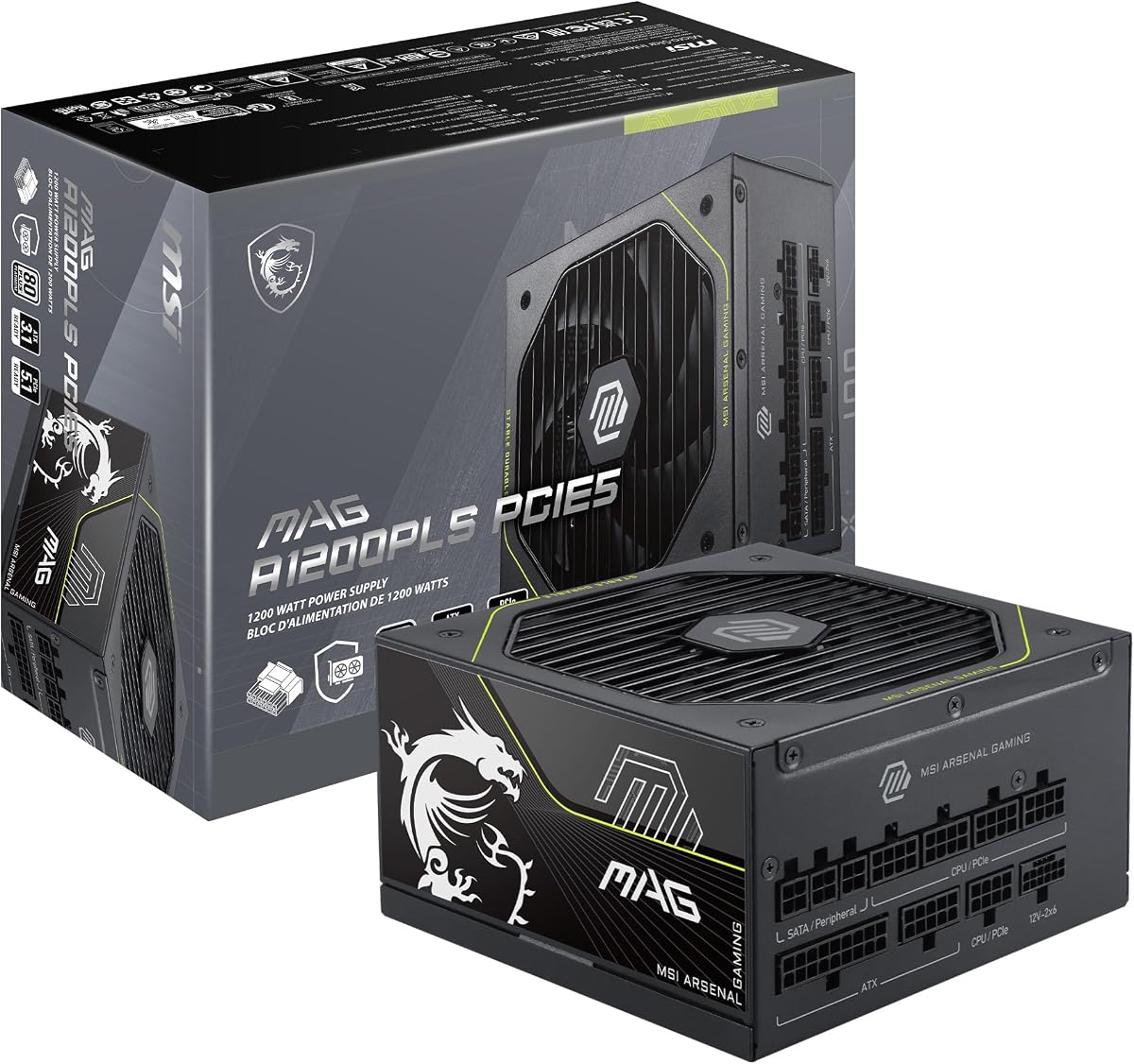
The MSI MAG A1200PLS PCIE5 stands out for its focus on GPU protection and efficiency. It is highly rated for delivering stable power to next-gen graphics cards. The native 12V-2×6 connector eliminates the need for adapters.
We may earn a commission when you buy through this link, at no additional cost to you.
Its GPU Safeguard feature monitors current to prevent potential damage to your graphics card. This proactive approach adds a layer of security for expensive components. The 80 Plus Platinum certification ensures minimal energy waste.
Although compact, it fits most cases well while allowing better airflow. Some users might find the fan noise slightly noticeable under heavy stress. However, the trade-off is acceptable given the protection and efficiency it offers.
This unit is ideal for users planning to use high-end RTX or AMD cards. It provides the necessary power and safety features for modern gaming rigs. Choose it for peace of mind and reliability.
Direct 12V-2×6 cables simplify cabling and reduce connection points for safer power delivery.
Smaller dimensions free up space in the case for better airflow and storage drive options.
We may earn a commission when you buy through this link, at no additional cost to you.
The ASUS TUF Gaming 1200W Gold is built to withstand demanding environments. It uses military-grade components to ensure longevity and reliability over time. This makes it a great choice for users who want a sturdy unit.
We may earn a commission when you buy through this link, at no additional cost to you.
Its PCB coating protects against moisture and dust which can cause issues over time. The dual ball bearings in the fan extend its lifespan significantly. Performance remains consistent even under continuous heavy loads.
While it has a Gold rating instead of Platinum, it remains highly efficient. The lack of advanced digital controls might deter some users. However, the focus on hardware durability is a strong selling point.
Buy this if you prioritize reliability and longevity over software features. It works well for gaming systems that run for extended hours. Trust it to deliver consistent power without fail.
The protective coating on the PCB safeguards internal electronics from dust and humidity damage.
Dual ball bearings in the fan reduce wear and tear ensuring longer operational life.
We may earn a commission when you buy through this link, at no additional cost to you.
The Thermaltake Toughpower PT 1200W offers a range of features for modern builds. It includes two native PCIe 5.1 cables to support multiple high-power GPUs. This makes it versatile for multi-GPU setups or future upgrades.
We may earn a commission when you buy through this link, at no additional cost to you.
Its flat etched cables make routing inside the case much easier. The 100% Japanese capacitors ensure stable power delivery under varying loads. Protective features cover all standard scenarios including over-current and short-circuit risks.
However, it has mixed user reviews regarding initial setup complexity. The dual-color connectors add safety but can be confusing at first. These factors impact its overall user score compared to simpler competitors.
This unit suits advanced users who need specific connectivity features. If you need two PCIe 5.1 connections, it is a strong candidate. Just be prepared for a slightly steeper learning curve during installation.
Flat etched cables improve airflow and fit better in tight spaces within your PC case.
Dual-color H++ connectors help you verify proper seating before powering up the system.
We may earn a commission when you buy through this link, at no additional cost to you.
The MONTECH Century II 1200W delivers high performance at a reasonable price. It offers 80 Plus Gold efficiency which balances cost and energy savings. This makes it a favorite for budget-conscious builders needing power.
We may earn a commission when you buy through this link, at no additional cost to you.
It includes 100% Japanese capacitors for reliability and consistency. The 135mm fan supports zero RPM mode for quiet operation. These features ensure your PC stays cool without loud fan noise.
While the design is simple, it is functional and effective. You won't find advanced software controls here but that keeps costs down. The focus remains on providing stable power efficiently.
Choose this if you want a capable unit without overspending on features. It fits perfectly for gamers who prioritize hardware performance over aesthetics. It provides the necessary power headroom for high-end PCs.
Gold certification ensures energy savings without the premium price tag of Platinum models.
Zero RPM mode stops the fan during low load for a truly silent system experience.
We may earn a commission when you buy through this link, at no additional cost to you.
The renewed Corsair HX1200i offers premium features at a lower price. It is a solid choice for those who want high performance without the full cost. The 80 Plus Platinum efficiency is a standout feature here.
We may earn a commission when you buy through this link, at no additional cost to you.
This model retains the benefits of the standard version including modular cables. You still get access to iCUE software for monitoring and control. The fan remains quiet and durable for long-term use.
Buying renewed means checking return policies and warranty terms carefully. Some units might have minor cosmetic wear but function perfectly. This risk is often worth it for the savings you get.
Ideal for users confident in refurbished hardware who seek value. It delivers high-end features for a fraction of the original price. Just ensure you buy from a reliable seller for peace of mind.
Renewed models allow you to access top-tier PSU features for significantly less money.
You keep full access to software controls and high efficiency even on a renewed unit.
We may earn a commission when you buy through this link, at no additional cost to you.
The Redragon RGMS-1200W PRO is an excellent budget option for high wattage. It holds a perfect rating from users who value performance and price. This unit brings essential features to those on a tight budget.
We may earn a commission when you buy through this link, at no additional cost to you.
Its compact 150mm size fits into smaller cases where space is limited. The smart ECO fan adjusts based on temperature to minimize noise. Japanese capacitors ensure it remains reliable under continuous use.
While it lacks premium branding or extra software tools it works great. Some users might hesitate due to brand reputation but results speak for themselves. It handles high-power GPUs effectively and quietly.
Buy this if you need power without breaking the bank. It is perfect for standard gaming rigs that do not need digital controls. Trust it to provide stable power for your components.
The small form factor allows it to fit in cases where larger units would block drive bays.
ECO mode ensures the fan spins only when necessary for a quiet idle experience.
We may earn a commission when you buy through this link, at no additional cost to you.
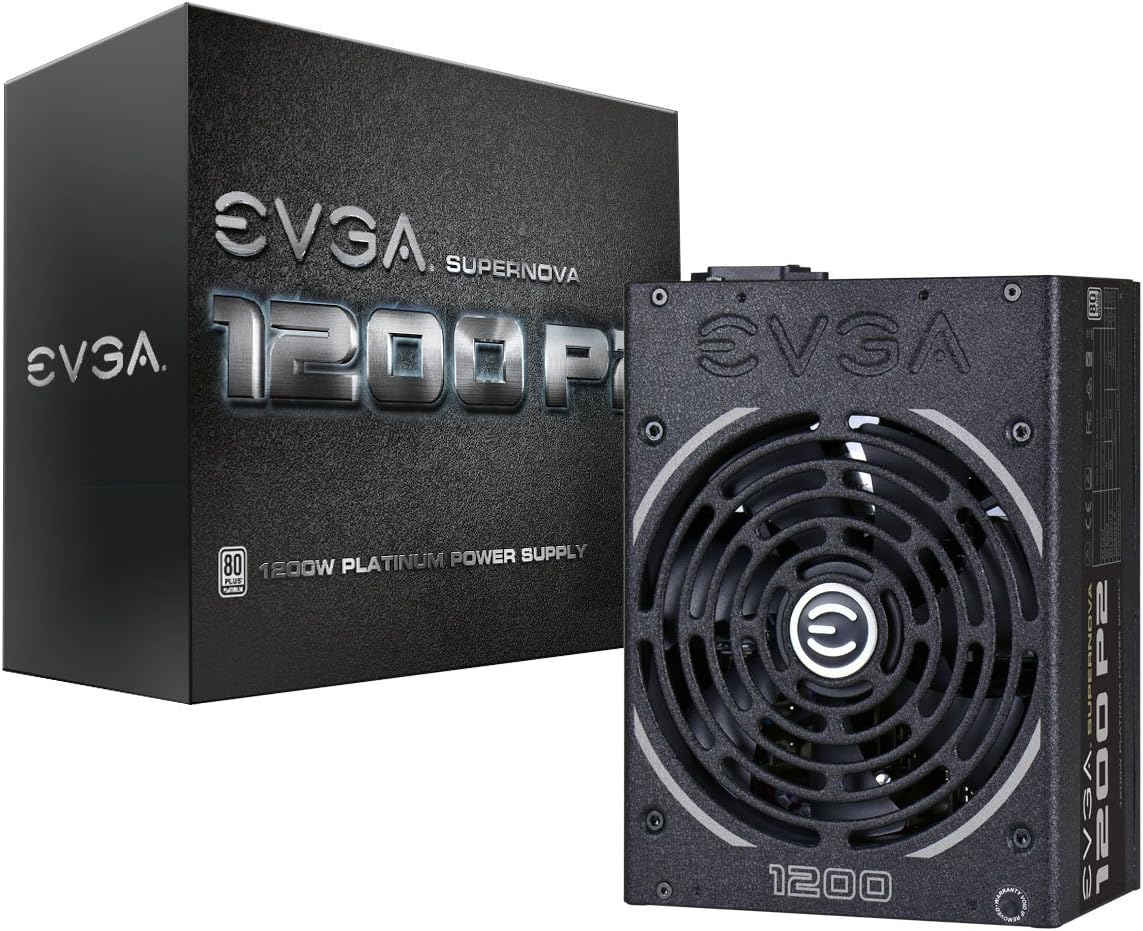
The EVGA Supernova 1200 P2 is a classic unit known for stability. It features 80 Plus Platinum efficiency and a strong warranty for peace of mind. While older, it remains a robust choice for many users.
We may earn a commission when you buy through this link, at no additional cost to you.
Its ECO mode turns off the fan under light loads for silence. The double ball bearings ensure the fan lasts for years of use. It is built for systems that need consistent power delivery.
It does not support the latest PCIe 5.1 standard natively so adapters are needed. This is a consideration for future upgrades to new graphics cards. However, current hardware works perfectly fine with it.
Select this if you want a proven workhorse for a standard build. It is reliable and efficient for most gaming or work needs. Just note the age regarding future PCIe connector standards.
Fan stops at low loads to eliminate noise completely during quiet computing tasks.
Ten year warranty provides extended protection for your investment and system.
We may earn a commission when you buy through this link, at no additional cost to you.
The CORSAIR RM1200e focuses on delivering power quietly and efficiently. It uses a special rifle bearing fan to reduce noise significantly. This makes it great for users who prioritize a silent environment.
We may earn a commission when you buy through this link, at no additional cost to you.
Its modern standby mode helps the system wake up faster. The capacitors are rated for high temperatures ensuring longevity. It meets the latest ATX 3.1 standards for future compatibility.
Some users find it lacks the digital features of the HX series. It is a more straightforward unit without extra software dependencies. The simplicity helps avoid potential software conflicts or updates.
This unit is perfect for silent gaming PCs or media centers. It delivers power without loud fan noise even under load. Choose it for a quiet and efficient computing experience.
Rifle bearing fan and optimized curves keep noise levels low during operation.
Modern standby mode ensures your PC wakes quickly from sleep to save time.
We may earn a commission when you buy through this link, at no additional cost to you.
The ASUS ROG Strix 1200W Platinum is a top-tier power supply. It uses GaN MOSFETs for better efficiency and internal cooling. This technology makes it a standout for high-end enthusiast systems.
We may earn a commission when you buy through this link, at no additional cost to you.
Its GPU-First Voltage Stabilizer ensures your graphics card gets clean power. This feature can improve stability during intense gaming sessions. It is a unique benefit that sets it apart from others.
The price is higher than most models on this list. It includes features that might not benefit average users significantly. However, for extreme performance needs it offers the best technology.
Choose this if you want the absolute best for your gaming rig. It supports future hardware demands with advanced voltage regulation. Trust it to deliver superior stability and efficiency.
GaN MOSFETs reduce internal heat for a cooler and more efficient unit.
Intelligent stabilizer protects your GPU from power fluctuations during peak loads.
We may earn a commission when you buy through this link, at no additional cost to you.
Selecting the right 1200W power supply requires understanding several key factors that impact performance and longevity. This guide breaks down the essential specifications to help you make an informed decision.
Efficiency ratings like 80 Plus Gold or Platinum indicate how much power is converted effectively. Higher ratings mean less wasted energy as heat and lower electricity bills over time.
Look for at least Gold certification to ensure energy savings. Platinum is better if you run your PC frequently under heavy loads.
New standards like ATX 3.1 and PCIe 5.1 provide better handling of power spikes. They also ensure you have the right connectors for latest graphics cards without adapters.
Always choose a unit that explicitly mentions ATX 3.1 and PCIe 5.1 readiness for future-proofing your system.
Fully modular power supplies let you plug in only the cables you need. This reduces clutter inside your case and improves airflow significantly.
Fully modular is highly recommended for clean builds. Non-modular models may leave unused cables that block airflow.
The cooling fan is crucial for temperature control. Fluid Dynamic Bearing fans are usually quieter and last longer than standard sleeve bearings.
Check for Zero RPM modes to ensure silence when the PC is idle. This feature helps keep your environment quiet.
Internal components like capacitors determine reliability. Japanese capacitors are generally preferred for their consistency and long lifespan.
Prioritize units that mention high-quality or Japanese capacitors for stable power delivery.
A longer warranty indicates the manufacturer's confidence in the product. Most high-end models come with ten years of coverage.
Always check warranty terms. Ten years is standard for premium units and protects your investment.
Look for multiple protection features such as Over Voltage or Over Current Protection. These safeguard your expensive components against power surges.
Essential protections include OVP, OCP, and Short Circuit Protection. Ensure your unit has these built-in.
Flat and flexible cables make routing easier inside your case. This is especially important for compact or large chassis designs.
Choose models with flat or braided cables that are easy to route. This improves airflow and aesthetics.
Always unplug your PC before installing or removing the power supply. Make sure you connect all necessary cables securely to the motherboard and GPU.
Avoid placing the PC in direct sunlight or hot spots. Proper airflow around the unit helps prevent overheating and prolongs its life.
Regularly check your system for dust buildup. Cleaning the fan vents helps maintain cooling performance and reduces noise over time.
Yes 1200W is generally enough for most high-end future upgrades. It supports dual GPUs or extreme single card setups. You have plenty of headroom for new generations.
ATX 3.1 helps with power spikes and connector safety. New GPUs benefit from the standard support. It ensures better stability during high-load gaming sessions.
Zero RPM mode stops the fan when the unit is cool. It keeps the PC silent during light tasks. The fan starts spinning only when it gets hot.
Japanese capacitors often offer better stability and longevity. They are common in high-quality power supplies. They help ensure consistent power delivery over time.
Use the cables provided with your PSU for best fit. Do not mix cables from different brands. Mismatched cables can cause damage to your components.
You can use adapters but native cables are safer. Native connectors reduce resistance and risk. Choose a PSU with native support if possible.
Platinum saves more energy than gold. It is worth it for systems running constantly. For gaming it helps keep the unit cooler.
A longer warranty shows quality and reliability. It protects you from repair costs. Ten years is ideal for high-end units.
We reviewed ten excellent models ranging from budget-friendly to high-end options. Each unit offers unique strengths depending on your needs and budget constraints.
Prioritize efficiency and compliance with new standards for a stable build. A quiet fan and modular cables improve your overall user experience significantly.
Prices and availability may change so always check current listings. Verify specs to ensure the unit meets your system requirements before buying.