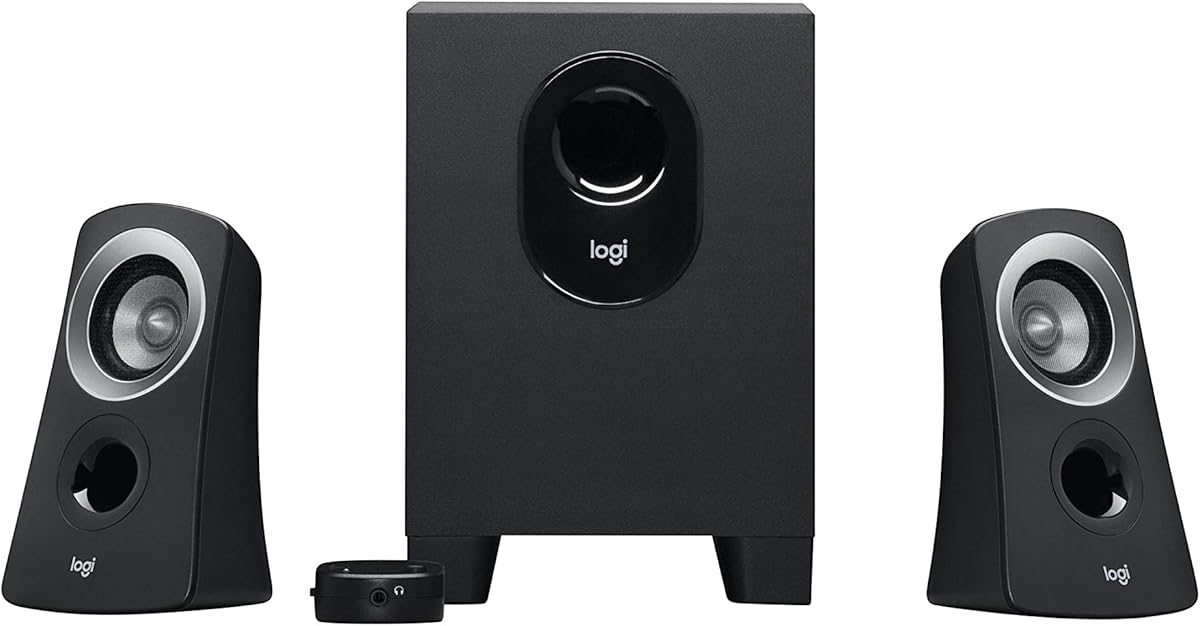
Logitech Z313
4.4Editor score
Compact subwoofer design
25 Watts RMS output
Convenient control pod included
This guide compares the best 2.1 Channel Desktop Speakers for immersive audio, evaluating sound quality, bass performance, and connectivity options.
Finding the right audio setup can transform your digital experience. A 2.1 Channel Desktop Speaker system offers a balanced mix of clear mids and deep bass. These systems are perfect for work, gaming, and entertainment on your desk.
We evaluated ten top models based on sound performance, build quality, and features. Our analysis focuses on how well each system handles music, movies, and games. We also consider connectivity options and ease of use for daily tasks.
Each pick highlights specific strengths to help you choose the right fit. Note that availability and pricing may change over time. Always check the latest details before making your final decision.
4.4Editor score

4.6Editor score
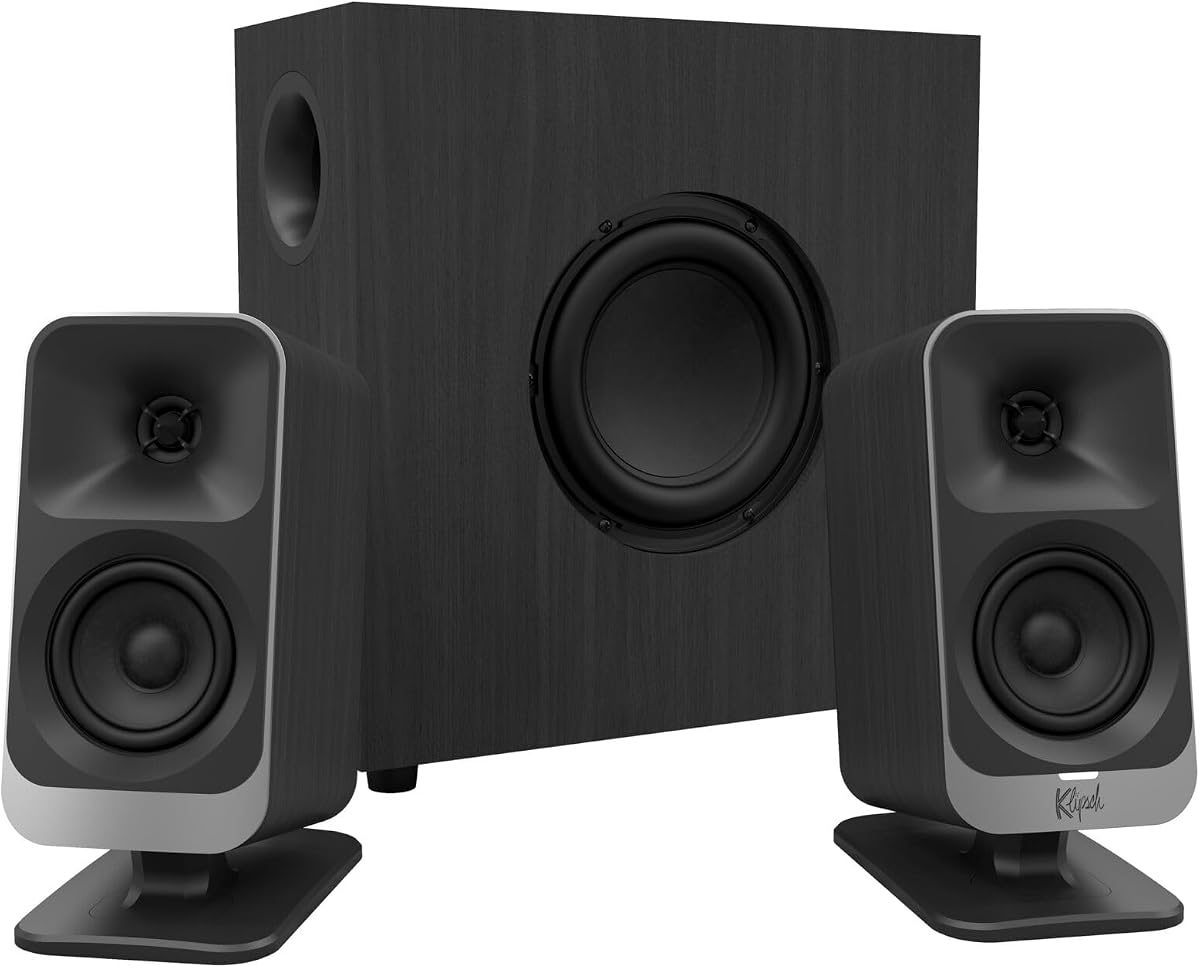
4.2Editor score
Below is a side-by-side comparison of all ten models. This view helps you quickly identify key specs and features.


The Klipsch ProMedia 2.1 stands out as a top choice for desktop audio. It combines THX certification with powerful drivers to deliver immersive sound. This system is ideal for users who value clarity and punchy bass.
We may earn a commission when you buy through this link, at no additional cost to you.
Its MicroTractrix horn technology ensures efficient sound dispersion. The 6.5-inch side-firing subwoofer provides deep, room-filling bass. You can feel the sound during movies and gaming sessions.
While powerful, the size may be a constraint for small desks. The control pod offers easy volume adjustment. This makes it user-friendly for daily use.
If you seek professional-quality audio on your desk, this system delivers. It remains a benchmark for computer speakers despite its age.
THX certification ensures the audio meets specific standards for clarity and power.
The horn design maximizes power efficiency for louder sound without distortion.
We may earn a commission when you buy through this link, at no additional cost to you.
The Logitech Z313 offers a great entry point for desktop speakers. It balances cost and performance well. This system is perfect for casual listening and general office use.
We may earn a commission when you buy through this link, at no additional cost to you.
With 25 Watts RMS output, it provides clear audio for the price. The compact subwoofer fits easily under most desks. The control pod makes volume adjustments quick and easy.
While not as powerful as premium models, it performs well for its tier. The build is functional but simple. It lacks advanced features like RGB lighting.
Choose this if you need reliable audio without breaking the bank. It is a solid choice for students or home offices.
The small subwoofer design saves valuable desk space.
The included control pod allows easy access to volume and power.
We may earn a commission when you buy through this link, at no additional cost to you.
The Klipsch ProMedia Lumina reimagines a classic design for modern desks. It features RGB lighting and versatile connectivity. This makes it a standout for gamers and creators.
We may earn a commission when you buy through this link, at no additional cost to you.
Its low-profile subwoofer minimizes floor space usage. The USB-C and Bluetooth inputs ensure easy connections. The Control app allows deep customization of sound and lighting.
The premium price may deter some buyers. However, the aesthetic and functionality justify the cost for enthusiasts. It blends style with serious audio performance.
If you want a desktop speaker that matches a gaming setup, this is ideal. It offers a unique balance of power and design.
Customizable lighting enhances your workspace aesthetics with ease.
USB-C and Bluetooth ensure seamless integration with new devices.
We may earn a commission when you buy through this link, at no additional cost to you.
The Creative Pebble X Plus is tailored for modern laptop setups. It uses USB-C for power and audio. This simplifies cabling for many users.
We may earn a commission when you buy through this link, at no additional cost to you.
RGB lighting adds a customizable touch to your desk. The wireless Bluetooth option is useful for mobile devices. The compact subwoofer keeps your workspace tidy.
Maximum power requires a higher-wattage USB adapter. This adds a step to setup. The lighting might be too bright for some environments.
This system is great for those who prioritize cable management. It offers flexibility with both wired and wireless options.
Single cable connection reduces clutter on your desk.
Bluetooth 5.3 allows easy streaming from phones and tablets.
We may earn a commission when you buy through this link, at no additional cost to you.
The Bluedee speakers offer strong performance at a reasonable price. The 80W peak power provides solid volume. DSP tuning ensures clear sound without harshness.
We may earn a commission when you buy through this link, at no additional cost to you.
Bluetooth 5.4 ensures stable wireless connections. The all-in-one knob simplifies volume and lighting adjustments. This makes daily use very intuitive.
The design is functional but lacks unique aesthetics. It is purely focused on utility. Some users might prefer more advanced sound customization.
For those seeking loud, clear audio without complexity, this is a good fit. It is a practical choice for daily work and play.
Built-in DSP reduces distortion for a smoother listening experience.
A single knob manages volume and settings effortlessly.
We may earn a commission when you buy through this link, at no additional cost to you.
The Cyber Acoustics CA-3090 is an affordable option for basic needs. It provides decent sound for casual use. The subwoofer adds depth without taking up much space.
We may earn a commission when you buy through this link, at no additional cost to you.
The control pod allows for easy volume management. Setup is straightforward with standard connections. It is a no-frills system designed for functionality.
Sound quality is average compared to higher-end models. It may lack punch for music or gaming. The build feels sturdy enough for its price.
This is a good backup or entry-level system. It suits users with minimal audio requirements on a tight budget.
Focuses on core audio tasks without extra features.
Flat panel design fits well in small offices.
We may earn a commission when you buy through this link, at no additional cost to you.
The Creative Pebble Plus eliminates the need for a wall socket. It runs entirely off USB power. This is ideal for laptops or clean desk setups.
We may earn a commission when you buy through this link, at no additional cost to you.
The 45-degree angled drivers direct sound toward you. The down-firing subwoofer adds bass depth. High Gain Mode boosts volume if you have a strong adapter.
It lacks wireless connectivity which limits flexibility. Power is modest compared to larger systems. However, it offers surprising quality for its size.
Perfect for portable setups or tight spaces. It balances convenience with decent audio performance effectively.
Power comes directly from your PC for reduced clutter.
Angled speakers aim sound directly at your listening position.
We may earn a commission when you buy through this link, at no additional cost to you.
The CA-3610 focuses on delivering powerful bass and clear mids. The 62W peak power ensures loud audio. It handles movies and music well.
We may earn a commission when you buy through this link, at no additional cost to you.
Titanium drivers provide crisp highs without distortion. The headphone jack offers privacy when needed. The subwoofer is robust for its price.
Build quality is decent but not premium. It requires a dedicated spot on your desk. The design is functional rather than stylish.
This is a solid choice for movie lovers. It offers strong performance without a high cost.
Ensures high frequency clarity across various media.
Allows private listening without disrupting others.
We may earn a commission when you buy through this link, at no additional cost to you.
The Logitech Z407 stands out with its wireless control dial. This allows easy volume changes from across the room. It brings convenience to any desktop setup.
We may earn a commission when you buy through this link, at no additional cost to you.
Bluetooth connectivity offers flexibility for phone playback. The 80W peak power delivers immersive sound. Satellite speakers can be placed vertically or horizontally.
The control dial needs battery replacements. The subwoofer is large enough to block desks. Overall, it is a versatile system.
Great for those who value convenience and wireless streaming. It balances utility with strong audio performance well.
Adjust sound without touching your computer directly.
Dual-position satellites adapt to your desk layout.
We may earn a commission when you buy through this link, at no additional cost to you.
The Logitech Z623 is a powerhouse for desktop audio. With 400 watts peak power, it fills large rooms easily. THX certification ensures high-quality audio.
We may earn a commission when you buy through this link, at no additional cost to you.
Multiple inputs allow connections for PCs and consoles. The subwoofer provides deep, resonant bass. It is perfect for media rooms.
Its size can dominate a small desk. The price is higher than basic options. But the performance justifies the investment.
Ideal for users who prioritize audio quality above space. It delivers a cinematic experience at your desk.
Delivers room-filling sound without losing clarity.
Ensures consistent audio performance across all media.
We may earn a commission when you buy through this link, at no additional cost to you.
Selecting the right speaker system involves considering several factors. This guide breaks down what to look for.
Power is measured in Watts RMS and Peak. Higher power means louder sound. Ensure the system provides clear highs and mids.
Look for speakers with good power ratings for your room size.
The subwoofer handles low-frequency bass. A good subwoofer adds depth to music and movies. Check the driver size and placement.
Choose a subwoofer that fits your space and delivers punchy bass.
Check how the speakers connect to your devices. Common options include 3.5mm AUX, USB, and Bluetooth. Multiple inputs add flexibility.
Ensure the speakers support the ports available on your computer.
Materials affect durability and sound. Look for solid construction that reduces unwanted vibrations. Design should match your desk aesthetics.
Prioritize sturdy speakers that fit your workspace style.
Controls should be accessible. Volume knobs and bass adjustments should be easy to reach. Some systems offer remote controls.
Select a system with user-friendly controls for daily adjustments.
Features like RGB lighting or wireless control add value. However, ensure they do not compromise sound quality. Consider your needs carefully.
Look for useful extras that enhance your experience without distraction.
Set a budget that matches your needs. Higher price often means better sound quality. Basic systems work well for casual use.
Balance cost with the features that matter most to you.
Place your speakers on a flat surface away from direct sunlight. Ensure the subwoofer has enough space to breathe.
Connect the audio cable securely to your computer. Use the control pod to adjust volume levels.
Clean the speakers regularly with a soft cloth. Dust can affect sound quality over time.
2.1 refers to two satellite speakers and one subwoofer. The satellites handle mids and highs while the subwoofer handles bass. This setup provides full-range sound.
Most speakers use a 3.5mm AUX cable or USB. Plug the cable into your PC's audio or USB port. Ensure the correct input is selected.
Wired connections often provide better sound quality without lag. Bluetooth offers convenience for wireless use. Choose based on your priority.
Most powered speakers have built-in amplifiers. You do not need an external one. Just plug them into a power outlet.
THX certification ensures high audio quality standards. It verifies the system meets specific performance criteria. This often translates to better sound.
Adjust the bass knob on the subwoofer or control pod. Positioning the subwoofer near a wall can enhance bass response.
Yes, many speakers have 3.5mm inputs for consoles. Just connect using an auxiliary cable. They support various devices.
Yes, a good subwoofer enhances in-game sound effects. Look for models with strong bass and clear mids. Many are designed specifically for gaming.
We reviewed ten options ranging from budget to premium. Each offers unique strengths for different needs.
Prioritize sound quality and connectivity that match your setup. Consider desk space and additional features carefully.
Check current pricing before purchase to ensure the best value.