
3DMakerpro Fox
3.2Editor score
0.07mm Accuracy
Markerless AI Tracking
Entry-Level Price
Finding the right 3D scanner can transform how you approach design manufacturing and creative projects. These devices capture real world objects into precise digital models enabling endless possibilities for prototyping and reverse engineering.
We have analyzed ten leading models based on their accuracy scanning modes and software capabilities. Our comparison focuses on performance reliability and ease of use to ensure you make an informed decision for your specific workflow needs.
Each pick showcases key strengths ideal use cases and potential limitations to guide your choice. Keep in mind that pricing and availability can shift over time so verify current details before finalizing your purchase decision.
3.2Editor score

5.0Editor score

5.0Editor score
As an Amazon Associate we earn from qualifying purchases.
The following table provides a side-by-side overview of specifications and capabilities across all ten models to help you quickly identify the device that matches your technical requirements and budget constraints.


The Creality Pika Portable stands out as a top contender for high accuracy scanning with its impressive 0.03mm precision. It combines dual laser modes with AI capabilities to offer versatile solutions for both small parts and full body scans.
We may earn a commission when you buy through this link, at no additional cost to you.
Its dual mode scanning allows switching between blue laser for fine details and NIR structured light for color texture capture. The AI features like body completion and retouchuring significantly reduce post-processing time for complex projects.
While the device is powerful users should note that advanced software features may require additional purchases. The battery life is adequate for most sessions but may need swaps during extended outdoor work.
This scanner is ideal for professionals needing precision without bulky equipment. Its balance of speed accuracy and portability makes it a strong recommendation for 3D printing and reverse engineering tasks.
Switch between 7-line blue laser for fine detail and NIR structured light for full body color scans effortlessly.
AI body completion generates full models from face scans in seconds while retouchuring maps real textures onto models.
We may earn a commission when you buy through this link, at no additional cost to you.
The 3DMakerpro Fox offers an accessible entry point for those new to 3D scanning with decent accuracy at a lower cost. It handles medium format objects well making it suitable for hobbyists and casual creators.
We may earn a commission when you buy through this link, at no additional cost to you.
Its markerless AI visual tracking allows you to relock onto scanned areas quickly without restarting the process. This feature reduces frustration during manual scanning sessions significantly.
While accurate for its class it may lack the speed and precision of higher end models. Beginners should verify its limits for professional applications before committing to purchase.
This scanner is best for budget conscious users seeking reliable performance on smaller projects. It delivers a solid foundation for learning scanning workflows without a heavy financial investment.
Designed specifically for beginners and hobbyists to deliver reliable detailed models without professional grade costs.
AI feature recognition relocks onto objects in seconds preventing data loss if you move too fast.
We may earn a commission when you buy through this link, at no additional cost to you.
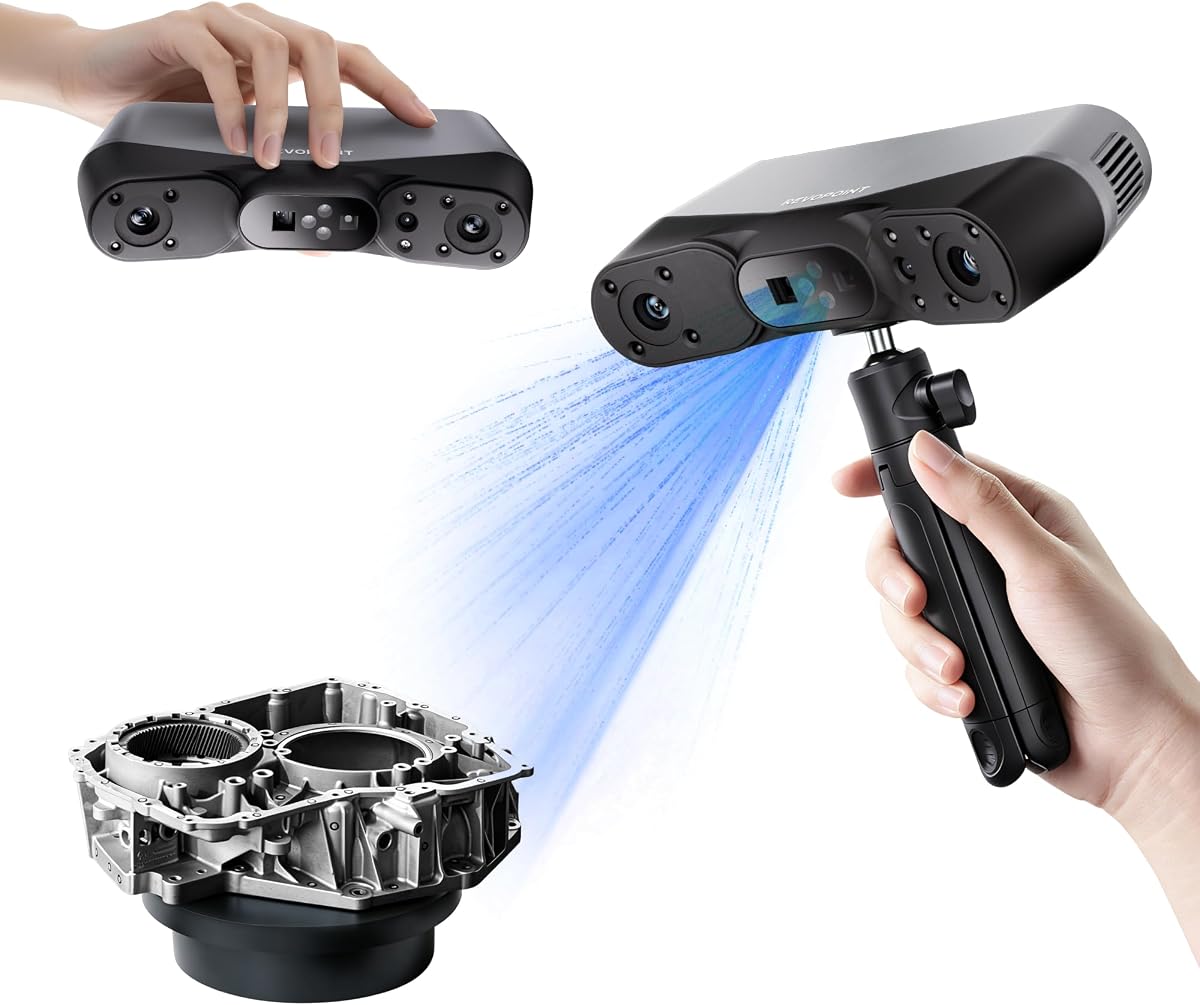
The Revopoint MetroY Ultra delivers industrial grade performance with an exceptional 0.01mm single frame precision. It is engineered for tight tolerance measurements and reverse engineering needs that demand flawless detail capture.
We may earn a commission when you buy through this link, at no additional cost to you.
Its blue laser technology allows scanning of dark and high gloss surfaces without spray. This capability streamlines workflows for inspecting sensitive components or delicate parts where contamination is a concern.
The device offers five scanning modes to handle various scenarios from deep holes to large areas. While the price is high the productivity gains from its speed and accuracy justify the cost for professionals.
Ideal for industrial inspection this scanner combines speed with precision. Its wireless features and robust software make it a complete solution for demanding technical applications.
Flawlessly capture intricate geometric details with up to 0.01mm single frame precision for strict tolerance needs.
Scan black or high-gloss industrial components directly without spray to save prep time and maintain cleanliness.
We may earn a commission when you buy through this link, at no additional cost to you.
The Revopoint POP 4 brings high frame rates to desktop scanning with 105 fps in multi-line laser mode. It is designed to capture large objects and complex scenes rapidly while maintaining industrial grade accuracy.
We may earn a commission when you buy through this link, at no additional cost to you.
AI segmentation identifies targets in one click filtering background noise automatically. This tool simplifies post-processing and ensures clean data ready for modeling without manual cleanup steps.
Users should note that full software capabilities are limited to Windows systems. The battery grip is sturdy but adds weight which might affect handheld comfort over long periods.
This scanner is perfect for users prioritizing speed and efficiency in their workflow. Its all-weather design makes it a reliable choice for outdoor fieldwork and dynamic environments.
Delivers up to 105 fps with multi-line laser for smooth uninterrupted scanning of large complex scenes.
Designed to overcome lighting challenges with stable performance up to 100000 lux ambient light outdoors.
We may earn a commission when you buy through this link, at no additional cost to you.
The Revopoint INSPIRE 2 balances portability with professional capabilities in a lightweight 190g package. It offers reliable outdoor scanning and flexible streaming for remote operations without needing a heavy rig.
We may earn a commission when you buy through this link, at no additional cost to you.
Dual scanning modules allow switching between infrared structured light and multi-line laser for different materials. The optical zoom feature helps focus on specific surface details across mixed geometry objects easily.
Software functionality remains tied to Windows which may limit Mac users significantly. While markers are not always needed they can improve accuracy for very flat surfaces.
This device fits professionals needing a travel-friendly tool for varied environments. Its zoom and wireless features make it a versatile option for field work and on-site modeling tasks.
At only 190g the aerospace-grade aluminum front panel ensures durability while remaining portable for travel.
Stream real-time PC scan visuals to phones or tablets via Wi-Fi for instant blind-spot detection.
We may earn a commission when you buy through this link, at no additional cost to you.
The Revopoint MetroX Pro excels in automated workflows with its one-click turntable scanning feature. It offers industrial precision suitable for quality inspection and complex industrial modeling with minimal manual intervention.
We may earn a commission when you buy through this link, at no additional cost to you.
Blue laser technology ensures accurate capture of dark and shiny surfaces without spray. The real-time streaming capability allows you to monitor progress remotely while freeing up your hands.
Users may find that advanced measurement software requires separate purchases. The design leans towards stationary use which limits its utility for large outdoor fieldwork.
This scanner is best for labs or studios needing high precision and automation. Its balance of speed and accuracy makes it a robust choice for industrial measurement tasks.
One-click automated scans using a dual-axis turntable capture color-accurate scans with vivid RGB camera details.
Stream your scan from PC to phone in real time via Revo Mirror to detect data gaps easily.
We may earn a commission when you buy through this link, at no additional cost to you.
The Creality Otter Lite utilizes a quad-camera system to handle a massive range from small coins to full vehicles. Its eye-safe infrared allows safe scanning of faces and bodies without protective gear.
We may earn a commission when you buy through this link, at no additional cost to you.
Advanced DOE technology concentrates light energy to capture dark and metallic surfaces without powder. True-to-life color texture captures vibrant details ideal for e-commerce and heritage preservation.
While powerful for large items outdoor use is limited compared to laser models. The optional bridge accessory adds cost but improves stability for extended sessions.
This scanner is excellent for automotive and large part inspection. Its safety features and color accuracy make it a strong choice for diverse prototyping needs.
Innovative 4-camera system with dual focal lenses allows scanning objects from 0.8 inches up to 78 inches.
Class I laser safety makes it safe for face and full-body scanning in about one minute.
We may earn a commission when you buy through this link, at no additional cost to you.
The Creality CR-Ferret SE simplifies scanning for beginners with anti-shake tracking that handles shaky hands. It offers a solid balance of speed and color capture suitable for small to medium objects.
We may earn a commission when you buy through this link, at no additional cost to you.
One-shot 3D imaging improves tracking success rates even during rapid movements. Its ability to scan black or metal objects without spray streamlines workflow for casual users.
While the accuracy is decent for hobbyists it may not meet industrial tolerance standards. Limited outdoor capability restricts its use to controlled indoor environments.
This device is ideal for hobbyists seeking ease of use. Its user-friendly features ensure smooth error-free results even for first-time scanner operators.
New one-shot 3D imaging enhances tracking efficiency and increases scan success rate with shaky hands.
Built-in 2MP high-resolution camera captures intricate details in original colors for lifelike models.
We may earn a commission when you buy through this link, at no additional cost to you.
The Creality CR-Scan Ferret Pro enhances mobility with its dedicated WiFi 6 bridge for wireless scanning. It supports iOS and Android devices making it flexible for mobile workflows without cable constraints.
We may earn a commission when you buy through this link, at no additional cost to you.
Anti-shake tracking ensures smooth scanning even with quick object shifts. The upgraded optical technology allows reliable outdoor performance up to 30000 lux ambient light.
While versatile for mobile devices it struggles with highly reflective or transparent surfaces. Users should check system requirements carefully to ensure smooth performance on their machines.
This scanner is best for users needing wireless flexibility on a budget. Its mobile compatibility makes it a practical choice for field documentation and quick asset capture tasks.
WiFi 6 technology offers speeds three times faster than WiFi 5 for stable efficient data transfer.
Ferret Pro enhances mobility with wireless scanning support for Android and iPhone 11 via dedicated bridge.
We may earn a commission when you buy through this link, at no additional cost to you.
The Revopoint MIRACO Plus offers a standalone all-in-one experience with integrated photogrammetric metrology for high resolution capture. It functions independently without needing a PC making it unique among high-end models.
We may earn a commission when you buy through this link, at no additional cost to you.
Its 2K flip screen allows real-time viewing without external devices. The 8-core processor and 32GB RAM handle massive point clouds smoothly enabling quick local processing.
While the price is high the self-contained design adds value for fieldwork. The battery supports about two hours of continuous scanning before needing a recharge.
This device is perfect for professionals needing autonomy and power. Its ability to handle both small and large objects with high accuracy makes it a robust all-in-one solution.
Efficiently capture and process scans with 8-core processor and 32GB RAM capable of capturing 10000 frames.
Includes 4 high-precision carbon fiber scale bars for high-resolution capture of small details on large objects.
We may earn a commission when you buy through this link, at no additional cost to you.
Selecting the right 3D scanner depends on your specific project requirements and technical needs. This section breaks down the key factors you should consider before making your final decision.
Accuracy refers to how close your scan is to the real object while precision refers to consistency between measurements. Industrial projects usually require 0.01mm to 0.03mm accuracy whereas hobbyist work can often manage with 0.1mm.
Always check both single-frame and volumetric accuracy metrics to ensure the device meets your tolerance requirements.
Different devices offer various scanning modes such as structured light laser or hybrid combinations. Blue laser modes are excellent for high-reflectivity surfaces while structured light handles color texture better.
Choose a device with modes that cover both small intricate parts and large surfaces if your workflow demands versatility.
The software you use to process scans is just as critical as the hardware. Look for intuitive editing tools alignment features and export formats like STL OBJ or PLY that fit your CAD workflow.
Consider if advanced features like AI hole filling or turntable automation require paid add-ons before you buy.
Handheld scanners range from ultra-light 190g units to heavier 750g devices. Weight impacts fatigue during long sessions and influences whether you can use the scanner comfortably for extended periods.
For outdoor fieldwork prioritize lightweight models with long-lasting battery grips to maintain comfort and efficiency.
Wi-Fi 6 connectivity offers faster data transfer and real-time streaming to mobile devices. This feature enhances flexibility by allowing you to monitor scans from a distance without physical cables.
Ensure the software supports your preferred operating system before relying on wireless features for production workflows.
Many scanners struggle with dark glossy or transparent surfaces unless equipped with special lasers or coatings. Models with blue laser or anti-shake technology can scan these materials without requiring messy sprays.
Verify the device can handle your most difficult materials to avoid extra preparation time and costs during scanning.
Prices range from under 300 dollars to over 1500 dollars depending on industrial-grade capabilities. Assess whether you need professional precision or just functional models for hobbyist use before committing funds.
Remember that higher upfront cost may save money long-term by reducing post-processing time and errors.
Most modern scanners offer 2 to 4 hours of battery life on a single charge. Look for quick-charge features or swappable battery designs to keep your sessions uninterrupted during critical work.
If you plan to scan large industrial objects outdoors ensure the battery capacity supports the entire process without power loss.
Calibrate your scanner regularly using the included calibration board to maintain high accuracy. This simple step ensures the software understands the lens distortions and keeps your models true to size.
Clean the lenses and optics with a soft lint-free cloth to prevent dust from interfering with light patterns. Store the device in a dry safe place away from direct sunlight to protect internal components.
Update your software firmware regularly to benefit from the latest performance improvements and bug fixes. Proper maintenance of the device and software ensures consistent results over years of professional use.
Yes many models in this guide feature blue laser or NIR technology specifically designed to scan dark or metallic surfaces without spray. Always check the specs to confirm spray-free support for your target materials before buying.
Most units support standard formats like STL OBJ PLY and ASC ensuring compatibility with major CAD tools. Check the software documentation to confirm if you need specific file types for your workflow.
Yes beginner-friendly models include AI visual tracking and guided tutorials to simplify the learning curve. Most come with intuitive software that reduces the need for complex manual adjustments during scanning.
While some processing can be done on mobile devices full workflow software usually requires a PC with decent specs. Ensure your system meets the minimum RAM and processor requirements listed by the manufacturer.
Many devices support outdoor scanning up to certain light levels like 30000 to 100000 lux. Models with strong laser modes and outdoor filters offer the best stability in bright sunlight.
Scan times vary from seconds for small parts to minutes for large objects depending on your speed and resolution settings. High frame rate devices like 90 FPS scanners reduce acquisition time significantly for detailed models.
We explored ten powerful scanners ranging from budget-friendly options to industrial-grade precision devices. Whether you need a portable unit for fieldwork or a desktop model for labs there is a fit for every skill level.
Prioritize accuracy and software compatibility over flashy features to ensure your investment supports your workflow long-term. The best device balances technical capabilities with your specific budget constraints easily.
Remember to verify current availability and pricing on official retailer sites before purchasing. Technology advances quickly so checking recent updates ensures you get the most reliable model for your needs.