
Synology DS425+
4.6Editor score
278 MB/s Transfer Speed
30 IP Camera Support
Enterprise Support Included
This guide compares the top 4 Bay NAS solutions for storage and media streaming to help you find the best private cloud system for your needs.
Finding the right 4 Bay NAS ensures your data remains secure while offering flexible storage for media and files. These devices serve as private clouds allowing you to access content anywhere without relying on third-party services.
We evaluated ten leading models based on performance, expandability, and software features. Each unit was analyzed for hardware specs, network capabilities, and ease of use to determine which offers the best value for different users.
Each pick highlights specific strengths to help you match a device to your workflow. Note that availability and pricing change frequently so verify current details before making your final purchase decision today.
4.6Editor score

4.6Editor score

4.0Editor score
This comparison table breaks down key specifications for all ten models to help you quickly identify the best fit for your storage needs.




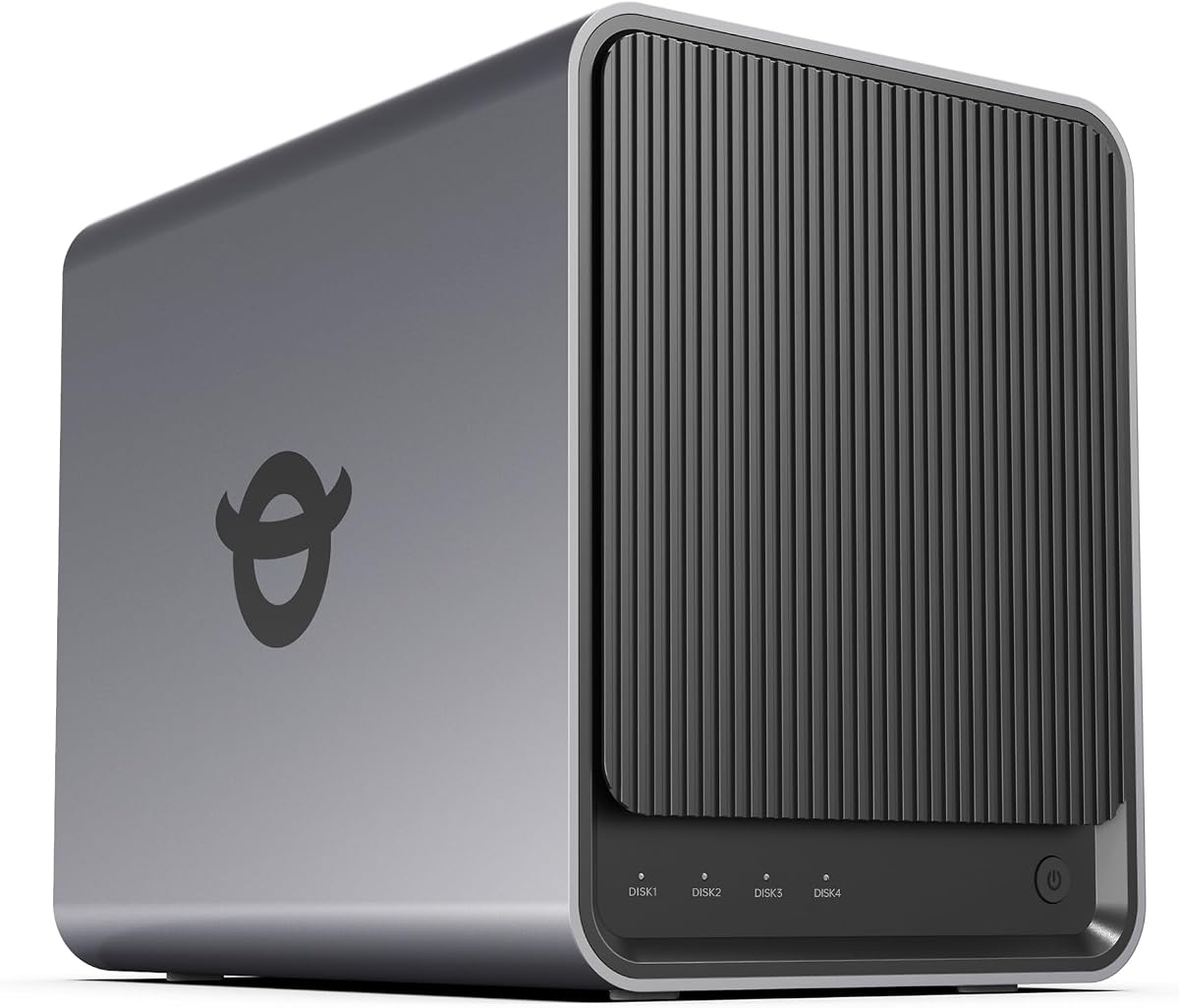


This UGREEN NAS stands out as the top choice for creators and power users seeking high performance. It carries a strong 4.6 rating and offers robust hardware that handles multitasking with ease.
We may earn a commission when you buy through this link, at no additional cost to you.
The AMD Ryzen R2514 processor paired with 8GB DDR4 RAM allows for smooth Docker apps and virtual machines. Dual 10GbE networking ensures fast file transfers and stable streaming directly from the NAS.
While the hardware is excellent, drives are sold separately which adds to the total cost. Plex setup requires Docker configuration which might be complex for beginners new to self-hosting.
Buy this if you need professional-grade speed and local control over your media and documents. It delivers reliable performance for editing and backups while keeping your data private.
Dual 10GbE ports provide up to 2.5GB/s theoretical throughput enabling faster large file transfers.
Connect IP cameras for live multi-view and event detection storing footage locally without cloud fees.
We may earn a commission when you buy through this link, at no additional cost to you.
The Synology DS425+ represents a premium option for office environments needing fast shared storage and media streaming. Its 4.6 rating reflects consistent performance and reliability for business tasks.
We may earn a commission when you buy through this link, at no additional cost to you.
Team productivity shines with 278 MB/s speeds supporting access from ten or more users. Centralized document storage ensures audit logs and access controls keep sensitive files secure.
The enterprise support and warranty add value for production critical environments. However the higher price and diskless nature mean initial setup costs can be significant for small teams.
Choose this model if you require enterprise features and guaranteed support. It is ideal for businesses needing robust data protection and fast shared access.
Share large files efficiently with concurrent access supporting teams with high collaboration needs.
Combine RAID redundancy with snapshots to prevent data loss from accidental deletion or malware.
We may earn a commission when you buy through this link, at no additional cost to you.
This Asustor model offers excellent value for home users seeking a budget friendly 4 Bay NAS. It holds a 4.0 rating and provides solid performance for basic storage needs without high costs.
We may earn a commission when you buy through this link, at no additional cost to you.
The Realtek quad-core CPU handles daily backups and media streaming efficiently. Btrfs snapshots and WORM technology protect critical data against ransomware and accidental deletion effectively.
RAM is limited to 1GB which may restrict multitasking heavy virtualization. Still for simple cloud access and media serving it delivers a reliable experience at a low price.
Buy this if you need an affordable entry into NAS storage. It is perfect for home backup and media streaming without breaking the bank.
Btrfs snapshots and WORM technology keep your files safe from malware and accidental deletions.
Smooth 4K playback supports smart TVs and entertainment systems for a great home experience.
We may earn a commission when you buy through this link, at no additional cost to you.
The TERRAMASTER F4-425 provides a balanced setup for home users needing quiet efficient storage. It achieves a 4.0 rating through reliable performance and thoughtful hardware design.
We may earn a commission when you buy through this link, at no additional cost to you.
With Intel quad-core power and 4GB RAM it handles 4K transcoding and multitasking smoothly. The 2.5GbE port ensures fast transfers while the 21dB noise level suits quiet spaces.
TRAID arrays offer 30 percent more storage than traditional RAID ensuring redundancy without complexity. However software features are basic compared to premium rivals and setup requires a PC.
Select this for a quiet reliable NAS focused on hardware value. It works well for media servers and general backups where silence matters.
Operating at just 21dB the NAS fits comfortably in bedrooms without disturbing rest.
Push-Lock trays allow installing hard drives in seconds without tools.
We may earn a commission when you buy through this link, at no additional cost to you.
This UGREEN DXP4800 Plus offers family friendly storage with fast transfer capabilities and intuitive management. Its 4.6 rating highlights ease of use and strong performance for small teams.
We may earn a commission when you buy through this link, at no additional cost to you.
Back up 1GB in less than a second using 10GbE or USB ports ensuring quick data access. The AI-powered photo album organizes images by faces and scenes automatically.
While the private cloud is secure the lack of Wi-Fi means a wired connection is required. Drives are also separate which adds to initial costs but ensures flexibility.
Buy this if you want easy access and photo management for family devices. It delivers speed and convenience without complex configuration steps.
Recognize faces and scenes to organize albums and remove duplicates automatically.
Advanced encryption and flexible permissions protect your files from unauthorized access.
We may earn a commission when you buy through this link, at no additional cost to you.
The UGREEN NAS DH4300 Plus simplifies the transition from cloud storage to local control for beginners. It maintains a 4.2 rating with straightforward setup and useful backup features.
We may earn a commission when you buy through this link, at no additional cost to you.
Smart photo backup and AI albums keep family memories organized with semantic search. NFC connectivity allows quick access via phone apps making file sharing simple.
Virtual machines are not supported limiting advanced workflows. Still the savings over ten years of cloud fees justify the cost for long term storage.
Choose this for a secure and simple home storage solution. It offers a private cloud without the monthly subscription hassles.
A one-time purchase saves thousands compared to recurring cloud storage fees over years.
Keep data locally with TRUSTe certified encryption ensuring total ownership.
We may earn a commission when you buy through this link, at no additional cost to you.
This Yxk Zero1 Pro stands out for home users wanting an affordable yet capable media and storage hub. With a 4.4 rating it balances performance and flexibility for various setups.
We may earn a commission when you buy through this link, at no additional cost to you.
The Intel N100 processor and 8GB RAM handle media libraries and app tasks well. Dual 2.5GbE ports and 4K HDMI support direct TV connections for playback.
Third-party OS installs like TrueNAS add flexibility but require manual setup. Drives are sold separately which means you must budget for hardware before use.
Buy this if you want a versatile NAS for media and light office work. It offers great value with strong cooling and expandability.
Connect via HDMI to TV for direct playback without needing a separate streaming device.
Aluminum housing with dual fans keeps components cool during heavy transfers.
We may earn a commission when you buy through this link, at no additional cost to you.
The Synology DS925+ offers robust file management and virtualization capabilities ideal for small office environments. It holds a 4.2 rating reflecting its reliability for professional workloads.
We may earn a commission when you buy through this link, at no additional cost to you.
Sequential read/write speeds reach 565 MB/s ensuring smooth file transfers for teams. Dual network ports increase redundancy and speed for shared access tasks.
While the cost is higher it includes a three-year warranty and enterprise class security. Diskless design means drives must be purchased separately but allows customization.
Choose this if you need enterprise features at a mid-range scale. It supports virtualization and security well for growing teams.
Dual 2.5GbE ports provide fast speeds and backup connections if one fails.
File management and photo tools are integrated into the system OS for simplicity.
We may earn a commission when you buy through this link, at no additional cost to you.
This Synology DS423 focuses on security and backup features ideal for families and small businesses. It earns a 4.4 rating through strong protection tools and ease of use.
We may earn a commission when you buy through this link, at no additional cost to you.
Ransomware resistant backups with immutable snapshots protect data from malware. File sharing replaces Dropbox or SharePoint with local control and granular permissions.
Camera licenses are separate adding to costs for surveillance users. Still the core security and backup tools provide peace of mind for sensitive data.
Buy this if you prioritize data protection and private access. It ensures your files stay safe from external threats and ransomware.
Versioned files and immutable snapshots prevent data loss from ransomware attacks.
Local file sharing ensures partners access files without relying on public cloud services.
We may earn a commission when you buy through this link, at no additional cost to you.
The UGREEN NAS DXP4800 Pro delivers professional performance for IT professionals and developers needing virtualization and speed. It achieves a 4.4 rating with robust hardware and security features.
We may earn a commission when you buy through this link, at no additional cost to you.
Intel Core i3 and DDR5 RAM support smooth Docker and VM work. Local AI photo processing ensures privacy while managing large libraries efficiently.
The high price and excluded drives make it an investment for power users. However the Data Vault and user permissions offer advanced security for teams.
Buy this if you need serious IT and development workflows. It provides the speed and tools for complex projects.
Comprehensive support for VMs and Docker unlocks development and smart home capabilities.
Data Vault encrypts sensitive files while permissions protect shared resources.
We may earn a commission when you buy through this link, at no additional cost to you.
Selecting the right 4 Bay NAS involves evaluating several factors to ensure it meets your specific storage and performance needs.
A faster processor like Intel Core or AMD Ryzen with at least 8GB RAM ensures smooth multitasking and Docker support. Check if RAM is expandable for future needs.
Prioritize models with upgradeable RAM if you plan to run virtual machines.
Dual 2.5GbE or 10GbE ports provide faster file transfers and better redundancy. This is critical for 4K streaming or multi-user environments.
Choose dual Ethernet ports to avoid network bottlenecks during heavy usage.
Each bay supports up to 32TB drives allowing up to 144TB raw capacity. Ensure compatibility with M.2 NVMe slots for SSD caching.
Plan for total capacity needs by calculating drives and RAID redundancy levels.
Synology offers mature OS with easy tools while UGREEN provides expandable ecosystems. Check app support for media servers and cloud sync.
Select an OS that matches your technical skill and app requirements.
Hardware-level 4K transcoding is essential for smooth Plex streaming. Look for Intel or AMD GPUs integrated into the CPU.
Ensure the NAS supports your media player protocols like DLNA.
Encryption and Btrfs snapshots protect against ransomware. Look for certifications like ETSI EN 303 645 for device security.
Prioritize models with snapshot technology to recover lost files.
Built-in surveillance centers can monitor IP cameras locally without cloud fees. Check camera limits and license costs.
Choose a NAS with native surveillance features if security is a priority.
Longer warranties like 3 years protect hardware investments. Enterprise support is vital for business environments.
Verify support availability before committing to a brand.
Begin by installing compatible hard drives into the trays ensuring they snap securely. Connect the NAS to your router via Ethernet and power it on.
Download the official mobile or desktop app to initialize the device. Create user accounts and set shared folders for your files.
Regularly update firmware and run backups to prevent data loss. Keep the unit in a cool well-ventilated space to avoid overheating.
A 4 Bay NAS provides centralized storage that can hold up to 144TB of data. It allows multiple users to access files remotely and offers better protection than external drives.
Yes most models listed are diskless meaning drives are sold separately. This allows you to choose drive speed and capacity that matches your needs.
RAID configures drives to survive failures. For example RAID 5 allows one drive to fail without data loss. Check the specs for supported RAID levels.
Yes many models support Docker apps allowing you to install Plex. Some have hardware transcoding to ensure smooth 4K streaming.
Modern NAS units include encryption and two-factor authentication. Always enable HTTPS and strong passwords to keep your private cloud secure.
Models with 10GbE ports and SSD caching like the DXP4800 Pro allow fast transfers. Use SSDs for active project files to reduce latency.
The UGREEN DXP4800 GT leads for power users with high speed and Docker support. For business reliability the Synology DS425+ offers strong enterprise features.
Prioritize your budget and technical needs when selecting a model. Consider storage capacity and software ease to avoid future upgrades.
Prices change frequently so check current deals before purchasing. Ensure your chosen model matches your network and data requirements today.