
ELEGOO 0.96 Inch OLED Display Screen Module
4.6Editor score
Self-luminous pixels
Fixed yellow-blue zones
Four-wire I2C connection
This guide compares the top Arduino LCD display modules including 1602 I2C OLED and TFT screens for makers and IoT projects in October 2026.
Arduino LCD displays are essential components for any maker looking to add visual feedback to their electronic projects. Whether you need simple text output or vibrant color graphics, choosing the right screen can make or break your build.
We compared ten highly rated display modules based on resolution, interface type, compatibility, and user feedback. Our analysis covers I2C character screens, OLED panels, and colorful TFT touch displays suitable for various skill levels.
Each pick highlights key features, pros, and cons to help you decide quickly. Remember that availability and pricing change frequently, so verify details on the product page before purchasing your next component.
4.6Editor score

4.5Editor score
3.9Editor score
The following table provides a side-by-side comparison of all ten selected display modules. Review the specifications to find the screen that best matches your project requirements and budget constraints.


The Hosyond 3-piece pack delivers a reliable 1602 LCD solution for standard Arduino projects. It scores high on usability with its pre-mounted I2C module that simplifies wiring significantly.
We may earn a commission when you buy through this link, at no additional cost to you.
Its blue backlight offers excellent readability in most environments. The independent potentiometer allows users to adjust contrast without software changes. This module supports multiple boards including Raspberry Pi and ESP32.
While it lacks graphical capabilities, the character limit is standard for this class. Some users might find the wire length short for complex breadboard setups. However, the price point justifies minor compromises.
This is the top pick for beginners needing text output. It balances cost, quality, and ease of use perfectly. For most basic sensor dashboards, this module will serve you well.
The I2C interface reduces wiring to just four pins. This saves valuable GPIO resources on smaller boards.
A built-in potentiometer lets you tweak the display visibility. No software libraries are needed for this adjustment.
We may earn a commission when you buy through this link, at no additional cost to you.
This 3-pack OLED module brings modern display tech to budget-conscious makers. The self-luminous pixels provide deep blacks and high contrast without a backlight. It is ideal for low-power projects.
We may earn a commission when you buy through this link, at no additional cost to you.
The fixed yellow and blue zones help organize information visually. You can use the yellow band for alerts and the blue for data. This design choice simplifies UI development significantly.
Users note that the modules are compact and sturdy. The included jumper wires are a nice touch for quick prototyping. Some might wish for RGB color but the fixed zones save complexity.
If you need crisp graphics at a low price, this is your choice. It is perfect for wearables or battery-powered devices. The value proposition is hard to beat in this category.
OLED screens consume less power than LCDs. This makes them great for battery-powered IoT projects.
The pre-set color zones guide your UI design. It helps keep status info distinct from data readings.
We may earn a commission when you buy through this link, at no additional cost to you.
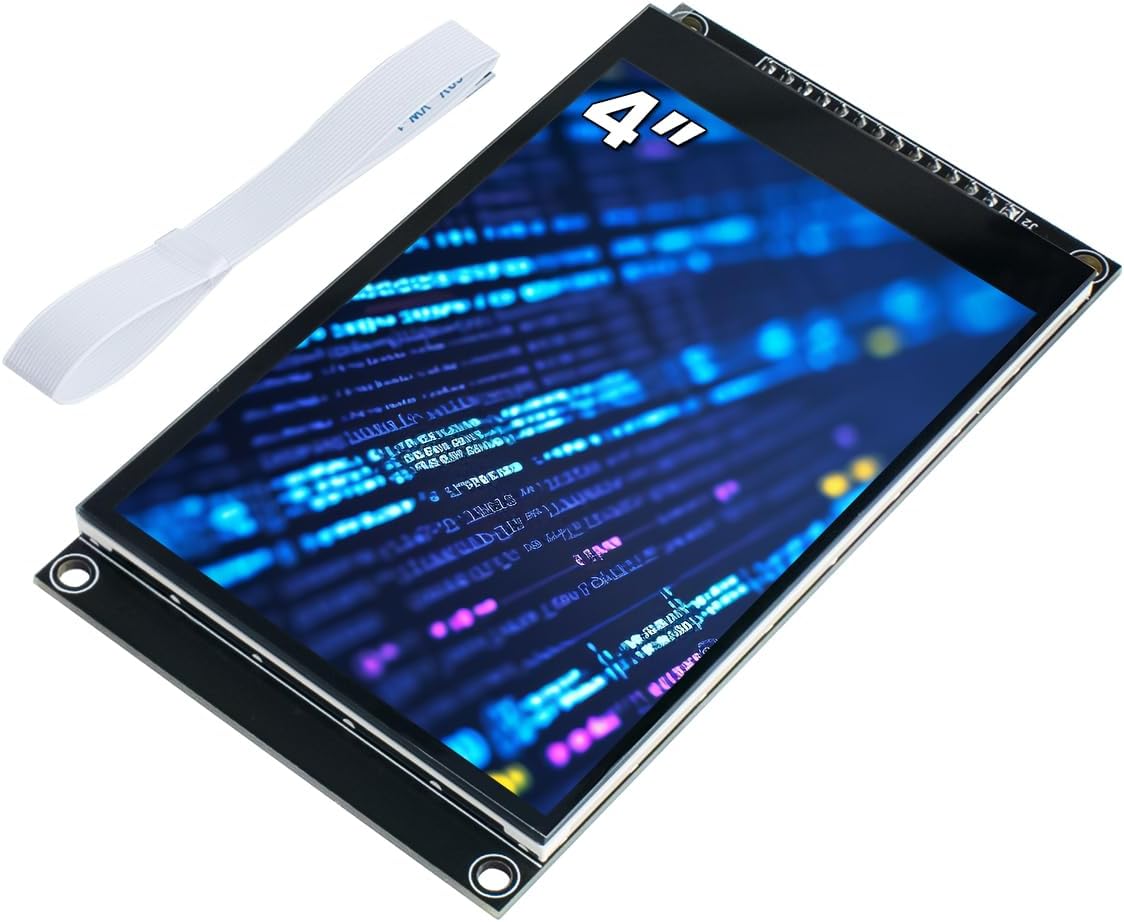
This display is a powerhouse for projects needing rich visuals. The 4-inch screen offers ample space for graphs and interactive menus. Its capacitive touch is much more responsive than resistive alternatives.
We may earn a commission when you buy through this link, at no additional cost to you.
The 320×480 resolution ensures sharp text and images. It supports SPI for fast data transfer. The onboard TF slot allows for storing assets directly on the display hardware.
While powerful, it demands more technical knowledge to integrate. You will need specific drivers and libraries. However, the end result is a professional-grade interface for your build.
Choose this if you want a smartphone-like experience. It is perfect for smart home controllers or media players. The hardware capabilities are top-tier for this price segment.
Capacitive touch works with light finger taps. This feels more natural than pressing hard on resistive screens.
The micro TF slot stores images locally. This saves flash memory on your main controller board.
We may earn a commission when you buy through this link, at no additional cost to you.
This TFT shield is designed for plug-and-play prototyping. It sits directly on your Arduino Uno for a compact setup. The 320×240 resolution is great for colorful menus and simple games.
We may earn a commission when you buy through this link, at no additional cost to you.
A unique feature is the included stylus for touch interaction. This ensures precise input without accidental taps. The SD slot allows you to store files like fonts or background images.
The resistive touch requires slight pressure which is less intuitive than capacitive. It also uses a parallel interface which occupies more pins. However, the ease of use makes up for it.
Ideal for students or hobbyists starting with graphics. The shield format simplifies wiring drastically. If you want color without complex soldering, this is a solid choice.
The shield design stacks on your Uno. It keeps your wiring neat and reduces connection errors.
The stylus ensures accurate menu selections. This helps in calibration screens and button inputs.
We may earn a commission when you buy through this link, at no additional cost to you.
GeeekPi offers a reliable option for those needing spares or dual displays. The pack includes two modules which is perfect for redundancy. The blue backlight is clear and energy-efficient.
We may earn a commission when you buy through this link, at no additional cost to you.
Each module features a potentiometer for easy manual adjustment. You can fix brightness issues without writing extra code. The small size fits well in tight enclosures for IoT devices.
It is compatible with a wide range of boards. Users often praise the stability of the I2C communication. It may lack extra features but it does the basics very well.
Buy this if you need multiple displays on one bus. The pack value is excellent for classrooms or workshops. It is a dependable choice for standard text output projects.
Get two units for the price of one. This is useful for projects needing primary and backup screens.
The trimmer allows fine-tuning contrast. It ensures readability in different lighting conditions.
We may earn a commission when you buy through this link, at no additional cost to you.
This module features a new integrated circuit design that enhances stability. The I2C interface saves ports and simplifies connections. Freenove includes example projects on their website.
We may earn a commission when you buy through this link, at no additional cost to you.
It supports mainstream controllers like Arduino and ESP32. Users find it robust against interference due to the updated board layout. The lack of a paper manual might annoy some traditionalists.
The 2-pack option offers flexibility for larger builds. Technical support is responsive if you encounter issues. It is a safe bet for standard applications needing reliability.
Choose this for projects where stability is key. The examples help you get started quickly online. It is a modern update to a classic display type.
The new circuit reduces noise issues. This ensures consistent text output over long periods.
Projects and code links are available online. Check the product box for the direct tutorial link.
We may earn a commission when you buy through this link, at no additional cost to you.
SunFounder focuses on simplicity with this module. It provides a library for direct calls in your code. The four-wire connection is straightforward for beginners.
We may earn a commission when you buy through this link, at no additional cost to you.
The potentiometer allows hardware adjustment for contrast. Users appreciate the clear labeling on the module. It supports standard Arduino and Raspberry Pi setups easily.
It lacks advanced features but delivers core performance well. The focus on ease of use makes it friendly for students. It is a solid choice for first-time makers.
If you want plug-and-play simplicity, pick this one. It reduces the learning curve for displaying text. The included library gets you running in minutes.
The I2C LCD1602 library simplifies coding. You can call functions directly without low-level management.
The setup process is minimal. It helps new users avoid common wiring mistakes.
We may earn a commission when you buy through this link, at no additional cost to you.
This 5-pack offers the best value per unit for OLED screens. Each module is bright and clear without needing a backlight. The high contrast ratio makes text easy to read.
We may earn a commission when you buy through this link, at no additional cost to you.
The SSD1306 driver is industry standard for reliability. It supports a wide voltage range from 3.3V to 5V. However, fonts are not embedded so you must generate them.
Users find it excellent for testing and bulk projects. The low power consumption is a bonus for wearables. Just be aware of the font creation requirement for custom text.
If quantity matters, this is the pick. It covers all your spare needs in one order. The performance is excellent for the small price paid.
Five units give you plenty of spares. Great for workshops where screens break often.
Users create custom fonts via software. This offers flexibility but adds a setup step.
We may earn a commission when you buy through this link, at no additional cost to you.
This 2-inch display brings high resolution to small projects. The IPS panel provides better viewing angles than standard TFT. The 240×320 resolution is sharp for compact devices.
We may earn a commission when you buy through this link, at no additional cost to you.
It uses an SPI interface to save GPIO pins. This is crucial for boards with limited ports. Users must ensure power supply matches logic levels before connecting.
The dimensions are very compact for handheld electronics. It requires minimal code to configure the ST7789V driver. It is a great step up from character displays.
Pick this if size is your main constraint. It balances detail and footprint well. Ensure you check voltage compatibility first for success.
IPS technology ensures wide viewing angles. You can see the screen from sides clearly.
The tiny size fits small gadgets. Perfect for portable devices like smartwatches.
We may earn a commission when you buy through this link, at no additional cost to you.
This 2-piece set offers a versatile display for IoT. The backlight ensures visibility in dim conditions. The pins are clearly labeled for quick setup.
We may earn a commission when you buy through this link, at no additional cost to you.
It supports both 3.3V and 5V logic levels. This makes it compatible with a vast array of boards. The vibrant colors make data visualization look professional.
The 240×320 resolution allows for detailed icons. You can create custom UIs easily on this screen. It is reliable for dashboards and handhelds.
Choose this for colorful visual feedback. The pack offers great value for testing multiple designs. It is a reliable partner for your ESP32 projects.
It works with most microcontrollers. No voltage divider is usually required for logic.
The colors are bright and distinct. This enhances the visual appeal of your project.
We may earn a commission when you buy through this link, at no additional cost to you.
Selecting the right display depends on your project needs. Consider interface, size, and resolution before buying.
Interfaces like I2C save pins while SPI offers faster refresh rates. I2C is ideal for simple text screens.
Choose I2C for easy wiring or SPI for graphical performance.
LCDs are affordable and use a backlight for visibility. OLEDs are self-luminous with better contrast and no backlight.
Opt for OLEDs to save power and improve readability.
Text projects only need 16×2 characters. Graphics projects require at least 128×64 or higher pixels.
Match resolution to your content complexity to avoid pixelation.
Small 2-inch screens fit handhelds while 4-inch screens suit dashboards. Ensure the enclosure can accommodate the chosen dimensions.
Select a size that fits your device housing comfortably.
Resistive touch uses a stylus but capacitive feels better. Touchscreens need specific libraries and more code support.
Decide if you need interactive input or static displays.
Some displays need 5V while others work at 3.3V. Check your board logic level to avoid damage.
Verify voltage specs before connecting power lines.
Standard chips like SSD1306 have many libraries available. Proprietary drivers might require custom code work.
Stick to common drivers for easier software integration.
Buying in packs often saves money and provides spares. Individual units may cost more per module.
Consider bulk packs if you build multiple projects.
Connect the four wires to ground and power. Match SDA and SCL pins for I2C modules.
Install the library in your IDE. Copy example code to test the display output.
Keep the screen clean and avoid moisture. Use a case to protect against physical shocks.
OLED screens use organic light emitters for deep blacks and low power. LCDs require a backlight to illuminate pixels. OLEDs are usually more expensive.
Yes if they support I2C with different addresses. You can change addresses via jumpers or code.
Check your power supply voltage and wiring connections. Ensure the library matches your specific driver model.
Adjust the small potentiometer on the back of the board. Turning it clockwise or counter-clockwise changes brightness.
Yes most modules are compatible with ESP32 logic levels. Verify the voltage range before connecting.
No 1602 LCDs only display 16 characters per line. For graphics use a TFT or OLED display.
We highlighted top picks like the Hosyond 1602 for value and the ELEGOO OLED for power efficiency.
Prioritize interface type and resolution to ensure your display matches your project goals.
Always verify current prices and availability on Amazon before finalizing your order.