
ASUS RT-AX1800S
4.3Editor score
WiFi 6 support
AiProtection Classic
Gigabit ports
Discover the best ASUS WiFi routers for 2026. This guide compares top models including WiFi 7 and WiFi 6 options for gaming home and business networking needs.
Finding the right wireless network starter is essential for modern homes and businesses. ASUS offers a wide range of routers supporting the latest standards like WiFi 7 and WiFi 6 to ensure fast speeds and reliable connections for all your devices.
We have carefully analyzed ten top models from ASUS based on their performance features and security capabilities. Each router was evaluated for speed coverage and ease of use to help you find the perfect fit for your specific network requirements without guesswork.
Each product review highlights key strengths potential drawbacks and ideal use cases to guide your decision. Please note that prices and availability may change over time so checking the latest offers on Amazon is recommended before making your final purchase today.
4.3Editor score

4.3Editor score
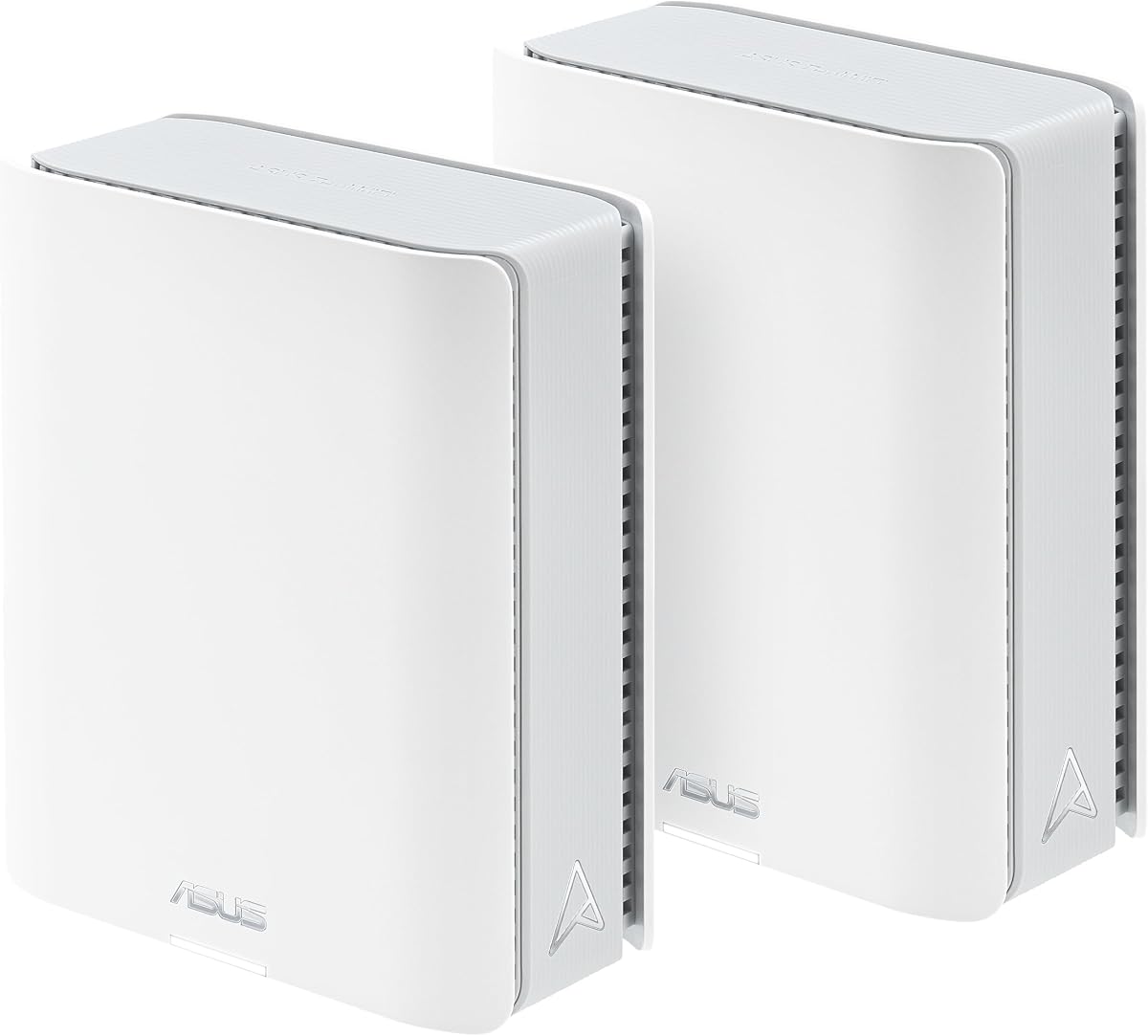
3.4Editor score
The following table provides a quick side-by-side overview of the top ten ASUS WiFi routers evaluated in this guide. Compare key specifications and features at a glance to identify which model aligns best with your networking priorities and budget constraints.
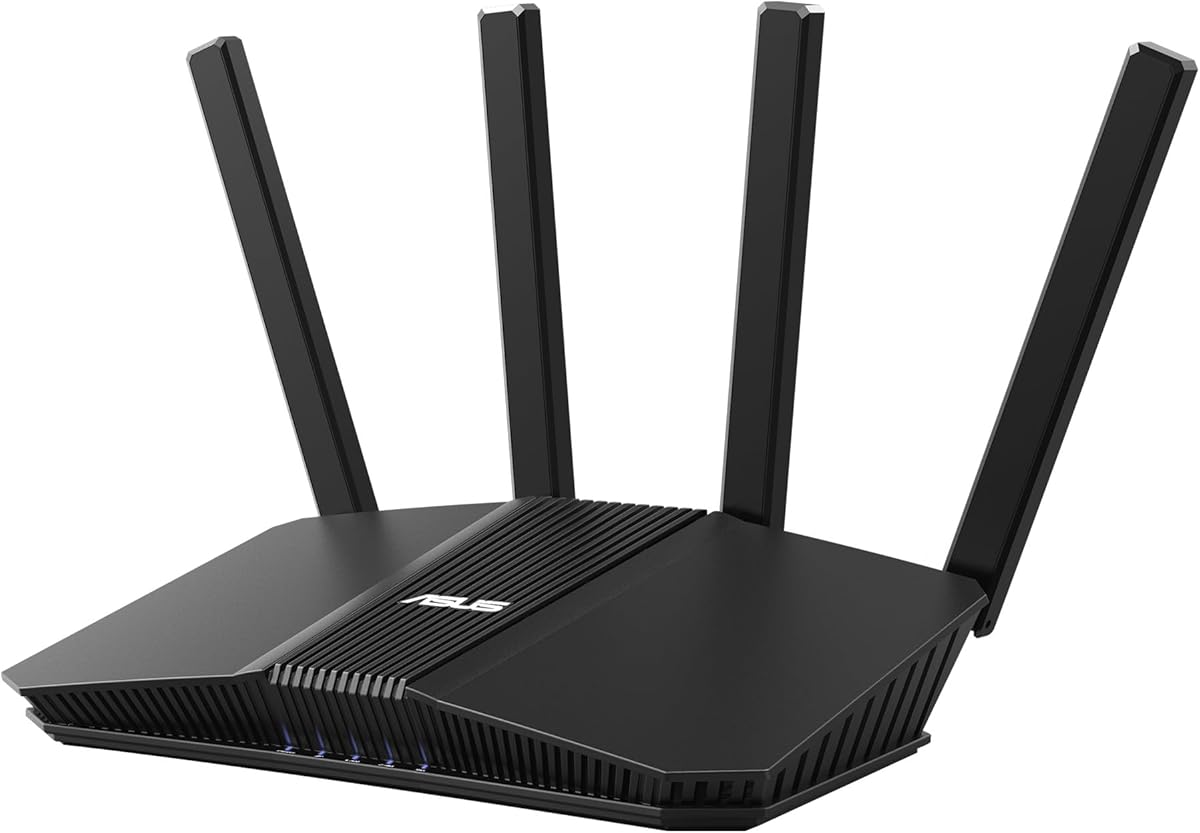



The ASUS RT-AX1800S stands out as a highly accessible option for users seeking modern WiFi 6 technology without a premium price tag. With a solid rating of 4.3 stars it delivers reliable performance for standard home networking tasks and basic gaming needs.
We may earn a commission when you buy through this link, at no additional cost to you.
This router utilizes WiFi 6 standards including MU-MIMO and OFDMA to manage multiple devices efficiently. The inclusion of AiProtection Classic powered by Trend Micro ensures commercial-grade security for your home network without requiring ongoing subscriptions.
While it lacks the ultra high speeds of newer models it provides sufficient bandwidth for streaming and remote work. The trade-off is limited physical ports and fewer high bandwidth options compared to higher end models.
This model is ideal for small to medium homes or budget conscious buyers upgrading from older routers. It offers a balanced mix of features and price making it a strong entry point into the ASUS ecosystem.
AiProtection Classic provides ongoing threat protection and parental controls without additional monthly fees.
Compatible with AiMesh allows you to expand coverage later with other ASUS routers if needed.
We may earn a commission when you buy through this link, at no additional cost to you.
The ASUS RT-BE58U represents a significant leap forward by integrating the latest WiFi 7 standard into a versatile home router. Its 4.0 rating reflects user satisfaction with the enhanced stability and speed improvements over previous generations.
We may earn a commission when you buy through this link, at no additional cost to you.
Key features include Multi-link operation which allows simultaneous connections across multiple bands for smoother data transfers. The Dual-WAN capability ensures always-on internet through AI detection and USB tethering options for mobile backup.
Users may find the initial setup slightly complex due to advanced features and the need for compatible client devices. However the long term benefits of lower latency and higher throughput justify the investment for tech enthusiasts.
This router is best suited for households with high bandwidth demands and future proofing needs. It serves as a strong bridge between current WiFi 6 setups and upcoming network requirements.
Links to multiple bands simultaneously to ensure stable internet connections and efficient data transfers.
Includes instant VPN connections and commercial-grade security to protect data on any network.
We may earn a commission when you buy through this link, at no additional cost to you.
The ROG Rapture GT-BE98 Pro is a powerhouse designed specifically for competitive gamers and power users requiring maximum throughput. With a rating of 4.3 it excels in delivering lag-free performance through its cutting-edge WiFi 7 implementation.
We may earn a commission when you buy through this link, at no additional cost to you.
Its Triple-Level Game Acceleration optimizes traffic from your PC directly to game servers for minimal latency. The dual 10G and quad 2.5G ports provide unmatched wired connectivity options for high speed NAS or gaming stations.
While the high speed is advantageous most average users may not fully utilize these capabilities. The cost and size are also considerations for those with limited space or budget constraints in their home office.
Enthusiasts building a high performance network will find this model indispensable for its speed and gaming focus. It sets a new standard for what a premium home router can achieve in terms of connectivity.
Boosts gaming traffic from your PC gaming port all the way to the game server efficiently.
Maximized flexibility with dual 10G ports and quad 2.5G ports for fast wired connections.
We may earn a commission when you buy through this link, at no additional cost to you.
The ASUS RT-BE92U delivers substantial performance gains with its tri-band design and 9.7 Gbps throughput potential. Users rate it at 4.0 due to its ability to handle heavy data loads and multiple connected devices effectively.
We may earn a commission when you buy through this link, at no additional cost to you.
Smart Home Master simplifies IoT device setup by allowing up to three SSIDs for easy management and security. The versatile WAN options including USB for mobile tethering provide reliable internet connectivity even during primary failures.
The high performance nature requires compatible devices to fully benefit from the speeds offered. Home users with older electronics might not notice significant improvements over previous WiFi 6 setups immediately.
This router is excellent for families managing many smart home devices alongside high bandwidth entertainment systems. It balances advanced features with usability to offer a robust network center for modern homes.
Establishes up to three SSIDs for easy IoT device setup and management instantly.
Always-on internet through AI WAN detection and USB port ready for mobile tethering.
We may earn a commission when you buy through this link, at no additional cost to you.
The ZenWiFi BT10 offers an impressive mesh solution with 6000 square feet of coverage across two units. While its rating is 3.4 it excels in providing extensive reach for large properties and high speed wired connections.
We may earn a commission when you buy through this link, at no additional cost to you.
Each unit features dual 10G Ethernet ports ensuring that wired connections remain fast even as wireless traffic increases. The internal antennas and front-end modules work together to eliminate dead zones throughout large home environments.
Managing a mesh system requires careful placement and initial configuration which might challenge less technical users. The investment is significant but provides a reliable network foundation for expansive residential layouts.
Large home owners with many connected devices will appreciate the consistent coverage and high bandwidth capabilities. It serves as a top tier solution for those prioritizing whole-home connectivity over cost.
Provides extensive coverage of up to 6000 sq ft ensuring no dead zones remain in large homes.
Ultrahigh-speed 10 Gigabit Ethernet with dual 10G WAN and LAN ports for fast data transfer.
We may earn a commission when you buy through this link, at no additional cost to you.
The ASUS RT-AX82U shines as a gaming router with specific optimization for mobile devices and high user ratings of 4.4. It delivers speeds up to 5400 Mbps with the latest WiFi 6 technology to support demanding apps.
We may earn a commission when you buy through this link, at no additional cost to you.
Mobile Game Mode minimizes lag and latency for mobile gaming with just a tap on the ASUS Router app. The Aura RGB lighting effects allow customization to align with specific gaming modes or personal aesthetic preferences.
As a renewed product the condition may vary but it offers significant savings over brand new units. Users should inspect the unit upon arrival to ensure all ports function correctly for their specific setup needs.
Gamers who prioritize mobile gaming performance will find this router highly effective for competitive play. It balances speed aesthetics and security to create an engaging environment for dedicated players.
Minimizes lag and latency for mobile gaming with just a tap on the ASUS Router app easily.
Create a flexible seamless whole-home mesh network with AiMesh-compatible routers for more range.
We may earn a commission when you buy through this link, at no additional cost to you.
The ZenWiFi BT8 brings WiFi 7 mesh capabilities to smaller homes with 3000 square feet of coverage in a single unit. With a 4.0 rating it offers robust performance and reliable connectivity for standard household usage scenarios.
We may earn a commission when you buy through this link, at no additional cost to you.
Seven internal antennas eliminate dead zones effectively while AI-powered Smart AiMesh ensures seamless handoffs for all devices. The IoT Network setup allows easy management of smart home gadgets without complicating the main network security.
Users may need to learn the nuances of mesh optimization to get the most out of the hardware. However the built-in protections ensure that your home remains secure from external threats automatically.
Homeowners seeking a modern mesh system that balances speed with simplicity will appreciate this model. It serves as a solid foundation for future expansions and smart home growth.
IoT Network parental controls and VPN setup are easy on multiple devices with Smart Home Master SSIDs.
24/7 end-to-end protection with commercial-grade AiProtection Pro and advanced VPNs keeps data safe.
We may earn a commission when you buy through this link, at no additional cost to you.
The RT-AX3000 offers ultra-fast WiFi 6 connectivity with a high user rating of 4.5 making it a trusted choice for many. It provides robust coverage up to 3000 sq ft with efficient device management through OFDMA technology.
We may earn a commission when you buy through this link, at no additional cost to you.
Adaptive QoS ensures that critical traffic like video calls or gaming gets priority over less important data streams. The lifetime free AiProtection Pro keeps your network safe from vulnerabilities without needing ongoing fees or subscriptions.
While it lacks the raw speed of WiFi 7 it provides more than enough bandwidth for typical modern households. The USB port allows for easy external storage sharing or printer connections within the local network.
Families and small offices need a reliable and secure network will find this model highly practical and stable. It is a proven workhorse for consistent performance over time.
Adaptive QoS prioritizes bandwidth for critical applications like gaming or video streaming automatically.
Lifetime free AiProtection Pro protects all connected devices from vulnerabilities without extra costs.
We may earn a commission when you buy through this link, at no additional cost to you.
The RT-AC68U remains a popular choice despite being an older AC model due to its consistent reliability and strong rating of 4.5. It delivers combined speeds of up to 1900 Mbps with dual band technology for stable internet access.
We may earn a commission when you buy through this link, at no additional cost to you.
Five Gigabit LAN ports offer ample connectivity for wired devices ensuring low latency for desktops and gaming consoles. The intuitive ASUSWRT web-based interface makes setup and management accessible for users of all skill levels.
While it does not support newer WiFi standards it continues to serve well in environments where basic high speed is sufficient. The commercial-grade protection provides ongoing security without extra subscription fees or management overhead.
Users needing a robust router without the complexity of modern mesh systems will appreciate this classic model. It remains a solid option for small homes or offices prioritizing stability and connectivity.
Dual-band connectivity ensures compatibility and performance with both 2.4GHz and 5GHz devices.
Effortless router setup with the ASUSWRT web-based interface and intuitive mobile app management.
We may earn a commission when you buy through this link, at no additional cost to you.
The ExpertWiFi EBR63 is designed specifically for business environments offering tools like custom guest portals and VLAN support. With a 4.2 rating it provides secure and manageable connectivity tailored for professional networking needs.
We may earn a commission when you buy through this link, at no additional cost to you.
Up to five SSIDs allow separation and prioritization of devices ensuring guest and business traffic remain secure and distinct. The all-in-one ExpertWiFi app simplifies remote management and setup for multiple locations or devices.
Home users may not require these advanced business features but may appreciate the robust security and management tools. The backup WAN option ensures continuity if the primary internet connection fails during critical operations.
Small business owners seeking a scalable and secure router solution will find this model highly effective. It offers enterprise-grade control without complex hardware requirements or high monthly fees.
Customize the SSID portal type brand name and templates to fit your business style easily.
Scalable with ExpertWiFi AIMesh and free commercial-grade security to protect your WiFi environment.
We may earn a commission when you buy through this link, at no additional cost to you.
Choosing the right router requires understanding your specific network needs and the capabilities of modern wireless standards.
Modern routers come in WiFi 6 and WiFi 7 varieties. WiFi 7 offers faster speeds and lower latency but requires compatible devices to fully utilize its benefits.
Look for models that match your current device capabilities to ensure you get the most value from your investment.
The physical size of your home dictates the router type needed. Single routers work for small spaces while mesh systems are better for larger homes requiring consistent coverage.
Check the coverage specifications like square footage to ensure the router can reach all corners of your property.
ASUS routers often include AiProtection powered by Trend Micro. This feature provides ongoing security updates and parental controls without extra monthly subscriptions.
Prioritize models with built-in security to protect your data and connected devices from external threats automatically.
Gaming and streaming devices often benefit from wired connections. Check for Gigabit or 2.5G Ethernet ports on the router to support high-speed wired networks.
Ensure there are enough ports for your essential devices to reduce reliance on wireless bandwidth where possible.
Family networks require tools to manage internet access and screen time. Look for routers with intuitive parental control apps and content filtering options.
Easy management interfaces help enforce family rules without technical complexity or constant supervision.
Investing in a router that supports future technologies extends its useful life. Mesh compatibility allows you to add nodes as your home grows or needs expand.
Selecting a scalable model ensures your network can grow with you without requiring a full replacement soon.
ASUS offers options ranging from affordable entry-level models to premium high-performance units. Determine your budget early to narrow down choices effectively.
Balance cost against essential features to find a router that meets your needs without overspending on unused capabilities.
User-friendly interfaces and mobile apps simplify installation and daily management. Complex routers might offer more features but can be difficult to configure for average users.
Choose a model with clear setup guides and app support to get online quickly and manage settings with ease.
Place the router in a central elevated location away from thick walls or interference sources to maximize signal strength and coverage throughout your space.
Regularly update the router's firmware through the web interface or mobile app to ensure you have the latest security patches and performance improvements.
Periodically reboot the device to clear memory and resolve minor connectivity issues ensuring optimal performance for all connected devices over time.
WiFi 7 routers offer significantly faster speeds and lower latency compared to WiFi 6 models. They utilize new technologies like Multi-link operation to handle more devices efficiently. However you need compatible devices to fully experience the benefits of WiFi 7.
Yes, ASUS routers include commercial-grade AiProtection Pro powered by Trend Micro. This built-in security protects against threats and vulnerabilities making them safe for sensitive activities like online banking.
Most ASUS routers support AiMesh allowing you to combine different models into one seamless network. It is recommended to use similar generations for the best performance but mixing is generally supported for expansion.
No, basic security features like AiProtection Classic are included free with the router. Some advanced features may offer subscriptions but the core protection is available at no extra cost.
WiFi 7 support is available on newer smartphones laptops and gaming consoles released recently. Check your device's specifications or system settings to confirm wireless capability standards.
For gaming, place the router close to the gaming console or PC. A wired connection is ideal but ensure the router has clear line of sight if using wireless to reduce latency.
Whether you need a budget-friendly option like the RT-AX1800S or a high-performance gaming router like the ROG Rapture GT-BE98 Pro ASUS offers a model for every network size and usage scenario.
Prioritize features like security coverage and speed based on your specific household needs to ensure you select a router that delivers consistent performance without unnecessary complexity.
Remember that prices and availability can change so verify the latest details on Amazon before making your final decision to secure the best value for your money.