
EMEET S600 4K Webcam
4.4Editor score
4K Sony sensor with PDAF
Privacy cover and rugged design
Noise-canceling microphone included
Finding the right camera for green screen streaming can transform your live content. A good model offers sharp 4K clarity, reliable auto focus, and built-in keying tools that make virtual backgrounds look professional and clean.
We evaluated ten top-rated cameras based on sensor size, green screen performance, and streaming features. Each pick delivers strong image quality, easy setup, and software support tailored for creators who need consistent results.
Every product entry shows key specs, pros, cons, and expert insights. We include pricing links so you can see current deals. Note that prices change frequently, so check the manufacturer site for the latest offer.
4.4Editor score

4.2Editor score

4.3Editor score
As an Amazon Associate we earn from qualifying purchases.
This side-by-side comparison highlights the key features, strengths, and ideal use cases for each of the ten cameras we evaluated. Use this table to quickly find the right model for your studio or home setup.



The Hollyland VenusLiv Air stands out as a top choice for creators seeking a dedicated streaming camera. It delivers sharp 4K video and features built-in green screen keying that simplifies virtual setups.
We may earn a commission when you buy through this link, at no additional cost to you.
Its 1/1.3 CMOS sensor and large F1.05 aperture capture clean images even in dim rooms. The camera also includes AI tuning for color and exposure, ensuring you look polished without manual adjustments.
While it comes at a premium cost, the ability to stream directly via UVC or HDMI without a capture card adds significant value. Some users may find the software ecosystem necessary for advanced features.
If you need reliable daily streaming with minimal post-processing, this model is a strong investment. It suits professionals who want a seamless workflow and high visual fidelity.
The VenusLiv Air uses proprietary keying to isolate you from green screens, preserving hair details and edges for a clean virtual background.
An advanced cooling system lets the camera run continuously without overheating, making it ideal for marathon streams or live events.
We may earn a commission when you buy through this link, at no additional cost to you.
The EMEET S600 offers 4K quality at an accessible price, making it ideal for budget-conscious streamers. It uses a Sony sensor to deliver clear images and includes a privacy cover.
We may earn a commission when you buy through this link, at no additional cost to you.
Its PDAF autofocus keeps you sharp during movement, and the light balance feature helps in uneven lighting. Audio is handled well by built-in mics that filter background noise.
However, it lacks native green screen keying, so you will rely on software like OBS. The 4K field of view is fixed, which may limit framing flexibility.
For those new to streaming or wanting a simple upgrade, this camera provides strong performance. It balances quality and cost better than many rivals.
Phase detection autofocus locks on quickly and stays stable, reducing blur when you move around during presentations or streams.
A physical privacy cover on the lens gives you immediate control over camera access, preventing accidental exposure when not in use.
We may earn a commission when you buy through this link, at no additional cost to you.
The Hollyland Lyra brings a large 1/1.5 sensor to webcams, capturing rich detail and natural background blur. It includes AI tools for framing and a strong green screen algorithm.
We may earn a commission when you buy through this link, at no additional cost to you.
Direct wireless mic pairing simplifies audio setups, and privacy features like a shutter add convenience. The camera excels in low light and tracks movement smoothly.
Some users may find Mac software limits certain features, and the price is steep. However, its performance and tools justify the cost for serious creators.
If you value top-tier image quality and intelligent framing, the Lyra delivers. It stands out as a premium option for advanced streaming needs.
AI tracking keeps you centered even when you move, and auto-framing adjusts composition as speakers join, ideal for dynamic content.
The Lyra cuts out backgrounds with high accuracy, preserving hair and fine details for a professional virtual set look.
We may earn a commission when you buy through this link, at no additional cost to you.
The EMEET C960 delivers a straightforward experience for video calls and streaming. It offers true 4K clarity and reliable autofocus that keeps your image steady.
We may earn a commission when you buy through this link, at no additional cost to you.
Audio is handled by dual microphones, and the privacy cover adds a layer of security. Setup is simple with plug and play across many systems.
While it lacks built-in green screen keying, it works well with external software. The price is moderate, making it a safe pick for general use.
If you need a dependable webcam for frequent calls or basic streams, the C960 fits the bill. It balances quality and simplicity effectively.
Built-in mics capture clear voice audio, reducing the need for an external mic in small or quiet environments.
It works seamlessly with Windows, macOS, and Linux, and supports major platforms like Zoom and OBS without extra drivers.
We may earn a commission when you buy through this link, at no additional cost to you.
The EMEET C60E brings a dual-camera design that lets you switch between wide and close views. This helps show details or full setups in one stream.
We may earn a commission when you buy through this link, at no additional cost to you.
Its hybrid zoom offers smooth transitions, and the RGB lighting adds a modern look. Audio is solid with omnidirectional mics built in.
Zoom works best in lower modes, and the camera lacks native green screen support. Still, the unique setup makes it stand out for product demos.
If you need to highlight items or move around during streaming, this model offers practical flexibility. It is a good choice for interactive content.
Switch between wide-angle and telephoto lenses to frame yourself or products with ease, adding variety to your stream.
Use the remote or software to adjust zoom and color on the fly, keeping your presentation smooth without interrupting the broadcast.
We may earn a commission when you buy through this link, at no additional cost to you.
The EMEET PIXY adds pan, tilt, and zoom to webcams, making it great for active presenters. It tracks your movement and offers gesture controls.
We may earn a commission when you buy through this link, at no additional cost to you.
A tripod is included, and the 3-mic array ensures clear audio. AI tracking uses multiple chips for smooth performance during motion.
Zoom and FOV shift in high modes, which may affect framing. However, the PTZ features make it a powerful tool for fitness or tutorial streams.
If you need a camera that follows you, this model excels. It suits creators who want to move freely without losing focus.
Use hand gestures to toggle tracking or zoom, reducing the need to reach for controls during live broadcasts.
Pan and tilt functions let you frame wide scenes or close-ups, adding cinematic movement to your streams.
We may earn a commission when you buy through this link, at no additional cost to you.
The Hollyland VenusLiv Air Bundle offers a complete kit for live streaming. It allows direct RTMP streaming and includes cables plus a memory card.
We may earn a commission when you buy through this link, at no additional cost to you.
It features built-in green screen tools and AI enhancements, so you can stream from the camera itself. This setup reduces hardware clutter.
While it lacks a public rating, the feature set is robust. Internet access is needed for cloud sync, which may not suit offline workflows.
If you want an all-in-one solution without relying on a PC, this bundle is appealing. It fits independent creators and event production.
Stream straight to platforms like Twitch or YouTube using built-in protocols, removing the need for a computer or capture card.
The bundle includes cables, cleaning tools, and a memory card, so you have essential items ready for your first broadcast.
We may earn a commission when you buy through this link, at no additional cost to you.
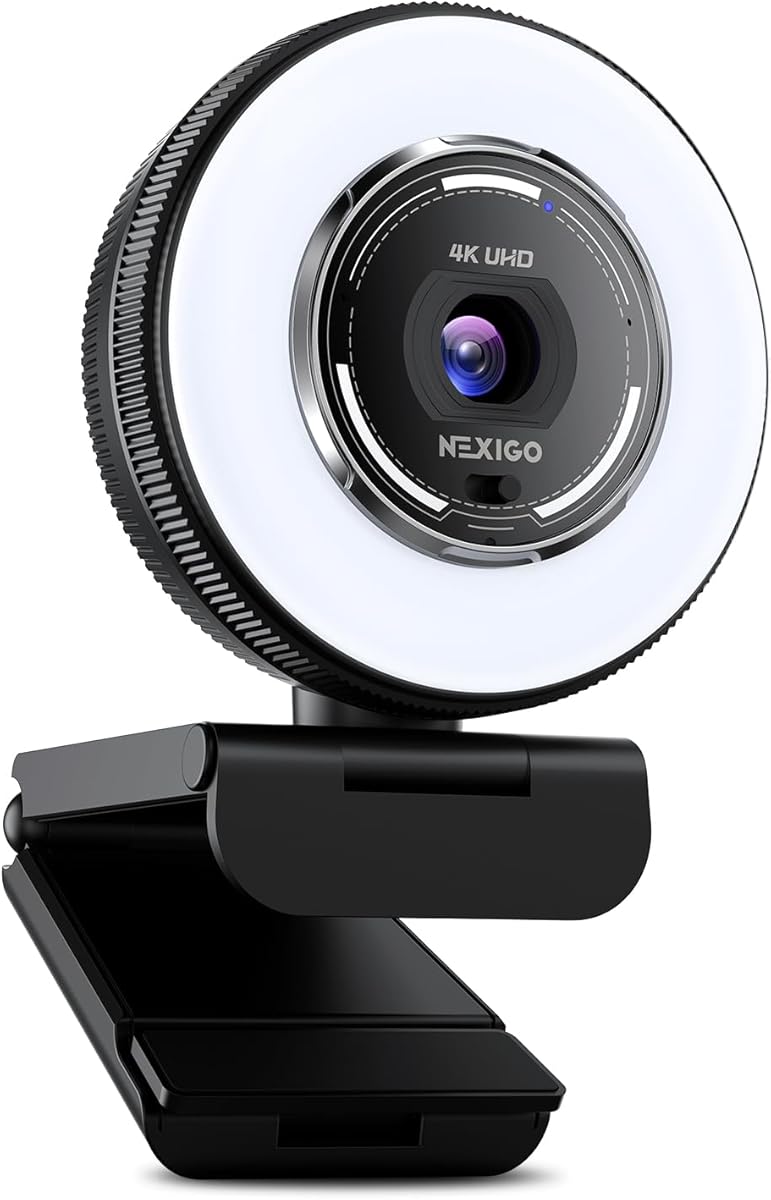
The NexiGo N680E Pro features a ring light and 4K sensor for well-lit video. Its autofocus keeps you sharp, and a privacy shutter adds convenience.
We may earn a commission when you buy through this link, at no additional cost to you.
Noise-canceling mics improve audio, and the ring light offers three color modes. Setup is easy with USB plug and play on major systems.
While it lacks built-in green screen keying, it works well with external software. The 80-degree field of view is decent for framing.
If you need good lighting and image quality for a single budget, this camera performs well. It suits creators wanting a polished look.
Adjust brightness and color temperature to match your room, ensuring your face is evenly lit without harsh shadows.
Dual microphones filter background noise, improving voice clarity for interviews, lectures, or live chats.
We may earn a commission when you buy through this link, at no additional cost to you.
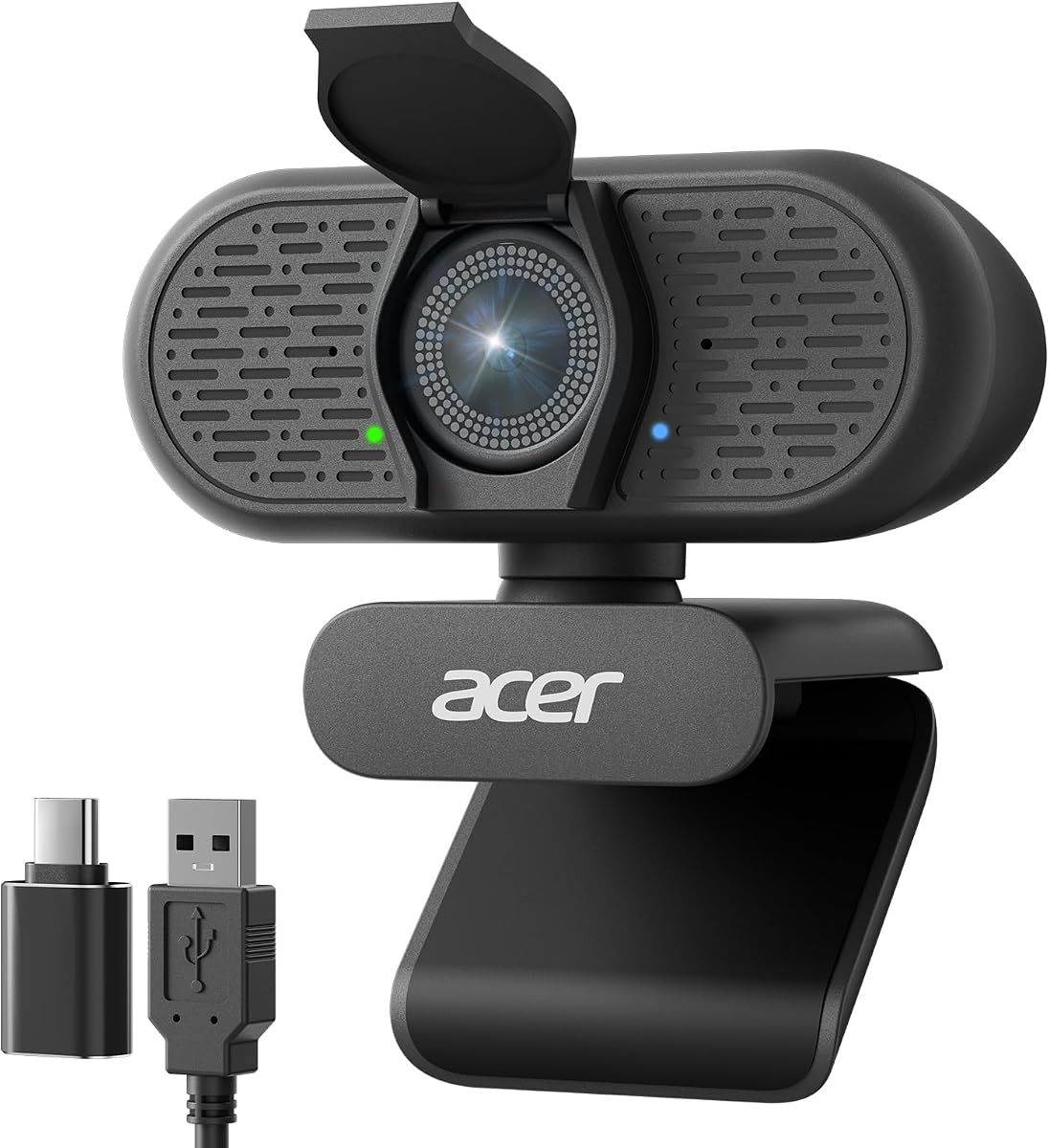
The Acer A640 provides reliable 4K video and instant focus. It uses a Sony sensor and AI to clean up audio during calls or streams.
We may earn a commission when you buy through this link, at no additional cost to you.
Its privacy shutter slides easily, and it works with most systems without drivers. Low-light correction helps maintain clarity in dim rooms.
It lacks native keying for green screens, so software is needed. Still, it offers strong basics for the price and setup ease.
If you need a dependable camera for frequent use, the A640 fits. It suits general creators who prioritize clarity and simplicity.
The webcam uses AI to filter distractions like fans or typing, so your voice stays the focus of the call.
Connect via USB and start recording or streaming immediately, with no extra software needed for basic functions.
We may earn a commission when you buy through this link, at no additional cost to you.
The OBSBOT Meet 2 is small yet capable, with a large sensor and AI framing. It tracks you smoothly and responds to hand gestures.
We may earn a commission when you buy through this link, at no additional cost to you.
Its noise-canceling mics help with audio, and the USB-C connection is convenient. Setup is quick, and the center software offers extra tools.
Gesture control is a unique plus, though full features may need software access. It is a sleek pick for mobile or small desks.
If you want a portable camera with smart framing, this model works well. It suits on-the-go creators and quick meetings.
Use simple hand signs to toggle framing or zoom, letting you adjust the view without touching a device.
At just over 40 grams, the webcam is easy to carry and fits any monitor, ideal for travel or shared desks.
We may earn a commission when you buy through this link, at no additional cost to you.
Choosing the right camera for green screen streaming depends on sensor size, software support, and streaming features. Use these factors to find a model that fits your needs and workflow.
A larger sensor captures more detail and handles low light better, which helps keying software separate you from the background. Look for 4K resolution to ensure sharp edges and clear video for your audience.
Prioritize models with at least 1/2.3 inch sensors for cleaner video and better keying results in dim or varied lighting.
Built-in chroma key or advanced software support simplifies background replacement. Cameras with AI tools reduce manual effort and preserve fine details like hair or clothing edges.
Check if the camera offers one-click keying or integrates with OBS to ensure your virtual backgrounds look professional and seamless.
Fast autofocus systems like PDAF keep you sharp during movement. AI tracking and auto-framing help maintain proper framing if you move around a set or studio.
Choose models with reliable autofocus and motion tracking to avoid blurry frames and frequent manual adjustments during live broadcasts.
Clear audio is as important as video. Built-in noise-canceling microphones reduce distractions, while support for external mics adds flexibility for professional sound.
Prioritize cameras with strong audio capture and mic compatibility to ensure your voice remains clear and focused during streams.
USB-C or HDMI outputs offer flexibility for different setups. Some cameras allow direct streaming without a PC, which simplifies workflows for on-the-go broadcasts.
Select a model that supports your preferred connection and software to minimize setup time and maximize stability during live sessions.
Cameras with built-in lights or strong low-light performance reduce the need for extra gear. Good light balance ensures even exposure and cleaner keying edges.
Look for cameras that adapt to room lighting or include adjustable lights to maintain consistent quality in varied environments.
Physical privacy shutters give you control over camera access. Models with secure connection options and local settings help protect your setup from unwanted access.
Prioritize cameras with hardware shutters and secure data practices to ensure peace of mind during daily use.
Compatibility with OBS, Zoom, or platform-specific tools expands your workflow. Good software offers controls for color, exposure, and overlays to tailor your look.
Check for cross-platform support and intuitive software to ensure your camera integrates smoothly with existing tools and streaming platforms.
Set up your green screen with even lighting and minimal wrinkles to help keying software work cleanly. Position the camera at eye level and ensure the background is a solid shade.
Install any manufacturer software or connect the camera via USB or HDMI to your streaming setup. Adjust exposure and focus to match your lighting before going live.
Clean the lens gently with a microfiber cloth and store the camera in a dry place when not in use. Regular updates to firmware help maintain performance and security.
Some cameras have built-in keying, but many require OBS or similar tools for background removal. Check each model to see what software support or native features it offers for your workflow.
Even, soft light on the background reduces shadows that can interfere with keying. Light your subject separately from the screen to create a clean, smooth edge around your shape.
Many 4K webcams support strong keying when paired with the right software. Models with larger sensors and advanced algorithms deliver results close to dedicated streaming cameras.
Use consistent lighting and avoid strong backlight that confuses auto exposure. Save camera presets for exposure and color so your look stays steady across sessions.
USB-C or HDMI offers reliable high-quality feeds. Choose a connection that matches your capture device or computer for minimal latency and maximum stability.
AI tracking keeps you centered and can simplify framing when you move. It is helpful for interactive streams, but ensure it works well with your keying software.
Green or blue screens are standard for best results. Some software supports other shades, but solid, saturated colors make it easier to isolate you from the background.
Choose models designed for extended use with good cooling. Avoid direct sunlight on the unit and take short breaks if needed to prevent performance drops.
Our top picks include the Hollyland VenusLiv Air, EMEET S600, and Hollyland Lyra. Each offers strong 4K clarity, keying support, and reliable features for creators.
Focus on sensor size, keying tools, and connection options to match your setup. Prioritize models that balance image quality with ease of use for your workflow.
Prices and availability change often, so check current listings before buying. Review the latest deals and specs to ensure you get the best value for your needs.