
Inwa Computer Speakers for Desktop PC
4.2Editor score
10 Watts Power Output
Spring Clip Mounting
USB Powered Design
This guide compares the top clip on speakers for laptop to help you find the best sound quality and space-saving design for your desktop or portable setup.
Finding the right audio solution for your laptop can transform your work and entertainment experience. Clip on speakers offer a unique blend of convenience and performance without cluttering your desk. They attach directly to your monitor or laptop screen to save valuable space while delivering superior sound.
We evaluated ten top-rated models based on sound quality, ease of installation, connectivity options, and overall value. Our analysis focuses on features like USB-C compatibility, bass response, and control interfaces to ensure you get the most versatile device for your needs.
Each pick highlights specific strengths such as budget-friendly pricing or premium audio features. Please note that prices and availability fluctuate frequently so we recommend checking current listings before making your final purchase decision for the best deal.
4.2Editor score

4.5Editor score

4.2Editor score
The following table provides a side-by-side look at the key specifications and features of each model to help you quickly identify the best fit for your specific laptop or monitor setup.


This model stands out as a top contender with its adaptive channel switching technology. It ensures that audio channels remain correctly positioned regardless of where you clamp the speaker on your monitor. The dual ultra-magnetic drivers paired with passive radiators deliver loud sound and deep bass that exceeds expectations for a clip-on device.
We may earn a commission when you buy through this link, at no additional cost to you.
The connectivity options are robust, supporting Windows, macOS, and Linux via USB with an included USB-C adapter for newer devices. Touch controls on the front allow for easy muting and volume adjustment without reaching for your computer. This makes it ideal for frequent audio adjustments during meetings or media consumption.
One potential limitation is the requirement for a functioning USB audio interface on your computer which may need driver updates. Additionally while the clip is secure it might not fit ultra-thin screens without risk. These trade-offs are minimal given the overall audio performance and feature set provided.
If you need a reliable speaker that saves desk space and offers rich audio this model is highly recommended. It suits both office environments and home entertainment setups where clarity and convenience are priorities. Check current availability to ensure the best deal.
The built-in G-sensor detects orientation to switch left and right channels automatically. This ensures accurate stereo imaging whether the speaker is clipped to the top or bottom of your monitor.
With both USB and USB-C support this speaker works with a wide range of laptops and desktops. The included adapter ensures compatibility with modern devices that lack traditional USB ports.
We may earn a commission when you buy through this link, at no additional cost to you.
OHAYO offers a compelling budget option with a high user rating and rich feature set. The G-sensor technology automatically adjusts audio channels based on clip position ensuring stereo accuracy. Bluetooth 5.3 connectivity allows for seamless wireless streaming while the built-in microphone supports clear calls up to 1.5 meters.
We may earn a commission when you buy through this link, at no additional cost to you.
The volume roller wheel provides precise control from zero to one hundred percent and supports power on off functions. RGB lighting modes add a touch of personalization to your desk setup with customizable colors and brightness. This makes it a versatile choice for both work and gaming environments.
Installation is straightforward with silicone pads that offer anti-slip grip on monitors up to one inch thick. However it is not recommended for ultra-thin laptop screens to avoid tipping. The USB power requirement ensures consistent performance without battery concerns.
This speaker is perfect for users seeking affordability without sacrificing key features like Bluetooth and lighting. It balances performance and price well for most desktop setups. Verify current stock and pricing for the best purchase opportunity.
Bluetooth 5.3 ensures stable transmission up to twenty meters for wireless convenience. The RGB system offers five modes including audio sync and system notification alerts for visual feedback.
Upgraded silicone pads provide twice the anti-slip grip for stable attachment. It fits non-curved monitors up to one inch thick and weighs less than three hundred grams to avoid strain.
We may earn a commission when you buy through this link, at no additional cost to you.
Cirqon delivers premium build quality with an innovative volume knob that controls power and volume in one easy motion. The sturdy non-slip clamp fits screen thicknesses from 0.1 to 0.98 inches securely. It connects via a single USB cable for both power and audio eliminating the need for AUX cables or software.
We may earn a commission when you buy through this link, at no additional cost to you.
The compact and lightweight design makes it easy to carry and saves valuable desk space. A 51-inch cable with cable tie helps keep your workspace neat and organized. Clear loud sound without distortion even at max volume makes it perfect for daily office needs.
While it lacks wireless features the plug-and-play simplicity is a major advantage for wired setups. Monitor audio support is required for some devices which might limit use on certain screens. These trade-offs are acceptable given the focus on simplicity and reliability.
This speaker is ideal for users who prefer minimal setup and robust physical controls. It suits office environments where cable management and space are critical. Check current listings to confirm compatibility with your monitor.
One knob controls power on off and precise volume adjustment. This allows quick access from any mounted position without complicated button sequences.
The high-quality USB-C adapter ensures compatibility with Windows Mac Android Linux and tablets. It connects via a single USB port for both power and audio seamlessly.
We may earn a commission when you buy through this link, at no additional cost to you.
This model emphasizes powerful audio with dual super-magnetic drivers and a passive radiator for deep bass. It delivers impressive stereo sound despite its compact size. The speaker clips easily to monitor edges ranging from 0.1 to 1 inch thick keeping your desktop organized and neat.
We may earn a commission when you buy through this link, at no additional cost to you.
Compatibility is broad supporting Windows macOS Chrome OS and Linux for both laptops and desktops. A built-in USB-C adapter ensures connection to devices with only USB-C ports. The lack of extra buttons means you adjust volume directly on your computer system simplifying the interface.
The reliance on system volume controls can be a drawback if you need quick physical adjustments. Also the design assumes your monitor's USB port supports audio output which is not always the case. These factors are minor compared to the overall audio quality and ease of use.
If you prefer a minimalist setup with strong audio this speaker is a solid choice. It works well for general media consumption and calls. Verify your computer's audio settings before purchasing to ensure proper function.
Dual super-magnetic drivers and passive radiator provide powerful volume and bass. This offers an incredible audio experience despite the small form factor.
The patented clamp design allows smooth placement on your desk or clip-on mounting. It fits monitor thicknesses from 0.1 to 1 inch to save desktop space.
We may earn a commission when you buy through this link, at no additional cost to you.
This speaker stands out with its unique M-Button that combines one-touch mute for quick adjustments. The intuitive tactile volume wheel provides smooth precise control faster than button-based systems on other speakers. It features both USB and Type-C plug-and-play cables for broad compatibility with PCs and mobile devices.
We may earn a commission when you buy through this link, at no additional cost to you.
The spring-loaded clip with soft silicone protection attaches securely to monitors or laptops up to 1.26 inches thick. You can also place it as a standalone desk speaker if needed. Dual high-performance drivers and a passive bass radiator deliver clear stereo audio and deep bass for immersive experiences.
While it lacks wireless connectivity the USB-powered design ensures consistent power without batteries. The Apple support is a key differentiator compared to many monitor speakers that lack iPhone compatibility. These features make it suitable for gaming and video conferences.
Ideal for users who need reliable physical controls and Apple device support. It balances build quality and versatility well. Check current availability to confirm the best deal for your setup.
The unique M-Button allows one-touch mute for fast adjustments during calls. This saves time compared to navigating system menus for muting.
Unlike many monitor speakers this model works with iPhone series and iPads. The included USB-C adapter enhances this connectivity for modern Apple devices.
We may earn a commission when you buy through this link, at no additional cost to you.
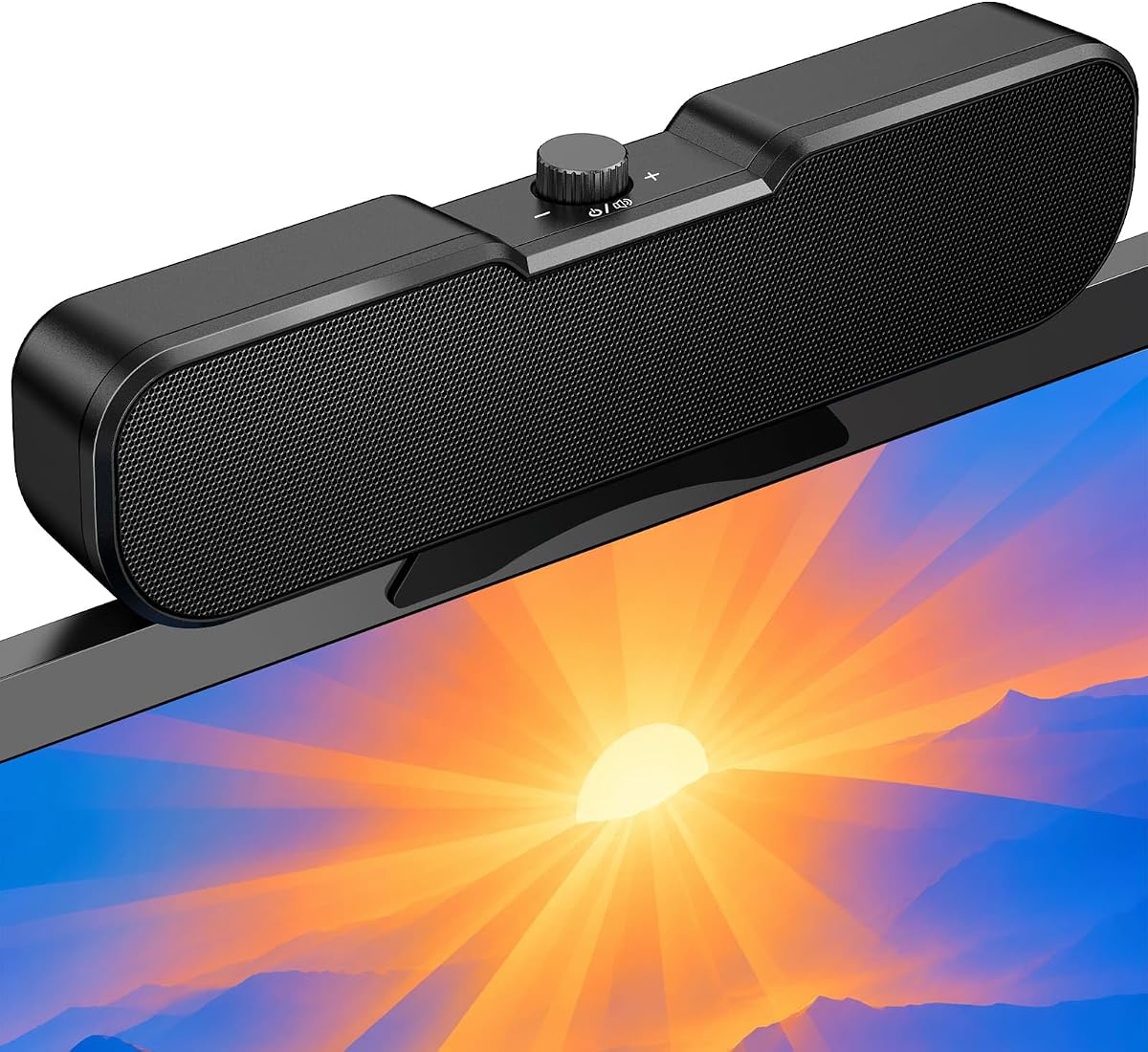
Inwa provides solid audio quality with two large speakers and a passive radiator built into the compact bar. The speaker lifts and projects sound forward for a stereo experience. A spring clip on the bottom makes it easy to attach to the top sides or bottom of your monitor.
We may earn a commission when you buy through this link, at no additional cost to you.
Three buttons on top control volume up down and mute for convenient operation. The single USB cable connects to PC or Mac for audio and power without extra software. This design helps avoid messy cables and ensures a higher quality audio experience.
The silicone pads on the clip protect your monitor well and it stands alone on the desktop if preferred. However the maximum monitor thickness of 1.18 inches may limit some setups. These trade-offs are acceptable for the price point and sound quality.
This model is great for users seeking straightforward controls and loud sound. It suits general office use and entertainment. Verify your monitor thickness before purchasing to ensure a secure fit.
The speaker bar lifts and projects sound forward for an immersive stereo experience. This design enhances clarity and directionality for better audio quality.
Buttons on top allow effortless adjustments without reaching around the device. This design supports convenient control during meetings or media viewing.
We may earn a commission when you buy through this link, at no additional cost to you.
Inwa delivers immersive audio with built-in dual 5W high-sensitive drivers that upgrade your computer's built-in sound. The ultra-narrow clip securely attaches to the top of your monitor or sits flat on your desk. An adjustable angle lets you direct sound exactly where you need it for optimal listening.
We may earn a commission when you buy through this link, at no additional cost to you.
Simple one-touch controls on the top panel manage power volume and mute for quick access. The slim profile keeps your visuals uninterrupted while enhancing audio quality. It works with a wide range of systems via USB with an included USB-C adapter for modern devices.
The reliance on USB connectivity means no wireless flexibility but ensures stable power. Some users may prefer Bluetooth for device switching but this model focuses on wired reliability. These factors align well with office and home desktop needs.
Choose this speaker if you want clear audio without complex setup. It is a reliable choice for consistent performance. Check current prices to confirm value for your budget.
The adjustable angle feature allows you to direct sound where it is most needed. This enhances listening clarity without needing to move the speaker physically.
The ultra-narrow clip stays out of your screen way for clear visuals. It adapts to various desktop thicknesses and sits flat on your desk.
We may earn a commission when you buy through this link, at no additional cost to you.
Selecting the right clip on speaker involves understanding your specific needs for connectivity sound quality and mounting style. This guide breaks down the essential factors to consider.
Most clip on speakers use USB for both power and audio ensuring plug-and-play functionality. Look for models with USB-C adapters if you have modern laptops without standard USB ports. This ensures compatibility across different operating systems and device types.
USB connectivity is standard for stability and simplicity without requiring batteries. It eliminates the need for auxiliary cables or separate power sources for your setup.
Dual drivers and passive radiators are key indicators of good bass response and overall volume. Speakers with at least 10 watts of power tend to produce clear audio even at higher volumes. Consider the frequency response range for balanced sound across music and speech.
Prioritize models with dual drivers and passive radiators for richer audio. Check power ratings to ensure adequate volume for your room size.
Clip designs vary from spring-loaded to sturdy clamps. Check the maximum monitor thickness supported to ensure a secure fit without damage. Some models offer desk placement as an alternative if clipping is not possible.
Ensure the clamp fits your monitor thickness and has protective pads. Versatile mounting options add flexibility for different setups.
Physical controls like knobs wheels or buttons offer convenience over relying solely on system volume. Some models feature touch controls or one-touch mute for quick adjustments. A volume roller wheel provides precise control which is beneficial for frequent changes.
Choose a control interface that matches your usage habits. Physical controls save time compared to software menus.
Some speakers include RGB lighting or Bluetooth for wireless streaming. These features enhance aesthetics and connectivity but may require additional power. A built-in microphone can be useful for video conferences without extra peripherals.
Consider if Bluetooth or RGB lighting aligns with your preferences. These extras can improve user experience but may add complexity.
Most speakers work with Windows macOS ChromeOS and Linux via standard drivers. Ensure the model supports your specific OS to avoid audio output issues. Some models have specific notes about monitor audio port support which is critical for function.
Verify OS compatibility and monitor audio port support before buying. This prevents setup issues after purchase.
Prices range significantly based on features like Bluetooth and RGB. Budget models offer solid basic performance while premium models add advanced control and connectivity. Determine your must-have features to find the best value.
Balance features against price to avoid overspending. Basic models suffice for simple needs while premium ones suit advanced setups.
Cable length affects placement flexibility on your desk. A standard five-foot cable may be sufficient but longer cables help with specific monitor setups. Some models include cable ties for better organization.
Check cable length to ensure it reaches your USB port comfortably. Good cable management keeps your workspace tidy.
Attach the speaker to the top or bottom of your monitor ensuring the clamp is secure. Adjust the angle to direct sound toward you for optimal listening. Plug the USB cable into an available port for power and audio.
Use the physical controls or system settings to adjust volume and mute as needed. For models with Bluetooth pair via your device settings for wireless audio. Regularly clean the silicone pads to maintain grip and protect your monitor.
Store the speaker in a dry place when not in use to avoid damage. If traveling use the provided cable tie to manage wires neatly. Check for driver updates on your computer to ensure audio compatibility.
Most clip on speakers draw power directly from the USB port of your computer. This eliminates the need for batteries or external power adapters. Ensure your USB port supports audio output for proper function.
Many models include a USB-C adapter for compatibility with MacBooks and other USB-C devices. Check the product description to confirm specific support. Some speakers work directly with macOS without extra drivers.
Check your computer's audio settings to see if the monitor USB port is recognized as a playback device. Some monitors pass audio through USB while others do not. Consult your monitor manual for details.
Most models are designed for monitors and may not fit ultra-thin laptop screens. Using them on laptops could risk tipping or damage. Check the maximum monitor thickness before attaching.
Some models offer Bluetooth connectivity for wireless streaming in addition to USB. Check the product features to confirm Bluetooth support. Most rely on USB for primary function.
Wipe the silicone pads with a soft dry cloth to maintain grip and protect your monitor. Avoid using harsh chemicals that could damage the materials. Regular cleaning ensures a secure fit over time.
Yes many models deliver clear sound and bass suitable for gaming. Look for speakers with low latency and sufficient volume for immersive experiences. Some include RGB lighting for gaming aesthetics.
We have reviewed ten top clip on speakers for laptop and desktop monitors to help you find the right audio solution. Our top picks include models with adaptive channel switching strong bass response and versatile connectivity options.
When choosing prioritize features that match your usage such as Bluetooth or physical controls. Consider your monitor thickness and USB port availability to ensure compatibility. The right speaker enhances both work and entertainment significantly.
Prices and availability change so verify current listings before purchase. This guide aims to simplify your decision with key details. Check the latest deals to get the best value today.