
VEVOR 45W CO2 Laser Engraver
5.0Editor score
45W laser power output
12 x 8 inch work area
Compatible with LightBurn software
Finding the right CO2 Laser Engraver can transform your creative projects into professional results. These machines offer precision cutting and engraving for various non-metal materials like wood and acrylic.
We evaluated each model based on power output, work area size, software compatibility, and safety features. Our analysis focuses on real-world performance and user reliability across different budgets and use cases.
Each pick highlights unique strengths to match your specific workflow requirements. Please note that prices and availability change frequently, so verify current details before making your final purchase decision.
5.0Editor score

4.4Editor score

4.5Editor score
As an Amazon Associate we earn from qualifying purchases.
Explore the side-by-side comparison of the top ten CO2 Laser Engraver models available this year. Each entry details critical specifications to help you understand the differences in power, size, and features.



The VEVOR 45W CO2 Laser Engraver stands out as a top choice for budget-conscious makers. It earns a perfect 5.0 rating for delivering reliable performance without a high price tag.
We may earn a commission when you buy through this link, at no additional cost to you.
Its 45W laser power cuts through acrylic and wood efficiently. The machine supports Windows and macOS and integrates well with LightBurn and CorelDRAW for design workflows.
While the work area is limited to 12 by 8 inches it is ideal for small projects. Manual focusing requires attention but offers precise control over the focal point.
This model is perfect for hobbyists creating phone cases or coasters. Its reliability and ease of use make it a strong recommendation for starting with laser engraving.
The air assist system keeps dust and smoke clear for cleaner cuts. This feature extends the lens life and ensures consistent engraving results.
Users can connect via USB and use familiar design tools. Compatibility with GRBL and AutoCAD opens up many creative possibilities.
We may earn a commission when you buy through this link, at no additional cost to you.
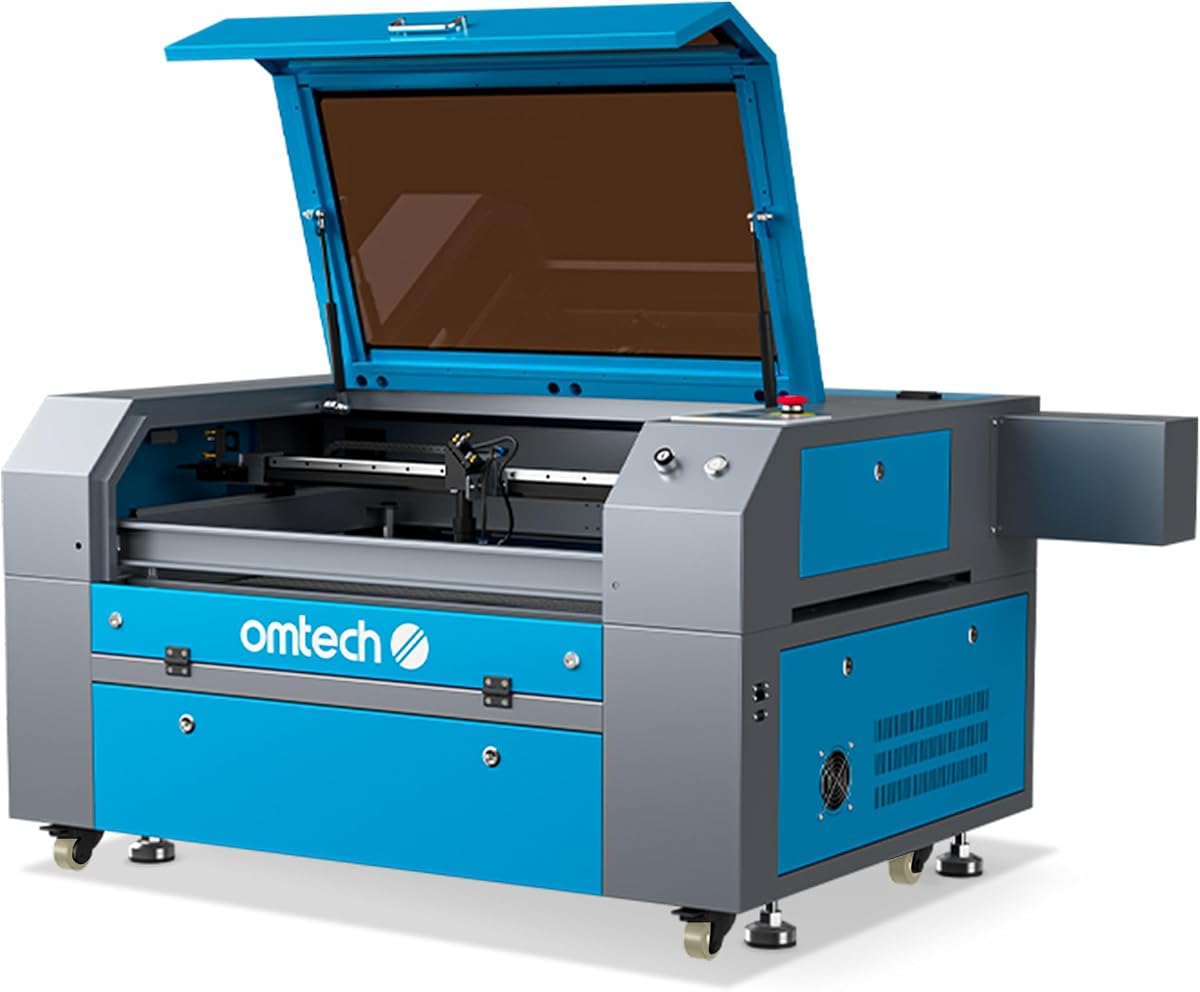
The OMTech K40+ brings robust features to desktop laser engraving. With a 4.4 rating it balances performance and affordability for small businesses.
We may earn a commission when you buy through this link, at no additional cost to you.
Upgraded to 45W it handles thicker wood and acrylic better than standard K40 units. The 12 by 8 inch workspace fits most standard DIY needs comfortably.
Air assist adjustments reduce carbonization and fire risks during high power cutting. Safety interlocks and flame-retardant panels protect the user during operation.
This machine is ideal for users needing professional results without industrial costs. Reliable support makes it a dependable choice for daily production.
The upgraded tube increases depth by up to 20 percent. This allows for more varied material thicknesses in a single pass.
Door protection and emergency stops provide peace of mind. These features ensure the laser stops immediately if the lid is opened.
We may earn a commission when you buy through this link, at no additional cost to you.
The OMTech Maker 60W is a significant step up for serious creators. It offers a large workspace and automatic focusing to streamline workflow efficiency.
We may earn a commission when you buy through this link, at no additional cost to you.
The 20 by 28 inch honeycomb bed accommodates larger projects like furniture parts. Autofocus saves time by adjusting the workbed to the perfect focal distance automatically.
Air assist and water chillers ensure consistent performance over long runs. Safety features like flame-retardant materials keep the environment secure during operation.
This bundle is perfect for small businesses needing larger throughput. Its ease of use and power make it a strong contender for professional applications.
Autofocus removes the need for manual adjustments. This ensures precise results every time without user intervention.
Pass-through doors allow long objects to be cut seamlessly. This flexibility is crucial for larger scale or custom furniture projects.
We may earn a commission when you buy through this link, at no additional cost to you.
The OMTech Maker 90W delivers industrial strength for serious engraving tasks. It supports deep cuts in wood and fast engraving speeds for bulk orders.
We may earn a commission when you buy through this link, at no additional cost to you.
Its 90W power tube offers up to 12000 hours of operation. The 28 by 20 inch workspace provides ample room for large custom projects.
Safety is maintained with automatic interlocks that shut off the laser when opened. Air assist keeps the workspace clean and protects optical components.
This machine suits professional shops needing reliability and power. Its design prioritizes long-term durability and user safety in high-volume settings.
The 90W laser cuts through thick materials with ease. This power translates to faster job completion times.
Automatic interlocks prevent accidental operation. This critical feature ensures the laser stops if the safety cover is lifted.
We may earn a commission when you buy through this link, at no additional cost to you.
The xTool P3 redefines desktop laser cutting with intelligent automation. It offers a Class 1 safety rating and powerful 80W cutting performance.
We may earn a commission when you buy through this link, at no additional cost to you.
Its dual HD cameras and LiDAR ensure perfect alignment and autofocus. The 36 by 18 inch workspace handles large projects without moving materials manually.
AI nesting and conveyor feeders support high-volume production efficiently. The enclosed design protects users and keeps the workspace clean from debris.
This is the ultimate tool for professional shops scaling production. Its safety and automation features justify the premium cost for businesses.
Place and go workflow simplifies complex jobs. LiDAR ranging ensures consistent results across multiple runs.
Class 1 design encloses the laser beam completely. This prevents exposure and meets strict safety regulations.
We may earn a commission when you buy through this link, at no additional cost to you.
The OMTech K40+ continues to be a popular choice for makers. It offers reliable performance with a 4.5 rating and solid support infrastructure.
We may earn a commission when you buy through this link, at no additional cost to you.
With 45W power and high exhaust fans it handles smoke effectively. The honeycomb bed supports flat items well and prevents burning.
Air assist reduces fire risks during cutting by clearing debris. Safety features include water protection and emergency stop functions.
This machine suits users needing consistent results for small items. Its support network makes it a safe choice for beginners.
High-speed exhaust fans clear smoke quickly. This keeps the workspace clean and improves visibility.
Compatible with both LightBurn and LaserGRBL. This allows users to choose their preferred workflow.
We may earn a commission when you buy through this link, at no additional cost to you.
The OMTech Pronto 100W is built for speed and volume. Its 100W tube cuts fast and features a massive 40 by 24 inch workspace.
We may earn a commission when you buy through this link, at no additional cost to you.
Speeds reach 1000 mm/s allowing bulk projects to be completed quickly. The autofocus technology simplifies setup for thick or uneven materials.
Safety is enhanced with temperature alarms and water protection. A powerful air pump ensures clean cuts without burn marks.
This model is ideal for high-throughput workshops. It balances power and speed to maximize production efficiency effectively.
Engraving speeds boost productivity significantly. This speed reduces idle time between jobs.
The spacious bed accommodates large custom items. Pass-through doors allow longer stock to run through.
We may earn a commission when you buy through this link, at no additional cost to you.
The OMTech Maker 90W offers a robust solution for commercial use. It receives a 5.0 rating for consistent performance and quality components.
We may earn a commission when you buy through this link, at no additional cost to you.
The Yongli H2 tube ensures long life and stable output. The water chiller keeps the laser cool during extended work sessions.
Safety interlocks cut the laser if the window is opened. This prevents accidental exposure to the beam during maintenance.
This model is perfect for shops prioritizing safety and speed. The included software simplifies workflow from design to cut.
The Yongli H2 tube delivers consistent power. This stability is crucial for professional quality engraving.
Water chillers prevent overheating. This extends the life of the tube and maintains precision.
We may earn a commission when you buy through this link, at no additional cost to you.
The OMTech 100W engraver is designed for high capacity work. It features instant autofocus to streamline setup times significantly.
We may earn a commission when you buy through this link, at no additional cost to you.
With speeds up to 1000 mm/s it handles bulk orders efficiently. The V-wheel guide rails ensure steady movement without misalignment.
Sensors monitor air pressure and temperature for safe operation. The turbo exhaust fan keeps debris and smoke under control.
This machine suits professionals requiring speed and precision. Its stability ensures consistent quality across multiple production runs.
Stepper motors provide precise positioning. This ensures every engraving comes out clean and professional.
Sensors pause operation if needed. This protects both the machine and the operator from hazards.
We may earn a commission when you buy through this link, at no additional cost to you.
The OMTech Maker 90W offers durable performance for varied materials. It features powerful cutting and engraving up to 0.4 inches deep.
We may earn a commission when you buy through this link, at no additional cost to you.
The 28 by 20 inch workspace handles large projects. Air assist keeps the work area free of smoke and dust effectively.
Global support and local demos provide confidence for buyers. The interlock system ensures safety by shutting off the beam when opened.
This model is a great fit for expanding workshops. Its balance of power and workspace makes it a reliable investment.
Power allows cutting through thicker materials. This flexibility supports diverse project requirements.
24/7 support assists with technical guidance. This ensures help is available when needed.
We may earn a commission when you buy through this link, at no additional cost to you.
Selecting the right CO2 Laser Engraver requires understanding your specific needs. We break down the most critical factors to help you make an informed decision.
Laser power determines how fast and deep you can cut materials. Higher wattage like 90W or 100W is necessary for thick acrylic and wood. For small projects, 45W may suffice but limits speed.
Choose power based on your target material thickness and production volume.
The bed size dictates what materials fit on the machine. Smaller 12×8 inch beds are great for jewelry and coasters. Larger 28×20 inch beds accommodate furniture parts.
Ensure the bed matches the typical size of your projects.
Software compatibility ensures you can control the machine effectively. Look for machines that work with LightBurn or RDWorks. Open protocols allow for greater design flexibility.
Check that the software supports your operating system and design formats.
Safety features are critical to prevent accidents and fire risks. Look for flame-retardant windows, emergency stops, and interlocks. Proper ventilation and air assist reduce smoke hazards.
Prioritize models with comprehensive safety systems and certifications.
Cooling systems maintain the laser tube temperature during use. Water pumps or chillers are essential for long runs. Overheating can reduce tube life and accuracy.
Select a machine with robust cooling for consistent performance.
Strong support helps you troubleshoot issues quickly. Look for global support and clear warranty terms. Local demos and active communities add value to the purchase.
Verify that the manufacturer offers reliable technical assistance.
Automation like autofocus and cameras simplifies setup. These features reduce manual errors and increase speed. Higher-end models often include smart sensors and AI.
Consider automation if you want to streamline your workflow.
Confirm the machine handles your target materials. CO2 lasers work well with wood, acrylic, and leather but not bare metals. Check the recommended thickness for optimal results.
Ensure the laser type matches your specific project requirements.
Always start by checking safety interlocks and ventilation systems. Ensure the laser lens is clean and properly focused before any operation to avoid material damage.
Regularly clean the air assist nozzle and exhaust fan to prevent dust buildup. Wipe the mirror and lens gently with a soft cloth to maintain clarity.
Monitor water levels in the chiller daily and replace coolant periodically. This prevents overheating and extends the lifespan of the laser tube significantly.
Standard CO2 lasers cannot cut bare metals but can mark coated metals. For metal cutting, a fiber laser is typically required. You may need to use a spray to make metal visible to the beam.
A CO2 laser tube generally lasts between 8000 to 12000 hours. Proper cooling and usage at moderate power levels extend this lifespan. Avoid running the laser at full power continuously to prevent burnout.
Yes, adequate ventilation is crucial to remove smoke and fumes. Many machines include exhaust fans but external systems help further. Proper airflow protects your lungs and prevents fire hazards in the workspace.
Safe materials include wood, acrylic, leather, and glass. Avoid cutting PVC or vinyl as it releases toxic chlorine gas. Always check material safety data sheets before engraving new substances.
LightBurn is popular for its intuitive interface and compatibility. RDWorks is also common for machines with Ruida controllers. Choose software that supports your design file types and hardware.
Use a soft cloth and lens cleaning solution to wipe the glass. Avoid touching the glass with bare hands to prevent oil transfer. Clean regularly to maintain beam focus and power efficiency.
The VEVOR and OMTech K40+ models offer great entry points for beginners. They provide essential features without breaking the bank. For larger needs, the OMTech 90W or 100W models deliver speed.
Consider your workspace size and the types of materials you plan to cut. Automation features on the xTool P3 are worth it for high-volume shops. Safety features are non-negotiable for home use.
Prices and availability fluctuate so check current offers before purchasing. We hope this guide helps you find the perfect CO2 Laser Engraver for your creative needs.