
NICE-POWER DC Power Supply Variable
4.5Editor score
150W total output capacity
Compact lightweight design
Encoder button precise adjustment
Wide input voltage range
Compare the best DC Power Supply for Laptop Repairing options in 2026. This guide reviews top models for precision, safety, and reliability in electronics
Finding the right power source is crucial when repairing delicate laptop circuits. A high-quality variable DC power supply allows technicians to test components safely without risking further damage to the motherboard or internal systems.
This guide compares ten top-rated models based on voltage range, current capacity, safety features, and user feedback. We analyze switching and linear designs to help you choose the most reliable tool for your repair station.
Each product entry highlights key specifications, pros, cons, and real-world application notes. Please note that prices and availability fluctuate frequently, so always check the latest details before making a final purchase decision.
4.5Editor score

4.6Editor score

4.2Editor score
The following table provides a side-by-side comparison of all ten selected power supplies. Each entry lists core specifications to help you quickly identify the model that best fits your specific laptop repair requirements.



This variable DC power supply stands out as the top choice for laptop repair technicians due to its combination of precision and safety features. With a 4.6 rating from users, it delivers reliable performance for testing motherboards and charging circuits without risking damage.
We may earn a commission when you buy through this link, at no additional cost to you.
The coarse and fine tuning knobs allow technicians to dial in exact voltage levels, crucial when testing sensitive laptop components that require specific tolerances. The integrated USB-C port adds versatility, enabling you to charge devices while repairing them using the same unit.
While the cooling fan can introduce some noise under heavy load, the automatic voltage detection and comprehensive protection systems ensure safe operation. The short circuit alarm and overload protections make it a secure choice for high-risk diagnostic work.
Technicians looking for a balance of functionality and safety should consider this model. It offers professional-grade control at an accessible price point, making it ideal for both solo repair shops and educational labs.
The coarse and fine knob design allows for adjustments down to decimal places, ensuring you never overshoot the voltage needed for a delicate circuit board.
Built-in USB and Type-C ports mean you can power peripheral devices or charge phones directly from the bench supply, reducing the need for extra adapters.
We may earn a commission when you buy through this link, at no additional cost to you.
The YIHUA 305D-IV is designed specifically for environments where noise and heat management are critical. Its low noise switching mode ensures that sensitive audio or communication equipment isn't disrupted during testing.
We may earn a commission when you buy through this link, at no additional cost to you.
With a 4.4 rating, users appreciate the detailed LED screen that shows voltage, current, and power parameters simultaneously. This real-time data helps technicians monitor power consumption accurately during laptop battery charging tests.
The unit weighs only 5 lbs, making it highly portable for field repair work. However, the 5A current limit means it might not be suitable for powering high-draw external components or multiple devices simultaneously.
Ideal for small bench stations or repairers focusing on phone and laptop logic boards, this unit offers precision without bulk. It is a strong choice for professionals who prioritize portability and low interference.
At just 5 lbs, this supply is easy to transport to customer sites or between workstations, reducing fatigue during long repair sessions.
The display shows current in milliamps, allowing for precise tracking of micro-short circuits on motherboards that require mA-level resolution.
We may earn a commission when you buy through this link, at no additional cost to you.
Linear power supplies like the X-Tronic PX-70 offer cleaner power output compared to switching models, making them ideal for testing sensitive analog circuits in laptops. With a 4.2 rating, it emphasizes stability over raw current output.
We may earn a commission when you buy through this link, at no additional cost to you.
The memory recall function allows technicians to save favorite settings, such as specific battery testing voltages, for instant recall. This feature significantly speeds up repetitive testing workflows in busy repair shops.
While the price is higher than many switching alternatives, the lifetime support and warranty add significant value. The included work mat and multiple lead sets ensure you have everything needed to start working immediately.
Professional repair centers working on high-end or sensitive laptop components will benefit from the linear design. It is the premium choice for those who prioritize signal purity and long-term reliability.
Linear supplies produce less electrical noise, which is essential when testing motherboard circuits that are sensitive to interference.
Save your common test parameters to avoid re-typing values, reducing human error and increasing efficiency during high-volume repair days.
We may earn a commission when you buy through this link, at no additional cost to you.
This model is designed for technicians who want to integrate their power supply directly into their workflow using a laptop. It features a built-in USB-C port that allows for computer control and data logging without extra adapters.
We may earn a commission when you buy through this link, at no additional cost to you.
The dual display shows set values and real output simultaneously, ensuring you know exactly what the circuit is receiving. This transparency is vital for diagnosing unstable power issues in laptops.
Users can run automated test sequences and log parameters, which is perfect for QA testing or documentation. The one-key OCP protection adds a layer of safety, preventing accidental current spikes from damaging valuable boards.
Advanced repairers who need detailed logs or automated testing will find this unit invaluable. It bridges the gap between a bench supply and a computer-controlled test station.
Log real-time voltage and current data directly to your computer for analysis, helping you track intermittent power issues over time.
Forget obsolete RS232 cables; the USB-C interface ensures compatibility with modern laptops and tablets for control and updates.
We may earn a commission when you buy through this link, at no additional cost to you.
For budget-conscious repair shops, the NICE-POWER supply offers excellent value. With a 4.5 rating, it delivers 150W of power in a compact frame that fits easily on small workbenches.
We may earn a commission when you buy through this link, at no additional cost to you.
The encoder button input allows you to set digits directly rather than turning a dial, which some users find faster and more accurate. This design reduces the risk of overshooting target voltages.
The unit supports a wide AC input range, making it suitable for use internationally without needing a transformer. While it lacks premium build materials, the cooling fan ensures stability during continuous use.
Entry-level technicians or hobbyists looking for a capable supply without a high cost will appreciate this model. It covers all essential repair needs effectively.
Unlike rotary knobs that require guessing, encoder buttons let you select digits precisely, ensuring accurate voltage setting every time.
Its small footprint saves valuable bench space, allowing you to fit more tools and components in a smaller workspace.
We may earn a commission when you buy through this link, at no additional cost to you.
The dedicated output enable/disable button makes this unit unique for frequent testing. You can keep the supply on but cut output instantly, preventing accidental shorts while connecting probes to a laptop motherboard.
We may earn a commission when you buy through this link, at no additional cost to you.
With a 4.5 rating, users praise the adjustable screen brightness, which is useful in dimly lit repair environments. The short circuit alarm provides immediate feedback if a connection goes wrong.
The 4-digit LED display offers high resolution, allowing precise monitoring of voltage drops during component stress tests. USB quick-charge adds utility for keeping devices powered during repair.
Technicians who test laptops frequently will benefit from the safety and convenience features. This unit prioritizes workflow efficiency and immediate control over power delivery.
A dedicated button lets you toggle power on and off without changing settings, reducing the risk of short circuits during connection.
The display shows values down to 0.001A, allowing you to track small current spikes that indicate motherboard shorts.
We may earn a commission when you buy through this link, at no additional cost to you.
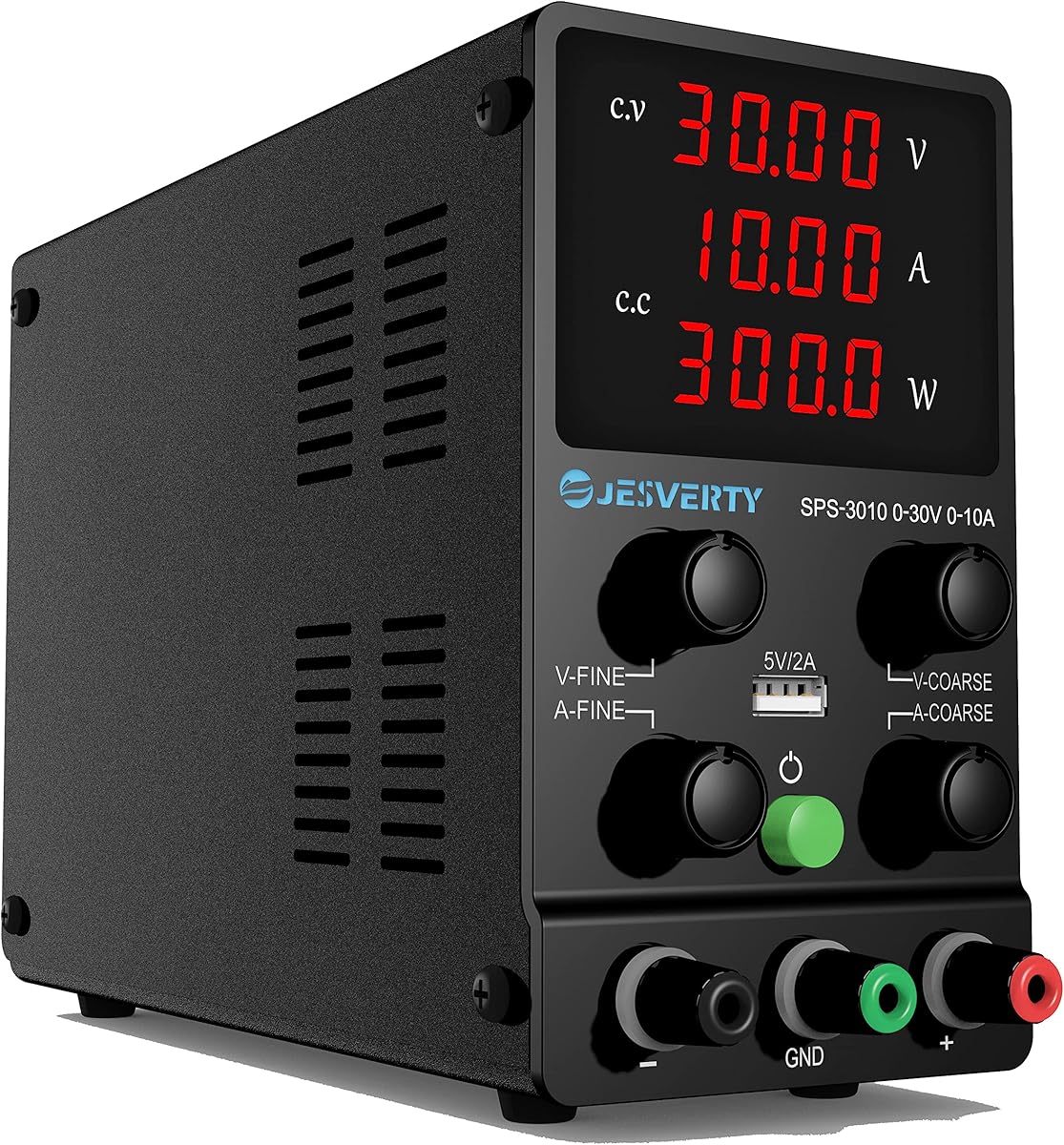
The Jesverty SPS-3010 is one of the lightest options available, weighing only 2.5 lbs. Its compact design makes it ideal for technicians who work in mobile setups or limited bench space.
We may earn a commission when you buy through this link, at no additional cost to you.
With automatic switching between constant voltage and constant current modes, the supply adapts to the load without manual intervention. This feature simplifies testing workflows for laptop repairs.
Users rate it highly for its value and ease of use. The bright display ensures readings are visible from various angles. It includes essential protections but lacks advanced features like memory presets.
Mobile repair technicians or students will find this unit practical and portable. It delivers the core functionality needed for most repair tasks without unnecessary bulk.
The supply automatically switches between CV and CC modes to prevent overload, simplifying operation for less experienced users.
Weighing just 2.5 lbs, it is easy to move around the shop or pack for field repairs without weighing down your toolkit.
We may earn a commission when you buy through this link, at no additional cost to you.
The FNIRSI DPS-150 features a unique 2.8-inch IPS flip display that provides excellent visibility from any angle. This is particularly useful in cramped repair booths where lighting conditions vary.
We may earn a commission when you buy through this link, at no additional cost to you.
The screen supports curve displays and numerical views, giving a visual representation of power delivery over time. This helps identify voltage drops that might be missed on standard displays.
With preset output groups and PC programmability, it offers advanced control for repeatable tests. The low ripple ensures clean power for sensitive electronics, though the 5A limit may be restrictive for high-load scenarios.
Users who rely on visual data and advanced programming will appreciate the IPS display. It modernizes the traditional bench supply with intuitive, high-tech feedback.
The display can show power curves over time, making it easier to spot fluctuations during battery charging or load tests.
The flip design allows you to orient the screen to your comfort, ensuring clear visibility in any workspace layout.
We may earn a commission when you buy through this link, at no additional cost to you.
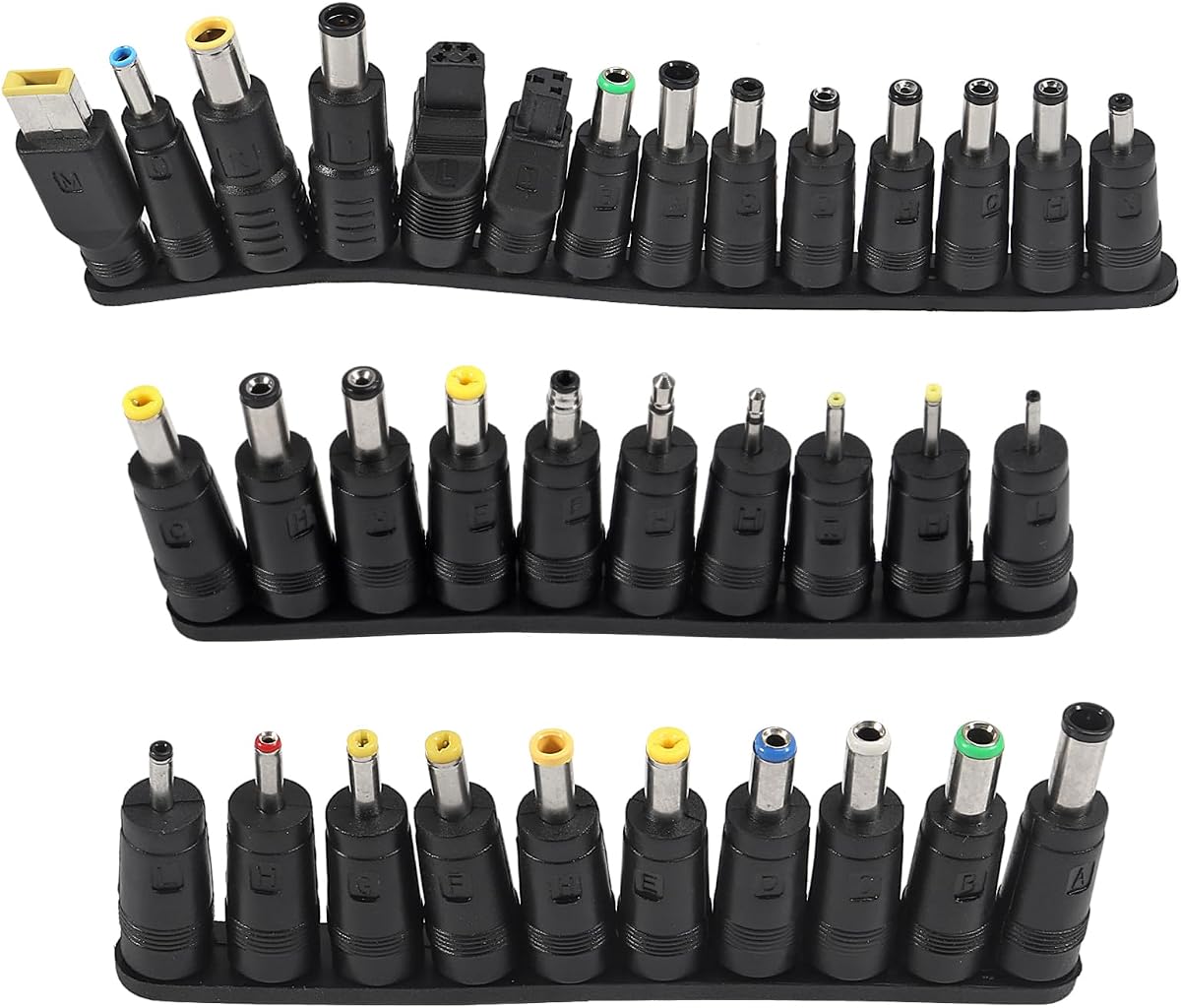
This kit complements any power supply by providing a wide range of connector tips for laptops. With 34 pieces, it covers most Lenovo, Dell, HP, and ASUS models you will encounter.
We may earn a commission when you buy through this link, at no additional cost to you.
The color-coded tips simplify identification, reducing setup time during repair. It is an essential accessory for repair shops that service multiple laptop brands regularly.
While the build quality is functional rather than premium, the value is high. It ensures you can connect your DC supply to almost any device without needing to source adapters separately.
Every repair station should have this kit. It removes the hassle of missing tips and ensures you have a connector for any laptop that comes through the door.
Includes specific tips for Lenovo ThinkPad, Dell, HP, and more, ensuring compatibility with the vast majority of laptop models.
Color-coded tips help you quickly find the right connector without measuring or guessing, speeding up your diagnostic workflow.
We may earn a commission when you buy through this link, at no additional cost to you.
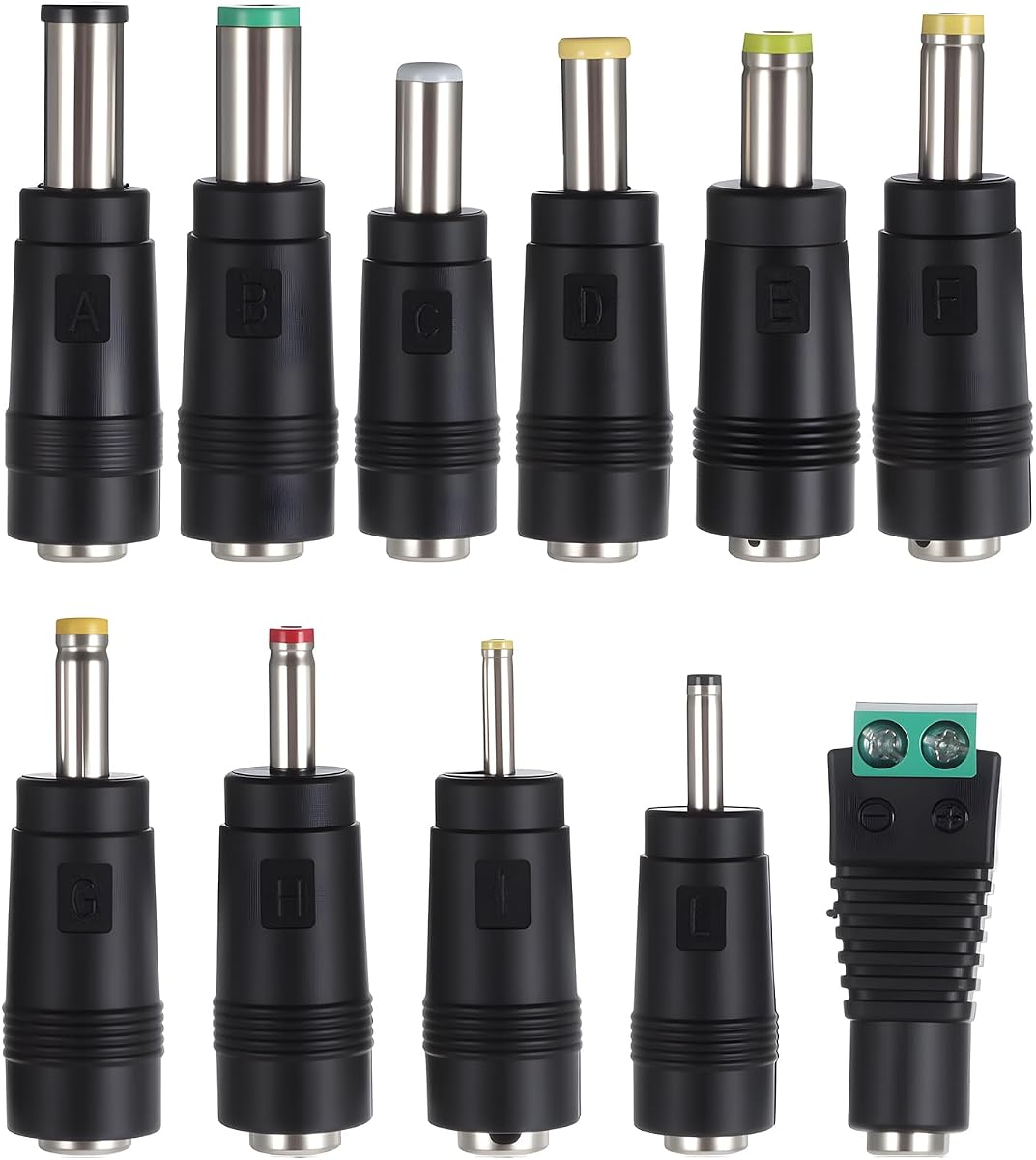
For technicians on the go, this 11-piece kit offers a portable solution for connecting power supplies to laptops. It focuses on the most common connector sizes found in consumer electronics.
We may earn a commission when you buy through this link, at no additional cost to you.
The compact design ensures it fits easily into a toolkit without adding bulk. It is an affordable backup option when working with common laptop models like ASUS or Dell.
While it does not offer the variety of the 34-piece set, it covers essential sizes. The universal conversion capability ensures you can adapt most standard DC outputs quickly.
Mobile repair techs or those with limited storage will appreciate this set. It provides the basics you need without the cost and weight of larger kits.
Lightweight and compact, this kit fits into any toolbox, making it the go-to choice for on-site repairs.
It provides the most common tips at a low cost, ensuring you are prepared for standard laptop repairs without investing in more.
We may earn a commission when you buy through this link, at no additional cost to you.
Selecting the right power supply requires evaluating voltage range, current output, safety features, and build quality. These factors directly impact your ability to test components safely and accurately.
Most laptop repairs require a supply capable of 0-30V to accommodate various battery voltages and logic rail requirements. Current output should be at least 5A to handle testing without triggering protection circuits unnecessarily.
Ensure the supply can deliver sufficient voltage for motherboard testing and enough current to drive components without tripping.
Look for models with overcurrent protection (OCP), short circuit protection, and overload protection. These features prevent accidental damage to expensive laptop components during testing.
A short circuit alarm is particularly useful to alert you immediately when a probe touches the wrong contact point.
High-resolution displays that show voltage in 0.01V steps and current in 0.001A steps are vital. This allows for precise monitoring of power consumption during load tests.
Choose displays with clear LEDs or IPS screens that are readable from various angles and in different lighting conditions.
Modern supplies use encoder knobs or digital inputs instead of traditional potentiometers. This allows for exact value setting without drifting or guessing.
Consider whether coarse/fine knobs or digital entry suits your workflow better. Encoder buttons are often faster for setting specific values.
Continuous use generates heat. Ensure the supply has a reliable fan or cooling design. However, avoid units that are too loud, as they can be distracting in a quiet workspace.
Check if the fan activates automatically under load to extend the unit's lifespan during light usage.
Some models include USB-C or PC control options, allowing you to log data or automate tests. This is useful for documenting repairs or running QA protocols.
Decide if you need manual control or automated logging capabilities based on your typical repair volume.
Professional supplies should have durable casings and robust terminals. Check for warranties that cover electronics defects or failures. A longer warranty often indicates better build quality.
Look for units with a track record of stability and reliable customer support from the manufacturer.
Determine your budget early. Basic supplies start under $35 but may lack advanced features like PC control or memory presets. Higher-end units offer better precision and longevity.
Balance cost with the specific features you need daily. Sometimes a slightly higher cost saves time in the long run.
Always set the current limit before connecting to a device to prevent damage. Start with voltage at 0V and gradually increase to the required level while monitoring the display.
Keep the unit on a stable, flat surface to avoid tipping. Ensure proper ventilation around the fan intake and exhaust ports to maintain optimal performance.
Regularly check cables and connectors for wear. Replace damaged leads immediately to prevent shorts. Store the unit in a dry environment to avoid moisture damage.
You should not charge lithium-ion laptop batteries directly without a dedicated controller. The supply can power the motherboard during testing, but direct charging requires a BMS to prevent overheating or explosion.
Constant Voltage (CV) maintains a set voltage while current varies. Constant Current (CC) maintains a set current while voltage varies. Most repairs use CV mode for stable power delivery to components.
Switching supplies are more portable and affordable. Linear supplies offer cleaner power with less noise. For most modern laptops, a good switching supply is sufficient unless testing very sensitive analog circuits.
Set the current limit low, such as 1A or less, before connecting. Use a fused probe. If the supply switches to CC mode or beeps, disconnect immediately and inspect the board.
This may be due to voltage drop across the cables. Use thicker gauge leads. The load on the laptop might also be drawing more current than expected, causing a drop.
It is generally not recommended. While most units have thermal protection, leaving them unattended for long periods increases risk. Always shut down when not in use.
Most laptops use 5.5mm x 2.1mm or 5.5mm x 2.5mm DC jacks. Using a universal connector kit helps ensure you can test most devices without buying specific adapters.
Entry-level units typically offer accuracy within ±0.5% or better. High-end models can be within ±0.02V. For laptop repair, standard accuracy is usually sufficient for testing rail voltages.
The top picks in this guide offer a range of options from budget-friendly to professional-grade. The 0-30V Variable Supply stands out for its balance of features and safety, while the NICE-POWER option is ideal for budget-conscious users.
When choosing, prioritize safety features like short circuit protection and precision controls. A reliable supply protects both your work and your equipment, making it a worthy investment for any repair technician.
Prices and availability change frequently. Always check the latest details on the product pages before purchasing to ensure you get the best deal available at the time of your order.