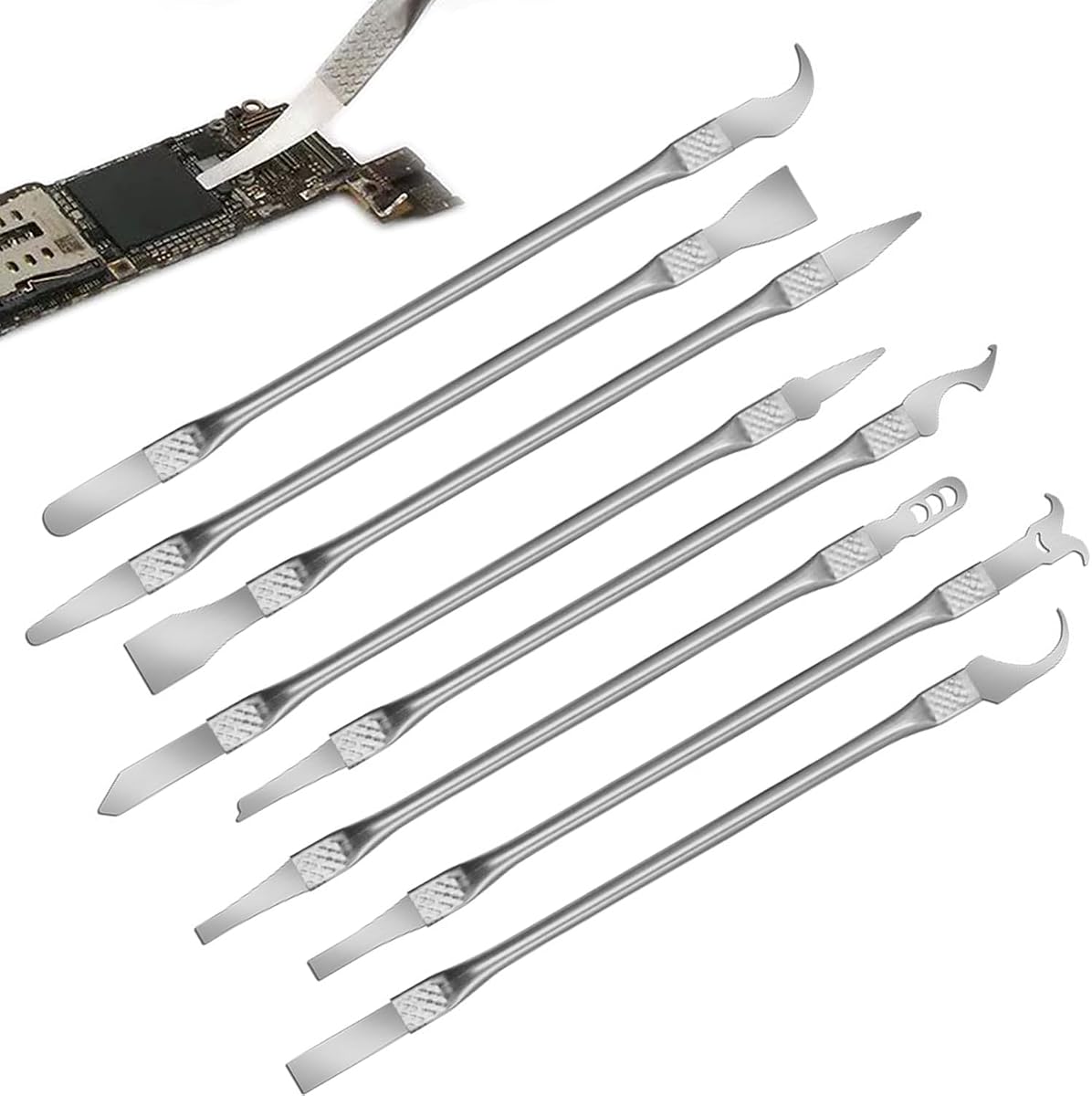
8 Piece Set Multi-Function CPU Removal
4.0Editor score
High quality alloy material
Ergonomic design grip
Versatile smartphone repair use
This guide compares the top ten delidding kits for 2026, evaluating tools for CPUs and GPUs to help you choose the right precision removal and repair solution.
Delidding kits are essential tools for enthusiasts who want to optimize thermal performance in CPUs and GPUs by replacing factory thermal interface material with more efficient compounds.
We compared ten real products based on compatibility, blade precision, build quality, and user feedback to identify the most reliable options for safe heat spreader removal and maintenance.
Each pick highlights specific strengths and trade-offs so you can match a kit to your hardware needs, though product availability and costs may vary over time.
4.0Editor score

4.5Editor score

4.1Editor score
The table below provides a side-by-side look at each kit's core capabilities, target hardware, and design features so you can quickly compare options before making a decision.


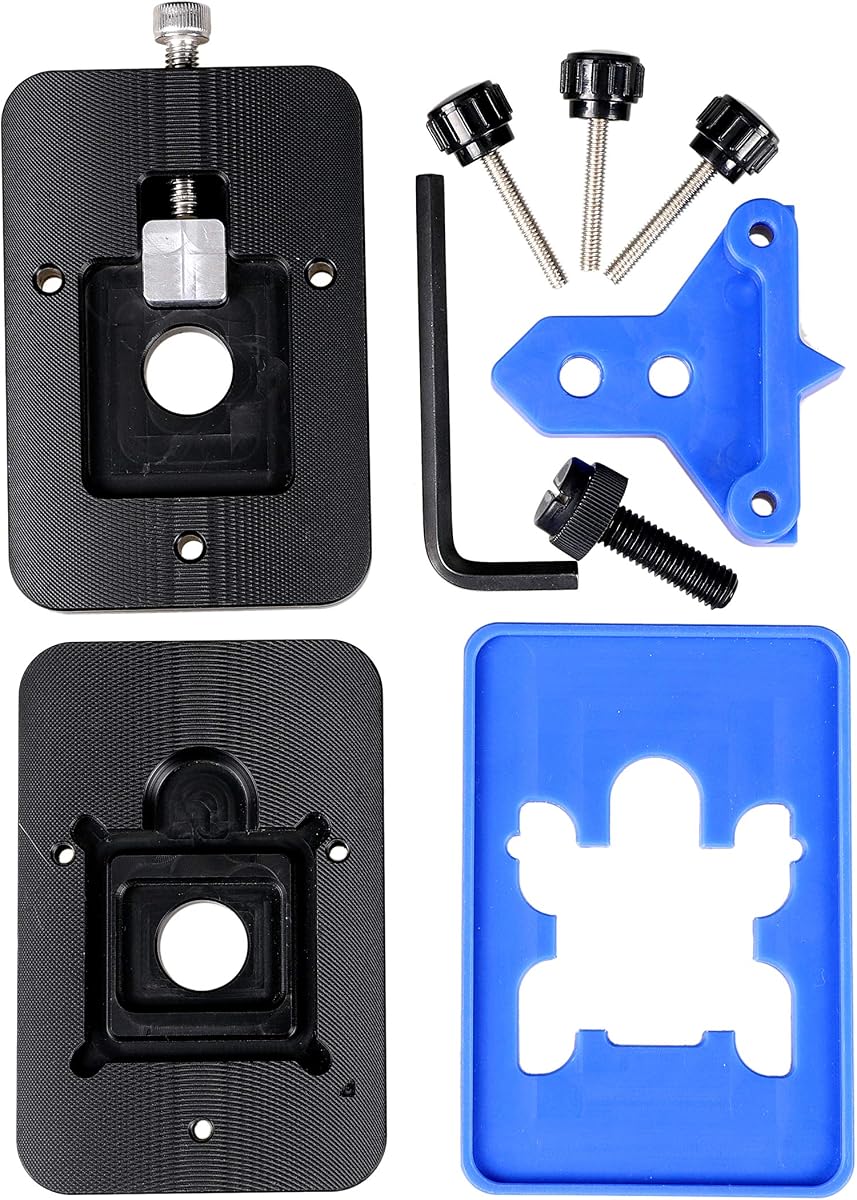


The Thermal Grizzly Delid-Die-Mate stands out as a premium option designed for Intel 12th and 13th gen CPUs, offering professional-grade precision for safe heatspreader removal.
We may earn a commission when you buy through this link, at no additional cost to you.
Built with black and red anodized aluminum, this tool ensures durability while enabling efficient direct die cooling that can reduce temperatures by 10 to 20 degrees.
While it targets specific Intel sockets and carries a higher cost, the straightforward design minimizes risks for users seeking maximum cooling efficiency without complex workarounds.
It is ideal for enthusiasts prioritizing performance gains and build quality, making it the top recommendation for modern Intel platforms requiring reliable delidding solutions.
This tool enables direct die cooling which significantly improves heat dissipation by removing the barrier between the CPU and cooler.
The aluminum body and precise engineering reflect German manufacturing standards that prioritize safety and repeatability during delicate thermal operations.
We may earn a commission when you buy through this link, at no additional cost to you.
The der8auer Delid-Die-Mate X was developed for users working with Skylake-X and Kaby Lake-X processors, addressing specific mounting height and protection needs found in high-end platforms.
We may earn a commission when you buy through this link, at no additional cost to you.
Crafted from aluminum and stainless steel with an anodised black finish, this tool offers robust physical protection during the removal of integrated heat spreaders on sensitive processors.
While its price and narrow socket support limit general appeal, it provides a safe routine alternative to risky manual methods for owners of these specific Intel generations.
It is best suited for advanced users needing guaranteed clearance and die safety when modifying high core count systems where cooler mounting height constraints are critical.
By standardizing the removal process, the tool helps prevent accidental silicon core breaks that historically plagued users mounting heavy coolers on unprotected dies.
The design accounts for reduced mounting height ensuring compatible coolers can still fit properly without requiring custom spacers or modifications.
We may earn a commission when you buy through this link, at no additional cost to you.
The 8 Piece Set Multi-Function CPU Removal Tool offers a budget-friendly entry into repair work, providing multiple ultra-thin tools suitable for small components across various devices.
We may earn a commission when you buy through this link, at no additional cost to you.
Made from high-quality alloy resistant to corrosion and bending, this set features ergonomic handles designed to reduce fatigue during extended use on smartphones or motherboards.
Though not specialized for high-end CPU delidding, its versatility makes it a practical choice for hobbyists who need a general repair kit without investing in dedicated hardware.
It is recommended for those prioritizing cost and versatility over precision, making it a solid foundational tool for basic disassembly and component maintenance tasks.
This kit covers a wide range of repair scenarios beyond delidding allowing users to tackle multiple projects with a single affordable purchase.
The alloy construction ensures the blades resist bending when applied to firm adhesives or tight circuit board spaces during removal operations.
We may earn a commission when you buy through this link, at no additional cost to you.
The Delid Tool V3 is purpose-built for addressing overheating in PlayStation 3 consoles, offering a safe and user-friendly approach to delidding the GPU without improvised tools.
We may earn a commission when you buy through this link, at no additional cost to you.
It features a sharp flexible Version 3 blade that ensures durability, and replaceable blade design allows for long-term usability even after multiple repair sessions on aging hardware.
While it is narrowly focused on the PS3 platform, its precision engineering minimizes risks compared to makeshift alternatives, making it essential for console repair specialists.
It is the clear choice for anyone restoring PS3 Fat or Slim models who needs a reliable tool to access thermal pastes and resolve performance throttling issues.
The tool reduces risks compared to improvised alternatives by providing a blade geometry designed for the specific clearance and adhesive layout of the PS3 RSX chip.
Replacing blades ensures consistent sharpness for clean adhesive cuts without scratching the main board during delicate removal operations.
We may earn a commission when you buy through this link, at no additional cost to you.
The EG Starts Kaby Intel CPU Delid & Relid tool supports a broad range of Intel sockets including 1150 and 1151, offering a safe method to delid and relid processors for overclocking.
We may earn a commission when you buy through this link, at no additional cost to you.
Its design includes a square aluminum block and relid cap to assist with reassembly, ensuring users can restore thermal protection after replacing pastes on older mainstream CPUs.
While it targets legacy platforms, the tool simplifies the process of maximum overclocking by enabling access to the die without risking board damage if used correctly.
It is ideal for enthusiasts working with 6th or 7th gen Intel systems who want a straightforward opener cap solution to improve thermal performance on older hardware.
Including a relid cap allows users to reattach the integrated heatspreader securely after delidding protecting the CPU die during future cooler installation.
The aluminum block design helps ensure the CPU board is not damaged during the delidding process by providing stable support and alignment.
We may earn a commission when you buy through this link, at no additional cost to you.
The Knife Repair Kit features ultra-thin 0.38mm blades designed for removing power supply units and scraping adhesive on circuit boards with surgical precision.
We may earn a commission when you buy through this link, at no additional cost to you.
Crafted from SK5 steel with 550°F heat tolerance, these blades maintain sharpness during extended sessions while the ergonomic non-slip handle ensures secure operation during delicate tasks.
While it serves broader board maintenance needs, the thin blade design is beneficial for navigating tight spaces around chips without damaging underlying solder points or components.
It is recommended for technicians needing a versatile knife set for BGA restoration and motherboard servicing where thin blades and heat resistance are primary operational requirements.
The 0.38mm blades are smaller than standard solder points enabling seamless movement between chips and baseplates without accidental shorts.
Special quenching and oxidation proof treatment keeps the blades sharp through repeated scraping of hardened adhesive and bonding strips.
We may earn a commission when you buy through this link, at no additional cost to you.
The Thermal Grizzly TG Scraper is designed specifically for cleaning delidded processors, offering safe acrylic construction that reduces the risk of scratching dies or PCBs during prep.
We may earn a commission when you buy through this link, at no additional cost to you.
Its narrow tip is optimized to remove silicone adhesive and indium solder residue with high control, making it an ideal companion tool for maintaining delicate surfaces after lid removal.
While it cannot remove the heatspreader itself, its ergonomic design and scratch-safe material make it a vital addition to any kit focused on finishing and surface preparation.
It is perfect for users who already own a delidding tool and need a reliable way to ensure the CPU package is clean before applying new thermal interface materials.
Acrylic material ensures the scraper does not abrade sensitive surfaces when removing residue protecting the CPU package from cosmetic damage.
The narrow tip allows users to target small areas around solder points or adhesive remnants without affecting surrounding components.
We may earn a commission when you buy through this link, at no additional cost to you.
The RSX GPU Delid Tool is a specialized instrument for removing the integrated heat spreader from PlayStation 3 Fat and Slim models to facilitate thermal paste replacement.
We may earn a commission when you buy through this link, at no additional cost to you.
Its design helps keep the working edge away from the main board during delidding, reducing the risk of damage to nearby components when accessing the thermal interface material.
While it does not support CELL CPU delidding, it provides essential access for GPU maintenance which is often the primary source of heat issues in older consoles.
It is a necessary tool for technicians focused on RSX chip repairs, offering a safer alternative to prying tools that risk damaging the board during adhesive removal.
The geometry positions the working edge away from the main board reducing the risk of accidental contact damage during delicate adhesive removal.
Removing the IHS exposes aged thermal paste allowing users to replace it and restore performance in overheating consoles.
We may earn a commission when you buy through this link, at no additional cost to you.
The QianLi ToolPlus 009 offers a 12-in-1 metal craft knife set designed for professionals tackling delicate repair tasks ranging from iPhone CPU refurbishing to general motherboard maintenance.
We may earn a commission when you buy through this link, at no additional cost to you.
Its non-slip metal handle provides balance and control while razor-sharp high-grade steel blades slide effortlessly under chips to remove glue without harming sensitive underlying components.
While the blades require frequent swapping for different stages of repair, the set ensures technicians have the right tool for every challenge without needing multiple separate purchases.
It is ideal for serious repair technicians needing a versatile station tool that supports precise micro-soldering and chip removal across a variety of electronic devices.
With twelve distinct blade types users can quickly swap between fine-point tips and angled edges to handle initial removal and final installation efficiently.
The sturdy metal handle reduces hand fatigue and minimizes slip risks ensuring safety when working on expensive and delicate electronics.
We may earn a commission when you buy through this link, at no additional cost to you.
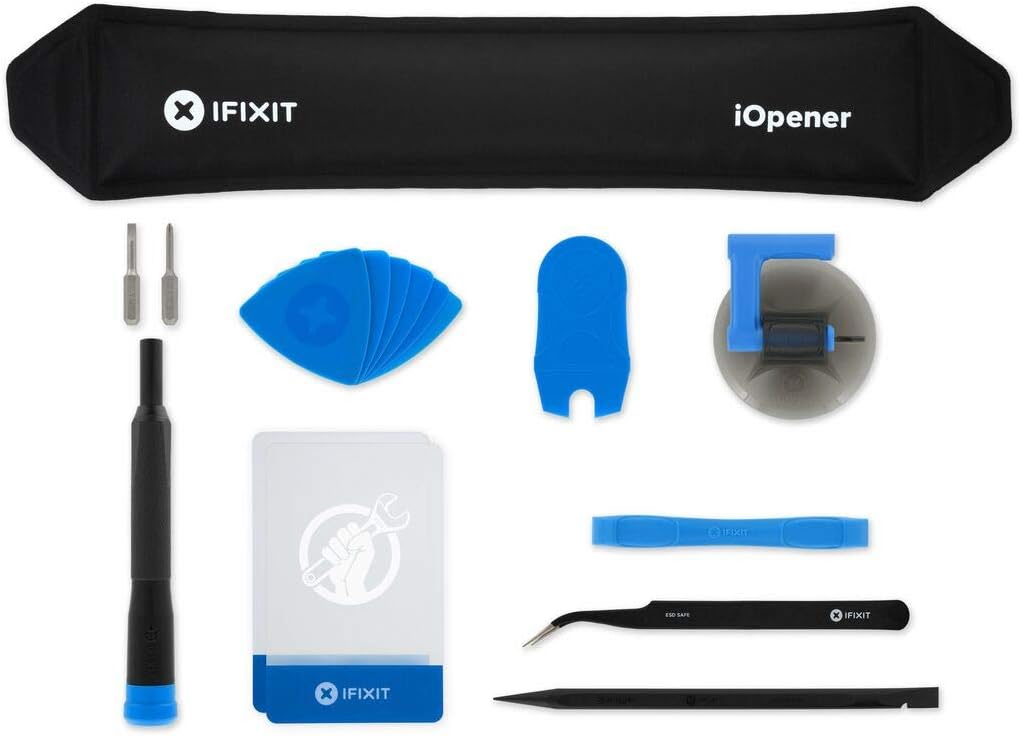
The iFixit iOpener is a heat pad designed to apply heat evenly to screens and adhesives making it safer to separate components during disassembly without damaging internal parts.
We may earn a commission when you buy through this link, at no additional cost to you.
It is universal for many tablets and laptops and is made from non-toxic food-safe material that allows users to repair with confidence while avoiding chemical hazards.
Although it is not a blade tool for delidding, it is a critical companion for opening devices where thermal application is needed to soften adhesive before using other tools.
It is recommended for anyone performing DIY repairs on phones or laptops needing a safe and effective way to manage adhesive bonds during component access.
The pad applies heat directly and evenly to screens ensuring adhesive loosens uniformly without hot spots that could crack glass or damage circuits.
Made from non-toxic food-safe material this opener works across many device types providing a reliable safe option for opening screens safely.
We may earn a commission when you buy through this link, at no additional cost to you.
Selecting the right delidding kit depends on your target hardware, skill level, and whether you prioritize precision or versatility across different repair tasks.
Ensure the tool matches your CPU socket or device model. Some kits are designed for specific Intel generations or consoles like PS3, while others offer broader repair utility.
Always verify socket support and heat spreader type to avoid purchasing a tool that cannot interface with your component.
High-quality steel like SK5 or thin blades under 0.5mm help prevent damage to chips and boards. Look for sharp and heat-resistant materials for reliable scraping.
Precision ensures clean adhesive cuts and reduces the risk of accidentally damaging solder points or traces during the removal process.
Delidding requires steady hands. Choose kits with non-slip or ergonomic handles that reduce fatigue and improve control during extended sessions.
Comfortable grips allow for more consistent pressure and movement, which is critical when working on delicate electronic components.
Aluminum or metal handles with replaceable blades extend the life of your kit. Avoid cheap plastic tools that bend or dull quickly.
Investing in durable construction ensures consistent performance over multiple repairs and reduces the risk of breakage mid-operation.
Some kits include relid caps, scrapers, or multiple blade types. Consider if you need post-delidding cleanup tools for better efficiency.
Accessories like scrapers and relid caps save time and ensure your CPU is properly prepared and protected after removing the lid.
Beginners should favor tools designed to minimize board contact and risk. Advanced users may prefer specialized blades for more aggressive work.
Safety features like working edge positioning or replaceable blades help prevent accidental damage to the main board or CPU die.
Budget kits offer versatility across devices, while specialized tools often cost more but provide better protection for specific components.
Decide if you need a general repair set or a dedicated tool for your primary target hardware before making a financial commitment.
Brands like Thermal Grizzly or der8auer have established reputations for quality. Review user feedback and warranty policies before buying.
Reputable manufacturers often provide better quality control and support which can be vital if issues arise during your project.
Start by powering down your device and removing any cooler. Clean the heatspreader surface of dust and old paste to ensure smooth access to the adhesive layer.
Use the tool blade carefully under the edge of the heat spreader applying steady pressure to separate it without bending the CPU die. Work slowly around all edges.
Clean the die and frame with alcohol wipes and use a scraper to remove residue. Store blades in a dry place and replace them when dull to maintain sharpness.
Yes, removing the integrated heat spreader generally voids the manufacturer's warranty. This is because the seal and protection are altered. Proceed only if you accept the risk and no longer need warranty coverage.
Most users report a drop of 10 to 20 degrees Celsius depending on the processor and new paste. Results vary based on ambient temps and cooler performance but improvements are common.
It is strongly discouraged to use standard knives due to risk of board damage and lack of precision. Dedicated tools offer safer geometries and better control to prevent accidents during removal.
A relid cap protects the die from damage during cooler mounting. It ensures the CPU survives without a cover. If you plan to reinstall a cooler later you should consider using one.
Use an acrylic scraper or alcohol wipes to gently remove adhesive and solder residue. Avoid metal scrapers that scratch the die. Clean until the surface is smooth and free of debris.
Most CPU kits are designed for desktops. Laptop chips often lack removable spreaders. Only use tools specifically verified for your laptop model to avoid damaging soldered components.
Top picks like the Thermal Grizzly Delid-Die-Mate and der8auer Delid-Die-Mate X lead in precision and safety for Intel platforms. Budget options like the 8 Piece Set offer versatility for general repairs.
Prioritize compatibility and blade quality to ensure safe operations. Match the tool to your specific hardware needs whether you are repairing a PS3 or upgrading a desktop CPU.
Always check current product availability and read recent reviews before purchasing to ensure you get the best performance and reliability for your specific project.