
THUSTAR 8MP Document Camera
4.4Editor score
8MP resolution with 30fps
Adjustable image reversal
Foldable design for storage
Educators need reliable tools to display materials clearly. A good document projector captures text and objects with high resolution. It ensures every student sees details during lessons and demonstrations.
We analyzed ten top models based on resolution, connectivity options, and ease of use. Each product was evaluated for classroom suitability and performance. This list covers wired and wireless solutions for modern teaching.
Each pick highlights key strengths and potential limitations for buyers. Features like zoom, lighting, and compatibility are reviewed in depth. Please note that prices and availability change frequently online.
4.4Editor score

4.5Editor score
4.4Editor score
As an Amazon Associate we earn from qualifying purchases.
This side-by-side comparison highlights the core specifications of each model. It helps you quickly identify which device fits your specific classroom needs and budget constraints.





The IPEVO V4K is a top choice for educators seeking sharp visuals. It features an 8 Megapixel camera for capturing Ultra High Definition live images. Its high frame rate ensures smooth streaming without distracting interruptions.
We may earn a commission when you buy through this link, at no additional cost to you.
The Sony CMOS Image Sensor provides exceptional noise reduction and color reproduction. This is great for capturing clear images in dimly lit environments. Fast focusing speeds help minimize interruptions during lessons.
While the stand can loosen with heavy daily use, it is designed to fix that. It works with a variety of software on Mac PC and Chromebook. However it requires meeting specific system requirements for best performance.
Educators looking for reliable HD streaming should consider this model. It delivers consistent quality for live demos and remote teaching. The versatility across platforms makes it a strong contender for modern classrooms.
The 8MP sensor captures detailed images up to 3264 x 2448 pixels ensuring text is legible.
Compatibility with Mac Windows and Chromebook allows seamless integration into diverse classroom setups.
We may earn a commission when you buy through this link, at no additional cost to you.
This USB document camera offers impressive value for schools on a budget. It outputs ultra-high-definition images and videos live transmission. The adjustable image reversal helps correct orientations for different viewing needs.
We may earn a commission when you buy through this link, at no additional cost to you.
The camera includes brightness controls and 14 ring lamp beads for various lighting. You can manually adjust brightness to ensure clear images in dark or bright environments. The foldable design saves space after folding.
While moving objects may cause focus issues the macro captures close as 3.94 inches. It is highly compatible with Windows Macs and Chromebooks. Plug-and-play setup means automatic driver installation when plugged in.
Teachers needing a cost-effective solution will appreciate this model. It supports A3 paper size and works with major apps. The dual microphones improve sound quality for remote presentations.
Adjustable LED lights allow users to eliminate shooting problems under difficult lighting conditions.
The embedded design occupies a small space after folding making it easy to carry.
We may earn a commission when you buy through this link, at no additional cost to you.
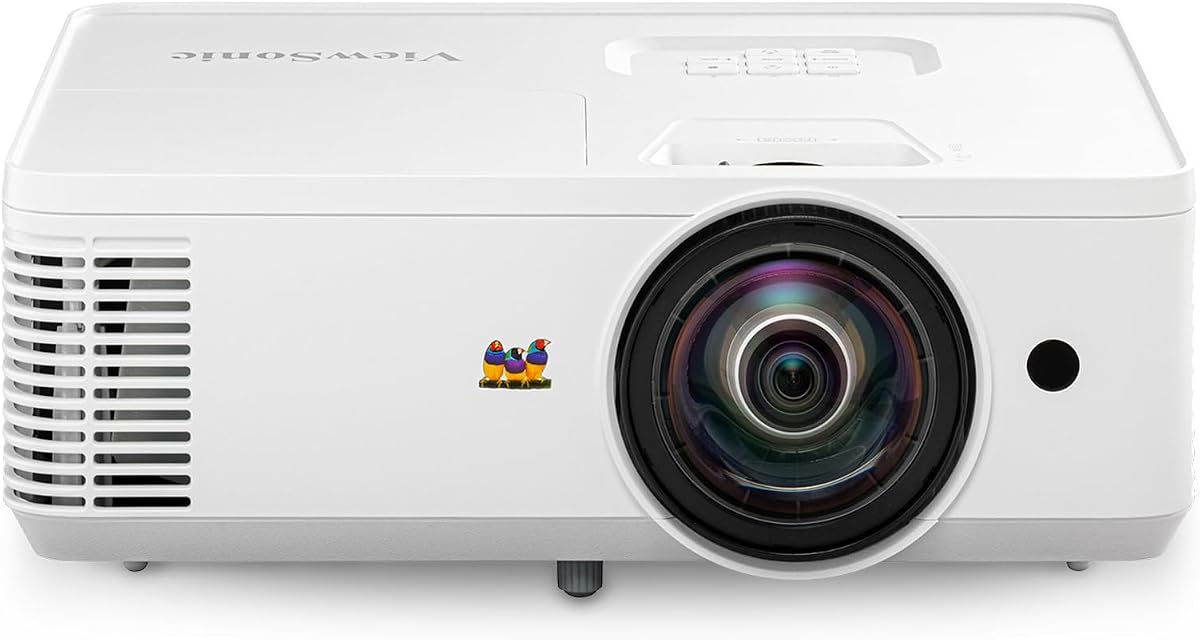
This short throw projector transforms small rooms with massive images. It offers crisp visuals with WXGA resolution and a 0.5 throw ratio. The 4000 ANSI lumens ensure visible and detailed daytime sessions.
We may earn a commission when you buy through this link, at no additional cost to you.
SuperColor technology provides a wide color gamut for lifelike visuals. The auto-keystone correction ensures a perfectly squared display with minimal setup. Instant power on and off capabilities remove wait times in fast-paced environments.
While the cost is higher the performance justifies the investment for many. It supports screen sizes up to 150 inches from just 4.5 feet away. This maximizes limited floor space in crowded classrooms.
Educators seeking a high-performance projector should consider this option. It is ideal for professional presentations and teaching visuals. The dual HDMI inputs allow flexible connection to multiple devices.
Projecting a massive 100-inch image from just 4.5 feet away maximizes limited floor space.
Proprietary SuperColor technology ensures stunningly beautiful images with a wide color gamut.
We may earn a commission when you buy through this link, at no additional cost to you.
This wireless camera offers freedom with three modes of connectivity. The 8 MP Camera captures images in high definition and near 4K quality. It connects to computers iOS Android devices Apple TV or monitors.
We may earn a commission when you buy through this link, at no additional cost to you.
Built-in LED illuminates the viewing area for consistent lighting. The 9-12 hours of battery life ensures a complete class session. Teachers can capture different objects all over the room within range.
Buttons on the camera body enable instant adjustments without a computer. However the cost is higher than basic models. The battery must be recharged periodically for continued wireless use.
Presenters needing mobility will find this camera ideal. It supports web conferencing software for remote sessions. The versatile connectivity makes it a powerful tool for modern teaching.
Up to 12 hours of battery life ensures a complete class or presentation session without interruptions.
Up to 33 feet of wireless range allows capturing different objects all over the room.
We may earn a commission when you buy through this link, at no additional cost to you.
Professional educators and art instructors will appreciate this clear display. It captures 4K Ultra HD images with a 13MP SONY sensor. The multi-joint arm allows flexible angle adjustments for documents up to A3 size.
We may earn a commission when you buy through this link, at no additional cost to you.
Built-in LED light and anti-glare sheet deliver professional presentations. The all-in-one software offers zoom annotation and video recording. It works with Zoom Microsoft Teams Google Meet for seamless online classes.
While the software enhances features it adds a layer of setup. The camera supports Windows Mac and Chromebook. Instant plug-and-play allows fast start for presentations.
Instructors needing large format capture should consider this model. The A3 size support handles two-page spreads well. The high resolution ensures details are clear for the audience.
ALL-IN-ONE DOCUMATE software offers zoom annotation and OCR for enhanced teaching capabilities.
Capture clear images up to A3 size for two-page spreads and large documents.
We may earn a commission when you buy through this link, at no additional cost to you.
This projector offers multiple resolution options for different needs. It supports high-resolution UXGA SXGA and XGA. The 6x Optical Zoom provides manual and digital zoom for detail.
We may earn a commission when you buy through this link, at no additional cost to you.
One-touch video recording and internal memory allow saving 120 JPEG Images. The SD Card Slot accepts up to 32 GB for extra storage. It is compatible with all Interactive Whiteboards.
However the lower user rating suggests potential limitations. It may lack modern features found in newer models. The internal memory is limited compared to network solutions.
Users needing basic zoom and recording may find this suitable. The SD card slot adds flexibility for saving content. It works well with interactive board systems.
6x Optical Zoom allows detailed viewing of small objects without losing quality.
Internal memory and SD Card Slot provide multiple ways to save presentation content.
We may earn a commission when you buy through this link, at no additional cost to you.
This LCD projector produces vibrant eye-catching images. It features 3LCD technology for true colors. The moderator function connects up to 50 users simultaneously for remote control.
We may earn a commission when you buy through this link, at no additional cost to you.
A durable design provides long lamp life of 17000 hours. HDMI transfers video and audio through single cable for easy setup. The built-in speaker supports engaging projector displays.
The aspect ratio is fixed at 4:3 which may limit widescreen. Ceiling mounting is supported for flexible installation. The lamp life reduces long-term maintenance needs.
Classrooms needing durable and vibrant displays will like this model. The moderator function is useful for large sessions. Its long life makes it cost-effective over time.
HDMI connectivity transfers video and audio through single cable simplifying setup.
Moderator function connects up to 50 users simultaneously for remote management.
We may earn a commission when you buy through this link, at no additional cost to you.
This business projector delivers 3300 lumens for office viewing. It is designed for everyday indoor use in classrooms. The DLP projection system supports natural color presentation.
We may earn a commission when you buy through this link, at no additional cost to you.
Wide display support helps everyone follow displayed content easily. The quick start design reduces preparation time before meetings. Simple wired operation allows starting without complicated installation.
The setup is straightforward and designed for simple wired operation. It helps display slides and charts clearly in training spaces. It supports natural color presentation and enhanced contrast.
Educators needing bright and easy-to-use projectors may choose this. The DLP technology ensures professional images. Its quick start is useful for fast-paced environments.
3300 lumens help display slides clearly in offices and meeting rooms.
The fast startup design reduces preparation time before meetings and lessons.
We may earn a commission when you buy through this link, at no additional cost to you.
This projector produces vibrant true-to-life images. It features 3LCD technology for quality. HDMI transfers video and audio through single cable for convenience.
We may earn a commission when you buy through this link, at no additional cost to you.
The 5-watt speaker is built-in for engaging displays. A durable design provides long lamp life of 12000 hours. Flexible construction makes it easy to display from virtually anywhere.
The lamp life supports long-term use. Mounting options allow flexible construction for versatile display. It works well with standard HDMI sources.
Users needing a flexible and bright display will appreciate this. The 5-watt speaker adds audio without extra gear. Its life is solid for regular teaching use.
The 5-watt speaker supports engaging projector displays without extra gear.
Flexible construction makes it easy to display from virtually anywhere in a room.
We may earn a commission when you buy through this link, at no additional cost to you.
This overhead projector offers a traditional setup for classrooms. It features 2000 Lumen Output for visibility. The open head design allows easy access for transparencies.
We may earn a commission when you buy through this link, at no additional cost to you.
It supports VGA and USB connectivity for modern inputs. The LCD display provides clear output for 10 x 10 area. It is gray and built for daily use.
The design may be less common in modern digital classrooms. However it offers a different approach to presenting. It provides VGA and USB for modern inputs.
Educators needing classic overhead functionality will find this useful. The 10 x 10 area works for standard sheets. It remains a reliable choice for specific teaching styles.
The open head design allows easy access for transparencies and quick changes.
VGA and USB ports support various input sources for presentations.
We may earn a commission when you buy through this link, at no additional cost to you.
Choosing the right document projector depends on your specific classroom needs. This guide outlines key factors to consider before making a purchase.
Resolution determines how sharp text and images will appear. Look for models with at least 8MP for clear details in documents. High resolution ensures that fine print is readable by students in the back rows.
Prioritize high resolution to ensure text legibility.
Some projectors connect via USB only while others support wireless. Wi-Fi or HDMI allows for flexible placement and remote teaching. Ensure the device works with your existing classroom devices.
Check that connectivity matches your classroom setup.
Adjustable LED lights help capture objects in low light. Manual or auto focus ensures that the image stays sharp. Good lighting is essential for capturing 3D objects clearly.
Look for models with adjustable lighting to handle dim rooms.
Ensure the projector works with your operating system like Windows or Mac. Compatibility with conferencing software is also vital. Remote teaching needs seamless integration with Zoom or Teams.
Verify OS and software compatibility before buying.
Durable stands and folding designs help with storage and moving. Consider how often you need to move the device. A multi-jointed stand offers flexibility in positioning.
Choose a durable design that fits your space.
Prices vary significantly between basic and advanced models. Determine your budget to find the best value. Some models offer great features at lower price points.
Balance features with your available budget.
Some devices come with specialized software for annotation and recording. These tools can enhance lessons and save content. Check if the software meets your teaching requirements.
Software can enhance teaching if it fits your needs.
Built-in microphones are useful for voice and capture. Dual microphones reduce noise for better sound quality. Ensure audio capabilities are sufficient for your sessions.
Check audio features if voice is needed.
To use your projector, first connect it to your device via USB or wireless. Adjust the stand to capture the document clearly. Ensure the lighting is appropriate for the environment.
For maintenance, keep the lens clean with a soft cloth. Avoid placing it in direct sunlight to prevent damage. Regularly update drivers to ensure smooth performance.
Store the device in a cool dry place when not in use. If it has a folding design, collapse it to protect the joints. This extends the lifespan of the device.
A document projector captures images of physical documents and projects them onto a screen. It works by using a camera to scan the document and then sending the signal to a display device. This allows teachers to show details clearly to a large group.
Some models act as cameras that connect to a computer or existing projector. Others are all-in-one units. Check the specs to see if it projects directly or needs a separate display.
Yes many models are compatible with web conferencing software. They allow you to share documents and objects with online students. This makes them ideal for distance learning setups.
Wireless models offer flexibility in placement and reduce cable clutter. They allow teachers to move around while presenting. However wired models may offer more stable connections.
At least 8MP is recommended for clear text. Higher resolution ensures that small print is legible. This helps students read details without squinting.
Most modern models support Mac OS along with Windows. Check the system requirements to confirm compatibility. This ensures you can connect without extra adapters.
Use a soft microfiber cloth to wipe the lens gently. Avoid harsh chemicals that might damage the coating. Regular cleaning maintains image quality over time.
Many devices are plug-and-play requiring no extra software. Others come with specific apps for annotation or recording. Ensure you have the required software installed for best features.
Choosing a document projector depends on your budget and teaching needs. The IPEVO V4K offers top clarity while the THUSTAR saves cost. Each model has unique strengths for educators.
Prioritize resolution and connectivity for smooth lessons. Ensure the device matches your existing classroom setup. This helps avoid compatibility issues during use.
Please note that prices and availability change frequently online. Always check current details before making a purchase. This ensures you get the best value at the time of buying.