
Amazon Fire HD 10 tablet
4.5Editor score
Affordable entry price
Long battery life
Wide app ecosystem
Finding the right device for older adults requires careful consideration of interface simplicity and connectivity options. Modern tablets offer powerful features but must balance performance with ease of use to ensure daily comfort. This guide explores the top choices designed specifically for senior needs.
We evaluated each product based on screen clarity, navigation logic, customer support quality, and reliability in real-world settings. Our analysis includes both dedicated senior devices and mainstream tablets configured for accessibility. We prioritized models that reduce complexity without sacrificing essential functions.
Each pick highlights specific strengths and practical considerations for daily adoption. Detailed breakdowns cover setup, connectivity, and ongoing requirements so you can make an informed choice. Note that availability and pricing may shift, so verify current details before purchasing.
4.5Editor score

4.2Editor score
4.7Editor score
As an Amazon Associate we earn from qualifying purchases.
The following comparison table outlines key specifications and features for each tablet to help you quickly identify which model aligns with specific needs and preferences.




GrandPad stands out as the premier choice for seniors who need a secure and simplified communication tool. It combines a tablet and phone into one secure device designed to reduce confusion. With a rating of 4.2 stars, users appreciate the clarity and safety it provides daily.
We may earn a commission when you buy through this link, at no additional cost to you.
The interface uses large icons and a private network that blocks unwanted calls and messages. This protection helps prevent fraud and keeps the experience stress free. Family members can connect via companion apps on their own devices to share photos and video messages easily.
While the device requires an activation plan and is not compatible with other carriers, the trade off is significant peace of mind. The monthly fee covers connectivity and security features that would otherwise require complex setup. This makes it ideal for families seeking reliability over cost savings.
GrandPad is best suited for seniors who prioritize safety and simplicity above all else. If your goal is to stay connected without technical friction, this device delivers. It removes the barrier of complex settings and ensures that communication remains the focus of the experience.
The private network actively blocks spam and scams which protects vulnerable users from fraud attempts.
Companion apps allow family members to share photos and videos directly to the tablet instantly.
We may earn a commission when you buy through this link, at no additional cost to you.
The Pix Star Touch tablet focuses on simplicity by highlighting essential buttons and offering a zoom feature for text. It is designed to be intuitive for beginners who struggle with complex menus. Despite a mixed rating of 2.9 stars, the interface aims to reduce learning time significantly.
We may earn a commission when you buy through this link, at no additional cost to you.
Users can navigate email and video conferencing with ease thanks to the streamlined layout. The ability to enlarge the interface helps those with vision challenges access content comfortably. It includes dual cameras for taking and sharing photos directly with family and friends.
However the lower rating suggests potential inconsistencies in performance or customer support. While the interface is simple, the underlying hardware may not match the reliability of mainstream brands. It remains an option for those prioritizing basic functions over advanced features.
This tablet works best for seniors who need a dedicated device for photos and video calls. It is a budget friendly option for simple tasks but may lack the long term durability of other choices. Verify current user feedback before purchasing to ensure expectations align with reality.
Applications highlight the most important buttons to help beginners find functions quickly without confusion.
A clever zoom feature allows users to enlarge the interface as needed for better readability.
We may earn a commission when you buy through this link, at no additional cost to you.
The Amazon Fire HD 10 offers excellent value with a bright display and robust battery life. It delivers seamless streaming and reading experiences at a competitive price point. With a 4.5 star rating, it is widely trusted for its performance and usability in daily routines.
We may earn a commission when you buy through this link, at no additional cost to you.
Alexa integration allows users to control tasks with voice commands which simplifies operation. The 10.1 inch Full HD screen ensures text and images are clear and easy to see. Amazon Kids+ and parental controls help manage content if shared with grandchildren.
The lack of Google Play Store limits app selection to Amazon Appstore offerings which may exclude some apps. Still for media consumption and basic browsing it covers most needs. Expandable storage ensures you can save more photos and videos without worry.
This tablet is ideal for seniors who want entertainment and connectivity without a premium price. It balances affordability with reliability making it a practical choice for many households. If you are comfortable with Amazon services this device offers great daily utility.
Ask Alexa to read books or control devices hands free which reduces typing and navigation complexity.
The vibrant display enhances video and reading experiences for extended comfortable use.
We may earn a commission when you buy through this link, at no additional cost to you.
Samsung Galaxy Tab A11+ features an 11 inch screen that makes content easy to view. It supports fast charging to minimize downtime when battery levels drop. With a 4.6 star rating, users value its responsive performance and solid build quality.
We may earn a commission when you buy through this link, at no additional cost to you.
Quad speakers powered by Dolby Atmos provide immersive audio for movies and music. The display refresh rate ensures fluid motion which helps during navigation. Google Gemini and Circle to Search add intelligent features that simplify everyday tasks significantly.
While powerful the interface may require more learning time than dedicated senior devices. The cost is higher than entry level options but justified by performance and longevity. It works well for seniors who want both utility and entertainment features.
Consider this model if screen size and audio quality are top priorities. It suits active users who engage deeply with media and apps regularly. For those prioritizing simplicity above all else a simpler interface might be preferable.
Quad speakers deliver rich sound for movies and music enhancing entertainment quality.
Fast charging and responsive chipset ensure quick use without long waits.
We may earn a commission when you buy through this link, at no additional cost to you.
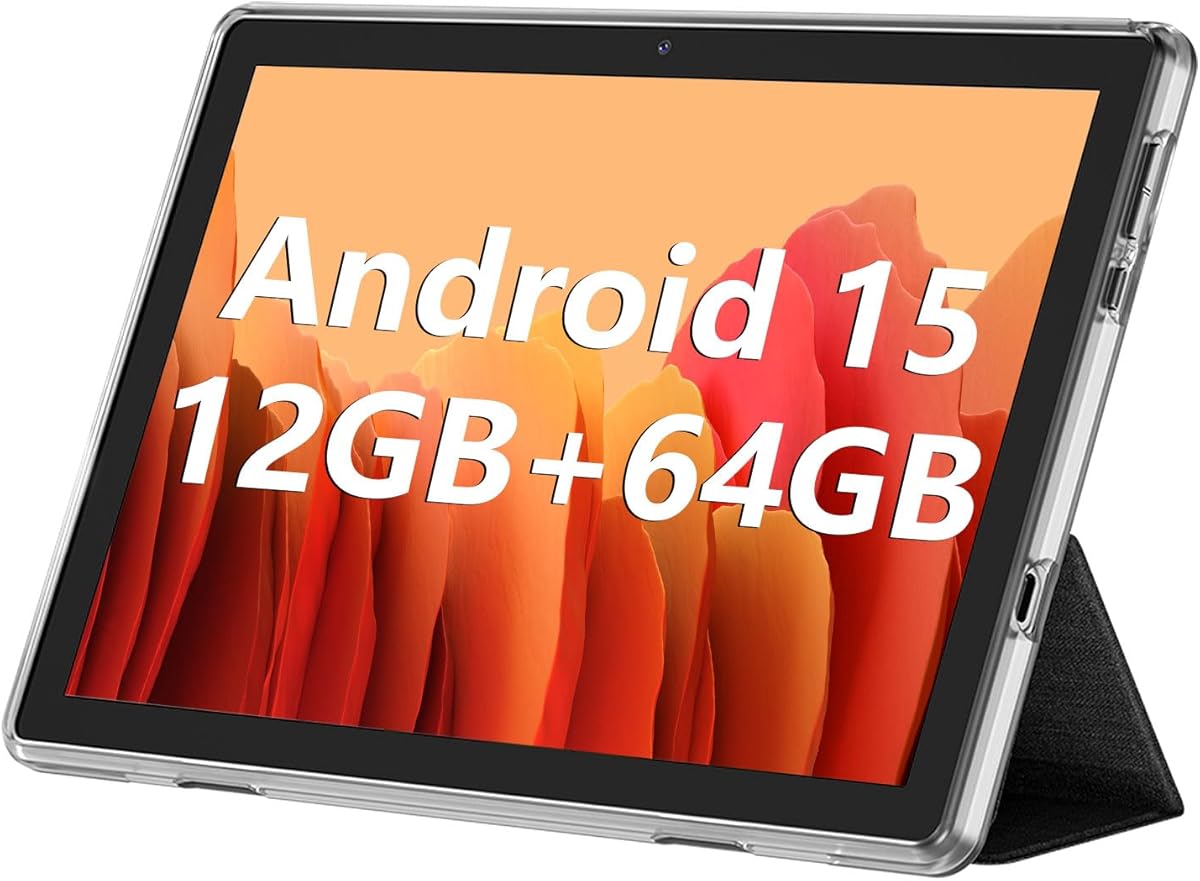
ECOPAD offers a robust Android experience with 12GB RAM and up to 1TB expandable storage. This allows for extensive media libraries and apps without space constraints. It has a 3.8 star rating reflecting mixed feedback on performance consistency.
We may earn a commission when you buy through this link, at no additional cost to you.
The 6000mAh battery supports uninterrupted video playback for extended sessions. Dual cameras enable video calls and photo sharing which keeps seniors connected to family. The IPS display ensures clear visuals for reading and browsing comfortably.
Users may face some setup complexity as it runs standard Android without a senior interface. Support may not be as accessible as specialized providers. However the hardware offers strong value for tech comfortable seniors.
This tablet is suitable for those who want maximum storage at a lower cost. It fits best for users who know how to manage Android settings independently. If simplicity is key you may prefer a device with a simplified launcher.
Expandable storage up to 1TB ensures unlimited space for photos and files.
The 6000mAh battery provides hours of continuous video playback and usage.
We may earn a commission when you buy through this link, at no additional cost to you.
The Amazon Fire HD 8 is an 8 inch portable device designed for everyday use. Its lightweight build makes it easy to handle and carry anywhere. With a 4.5 star rating, it is known for responsive performance and quick interactions.
We may earn a commission when you buy through this link, at no additional cost to you.
Voice commands via Alexa simplify many tasks including video calls and setting reminders. The HD display offers vibrant visuals suitable for reading and watching shows. Expandable storage allows you to add more content easily when needed.
The smaller screen may be challenging for seniors with vision limitations compared to 10 inch models. It is best for those who need a compact device for quick access. Overall it offers solid value for basic digital needs.
Choose this tablet if you need something light that fits easily in a bag. It serves well for browsing and reading without taking up much space. For larger visuals the HD 10 might be more comfortable to view.
Lightweight design makes it easy to carry and hold for long periods.
Alexa handles calls and tasks via voice to reduce navigation steps.
We may earn a commission when you buy through this link, at no additional cost to you.
Lenovo Tab One offers a compact design with an included folio case for protection. It supports up to 12.5 hours of YouTube streaming for long use sessions. The 4.2 star rating reflects reliable performance for general daily tasks.
We may earn a commission when you buy through this link, at no additional cost to you.
The case acts as a stand for hands free viewing which adds convenience. The 8.7 inch screen is easy to handle while still offering enough space for content. Dolby Atmos speakers enhance the audio experience significantly.
As a standard Android device it lacks a senior specific launcher out of the box. However the included case adds value that other tablets charge extra for. It works well for tech savvy seniors who prefer light weight devices.
This model is a good fit for those who value portability and protection. If you need a tablet that travels well and protects itself the folio case helps. For simplicity consider adding a launcher app to customize the interface.
The folio case has a built-in stand for hands free viewing during media consumption.
Up to 12.5 hours of streaming supports extended use without recharging often.
We may earn a commission when you buy through this link, at no additional cost to you.
The FEONAL 11 inch Tablet offers both 4G LTE and WiFi connectivity for constant internet access. It features a large 11 inch screen ideal for reading and watching content. With a 4.3 star rating, users appreciate its versatile connectivity and storage options.
We may earn a commission when you buy through this link, at no additional cost to you.
Dual SIM slots allow flexibility for different carriers or backup internet sources. The 7000mAh battery provides impressive standby time so charging is needed less often. Split screen functionality helps users manage multiple apps efficiently at once.
This device is more complex than simplified senior tablets due to its cellular features. It suits those who need reliability on the go without relying on home WiFi. Verify network compatibility before purchase to ensure SIM slots work in your region.
If you require constant connectivity away from home this tablet stands out. It is well suited for active seniors who need a reliable device for calls and data. Ensure you understand the Android interface before using cellular features.
Dual SIM slots and 4G LTE ensure you stay online even when WiFi is unavailable.
The 11 inch display provides ample space for text and video content comfortably.
We may earn a commission when you buy through this link, at no additional cost to you.
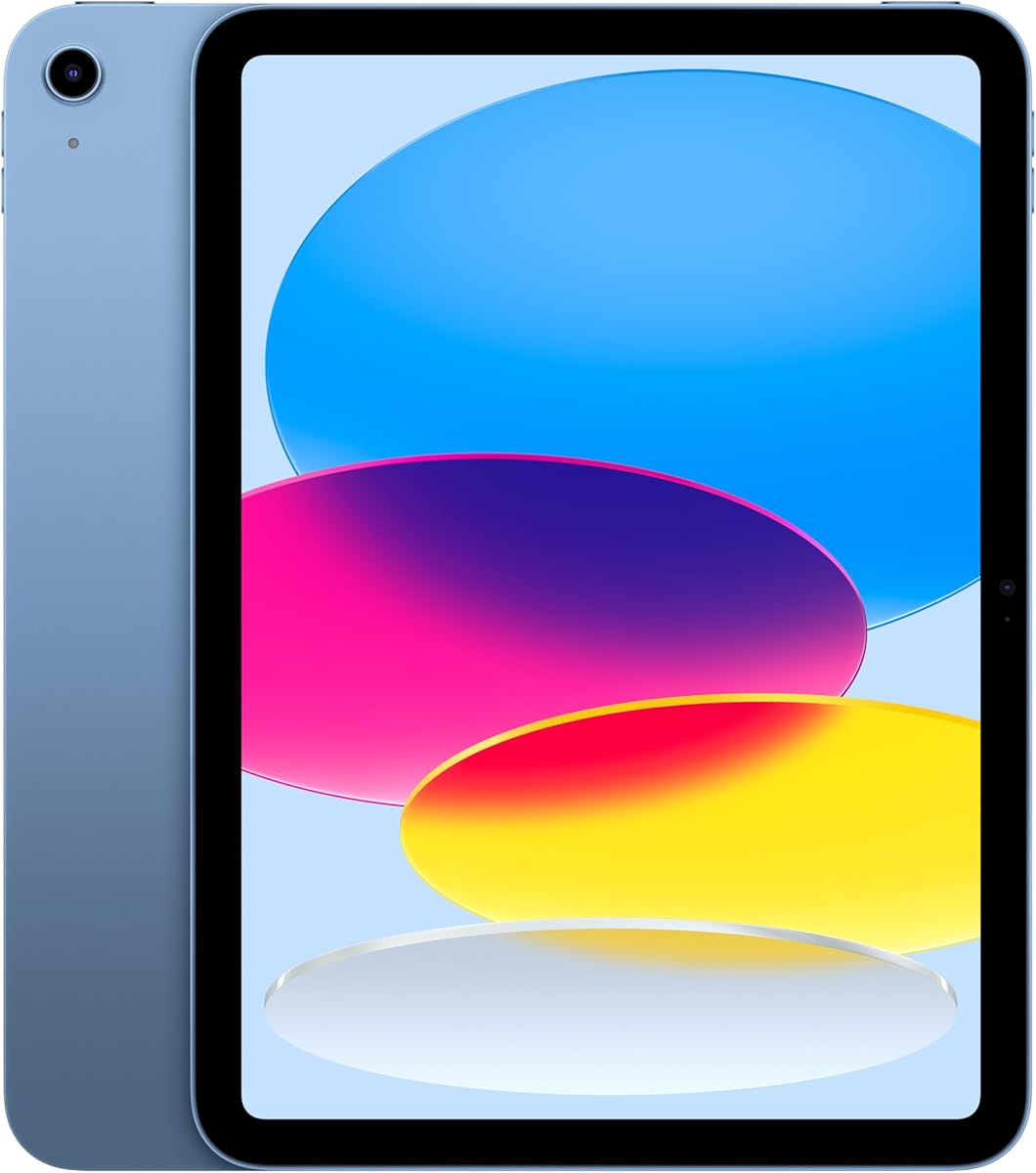
The Apple iPad 11-inch offers a premium experience with its Liquid Retina display and powerful A16 chip. It features Touch ID for secure and easy unlocking without passwords. With a 4.7 star rating, it is celebrated for reliability and build quality.
We may earn a commission when you buy through this link, at no additional cost to you.
iPadOS provides a smooth intuitive interface that adapts well to accessibility needs. Center Stage on the front camera keeps users centered during video calls automatically. The display adjusts to room light for comfortable viewing day or night.
While it lacks cellular options in this model the performance and ease of use are top tier. The high cost reflects the quality and longevity of the device. It is ideal for seniors who want a long lasting high quality tablet.
This device suits those seeking the best user experience and display clarity available. If budget is less of a concern and quality is paramount this is a strong choice. It works seamlessly with other Apple devices for a unified ecosystem.
Liquid Retina display ensures text and images are sharp and comfortable for long viewing.
Center Stage camera keeps users centered in video calls without manual adjustment.
We may earn a commission when you buy through this link, at no additional cost to you.
The Samsung Galaxy Tab A11 WiFi offers a compact design with an 8.7 inch screen. It features a 90Hz display for smoother motion which helps reduce eye strain. With a 4.2 star rating, it is noted for its value and portable size.
We may earn a commission when you buy through this link, at no additional cost to you.
The 4GB RAM handles basic tasks and media streaming without lag. It is an international model meaning some setup steps may require language adjustments. Despite this it remains affordable for budget conscious buyers seeking quality.
It lacks a SIM slot so it relies entirely on home or public WiFi networks. This limits mobility but keeps costs lower than cellular alternatives. It works well for seniors primarily using it in one location.
Consider this device if you want a portable affordable option for home use. It suits those who value size and price over advanced connectivity. Verify country settings during setup to ensure language support works for your needs.
90Hz refresh rate provides fluid motion which is easier on the eyes during use.
8.7 inch size makes it easy to hold and carry without fatigue.
We may earn a commission when you buy through this link, at no additional cost to you.
Selecting the right tablet for a senior involves evaluating hardware, software, and ongoing support needs. This section outlines key factors to consider for ensuring a smooth and safe experience.
A simplified interface reduces cognitive load and minimizes confusion. Look for devices with large icons, clear labels, and customizable homescreens that prioritize essential apps. Some tablets offer dedicated modes that limit features to prevent accidental changes.
Choose a device where navigation is intuitive and requires fewer steps to complete common tasks like video calls or reading.
Screen size affects readability and comfort during long sessions. Larger displays around 10 inches or more reduce eye strain but may be harder to hold for extended periods. High resolution panels ensure text and images remain sharp even for users with vision impairments.
Balance size and weight based on physical needs and how often the device will be moved or held.
Battery longevity determines how often the device must be recharged. Aim for tablets that support 8 to 12 hours of active use to avoid frequent interruptions. Fast charging features are helpful for quickly replenishing power during the day.
Select a model with battery life that matches daily usage habits to avoid anxiety about power levels.
Decide whether cellular connectivity is necessary or if WiFi suffices. Cellular tablets provide internet anywhere but add complexity and potential subscription costs. Ensure the device supports dual band WiFi for stable connections at home.
Choose connectivity that matches the environment where the tablet will be used most often.
Reliable support ensures issues are resolved quickly. Dedicated senior devices often offer 24/7 phone support while mainstream brands rely on online forums. Verify available help channels before purchase to prevent frustration when problems arise.
Prioritize brands that offer accessible and responsive assistance tailored to non technical users.
Seniors may be targets of scams so built in protection is vital. Look for devices that block spam calls or offer fraud prevention tools. Secure networks help keep communication channels free from unwanted messages and calls.
Choose a device with security layers to prevent accidental interactions or access to risky sites.
Photos and videos consume storage quickly so adequate space prevents frequent management. Ensure at least 64GB internal storage and expandability via SD card if needed. Efficient storage helps keep the device responsive over time.
Select storage that accommodates media libraries without requiring constant deletion or cleanup.
Some tablets require monthly plans for activation or features which affects total cost. Evaluate upfront price plus ongoing fees to ensure it fits the budget. Dedicated devices often bundle costs while standard tablets may save money long term.
Calculate total ownership cost including any required subscriptions before finalizing the purchase.
Begin by setting up the device with a clear and simple homepage. Remove unused apps and increase font sizes to improve readability. Use voice commands where available to reduce typing effort for daily tasks.
Keep the tablet clean and protected with a case. Wipe the screen with a soft cloth regularly to prevent smudges. Store it in a safe place away from liquids or heat sources to ensure longevity.
Check for software updates monthly to maintain security and performance. Charge the battery fully before first use and avoid letting it drain completely. Establish a routine for charging to keep the device ready whenever needed.
Some devices like GrandPad require monthly plans for full functionality while others are one-time purchases. Dedicated tablets often bundle connectivity into the plan whereas standard tablets only need internet access. Always check the terms before buying to understand ongoing costs.
A 10-inch or larger display is recommended for easier reading without magnification. Tablets with adjustable font sizes and high brightness also help significantly. Ensure the text is legible at normal viewing distances to reduce eye strain.
Mainstream tablets allow installation of most apps through app stores but locked devices do not. Dedicated senior tablets restrict apps to ensure simplicity and safety. Verify app compatibility if you need tools like social media or banking software.
Most tablets support video calls through apps like FaceTime or Zoom after setup. Dedicated devices often have one-touch video calling buttons on the home screen. Ensure a stable internet connection for clear voice and video transmission during calls.
Most tablets are not waterproof so they should be kept away from liquids. Many include rugged cases or protective features against drops but handling with care is still needed. Use a case to shield against accidental damage.
Yes but consider creating separate user profiles to keep content separate and appropriate. Parental control settings can manage access to apps and online content easily. This ensures everyone can use the device without affecting settings.
Most tablets offer between 8 and 13 hours of active use on a single charge. Battery life varies based on usage such as video streaming versus reading. Charging overnight ensures the device is ready for daily activities.
Dedicated senior tablets usually include phone support whereas general tablets offer online resources. Check what support channels are available before purchase to ensure help is accessible. Reliable support reduces frustration during setup or troubleshooting.
The GrandPad, Amazon Fire HD 10, and Apple iPad 11-inch lead this roundup for their balance of ease and performance. Each device serves different priorities ranging from dedicated security to versatile mainstream features. Matching needs to these strengths ensures a smoother adoption experience.
Prioritize interface simplicity and support when selecting a tablet for a senior. A reliable connection and easy controls reduce frustration and make daily use enjoyable. Consider both hardware capabilities and any ongoing requirements before finalizing the choice.
Remember that availability and pricing can change frequently so confirm current details before purchase. Reviewing user feedback and support policies helps ensure satisfaction with the selected model. Investing time in comparison leads to a device that truly supports their daily life.