
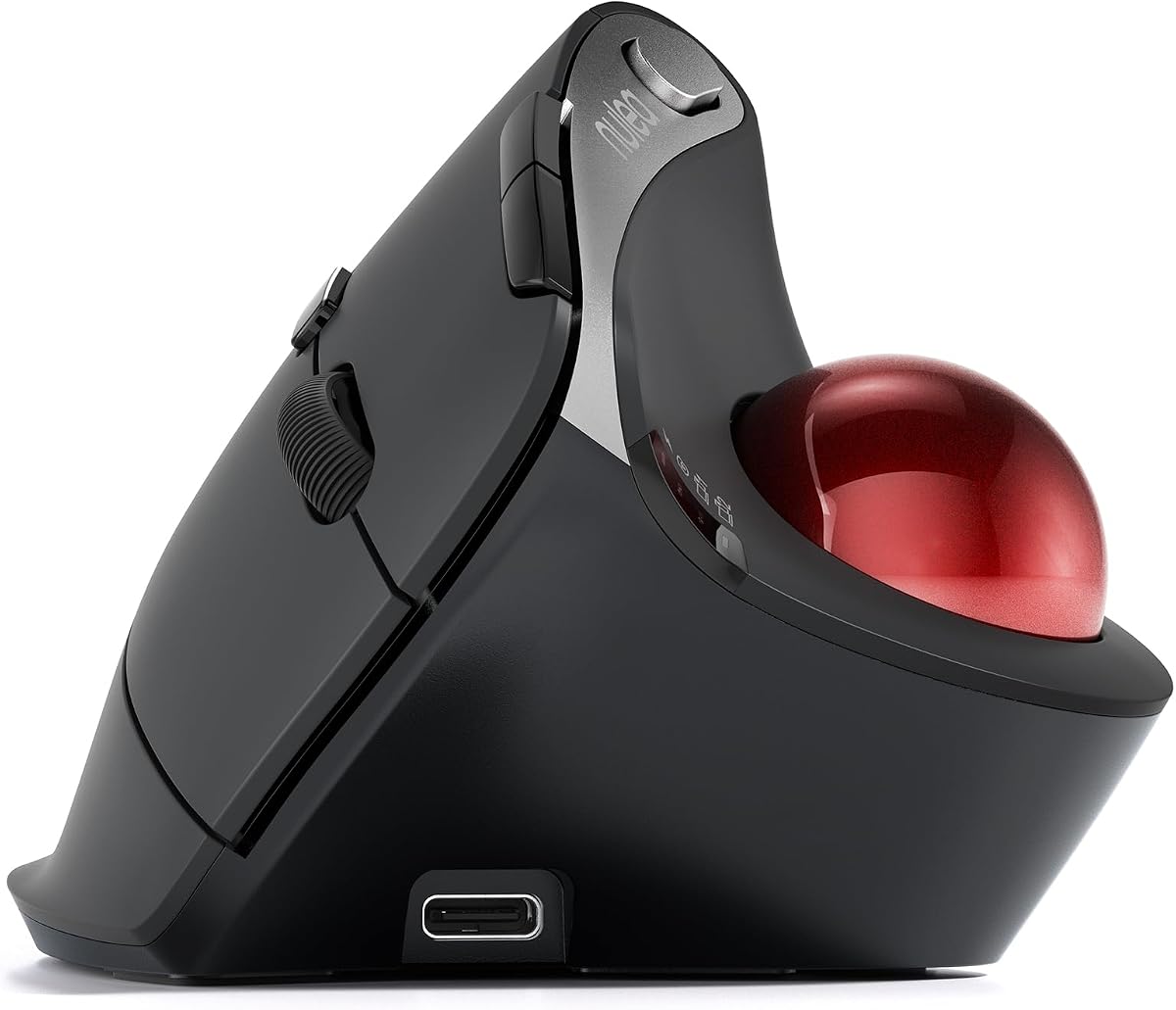
Nulea M501
4.4Editor score
Rechargeable battery
Adjustable DPI levels
Dual connectivity options
This guide compares the top ergonomic trackball mice for comfort and productivity, featuring detailed specs, pros, and cons to help you choose the perfect
Ergonomic trackball mice offer a unique solution for users seeking comfort and precision without constant hand movement. These devices reduce strain by allowing thumb control while keeping the hand in a natural position.
We evaluated ten top-rated models based on design, connectivity, battery life, and user feedback. Our analysis highlights key features that matter most for daily work and creative tasks.
Each pick showcases specific strengths and potential drawbacks to help you decide quickly. Keep in mind that prices and availability may change over time as market conditions shift.
4.4Editor score
4.5Editor score

4.4Editor score
The following table provides a side-by-side comparison of all ten models to help you assess specifications and features at a glance.




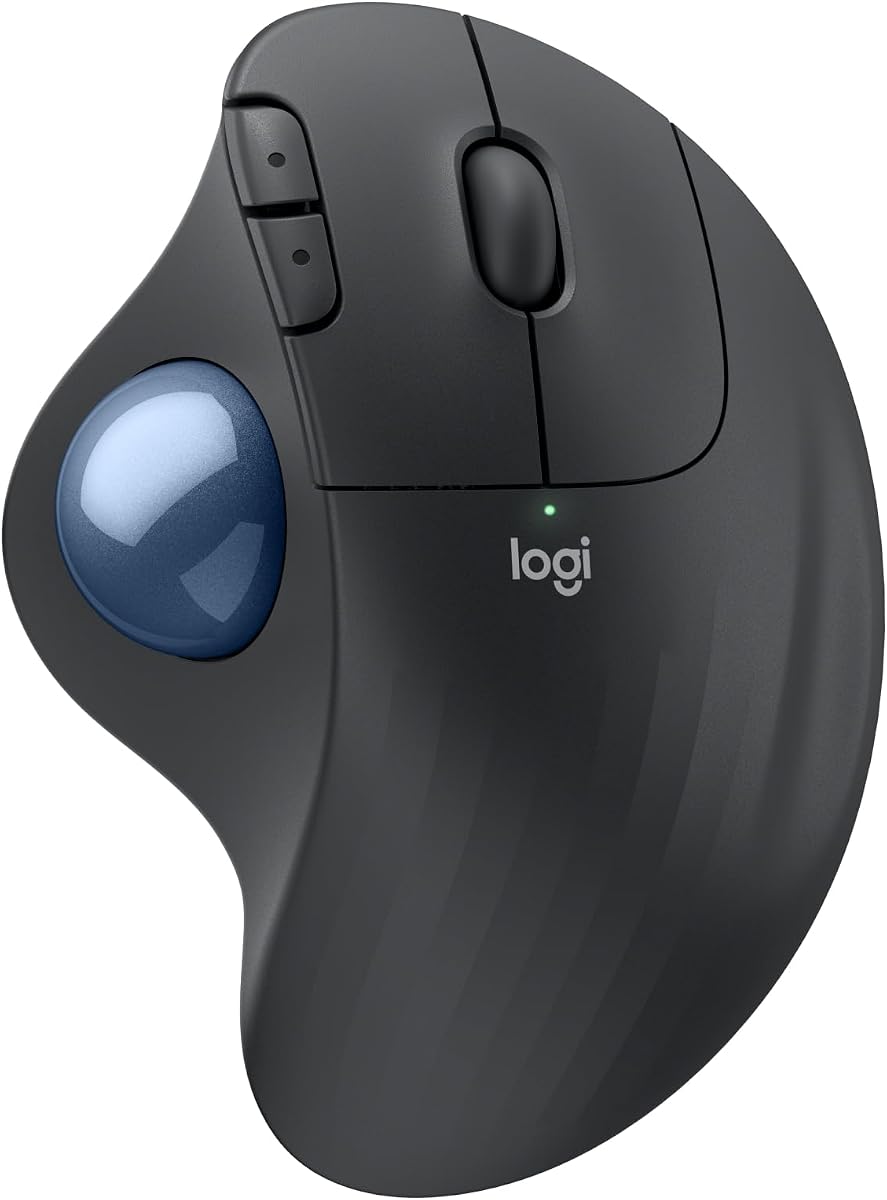
The Logitech Ergo M575S stands out as a top choice for users seeking comfort. With a 4.5 rating, it offers smooth tracking and ergonomic support.
We may earn a commission when you buy through this link, at no additional cost to you.
Its sculpted shape reduces muscle strain and supports better forearm posture throughout the day. Users appreciate the thumb control mechanism which minimizes hand movement.
Trade-offs include the lack of fast charging and a design best suited for medium to large hands. However, the long battery life and customizable buttons compensate for these limits.
This mouse is ideal for office workers and creatives who need reliable performance. We recommend it for anyone prioritizing comfort without sacrificing precision.
The ergonomic shape realigns your forearm into a better posture which reduces daily strain significantly.
Enjoy up to 18 months of use on a single AA battery which means fewer interruptions for replacements.
We may earn a commission when you buy through this link, at no additional cost to you.
The Nulea M501 offers exceptional value for budget-conscious buyers. With a 4.4 rating, it delivers solid performance at an accessible price.
We may earn a commission when you buy through this link, at no additional cost to you.
Its rechargeable battery and 4 DPI levels provide flexibility for different tasks. Users can connect up to three devices for seamless switching between workstations.
Limitations include non-programmable buttons and a lack of fast charging. Despite this, the ergonomic design and reliable tracking make it a strong contender.
This mouse suits students and casual users who need a comfortable option. It is an excellent entry point into trackball technology.
Connect up to three devices using Bluetooth or a USB dongle and switch easily with a button press.
The smooth thumb control helps reduce muscle stress and keeps your palm in a natural position.
We may earn a commission when you buy through this link, at no additional cost to you.
This black variant of the Logitech Ergo M575S holds a strong 4.6 rating. It mirrors the core benefits of the standard model with a sleek look.
We may earn a commission when you buy through this link, at no additional cost to you.
The ergonomic shape supports better forearm posture while thumb control saves desk space. Long battery life ensures uninterrupted workflow for months.
While feature-rich, it shares specs with the standard version which might limit advanced customization. Still, the reliability and comfort are top-tier.
We recommend this for users who prefer a dark aesthetic. It fits well in modern office setups requiring dependable tools.
The ergonomic shape of the ERGO M575S supports your hand and realigns your forearm into a better posture.
Move your cursor without moving your hand making it ideal for small or space-saving setups.
We may earn a commission when you buy through this link, at no additional cost to you.
The Logitech MX Ergo S delivers premium features with a 4.4 rating. Its 20-degree tilt and USB-C charging set it apart in the category.
We may earn a commission when you buy through this link, at no additional cost to you.
The tilt angle reduces muscle strain and offers high precision tracking with quiet clicks. Customizable buttons enhance productivity through smart actions.
The higher price may not suit all budgets and battery life is shorter than some models. However, advanced users will value the precision and design.
This mouse suits professionals who need a top-tier ergonomic solution. It combines performance with modern charging and connectivity features.
The tilt angle provides better forearm posture which reduces muscle strain by 27 percent for long-term use.
Enjoy up to 24 hours of use from a 1 minute charge thanks to the USB-C fast charging feature.
We may earn a commission when you buy through this link, at no additional cost to you.
The TECKNET Wireless Trackball offers a 16-degree vertical angle with a 4.5 rating. It is designed to reduce strain through unique ergonomic features.
We may earn a commission when you buy through this link, at no additional cost to you.
A 500mAh battery and 5 DPI levels provide flexibility and long usage between charges. Users can connect three devices for smooth switching across workstations.
New users may face a learning curve and the size could differ from standard mice. However, the ergonomic benefits outweigh these initial adjustments.
This mouse fits users seeking vertical ergonomics and quiet operation. It is a great choice for long work sessions.
Featuring a unique 16-degree vertical angle this mouse promotes better forearm posture and reduces muscle strain.
Press the DPI button to adjust sensitivity and enjoy silent operation perfect for shared workspaces.
We may earn a commission when you buy through this link, at no additional cost to you.
The Nulea M506 earns a 4.7 rating for its 54-degree vertical design. It offers a natural wrist position and reliable performance for daily tasks.
We may earn a commission when you buy through this link, at no additional cost to you.
A 21-day battery life and detachable trackball make maintenance easy. Users can switch between 4 DPI levels for precision or speed as needed.
The larger size might not suit smaller hands and button options are limited. Still, the ergonomic benefits and battery life are significant positives.
This mouse suits users needing strong vertical support. It is recommended for those prioritizing comfort and reliability.
The 54-degree vertical structure keeps your wrists and forearms in natural relaxed positions.
The trackball is removable for easy cleaning without tools so it rolls smoothly and precisely.
We may earn a commission when you buy through this link, at no additional cost to you.
The Nulea Wireless Ergonomic Vertical offers a 65-degree angle with a 4.3 rating. It emphasizes silent operation and seamless multi-device connectivity.
We may earn a commission when you buy through this link, at no additional cost to you.
An infinite scroll wheel allows smooth navigation while the 65-degree angle keeps the wrist relaxed. Users can pair up to three devices instantly.
The scroll mode auto-switches which may not suit all preferences and the bulk can be an issue for tight spaces. However, the silent operation is a key plus.
This mouse fits late-night workers or quiet offices. It is a solid choice for those valuing discretion.
The advanced infinite scroll wheel automatically switches between precise and fast modes based on scrolling speed.
Experience a completely noise-free operation perfect for shared spaces or late-night work.
We may earn a commission when you buy through this link, at no additional cost to you.
The Nulea Wireless Trackball with Tilt Stand provides a 21.7-degree angle with a 4.4 rating. It aims to improve wrist positioning and reduce strain.
We may earn a commission when you buy through this link, at no additional cost to you.
A 6-button design and wireless silent operation offer practical usability. Users can adjust sensitivity across 4 DPI levels for various tasks.
Buttons are non-programmable and the tilt angle is fixed which limits customization. Yet the ergonomic stand provides clear comfort benefits.
This mouse suits users needing a specific tilt angle. It is recommended for those prioritizing ergonomic support.
The ergonomic wireless mouse comes with a 21.7-degree tilt stand for a more natural wrist position.
Experience a completely noise-free operation from the trackball to every button and scroll wheel.
We may earn a commission when you buy through this link, at no additional cost to you.
The Logitech Ergo M575 for Business has a 4.4 rating and includes enterprise-grade deployment options. It offers strong battery life and ergonomic comfort.
We may earn a commission when you buy through this link, at no additional cost to you.
With Logitech Sync, managers can remotely deploy and monitor devices easily. The mouse also features a 18-month battery life and sustainable materials.
Some features are tailored for business use which may limit consumer customization. Nevertheless, the reliability and management tools are unmatched.
This mouse fits enterprise environments needing scalable solutions. It is a smart choice for large teams.
Remotely deploy and monitor with Logitech Sync to manage large numbers of devices efficiently.
Enjoy up to 18 months of use from a single AA battery for long-term reliability.
We may earn a commission when you buy through this link, at no additional cost to you.
The Logitech MX Ergo S USB-C offers 4.5 ratings with premium cross-platform features. It delivers precision tracking and robust connectivity for diverse systems.
We may earn a commission when you buy through this link, at no additional cost to you.
Six programmable buttons and fast USB-C charging enhance productivity. Users can switch between speed and high precision tracking easily.
The battery life is shorter than AA models and the price is higher. Still, the flexibility and charging convenience are valuable.
This mouse suits users needing a rechargeable premium option. It is recommended for Mac and PC users alike.
Connect with Bluetooth and encrypted dongle for seamless use across PC and Mac systems.
Enjoy up to 24 hours of use from a 1 minute charge to keep working without interruption.
We may earn a commission when you buy through this link, at no additional cost to you.
Choosing the right ergonomic trackball mouse requires considering several key factors to ensure comfort and efficiency.
Look for mice with tilt angles or sculpted shapes that keep your wrist in a natural position. Vertical designs reduce forearm strain and are ideal for long sessions.
Prioritize models with ergonomist certification to ensure they support proper posture.
Thumb-controlled trackballs save desk space and reduce hand movement. Larger balls offer smoother motion while smaller ones allow precise control.
Choose a size that fits your hand comfortably to avoid cramping during extended use.
Rechargeable batteries are convenient but often offer shorter run times than AA options. Consider how often you can charge your device.
If you need long-term use without charging, AA-powered models provide reliable endurance.
Bluetooth offers clean setups but may have latency in some environments. USB dongles provide stable connections for desktops or low latency needs.
Dual connectivity allows seamless switching between devices which boosts productivity.
DPI levels let you adjust cursor speed to match your screen resolution and task needs. Higher DPI is useful for large monitors.
Look for models with multiple DPI presets to quickly switch between speed and precision.
Programmable buttons allow shortcuts and macros that save time during workflows. Customization increases efficiency for complex tasks.
Check if the manufacturer provides software to configure these buttons easily.
A sturdy build ensures the mouse withstands daily wear and tear. Quality materials and reliable switches extend the device's life.
Consider models with removable trackballs for easier cleaning and maintenance.
Ensure the mouse works with your operating system such as Windows or macOS. Manufacturer software enhances features like button mapping.
Check for cross-platform support if you switch between different devices regularly.
To start using your ergonomic trackball mouse, pair it with your device using Bluetooth or the USB receiver. Adjust the DPI settings to match your preferred cursor speed.
For optimal comfort, position the mouse close to your keyboard and keep your forearm supported on the desk. Adjust the tilt or vertical angle to suit your hand size.
Regularly clean the trackball by ejecting it if possible and wiping away dust. Recharge or replace batteries as needed to maintain performance.
An ergonomic trackball mouse allows cursor control via a thumb or finger-operated ball instead of moving the entire hand. This design reduces wrist strain and improves comfort during long work sessions.
Yes, trackball mice are often recommended for carpal tunnel syndrome because they minimize wrist movement. The ergonomic shape supports a neutral hand position which reduces pressure on the nerves.
Most modern trackball mice do not require a specific surface since the ball is internal. They work well on most desks and even in the air as long as the sensors are clean.
To clean a trackball mouse, eject the ball if it is removable and wipe it with a soft cloth. Clean the housing and sensors with a dry brush or compressed air to remove dust.
Bluetooth connects wirelessly without a receiver but may have latency or battery draw. USB dongles offer stable connections and often save battery life which is ideal for desktop use.
High-quality ergonomic mice typically last several years with proper care. Battery life varies from weeks to months depending on the power source and usage frequency.
Some trackball mice have high DPI and programmable buttons suitable for gaming. However, they may lack the speed and precision of traditional gaming mice for fast-paced titles.
Many ergonomic trackball mice are ambidextrous and work for left-handed users. However, some designs are optimized for the right hand so check the product description for symmetry.
The Logitech Ergo M575S, Nulea M501, and Logitech MX Ergo S stand out as top picks for comfort and value. Each offers unique features suited to different needs.
Prioritize ergonomic design, battery life, and connectivity options when selecting a mouse. Investing in the right tool can significantly improve daily workflow and health.
Check current prices and availability before purchasing to ensure you get the best deal. Prices and promotions may change so verify details at the time of purchase.