
External Blu-ray Drive 8-in-1
4.2Editor score
USB hub and card reader
Dual interface connectivity
Portable with carrying case
This guide compares the top ten external Blu Ray Drive models for reliable disc playback and data backup across Windows and Mac systems in October 2026.
In a digital age where physical media still matters, an external Blu Ray Drive remains essential for accessing high definition content and archived data without internal hardware limitations.
We evaluated ten leading models based on compatibility, reading speeds, build quality, and additional features like USB hub integration to help you find the most versatile option.
Each entry highlights specific strengths and limitations so you can match a drive to your workflow while noting that availability and pricing may shift over time.
4.2Editor score

4.7Editor score

4.2Editor score
The following table presents a side-by-side overview of all ten evaluated drives, highlighting their core specifications and key functional attributes to simplify your selection process.



This drive stands out as the only option in our list capable of reading and writing UHD 4K Blu-ray discs, making it ideal for users with high fidelity archival needs.
We may earn a commission when you buy through this link, at no additional cost to you.
The CNC aluminum body provides durability and heat dissipation, while its USB 3.0 interface ensures fast data throughput for large media files.
While it offers significant premium capabilities, note that Mac users cannot currently play UHD discs on this model, and you must purchase third-party software like CyberLink PowerDVD for PC playback.
If you require UHD 4K write capability and prioritize build quality, this drive justifies its premium positioning despite the software requirements.
This drive enables writing to regular Blu-ray, DVD, and CD while also handling UHD 4K content when paired with the correct playback software on Windows systems.
The drive features a CNC aluminum body that resists wear and helps manage internal heat during extended disc reading or burning sessions.
We may earn a commission when you buy through this link, at no additional cost to you.
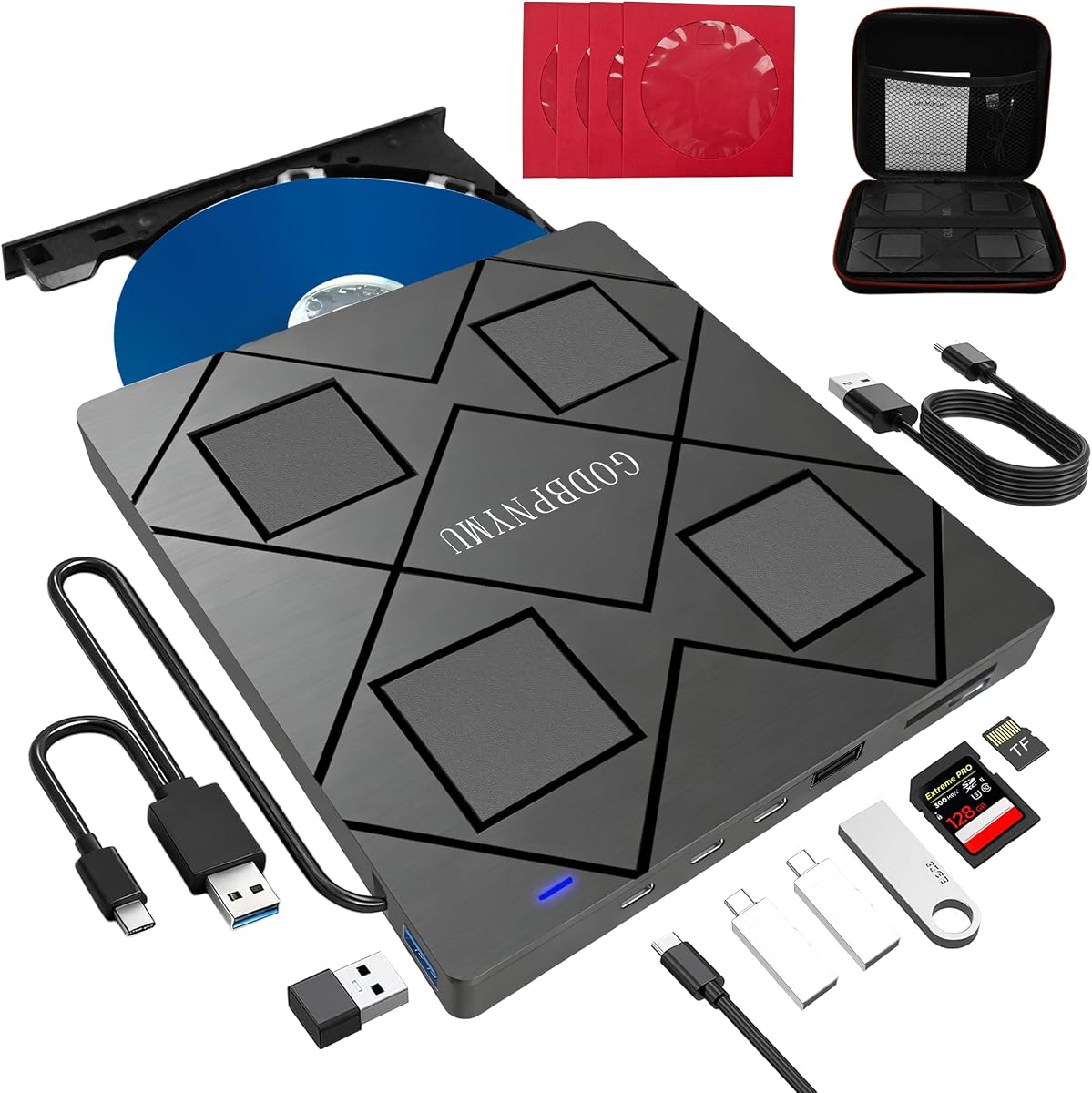
This model offers exceptional value by combining an external Blu-ray drive with a multi-port USB hub and SD/TF card slot for versatile connectivity on the go.
We may earn a commission when you buy through this link, at no additional cost to you.
Its slim profile and included carrying case make it easy to travel with, while its support for BD-R, DVD±R, and CD formats covers most common optical disc needs.
The main limitation is the lack of 4K UHD support and a maximum recording capacity of 50GB on dual-layer BD discs, which may not suffice for ultra-high-resolution archiving.
For budget-conscious users seeking a multi-functional optical drive with convenient peripheral support, this model delivers strong practicality.
Equipped with 2 USB-C ports, 1 USB 3.0 port, 1 USB 2.0 port, and a card slot, this device expands connectivity for peripherals alongside optical media access.
Weighing just 300 grams and measuring 5.5 x 5.5 x 0.35 inches, it fits easily into laptop bags and comes with a carrying case and disc sleeves.
We may earn a commission when you buy through this link, at no additional cost to you.
With a strong rating and TAA compliance, this drive delivers reliable read and write performance across BD, DVD, and CD formats for users prioritizing longevity and quality.
We may earn a commission when you buy through this link, at no additional cost to you.
Its ultra-slim form factor and USB 3.2 Gen 1 connectivity ensure fast transfers and easy portability, while M-DISC support allows for data that can last up to 1000 years.
Although it lacks UHD 4K capabilities, its consistent performance and robust warranty make it a trustworthy choice for professional archival and everyday media playback.
This model earns its top pick status by balancing build quality, compatibility, and data preservation features without compromising portability.
Manufactured in Japan and fully TAA compliant, this drive meets strict quality and procurement standards often required by government or enterprise users.
The drive supports M-DISC BD-R media, which records data into a rock-like inorganic layer that resists light, heat, and humidity for centuries of storage.
We may earn a commission when you buy through this link, at no additional cost to you.
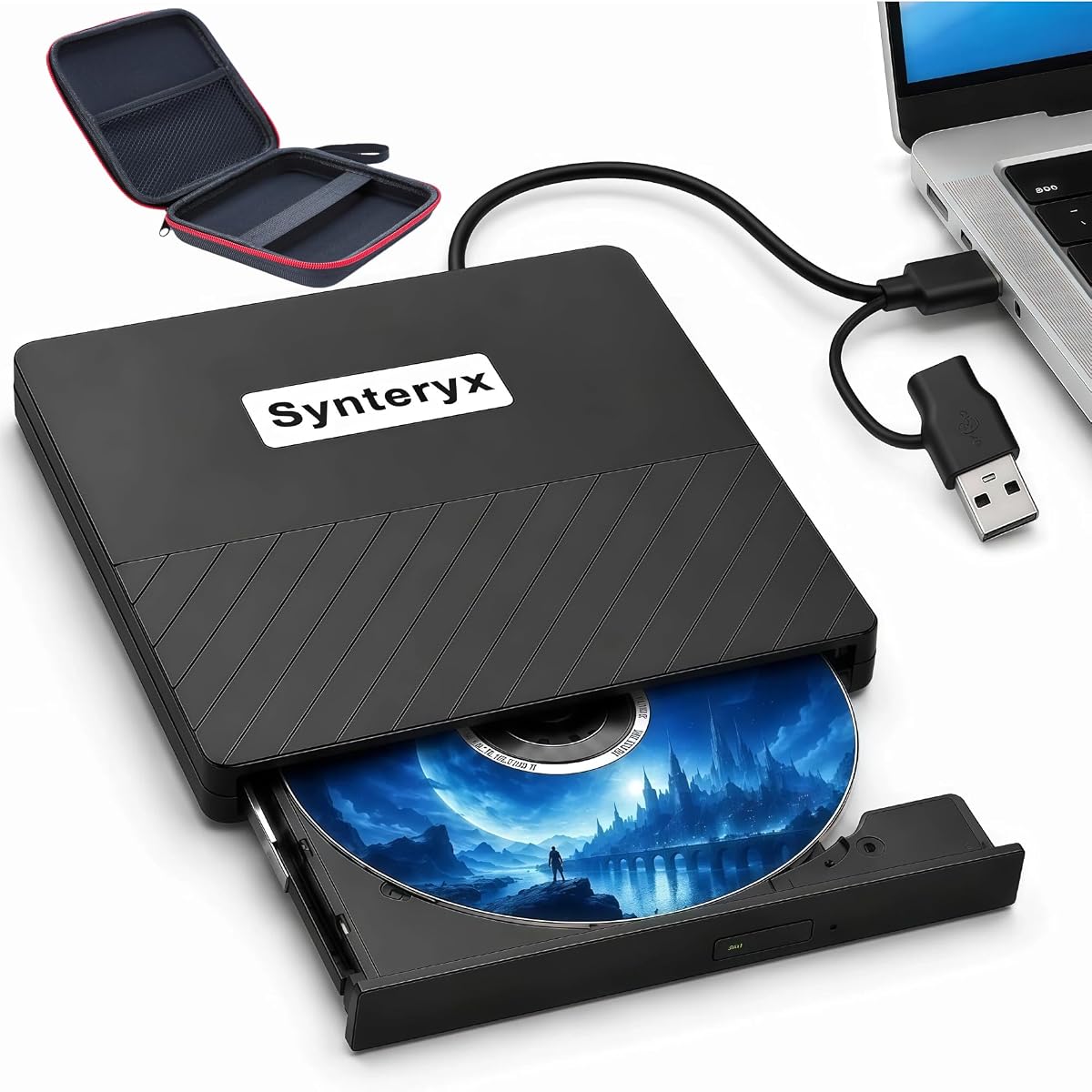
This unit mirrors the functionality of the leading budget pick by offering an 8-in-1 design with a built-in 4-port USB hub and dual interface cable for versatile use.
We may earn a commission when you buy through this link, at no additional cost to you.
Its slim chassis and included carrying case make it convenient for travel, while it supports standard BD, DVD, and CD reading and burning with third-party software.
Users should note it does not support 4K UHD playback and has a maximum BD recording limit of 50GB, which may restrict use for high-capacity archival projects.
As a versatile and affordable all-in-one optical solution, it works well for general media playback and data backup tasks on laptops or desktops.
The hub includes 2 USB-C ports, 1 USB 3.0 port, and 1 USB 2.0 port, allowing connection to mice, keyboards, or flash drives while using the drive.
Each package contains a portable carrying case and four CD/DVD protective sleeves to prevent scratches and keep discs organized during transit.
We may earn a commission when you buy through this link, at no additional cost to you.
This drive offers a lightweight solution for users who primarily need to play or read optical media, with support for Blu-ray playback alongside CD and DVD burning capabilities.
We may earn a commission when you buy through this link, at no additional cost to you.
Its dual USB 3.0 and Type-C connectors ensure compatibility with modern and older laptops, and its low noise operation suits quiet environments like offices or libraries.
A key limitation is that while it can read Blu-ray discs, it cannot write to them, restricting its use to playback and CD/DVD authoring scenarios only.
If your workflow focuses on consuming physical media rather than creating Blu-ray discs, this economical option provides straightforward plug-and-play functionality.
The integrated cable supports both USB 3.0 and Type-C connections, allowing direct attachment to devices with or without traditional USB-A ports.
Engineered for efficiency, the drive maintains low noise levels during operation and draws sufficient power from the USB connection for stable performance.
We may earn a commission when you buy through this link, at no additional cost to you.
This drive enables high-definition 3D Blu-ray playback and supports both reading and writing for a wide range of disc formats including BD-R, DVD±R, and CD variants.
We may earn a commission when you buy through this link, at no additional cost to you.
Its matte finish and anti-skid rubber feet help keep the unit secure during use, and it connects via USB without requiring complex driver installations on most systems.
Note that for laptops, using the included power adapter ensures stable operation, and some Windows 11 setups may experience compatibility issues that require troubleshooting.
For movie enthusiasts wanting 3D support at a moderate price, this drive offers a straightforward solution for accessing physical high-definition content.
Users can read and play 3D Blu-ray discs for immersive viewing on a computer screen, provided third-party player software is installed and configured correctly.
The drive is designed for simplicity, drawing power directly from the USB port and functioning immediately after connection without manual driver setup.
We may earn a commission when you buy through this link, at no additional cost to you.
This drive addresses common power instability issues with an additional USB power cable, ensuring smooth reading and writing across BD, DVD, and CD formats.
We may earn a commission when you buy through this link, at no additional cost to you.
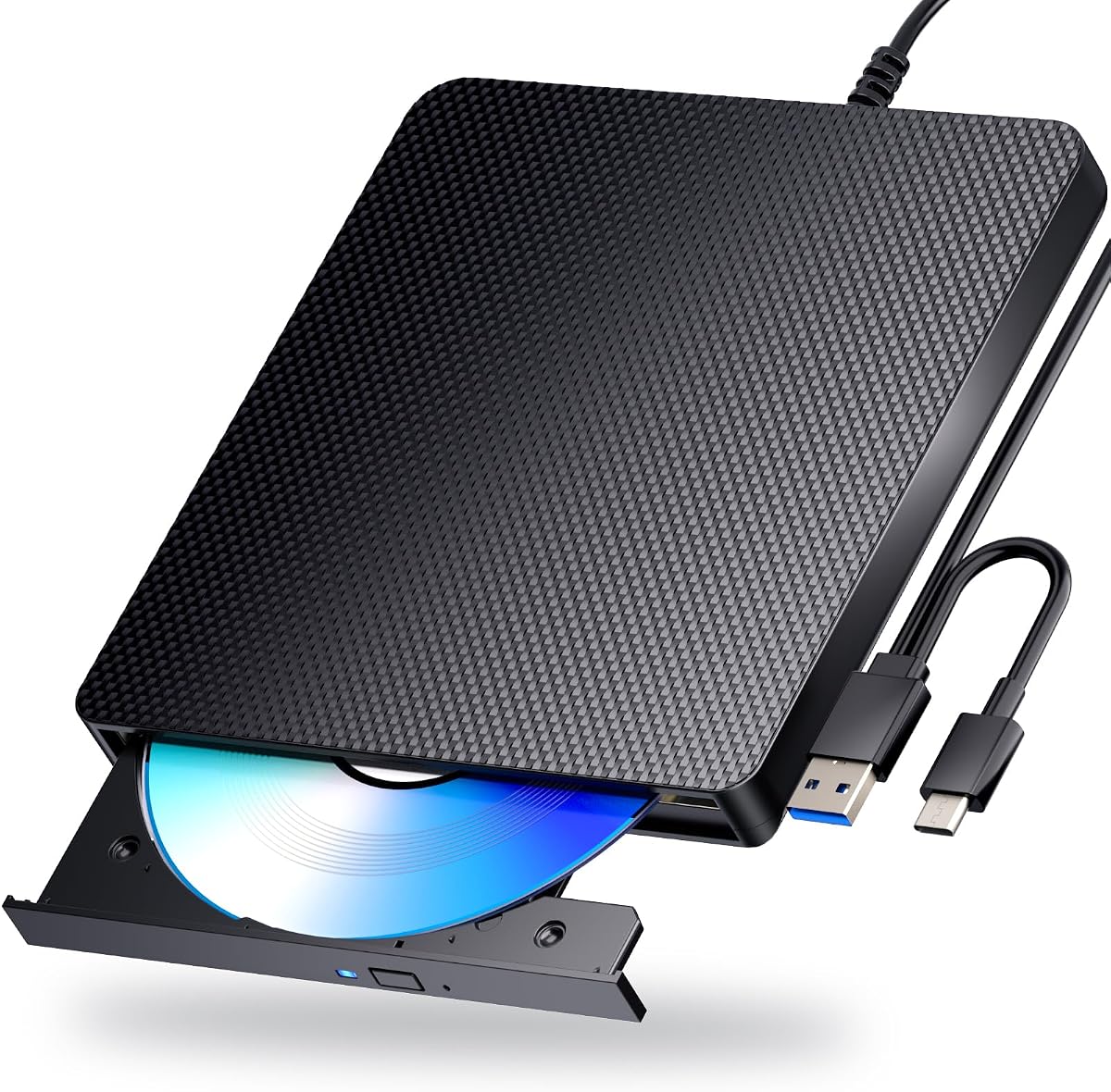
Its integrated cable design merges USB-A and Type-C connectors into one unit for easier storage, while its error correction capability helps maintain data integrity during transfers.
Playback and writing require separate software like PowerDVD or VLC, and some users report lower satisfaction scores potentially linked to setup or compatibility challenges.
Despite these drawbacks, the dual power design makes it a reliable pick for users who encounter inconsistent power delivery through their laptop USB ports.
The drive comes with an additional USB power cable that ensures a stable power supply for smooth disc operations, reducing interruptions during playback or burning.
The cables for USB 3.0 and Type-C are combined into a single unit that can be neatly stored, simplifying portability and reducing the risk of lost adapters.
We may earn a commission when you buy through this link, at no additional cost to you.
With a strong rating and durable construction, this drive supports 3D Blu-ray playback and reads or writes across BD, DVD, and CD formats using standard USB connections.
We may earn a commission when you buy through this link, at no additional cost to you.
Its scratch-resistant matte finish protects against wear, and its USB-A and Type-C cables enable broad compatibility without the need for additional driver installations.
While it does not require external power for most tasks, using the optional adapter on laptops improves stability, and playback software must be purchased separately for full functionality.
This model offers a reliable mix of performance, durability, and modern connectivity options for users seeking consistent optical media access.
The drive includes both USB-A and Type-C connection cables, allowing seamless use with older and newer computers without needing separate adapters.
The body features a scratch-resistant matte finish and anti-skid rubber feet, protecting the drive from wear and keeping it stable during operation.
We may earn a commission when you buy through this link, at no additional cost to you.
This drive stands out with a 5-in-1 design that includes two USB ports and an SD/TF card slot for expanded connectivity and file transfers between devices.
We may earn a commission when you buy through this link, at no additional cost to you.
Its embedded cable design prevents loss of connectors, and its support for Windows, Mac, and Linux ensures broad system compatibility for various professional and personal workflows.
Though it lacks UHD 4K playback, it handles standard BD read/write, DVD, and CD formats, making it suitable for general media and data backup tasks.
For users needing extra USB ports and card reader functionality alongside an optical drive, this model offers a compact and practical all-in-one solution.
The drive features two USB ports and an SD/TF slot to read photos and videos directly from memory cards, reducing the need for external card readers.
An integrated cable design allows the USB connector to be stored within the drive housing, minimizing tangles and ensuring you always have the cable available.
We may earn a commission when you buy through this link, at no additional cost to you.
Achieving a perfect 5.0 rating, this drive delivers fast USB 3.0 performance with an optional dual power cable for consistent operation across BD, DVD, and CD discs.
We may earn a commission when you buy through this link, at no additional cost to you.
Its integrated cable storage simplifies portability, while strong error correction capabilities help ensure reliable data transfers even with minor disc imperfections.
Although playback and writing require third-party software, its stable power design and high user satisfaction suggest minimal operational hurdles for most users.
For those seeking a highly rated and robust optical drive with enhanced power reliability, this model presents a compelling and practical choice.
With 5 Gbps bandwidth, the drive enables faster reading and writing of large disc files, improving efficiency for media playback and data backup tasks.
An additional USB power cable is included to provide a stable power supply during disc operations, reducing the risk of interruptions due to insufficient power.
We may earn a commission when you buy through this link, at no additional cost to you.
Selecting the right external Blu Ray Drive involves evaluating compatibility, disc formats, speed, and additional features to match your specific usage needs.
Ensure the drive supports your current operating system whether it is Windows, macOS, or Linux as some models may have limited functionality or require specific drivers on certain platforms.
Always check the product listing for explicit compatibility with your OS version to avoid connectivity or playback issues.
Some drives only read Blu-ray discs while others both read and write them; decide if you need to burn or create discs in addition to watching them.
If burning is necessary, verify that the drive explicitly lists BD-R or BD-RE write support in its specifications.
True 4K Ultra HD Blu-ray playback and writing are rare in external drives and often require specific third-party software and powerful hardware to function correctly.
Most models only support standard Blu-ray so confirm UHD capabilities if your primary goal involves high-resolution disc media.
Look for USB 3.0 or Type-C interfaces which provide faster data transfer speeds compared to older standards and ensure your laptop or desktop has compatible ports.
Some drives may require external power adapters for stable operation especially when burning discs or when connected to lower-power USB ports.
For frequent travel choose slim and lightweight models that often include integrated cables and protective cases to prevent damage during transport.
Verify the physical dimensions and weight to ensure it fits comfortably in your laptop bag or travel pouch.
Certain models double as USB hubs or include SD card slots which can reduce clutter by letting you connect peripherals or transfer files from cameras directly.
Assess whether these extra features align with your workflow since they may come at a higher cost or with bulkier designs.
Many drives do not include media playback software meaning you may need to purchase or download tools like PowerDVD or VLC for full functionality.
Review the included software or documentation to understand any additional steps or costs needed before the drive can play Blu-ray content.
Check the length and coverage of the manufacturer's warranty as longer terms often indicate better build quality and provide peace of mind for long-term use.
Prefer models backed by responsive customer support channels that can help resolve connectivity or performance issues quickly.
Connect the drive to your computer using the provided USB cable ensuring you insert it into a powered USB port for stable operation especially when burning discs.
Install any necessary third-party playback software if your system does not automatically recognize the drive for Blu-ray media or follow manufacturer instructions for driver setup.
Handle discs by their edges and keep the drive clean from dust or liquids to maintain optical lens clarity and prolong the device's operational lifespan.
Most standard external Blu Ray Drives do not support 4K Ultra HD discs unless specifically labeled as UHD capable. Even then, playback often requires additional software and powerful system hardware to decode high bitrate video successfully.
Most modern external Blu Ray Drives use plug and play technology and will be automatically recognized by Windows or macOS without manual driver installation. However, some models may require drivers for full functionality on older systems.
Many models support both reading and burning of Blu-ray, DVD, and CD discs but some only offer read-only functionality for Blu-ray. Check the product specifications to confirm it supports BD-R or BD-RE writing if you need to create discs.
Read failures can stem from insufficient power from the USB port dirty or scratched discs or the need for third-party playback software. Try using a powered USB port or including the provided adapter to resolve power-related errors.
Most external drives do not include dedicated macOS playback software and may require you to purchase or download a compatible player separately. Always verify macOS compatibility and required tools before buying if you plan to use it on a Mac.
Regular discs can degrade over time especially with exposure to heat or sunlight while M-DISC formats available on some drives are designed to last up to 1000 years under proper storage conditions.
External optical drives are designed for use with computers and laptops not smart TVs or gaming consoles. They typically require a full operating system to function and will not work on most consumer display devices.
Most modern external drives include a dual USB cable with both USB-A and Type-C connectors allowing direct connection to newer laptops without the need for separate adapters or hubs.
We highlighted ten models with standout choices like the BUFFALO 6X for reliability, the 8-in-1 hub variants for versatility, and the archgon Premium for UHD 4K capabilities.
Prioritize whether you need writing support 4K playback, or additional USB connectivity to narrow your search and ensure the drive aligns with your daily workflow.
Keep in mind that availability and pricing shift regularly so verify current listings and compatibility details before making your final purchase decision.