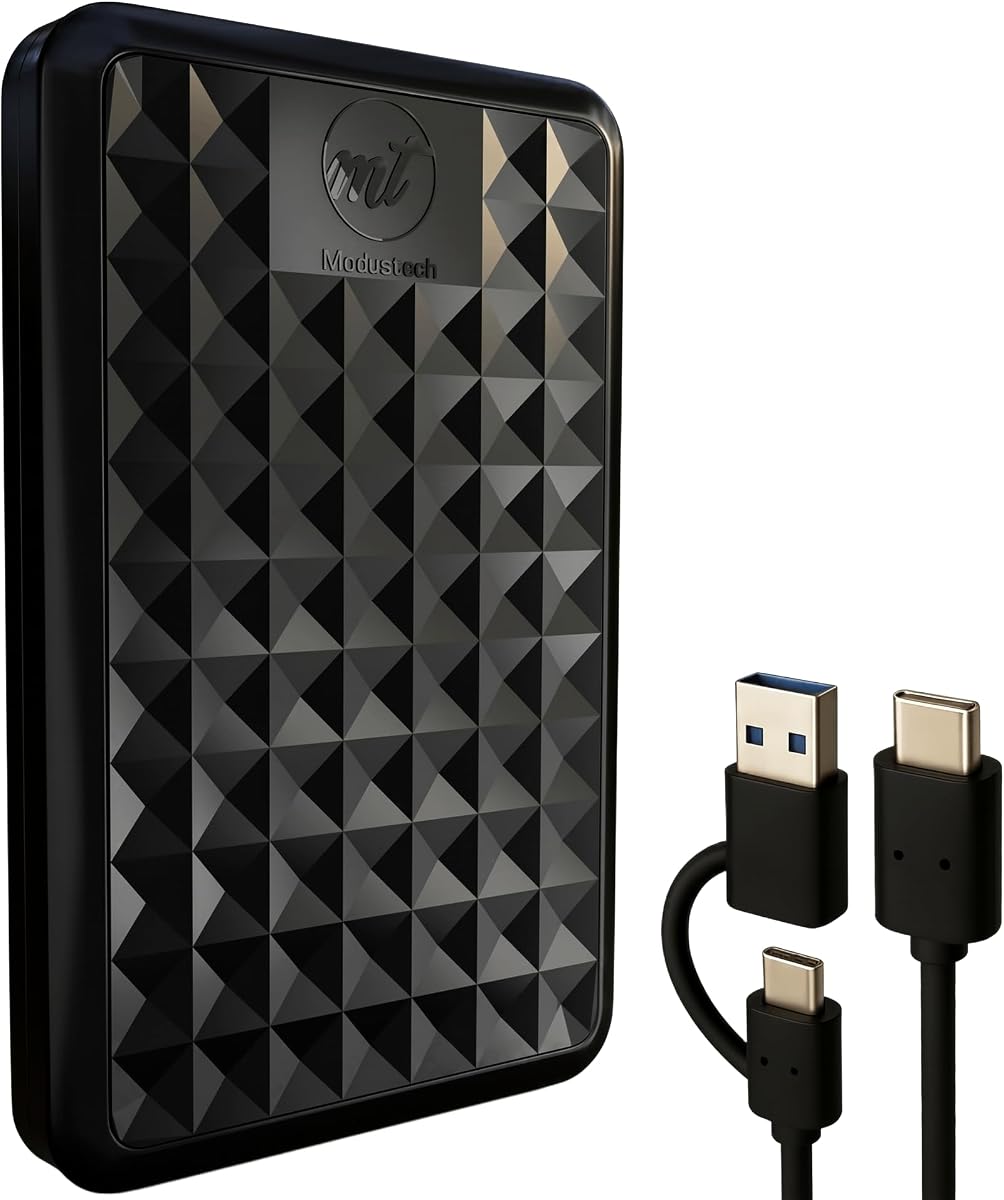
Facet 500GB External
4.1Editor score
USB-C and USB 3.1
Preformatted in exFAT
Shock-resistant portable design
Discover the best external hard drive for Chromebook to expand storage. We compare top portable drives for speed, capacity, and compatibility to help you
Chromebooks are excellent for everyday tasks but often lack internal storage. Adding an external hard drive for Chromebook ensures you have enough space for files and media without slowing down your device.
We evaluated ten top-rated portable drives based on connectivity, durability, and ease of use. Our selection focuses on models that work seamlessly with Chrome OS and offer reliable performance for students and professionals.
Each pick highlights key features like transfer speeds and design. Prices fluctuate frequently, so verify current listings before purchasing. This guide helps you find the right storage solution for your specific needs today.
4.1Editor score

4.7Editor score
4.6Editor score
This side-by-side comparison highlights key specifications across all ten selected drives. Review capacity, interface type, and compatibility to find the model that fits your Chromebook setup perfectly.


The WD Elements Portable Hard Drive stands out as a top choice for Chromebook users seeking reliable storage expansion. With a rating of 4.7 stars, it offers a balance of capacity and portability that suits various needs.
We may earn a commission when you buy through this link, at no additional cost to you.
Its SuperSpeed USB 3.2 Gen 1 interface ensures fast data transfers, making it easy to move large files like videos or photos. The drive is designed for plug-and-play expandability, meaning you can start using it immediately without complex setup.
While it lacks specific backup software for macOS or Chrome OS, the drive remains versatile. The small, lightweight design makes it perfect for travel, though you might need an adapter for Chromebooks with only USB-C ports.
If you need a trusted, high-capacity drive for everyday backups and media storage, this WD model is an excellent investment. It provides the room to grow with capacities up to 6TB for your most important documents.
The USB 3.2 Gen 1 interface delivers speeds up to 5Gbps, ensuring your files move quickly between your Chromebook and the drive.
Available in multiple capacities, this drive allows you to choose the right amount of space for your current and future storage needs.
We may earn a commission when you buy through this link, at no additional cost to you.
The Facet 500GB External Hard Drive is an excellent budget-friendly option for Chromebook owners who need immediate storage expansion. Its inclusion of a USB-C cable makes it particularly convenient for modern Chromebooks.
We may earn a commission when you buy through this link, at no additional cost to you.
This drive comes preformatted in exFAT, allowing it to work seamlessly with Windows, Mac, and Chrome OS without reformatting. The slim design fits easily in a laptop bag, making it ideal for students on the go.
While it may not offer the fastest transfer speeds on the market, it provides reliable performance for everyday backups and media storage. The shock-resistant casing helps protect your data during transport.
For users seeking an affordable, ready-to-use solution that includes modern connectivity options, this Facet drive is a strong contender. It offers dependable storage without requiring additional adapters or software installation.
With included USB-C to USB-C and USB-A cables, this drive connects to almost any laptop or tablet without needing extra adapters.
Preformatted in exFAT, the drive works immediately with Chromebooks and other devices, saving you time on setup and configuration.
We may earn a commission when you buy through this link, at no additional cost to you.
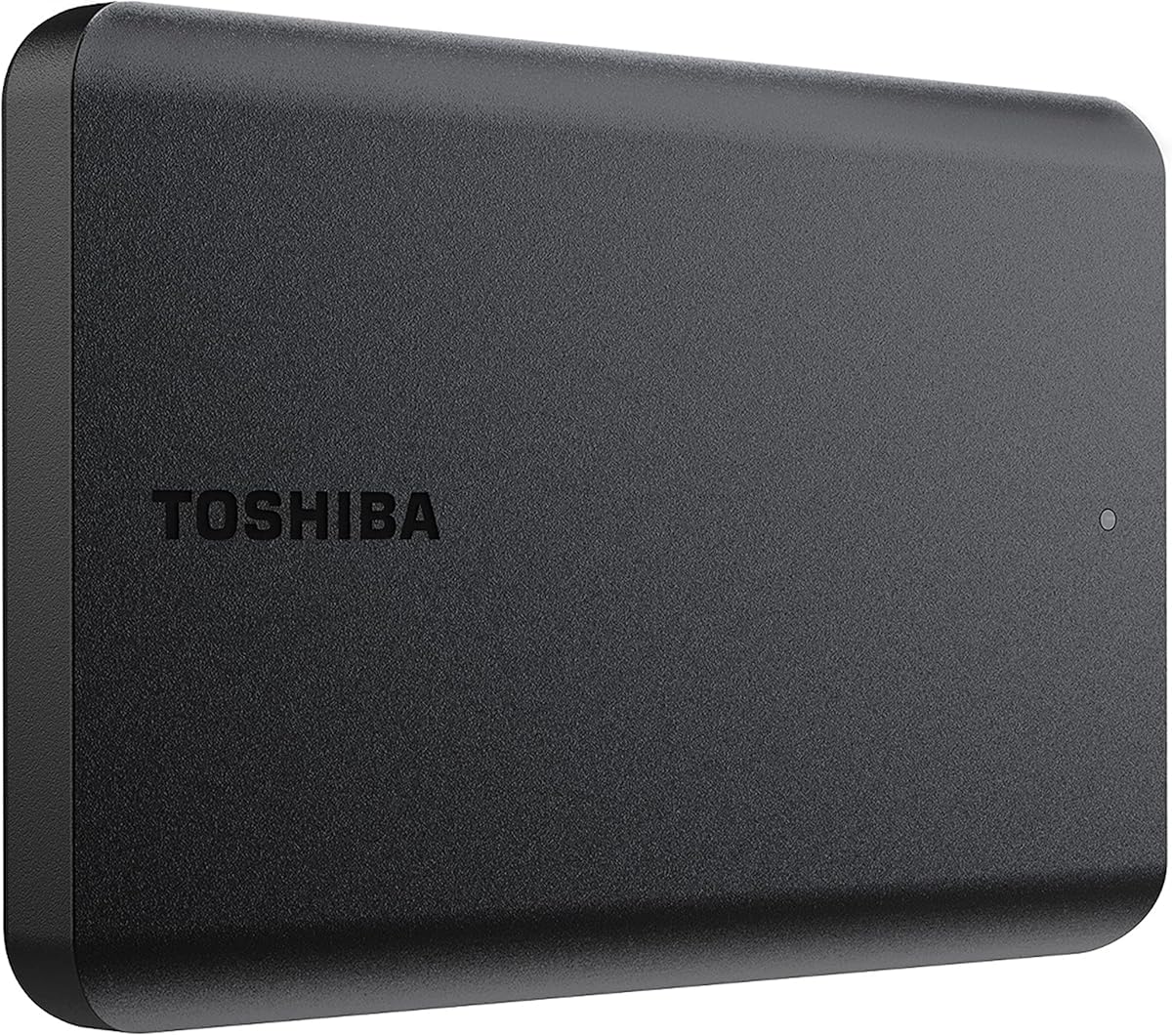
The Toshiba Canvio Basics 2TB offers premium build quality and high capacity for users who need extensive storage for their Chromebook. Its sleek design and matte finish provide a professional look that resists fingerprints.
We may earn a commission when you buy through this link, at no additional cost to you.
With 2TB of space, you can store thousands of documents, photos, and videos. The drive operates via USB 3.0, offering fast data transfers, and does not require an external power cord, keeping your workspace clean.
While it ships formatted for Windows, a quick reformatting process allows it to work with Chrome OS. This extra step ensures compatibility but may be a slight inconvenience for some users.
If you prioritize capacity and build quality, this Toshiba drive is a top choice. It delivers consistent performance and ample space for all your files, making it a reliable long-term storage solution.
The 2TB capacity provides ample room for large media libraries and critical backups, ensuring you never run out of space.
The smudge-resistant matte finish keeps the drive looking clean and professional, even after extended use in various environments.
We may earn a commission when you buy through this link, at no additional cost to you.
The Seagate 2TB Portable Hard Drive is a straightforward solution for adding storage to your Chromebook. With a 4.6-star rating, it is known for its ease of use and reliable performance across different operating systems.
We may earn a commission when you buy through this link, at no additional cost to you.
Designed to work with Windows and Mac, it also functions well with Chrome OS after formatting. The drive features plug-and-play simplicity, allowing you to connect it via the included 18-inch USB 3.0 cable.
While it lacks advanced software features, its core functionality is robust. You can drag and drop files effortlessly, making it a practical choice for users who prioritize simplicity and capacity.
If you need a basic, high-capacity drive for general storage, the Seagate Portable Drive is a solid option. It provides essential external storage without complicating your workflow.
Automatic recognition upon connection means you can start using the drive immediately without installing any additional software.
With 2TB of capacity, this drive offers plenty of room for backing up important documents and storing multimedia content.
We may earn a commission when you buy through this link, at no additional cost to you.
The Maxone 1TB Ultra Slim Drive Drive offers a durable metal design in a thin profile, making it easy to carry. Its aluminum construction not only looks sleek but also helps dissipate heat during operation.
We may earn a commission when you buy through this link, at no additional cost to you.
Powered by USB 3.0, it provides fast data transfers, ensuring your files move efficiently. The drive is compatible with various systems and works out of the box without needing any software installation.
While the metal build adds durability, it does not include a USB-C cable. Users with newer Chromebooks may need an adapter. However, the 3-year warranty offers added peace of mind.
For those who want a rugged and portable storage solution, the Maxone drive is a great choice. It balances style and function effectively for everyday use.
The all-aluminum anti-scratch model ensures the drive withstands daily wear and tear while maintaining a premium look.
USB 3.0 technology delivers transfer speeds up to 5 Gbit/s, making it significantly faster than older USB 2.0 drives.
We may earn a commission when you buy through this link, at no additional cost to you.
This 1TB Portable External Hard Drive is designed for versatility, explicitly mentioning compatibility with Chromebooks. It includes a USB to Type C adapter, addressing the connectivity needs of modern devices directly.
We may earn a commission when you buy through this link, at no additional cost to you.
The drive offers super fast transfer speeds via USB 3.0, allowing for quick backups and file transfers. Its slim design fits comfortably in a palm or pocket, making it highly portable for travelers.
Although the design is standard, its functionality is robust. It works with Windows, Mac, and Android, ensuring broad usability across different platforms without requiring additional drivers.
If you need a straightforward drive that comes with the necessary adapter for Chromebooks, this model is a practical choice. It delivers reliable performance for storing and accessing your files on the go.
Explicitly listed for Chromebook compatibility, this drive ensures seamless integration with your Chrome OS device without extra steps.
The package includes a USB to Type C adapter, making it ready to connect to newer Chromebooks that lack traditional USB ports.
We may earn a commission when you buy through this link, at no additional cost to you.
This 500GB External Hard Drive offers a compact solution for users who do not need massive storage. Its ultra-slim design makes it easy to carry, weighing only 0.35 lbs.
We may earn a commission when you buy through this link, at no additional cost to you.
The drive supports fast data transfers, with read speeds reaching up to 133MB/s. It is compatible with multiple systems, ensuring you can use it across your devices effortlessly.
While 500GB may be less than other options, it is sufficient for essential documents and smaller media collections. It provides a cost-effective way to expand your storage without cluttering your workspace.
For those needing a lightweight, budget-friendly drive, this model is a solid choice. It delivers consistent performance and portability for everyday tasks.
Weighing only 0.35 lbs, this drive is incredibly easy to carry in a bag or pocket for storage anywhere.
Supporting various systems including PS4 and Xbox, this drive offers more than just computer storage capabilities.
We may earn a commission when you buy through this link, at no additional cost to you.
The UnionSine 1TB Ultra Slim Drive Drive features a unique striped non-slip design that adds visual appeal. Its noise-free solution ensures a quiet working environment, ideal for use in libraries or offices.
We may earn a commission when you buy through this link, at no additional cost to you.
Powered by USB 3.0, it delivers theoretical read speeds up to 125MB/s. The drive includes a three-year warranty, reflecting the manufacturer's confidence in its quality and durability.
While it connects via USB-A, its performance is consistent and reliable. The design prioritizes comfort and heat dissipation, making it a comfortable choice for extended use.
If you value a balance of style, performance, and warranty support, the UnionSine drive is a good option. It offers dependable storage for your essential files.
The noise-free motherboard solution ensures the drive operates silently, keeping your focus on your work.
A three-year manufacturer warranty provides reliable support, ensuring your drive is protected against defects.
We may earn a commission when you buy through this link, at no additional cost to you.
The Aiolo Innovation 500GB External Hard Drive is designed for portability and silence. Its noise-free solution and lightweight size make it ideal for users who travel frequently.
We may earn a commission when you buy through this link, at no additional cost to you.
The package includes a USB to Type C adapter, ensuring compatibility with modern Chromebooks. It offers ultra-fast data transfers with theoretical read speeds up to 133MB/s.
The hard drive chip is wrapped with an aluminum anti-interference layer, which helps with heat dissipation and data protection. This design choice adds durability to an already compact device.
For those needing a quiet, portable drive with modern connectivity options, this Aiolo drive is a great pick. It provides reliable performance for small to medium storage needs.
The noise-free motherboard ensures the drive operates without audible noise, perfect for quiet workspaces.
Inclusion of a USB to Type C adapter ensures you can connect this drive to newer Chromebooks seamlessly.
We may earn a commission when you buy through this link, at no additional cost to you.
The Toshiba Canvio Advance 1TB stands out with included software features like automatic backup and password protection. While primarily for Windows users, its hardware works well with Chromebooks.
We may earn a commission when you buy through this link, at no additional cost to you.
Its compact design with a stylish finish makes it an attractive accessory for any setup. The drive is compatible with USB 3.0 and USB 2.0, ensuring broad connectivity.
Although the backup and password protection software is for Windows, the drive remains a versatile storage option. You can reformat it for Chrome OS and use it for standard file storage.
If you appreciate the added security features and reliable brand quality, this Toshiba drive is a strong option. It provides a polished experience for storing your valuable data.
Password protection software adds an extra layer of security to keep your private files safe from unauthorized access.
Free automatic backup software helps you schedule regular backups, ensuring your data is never lost unexpectedly.
We may earn a commission when you buy through this link, at no additional cost to you.
Choosing the right external hard drive for your Chromebook involves considering connectivity, capacity, and compatibility. This section breaks down the key factors to help you make an informed decision.
Chromebooks typically feature USB-C ports, but some still include USB-A. Ensure the drive you choose matches your ports or comes with the necessary adapters to avoid connectivity issues.
Look for USB 3.0, USB 3.1, or USB-C drives for faster data transfer speeds. This ensures your files move quickly and your workflow remains efficient.
Consider how much data you need to store. If you only need backup for documents, 500GB to 1TB may suffice. For media files like videos, consider 2TB or higher.
Capacity ranges from 500GB to 6TB. Assess your current usage and future needs to avoid running out of space quickly.
Drives often come formatted for Windows (NTFS) or Mac (HFS+). Chrome OS can read these but may need formatting to write data. Check if the drive is preformatted in exFAT, which is universally compatible.
If the drive is not preformatted for Chrome OS, you will need to format it using Chromebook tools. This ensures seamless read and write access.
Since Chromebooks are portable, the drive should be easy to carry. Look for slim, lightweight designs that fit in your bag or pocket without adding bulk.
Durability is also key. Metal cases or shock-resistant designs protect the drive from bumps and drops, ensuring your data remains safe.
Most portable drives are bus-powered, meaning they draw power from your Chromebook. This avoids the need for a separate power adapter, keeping your workspace tidy.
Ensure the drive does not require external power unless you are using a desktop setup. Bus-powered options are preferred for travel and mobile use.
USB 3.0 and USB-C offer significantly faster speeds than USB 2.0. For large files, prioritize drives with USB 3.1 or 3.2 specs to reduce transfer times.
Check theoretical read and write speeds in product descriptions. Higher speeds mean less waiting and more productive work sessions.
A solid warranty indicates manufacturer confidence. Look for at least a one-year warranty, with many brands offering up to three years for extra protection.
Customer support is also important. Brands with reliable support can help you troubleshoot issues if the drive encounters problems.
External drives vary in price based on capacity and features. Compare costs per gigabyte to find the best value. Budget options often provide the same reliability as premium models.
Consider what features you truly need. Avoid paying extra for software you won't use if the core storage functionality meets your needs.
To use your external hard drive with a Chromebook, simply plug it into an available USB port. If it has a USB-A connector and your Chromebook only has USB-C, use an adapter included or purchased separately.
Once connected, your Chromebook will recognize the drive automatically. You can access it via the Files app to drag and drop files. If it is the first time using the drive, you may need to format it in Chrome OS settings.
To care for your drive, always eject it safely before unplugging. Avoid dropping it or exposing it to extreme temperatures. Keeping it in a protective case when not in use will extend its lifespan and protect your data.
Yes, most standard external hard drives work with Chromebooks. Ensure the drive uses USB 3.0 or higher for optimal performance. You may need an adapter if your Chromebook only has USB-C ports.
If the drive is preformatted in exFAT, it will work immediately. If it is formatted for Windows (NTFS) or Mac (HFS+), you will need to format it in Chrome OS to write files to it.
It depends on your needs. For documents and photos, 1TB is usually sufficient. For video or large datasets, consider 2TB or higher to ensure you have enough space for all your files.
Check the connection and ensure the cable is secure. Try a different USB port or restart your Chromebook. If it still does not appear, it may need to be formatted.
No, ChromeOS does not support running apps directly from external drives. The drive is primarily used for storage, backups, and media access rather than software installation.
Yes, most portable external hard drives are bus-powered and draw power from your Chromebook. This means you do not need to plug them into a separate power outlet.
We reviewed ten excellent external hard drives suited for Chromebook users, ranging from budget-friendly to high-capacity options. Each offers unique features to meet different storage needs.
Prioritize connectivity and file system compatibility when making your choice. Ensuring the drive works seamlessly with your Chrome OS will save you time and hassle in the long run.
Prices change frequently, so check current listings before purchasing. With the right external hard drive, you can expand your storage effortlessly and keep your data secure.