
2×2 4k Video Wall Controller
4.6Editor score
HDMI and DVI inputs
11 splicing modes
Hotkey remote control
This guide compares the top 10 HDMI Video Wall Controller units for 2026 to help you choose the perfect processor for seamless multi-screen setups.
Creating a seamless multi-screen display requires a reliable HDMI Video Wall Controller to manage signals across multiple monitors. These processors split one source into several outputs while handling resolution scaling and bezel adjustments for professional results.
We evaluated ten leading models based on input flexibility, display modes, audio extraction, and control options. Our comparison focuses on real-world performance for retail, office, and entertainment environments where visual continuity matters most to users.
Each selection highlights unique strengths like 4K support, RS-232 control, or USB-C compatibility. Please note that availability and specific feature sets may vary by region and vendor stock levels at the time of your purchase decision.
4.6Editor score

4.8Editor score

4.2Editor score
The following table provides a side-by-side comparison of key specifications for all ten models reviewed in this guide to help you identify the right fit for your setup.



This J-Tech Digital processor delivers reliable performance for combining up to four HDMI displays into a single seamless wall. Its high rating reflects strong consistency in handling 4K input signals down to 1080P outputs with minimal signal loss.
We may earn a commission when you buy through this link, at no additional cost to you.
The unit offers eight distinct display modes including 2×2, 1×3, and vertical split options that adapt to various monitor layouts. Audio extraction is handled through both SPDIF optical and 3.5mm ports ensuring you can route sound to external amplifiers easily.
While it does not output 4K resolution, the 1080P outputs maintain sharpness for standard business and retail displays. Users should note that rotation and edge masking features apply only to specific modes rather than all configurations simultaneously.
Ideal for office information screens or small retail displays, this controller balances ease of use with professional features. The lifetime technical support provides long-term security for commercial installations requiring ongoing stability and configuration help.
Toggle between eight configurations including vertical and horizontal splits to match your specific monitor arrangement without needing extra hardware.
Extract audio via SPDIF or analog ports to synchronize sound with video walls without relying on the TVs internal speakers.
We may earn a commission when you buy through this link, at no additional cost to you.
This controller offers an excellent value proposition for users needing a basic video wall solution without sacrificing essential features. It supports both HDMI and DVI inputs making it versatile for older and newer source devices.
We may earn a commission when you buy through this link, at no additional cost to you.
With eleven different splicing modes you can arrange screens in horizontal vertical or single-column layouts depending on your content needs. The memory function ensures your last configuration is restored automatically when power is cycled.
Rotation capabilities allow individual screens to be flipped 180 degrees which helps minimize bezel gaps in specific wall orientations. However the DVI port does not support 4K resolution limiting high-definition use cases for that specific input.
Best suited for budget-conscious installations like classrooms or small retail kiosks this model provides reliable performance. The hotkey remote simplifies mode switching without requiring complex setup menus or additional software tools.
Connect older DVI devices alongside modern HDMI sources to extend the life of existing hardware in your multi-screen setup.
Use button presses or remote hotkeys to switch display modes instantly without needing a computer interface for basic adjustments.
We may earn a commission when you buy through this link, at no additional cost to you.
This premium model supports true 4K 60Hz inputs providing the highest fidelity for video walls using high-resolution content. It offers LAN and Web control options that allow remote management across a network without physical access.
We may earn a commission when you buy through this link, at no additional cost to you.
The advanced scaling features let you up or downscale outputs to match specific screen resolutions like 1440P or 1080P flexibly. Multiviewer presets enable you to view all four source signals on a single screen for monitoring purposes.
While it costs more than standard controllers the ability to handle 4K inputs without downsizing is valuable for professional environments. Web control may require network configuration which adds complexity compared to simple IR remote options.
Choose this unit for high-end installations where image fidelity and remote manageability are critical. The seamless switching ensures no visual interruptions during content transitions essential for professional broadcasting or security applications.
Manage the video wall remotely over a LAN connection using web-based tools for large-scale or distributed display systems.
Upscale or downscale outputs to match diverse monitor resolutions within the same video wall for uniform visual presentation.
We may earn a commission when you buy through this link, at no additional cost to you.
OREI provides a robust solution with USB-C input compatibility allowing connection to modern laptops without extra adapters. The dual voltage power supply makes this unit suitable for international deployments where power standards vary widely.
We may earn a commission when you buy through this link, at no additional cost to you.
It supports up to 4K 60Hz input which ensures high-quality source handling before downscaling to 1080P outputs. Audio extraction covers a wide range of formats including Dolby Digital and DTS for comprehensive audio routing options.
While HDR10 is not supported this model handles standard dynamic range content effectively. The RS-232 port enables integration into automated control systems for building automation or professional AV setups.
This controller is ideal for users needing USB connectivity and global power compatibility. OREI support and a one year warranty provide additional peace of mind for commercial installations requiring long-term reliability.
Use the included international adapter to operate the device seamlessly across different regions with varying voltage standards.
Connect USB-C devices directly to the controller for streamlined setups without needing separate docking stations.
We may earn a commission when you buy through this link, at no additional cost to you.
This model offers versatile input options with both HDMI and USB-C capabilities for connecting a broad range of devices. The optical audio output ensures digital audio signal quality for professional sound systems without compression.
We may earn a commission when you buy through this link, at no additional cost to you.
Bezel adjustment and EDID management tools allow for precise calibration of screen edges and signal handshake for stability. Users can rotate content 180 degrees to optimize viewing angles across different screen orientations.
The device supports 4K 60Hz input but outputs at 1080p which is standard for most video wall applications. HDMI 2.0 and HDCP 2.2 compliance ensures compatibility with protected content and modern source devices.
Ideal for professional AV installers this unit offers granular control over video wall parameters. The optical audio support is a plus for installations where analog audio cables are not desirable for noise reasons.
Adjust bezels and manage EDID to ensure consistent signal behavior across all connected display units.
Use optical audio outputs to maintain digital signal integrity when routing sound to external processors or amplifiers.
We may earn a commission when you buy through this link, at no additional cost to you.
This model combines a 4×4 matrix switch with video wall capabilities allowing you to route any of four inputs to any output. Web control support lets you manage switching via a browser for centralized system oversight.
We may earn a commission when you buy through this link, at no additional cost to you.
It supports up to 4K 60Hz inputs and handles high-resolution audio formats like Dolby TrueHD and DTS-HD effectively. The advanced EDID management ensures that connected sources output the correct resolution for all displays simultaneously.
While primarily a video wall controller it is useful for setups requiring flexible signal routing beyond simple splitting. The matrix functionality adds significant value for users needing to switch between multiple media sources or PCs.
This unit is best for larger installations where routing flexibility is required alongside video wall processing. Its advanced features justify the investment for professional environments needing multi-source management capabilities.
Route any input source to any display output allowing flexible content distribution across a multi-screen array.
Manage the matrix and video wall functions via web interface for remote access without physical device interaction.
We may earn a commission when you buy through this link, at no additional cost to you.
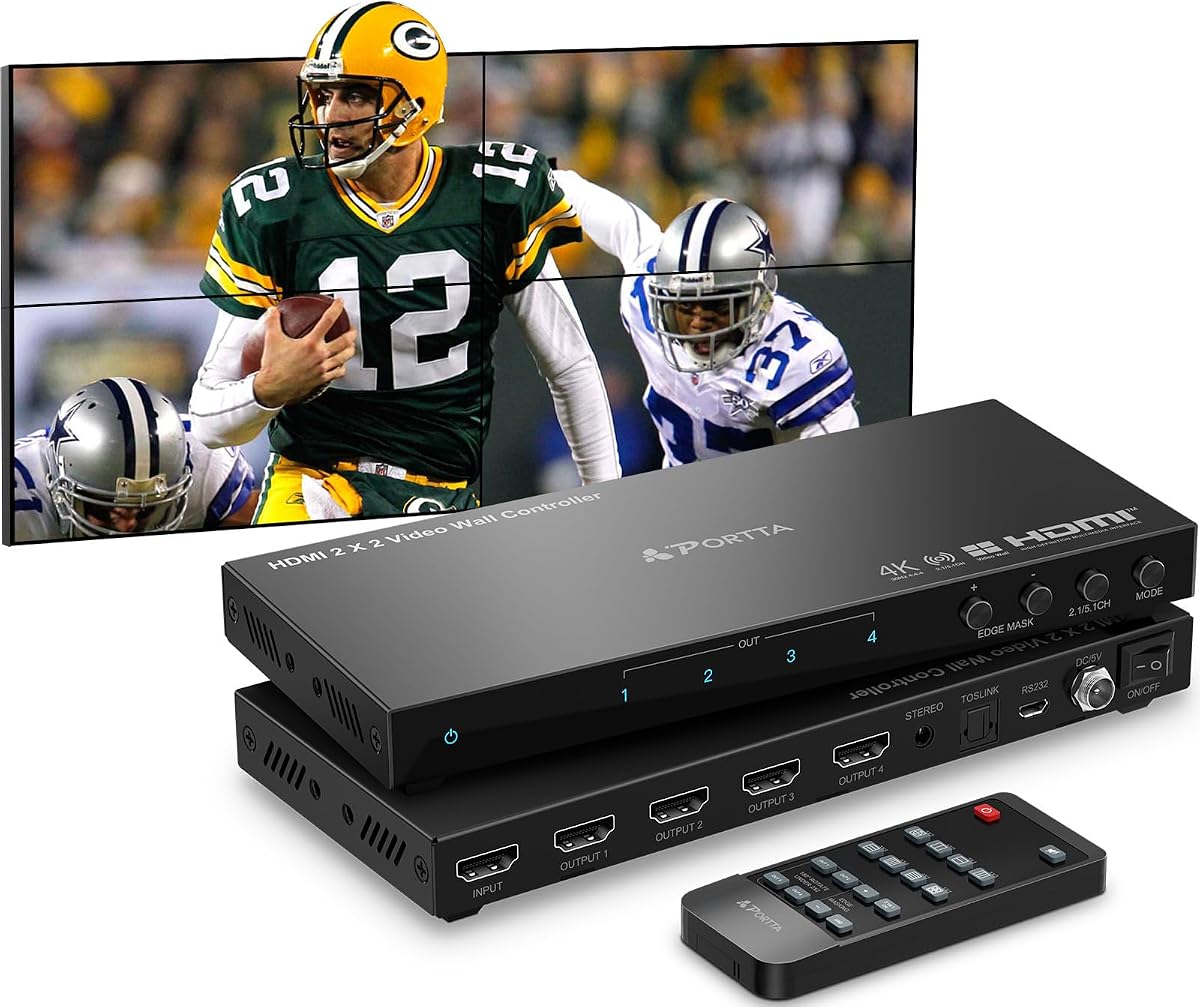
PORTTA offers a processor with eleven different display modes including portrait orientations which are useful for vertical signage applications. RS232 control allows for integration into automated control systems for professional AV environments.
We may earn a commission when you buy through this link, at no additional cost to you.
Edge masking helps prevent visual distortion at screen bezels by adjusting the image edges by up to eight pixels per side. The unit accepts 4K input at 30Hz and outputs consistently at 1080p across all HDMI ports.
Portrait support requires setting the source device to display in vertical mode to utilize specific splitting layouts effectively. The inclusion of mounting ears simplifies rack mounting or wall mounting for clean installation setups.
This model is a strong choice for retail or museum displays requiring varied layouts. The 2-year warranty provides better protection than the standard 1-year offerings found on many competitors in this category.
Utilize vertical layouts for signage displays by configuring the PC or source device in portrait orientation mode.
Apply edge masking to correct image distortion at bezel seams ensuring a uniform visual appearance across the wall.
We may earn a commission when you buy through this link, at no additional cost to you.
ISEEVY distinguishes itself by offering 4K outputs on all ports which allows for full resolution video walls on 4K TVs. This feature ensures that every screen displays the image at its native resolution without downscaling loss.
We may earn a commission when you buy through this link, at no additional cost to you.
The unit supports 24×7 operation making it suitable for continuous display environments like airports or transit hubs. USB-C input provides modern connectivity while HDMI inputs remain available for traditional media sources or PCs.
Multiple splice modes including vertical and horizontal arrangements allow flexible configuration for various wall shapes and sizes. While the price is higher the 4K output capability justifies the cost for high-fidelity display requirements.
This controller is best for users needing every pixel of a 4K source displayed on every screen in the wall. The stability features ensure reliable operation in environments where uptime is critical for business operations.
Drive full resolution 4K displays with native output ports to maintain crisp images across the entire video wall.
Designed for 24×7 uptime to ensure reliable performance in critical public-facing or transit information displays.
We may earn a commission when you buy through this link, at no additional cost to you.
This controller includes USB media playback which allows direct video playback from USB drives without needing a PC connected. It supports a wide range of formats including MP4 MKV and AVI for versatile media content support.
We may earn a commission when you buy through this link, at no additional cost to you.
Image adjustment controls for brightness sharpness and contrast give you granular control over display quality across all screens. USB auto display ensures that content plays automatically when a drive is inserted without manual configuration steps.
Border adjustment and cropping help eliminate black edges ensuring content fills the entire screen area effectively. The unit supports up to 4096×2160@60Hz which covers almost any high resolution source signal available.
Ideal for digital signage where standalone content playback is needed this model is highly capable. The USB playback feature reduces the need for a dedicated media PC in many smaller installations.
Play video and images directly from USB drives without needing a connected computer for content playback.
Adjust brightness and contrast settings to optimize image quality across different lighting conditions in the room.
We may earn a commission when you buy through this link, at no additional cost to you.
ISEEVY offers a scalable solution with six HDMI outputs allowing for larger video walls than typical four-screen units. Support for 2X3 and 3X2 layouts enables non-standard aspect ratios ideal for custom display environments.
We may earn a commission when you buy through this link, at no additional cost to you.
Each output supports 3840×2160 resolution ensuring high definition clarity across all six screens when using compatible 4K displays. The dual input support for HDMI and USB-C simplifies connection for various source devices and media players.
The unit is designed for stable 24×7 operation making it suitable for large installations like command centers or airports. Plug and play design ensures straightforward setup with basic remote control for switching modes instantly.
This model is perfect for large scale installations requiring more than four screens for unified content display. The flexibility in grid layouts allows you to create unique visual impact without requiring custom hardware solutions.
Expand your video wall to six displays with native support for 2X3 and 3X2 grid configurations.
Maintain high definition clarity across all outputs with dedicated resolution support for each HDMI port.
We may earn a commission when you buy through this link, at no additional cost to you.
Selecting the right video wall controller involves evaluating input flexibility resolution support and control methods to ensure your display system meets your specific needs.
Verify that the controller supports your source devices native resolution such as 4K 60Hz or HDMI 2.0. Some models limit inputs to 30Hz which can cause motion blur on high refresh content.
Choose a unit with both HDMI and USB-C inputs if you plan to use modern laptops without adapters.
Check if outputs are fixed at 1080p or support 4K depending on your TV capabilities. 4K outputs provide sharper text for information displays but require compatible screens.
If you use 4K TVs ensure the processor can output 4K signals to maintain image quality across the wall.
Look for controllers offering multiple layouts like 2×2 1×3 or vertical options. This flexibility allows you to adapt the wall to content orientation changes.
Ensure the modes you need are available without requiring complex software setup.
Edge masking or bezel adjustment helps hide gaps between screens making the wall look seamless. This feature cuts pixels to align images perfectly at bezel seams.
Select a unit with pixel level edge control for professional looking installations.
180 degree rotation allows you to physically mount screens upside down without distorting the image. This is useful for fitting screens into tight architectural spaces.
Confirm that rotation works across all output ports rather than just one screen.
RS-232 or LAN control enables integration with building automation systems or central control. Simple IR remotes are fine for basic setups requiring manual switching.
Prioritize units with remote management options if you need to adjust the wall from a separate location.
Ensure the controller supports audio extraction via optical or analog ports to separate sound from video. This allows you to use external sound systems instead of TV speakers.
Look for support for common formats like Dolby Digital or DTS to ensure compatibility with audio gear.
Some controllers include USB playback to run videos directly without a PC. This reduces hardware costs for standalone display needs in retail or kiosk setups.
Check supported file formats like MP4 or MKV to ensure your media files will play correctly.
Connect your source devices such as laptops or media players to the HDMI or USB-C inputs on the controller. Then connect each HDMI output to the corresponding TV or monitor in your video wall setup ensuring secure cable connections for stable signals.
Use the remote control or RS-232 interface to select the desired display mode. Adjust edge masking and rotation settings to align images perfectly across bezels and minimize visible gaps between screens for a uniform look.
Place the controller in a well ventilated area to prevent overheating during long term use. Regularly clean dust from vents and check for loose cables to maintain consistent performance and extend the device lifespan.
Yes many controllers support 4K inputs and outputs. However ensure the model supports 4K output ports if you want to maintain full resolution on 4K displays rather than downscaling to 1080p.
Many modern controllers include USB-C inputs for direct connection to laptops. If your device only has HDMI output check for models with HDMI ports or use a USB-C to HDMI adapter for compatibility.
Use edge masking features available on most controllers. These settings crop pixels at the edges of the output to align images visually so bezels appear less noticeable between screens.
Most controllers support 180 degree rotation for individual outputs. This allows you to mount screens in portrait mode or upside down while keeping the content upright on all displays.
Yes most models include optical or analog audio outputs. This lets you route audio to external speakers without relying on the internal speakers of each TV in the wall.
RS-232 is useful for integrating the controller into automated systems. For basic setups an IR remote is sufficient but RS-232 offers more robust control for commercial installations.
This guide highlights top options like the J-Tech Digital 4K 2×2 for overall performance and the OREI models for specific input needs. Each pick offers unique strengths in modes control and resolution support for different setups.
Prioritize input resolution and output capabilities based on your source and display hardware. Features like USB playback and RS-232 control can add significant value depending on your operational requirements.
Always verify current model availability and support details before purchasing. Prices and stock may change so check the latest offers to ensure you get the right controller for your needs.