
TP-Link Dual-Band BE3600 Wi-Fi 7 Router
4.2Editor score
Wi-Fi 7 Standard Support
Dual 2.5G Ports
Covers 2000 Sq Ft
This guide compares the top high bandwidth WiFi routers for speed and coverage to help you choose the best model for your home network needs in 2026.
High bandwidth WiFi routers are essential for modern homes filled with streaming devices, smart home gadgets, and demanding gaming setups. These devices ensure your network can handle multiple simultaneous connections without slowing down or dropping signals during critical moments of use.
We compared ten leading models based on their wireless standards, coverage area, port speeds, and advanced features like mesh compatibility and security suites. Our analysis focuses on real-world performance metrics and user feedback to provide a reliable ranking for buyers seeking robust connectivity.
Each pick highlights specific strengths such as budget friendliness, premium gaming features, or broad coverage capabilities. Remember that pricing and availability can change frequently so verify the current details before making your final purchase decision to ensure you get the best value.
4.2Editor score

4.3Editor score

4.3Editor score
This side by side comparison outlines the key specifications and capabilities of each router to help you quickly identify which model fits your specific home network requirements and budget constraints.



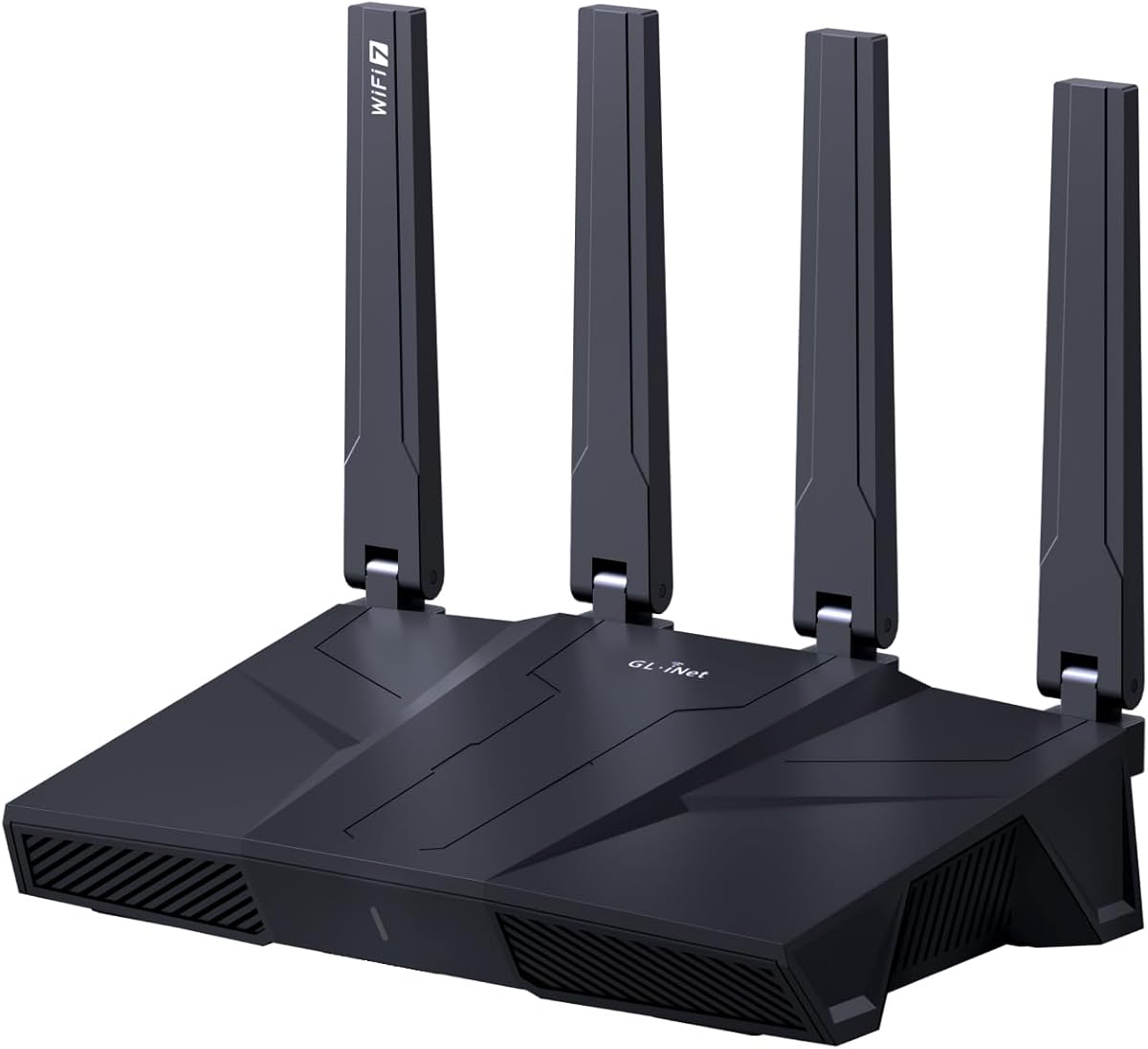

The TP-Link AXE5400 stands out as a top choice for households needing robust bandwidth without breaking the bank. It received a solid rating for its ability to handle multiple connected devices simultaneously while maintaining consistent speeds across different rooms.
We may earn a commission when you buy through this link, at no additional cost to you.
This router leverages the new 6 GHz band to provide a clear path for compatible devices reducing congestion on older bands. Its tri-band design allows you to dedicate one band to specific high-bandwidth tasks like 4K streaming or large file downloads.
While it excels in general performance it lacks some of the advanced gaming optimizations found in higher-end models. However for most users this trade-off is acceptable given the stable connection and user-friendly management interface available via the mobile app.
We recommend this model for families or home offices that need reliable internet for video conferencing and media consumption. It offers an excellent balance of speed coverage and features making it a safe bet for upgrading your home network infrastructure today.
Supporting WiFi 6E ensures your network is ready for new devices that can utilize the 6 GHz band for faster speeds and less interference.
The EasyMesh compatibility allows you to add extenders later if your home grows or you need more coverage without replacing the main unit.
We may earn a commission when you buy through this link, at no additional cost to you.
This router brings the latest WiFi 7 technology to a dual-band form factor making it an attractive option for early adopters. It maintains a high rating due to its ability to manage data traffic efficiently using advanced protocols like Multi-Link Operation.
We may earn a commission when you buy through this link, at no additional cost to you.
The inclusion of 2.5 Gigabit ports on both the WAN and LAN sides ensures that you can take full advantage of high-speed internet plans without bottlenecks. This is particularly useful for users with gigabit or multi-gigabit fiber connections.
However the lack of a 6 GHz band means it cannot fully utilize the spectrum advantages of WiFi 6E or WiFi 7 in tri-band setups. This might limit performance in extremely dense environments where many neighbors are on the same 5 GHz frequency.
It is a strong choice for tech enthusiasts who want next-gen speed at a reasonable price point. If you need wired connectivity for gaming consoles or desktop PCs this model delivers excellent throughput for both wired and wireless connections.
MLO allows devices to use multiple bands simultaneously reducing latency and increasing throughput for supported smartphones and laptops.
The 2.5G ports ensure your router does not become a bottleneck when you upgrade your internet plan to speeds above one gigabit.
We may earn a commission when you buy through this link, at no additional cost to you.
NETGEAR delivers a powerful router designed for large homes that need extensive coverage and top tier speeds. With a rating reflecting its reliable performance this model handles up to 100 devices without significant drops in connection quality.
We may earn a commission when you buy through this link, at no additional cost to you.
The tri-band design ensures that your fastest devices get a dedicated lane on the 6 GHz band while other devices operate on the 5 GHz and 2.4 GHz bands. This separation reduces interference and keeps latency low for critical applications like video calls.
While the cost is higher than some competitors the coverage area and speed capabilities justify the investment for spacious properties. The included security features provide a good baseline protection though full protection requires a separate subscription after the trial.
This unit is ideal for households with many smart home devices and high bandwidth needs across multiple floors. It offers the versatility to handle heavy traffic loads while providing robust wired connections for stationary devices like desktop PCs.
The coverage area ensures that even distant rooms receive a strong signal reducing the need for additional repeaters in a standard layout.
Built-in security features and automatic updates help protect your family from online threats without requiring complex configuration steps.
We may earn a commission when you buy through this link, at no additional cost to you.
This router offers a more accessible entry point into WiFi 7 technology while maintaining solid performance metrics. It received a high rating for its ability to deliver fast speeds and stable connections for standard household usage patterns.
We may earn a commission when you buy through this link, at no additional cost to you.
The dual-band design focuses on maximizing throughput on the 5 GHz band which is often the most congested area in a home. By utilizing WiFi 7 capabilities it manages traffic more efficiently than older routers even without a third band.
Users may find that it lacks some of the granular control found in premium models but it covers the essentials very well. The 2.5G port ensures you can still get fast wired speeds even if the internet connection is faster than one gigabit.
It is a practical choice for those who want modern technology without paying for features they do not need. If your home is around 2000 square feet this router will likely meet all your daily connectivity requirements effectively.
Adopting WiFi 7 now ensures compatibility with new laptops and phones that will soon be mainstream on the market.
The mix of Ethernet ports allows you to connect gaming consoles and smart TVs directly for the most stable possible experience.
We may earn a commission when you buy through this link, at no additional cost to you.
This model is designed for users who demand the absolute maximum in wireless speed and connectivity options. It carries a rating that reflects its powerful hardware and ability to manage a very high number of connected devices simultaneously.
We may earn a commission when you buy through this link, at no additional cost to you.
With three bands including the 6 GHz band it provides dedicated lanes for your most demanding devices. The four 2.5G LAN ports are a standout feature allowing multiple wired devices to operate at multi-gigabit speeds without contention.
The cost is higher than average but justified by the sheer volume of ports and the advanced WiFi 7 chipset. For users with large homes and many devices this router offers the necessary headroom to avoid slowdowns during peak usage times.
It is best suited for tech savvy households that require top tier performance for work and entertainment. If you need to connect multiple high-speed NAS drives or gaming rigs this router provides the wired capacity to support them.
The four 2.5G LAN ports ensure that every wired connection in your home can utilize the fastest available internet speeds today.
The high capacity allows you to connect a vast array of smart home devices without worrying about network congestion or lag.
We may earn a commission when you buy through this link, at no additional cost to you.
This router has established itself as a reliable workhorse for households needing solid speeds without the latest premium features. Its high rating is due to consistent performance and user friendly management tools that simplify network setup and maintenance.
We may earn a commission when you buy through this link, at no additional cost to you.
The USB 3.0 port allows you to connect a storage drive to share files across your network which is a convenient feature often missing in newer models. This adds significant value for users who want a simple personal cloud solution without extra hardware.
While it does not support the newest WiFi 7 standard it still provides ample speed for most current internet plans. The strong signal and broad coverage make it an excellent choice for medium to large homes that need consistent connectivity.
It is a safe and effective choice for anyone looking to upgrade from an older router. The combination of speed coverage and storage sharing makes it a versatile device that fits well into a variety of home networking needs.
Connect an external hard drive to share photos and documents across all devices on your network easily and securely.
The high power antennas ensure that even distant rooms receive a strong signal reducing dead zones in your home layout.
We may earn a commission when you buy through this link, at no additional cost to you.
This model offers the latest wireless standard at a very accessible price point making it a standout for budget conscious buyers. It received a solid rating for its ability to deliver modern connectivity without a steep investment or complex setup process.
We may earn a commission when you buy through this link, at no additional cost to you.
The inclusion of dual 2.5G ports is rare in this price range and allows for flexible multi-gigabit internet support. This feature ensures you can upgrade your internet plan in the future without needing to replace your router immediately.
While it lacks a third band the performance is sufficient for most standard streaming and gaming needs. The coverage is reliable for typical home sizes providing a stable connection for a reasonable number of devices simultaneously.
It is a highly recommended choice for small to medium homes looking to future proof their network. If you want the latest technology without paying premium prices this router delivers excellent value and performance for everyday use.
You get the benefits of WiFi 7 such as faster speeds and better stability for a fraction of the cost of top tier models.
The dual 2.5G ports allow you to connect your modem and a wired device simultaneously at high speeds without sharing bandwidth.
We may earn a commission when you buy through this link, at no additional cost to you.
This router is designed for users who prioritize privacy and control over their network traffic. It maintains a good rating for its robust features that include native support for advanced VPN protocols and ad blocking out of the box.
We may earn a commission when you buy through this link, at no additional cost to you.
The five 2.5G ports make it a powerhouse for wired connections ensuring that every device you plug in can run at maximum speed. This level of wired connectivity is rare and beneficial for power users who need fast local transfers.
While it offers impressive hardware the setup process is more technical than typical consumer routers. This might be a barrier for some users but for those who value open source options and customization it is a significant advantage.
It is best suited for advanced users who want deep control over their data and security. If you need high speed wired connections and strong VPN capabilities this router provides a unique combination of features not found elsewhere.
Built-in AdGuard and VPN support allow you to block ads and secure your traffic without needing extra software on every device.
The five 2.5G ports ensure your entire wired network can handle the fastest internet plans without bottlenecking at the router.
We may earn a commission when you buy through this link, at no additional cost to you.
This router is a flagship device built for enthusiasts who want the absolute best performance regardless of cost. It holds a high rating due to its incredible speed and specialized features designed specifically for competitive gaming and heavy media usage.
We may earn a commission when you buy through this link, at no additional cost to you.
The quad-band design and 30Gbps total speed ensure that bandwidth is never an issue even with many devices connected at once. The dual 10G Ethernet ports allow for ultra-fast local transfers and internet access for the most demanding wired setups.
While it is expensive the unique features like game acceleration and high-end hardware justify the cost for specific use cases. It is designed to eliminate latency and maximize throughput for users who need top tier performance daily.
It is the top choice for serious gamers and power users with large budgets. If you need the fastest possible network and have high-end equipment to match this router delivers the ultimate experience for speed and reliability.
Specialized software prioritizes your gaming traffic to reduce lag and ping times for a smoother online gaming experience.
The 10G ports allow you to connect high-speed NAS devices or fiber lines directly for maximum data throughput.
We may earn a commission when you buy through this link, at no additional cost to you.
This router is a powerful legacy model that offers unique features like the 10G SFP+ port and 60GHz band support. It maintains a solid rating for its ability to deliver high speeds for wired connections and short range wireless tasks.
We may earn a commission when you buy through this link, at no additional cost to you.
The inclusion of a 10G SFP+ port makes it a great choice for users with fiber connections or high-speed NAS storage. It also supports the 60GHz band which can deliver multi-gigabit speeds over short distances for media streaming.
However the 60GHz signal does not penetrate walls well which limits its range compared to modern standards. This means it is most effective in open layouts or for specific line-of-sight high speed tasks rather than whole home coverage.
It is best suited for advanced users who need specific wired speeds or have older high-end devices. While it is older than the newer models listed it still offers excellent performance for specific advanced networking requirements.
The 10G SFP+ port allows you to connect directly to fiber optic lines for the fastest possible internet access available.
The 60GHz band provides incredible speed for media streaming to TVs in the same room without signal interference.
We may earn a commission when you buy through this link, at no additional cost to you.
Selecting the right router requires understanding your home size device count and internet plan to ensure you get the best performance for your needs.
Current models utilize WiFi 6 6E or 7 standards which offer better handling of multiple devices and faster speeds. WiFi 7 provides the latest features like Multi-Link Operation to reduce latency and maximize throughput for supported devices.
Choose the latest standard compatible with your budget to ensure future proofing for new phones and laptops.
Dual-band routers use 2.4 GHz and 5 GHz while tri-band adds a 6 GHz band for extra capacity. More bands generally mean less interference and better performance in homes with many connected devices streaming simultaneously.
Consider a tri-band model if you have many high bandwidth devices or live in a crowded neighborhood.
Modern routers may include 1 Gigabit 2.5 Gigabit or even 10 Gigabit ports for wired connections. Ensure your router has ports fast enough to match your internet plan so you do not create a bottleneck for your devices.
Look for at least one 2.5 Gigabit port if you have a gigabit or faster internet connection.
Manufacturers estimate coverage based on standard rooms and open layouts but walls and floors can reduce signal range. Select a router with a rating that matches or exceeds your home square footage to avoid dead zones.
A router with strong antennas and beamforming technology will help direct signals more effectively.
Built-in security suites protect your network from intrusions and offer parental controls to manage access. Some models require a subscription for advanced features so check what is included out of the box before buying.
Prioritize routers with automatic updates to ensure your security remains current against new threats.
If you have a large home you may need to add range extenders later to maintain full coverage. EasyMesh compatible routers allow you to expand your network with different branded units easily.
Choose a system that supports expansion if you expect to need more coverage in the future.
Some routers include USB ports for connecting printers or storage drives to share files across your network. This can save you from buying extra hardware if you need a simple file sharing solution at home.
Check if USB 3.0 is available for faster data transfer speeds if you plan to share media files.
Gaming specific routers often include optimizations to reduce latency and prioritize game traffic. These features can improve your experience if you play competitive online games regularly.
Look for dedicated gaming ports or software features that manage traffic prioritization for best results.
Place your router in a central location elevated off the floor to maximize signal distribution throughout your home. Avoid placing it near large appliances or metal objects that can interfere with wireless signals.
Regularly update your router firmware through the manufacturer app to keep performance high and security patches up to date. Most modern routers allow you to enable automatic updates so you do not have to check manually.
Restart your router occasionally by unplugging it for thirty seconds to clear temporary memory and resolve minor connectivity issues. This simple step can often restore lost speeds or connectivity problems without needing a full reset.
WiFi 7 offers faster speeds and lower latency than WiFi 6 by utilizing wider channels and better multi-device handling. It supports new features like Multi-Link Operation which allows devices to connect to multiple bands at once for a more stable connection.
Yes these routers require a separate modem to connect to your internet service provider. The router creates your home network while the modem connects that network to the internet via cable or fiber lines.
Most high bandwidth models can handle between 50 to 100 devices simultaneously without significant slowdown. The exact number depends on the activities those devices are performing such as streaming versus light browsing.
This often happens because of distance from the router or walls blocking the signal. Using wired connections for stationary devices or upgrading your router can help bridge the gap between your plan and actual speeds.
Yes these routers work with any major internet service provider as long as you have a compatible modem. You do not need to buy a specific modem from your provider to use your own router.
Many of these routers support EasyMesh or proprietary mesh standards allowing you to add more units later. This enables you to extend coverage to other floors or rooms without buying a completely new system.
We highlighted ten models ranging from budget friendly options to premium gaming units to suit various home needs. Each choice offers distinct benefits whether you need maximum speed large coverage or specialized features like enhanced security.
When deciding consider your home size internet plan and the types of devices you use most frequently. Investing in a router that matches your future needs can save you from needing an upgrade sooner than expected.
Remember to verify current pricing and availability as these details can change frequently. Checking the latest offers ensures you get the best value for your money when upgrading your home network today.