As an Amazon Associate we earn from qualifying purchases. We may earn a commission when you buy through links on this page, at no additional cost to you. Read our affiliate disclosure.As an Amazon Associate we earn from qualifying purchases.Purchases through our links may earn us a commission, at no extra cost to you. Read our affiliate disclosure.
Finding the right keyboard case for your Fire Max 11 transforms your tablet into a versatile laptop alternative. A good case offers robust protection alongside a comfortable typing experience. It should also include convenient features like stylus holders or built-in trackpads for enhanced usability.
We evaluated ten top-rated options based on compatibility, build quality, and user feedback. Our analysis focuses on magnetic connectivity, battery life, and protective elements like honeycomb interiors. This list covers various price points and feature sets to suit different user needs.
Each pick highlights specific strengths such as backlighting, detachable designs, or premium materials. Note that availability and pricing may change frequently. Always verify the model number before purchasing to ensure a perfect fit for your specific Fire Max 11 device.
Top 3 Picks for Best Keyboard Case for Fire Max 11
Best Budget
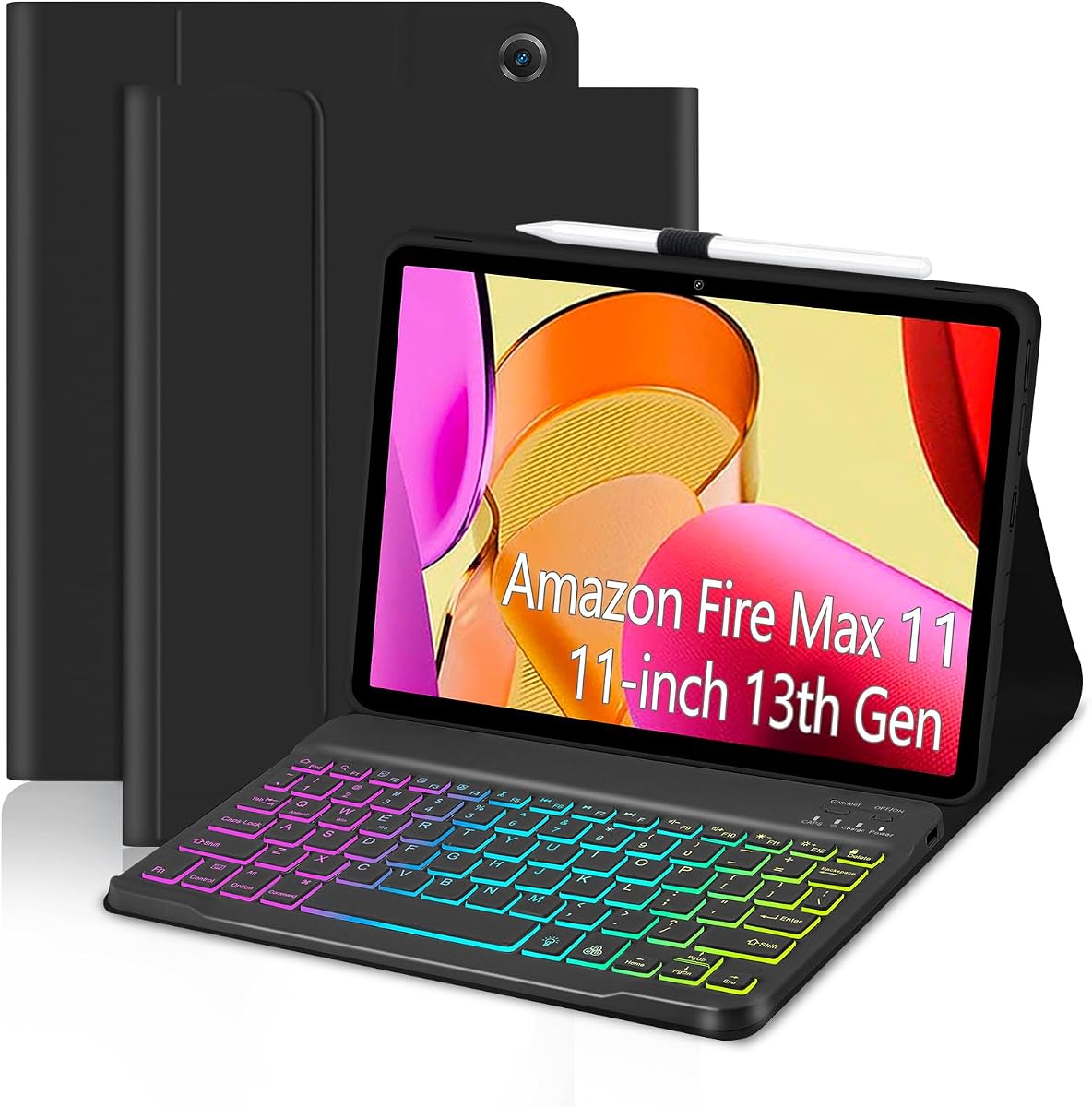
Keyboard Case for Amazon Fire Max 11 inch (13th Generation,2023 Release), 7 Color Backlight Detachable Bluetooth Keyboard Cover with Stylus Pen Holder for Kindle Fire Max 11 Tablet
Top 10 Best Keyboard Case for Fire Max 11 in 2026 Compared
This side-by-side comparison highlights the unique specifications of each keyboard case option available for the Fire Max 11. We analyze connection types, protective features, and additional accessories like mice or stylus holders to help you make an informed decision.
ProductsSpecificationsEditor scorePrice
1
Best Budget
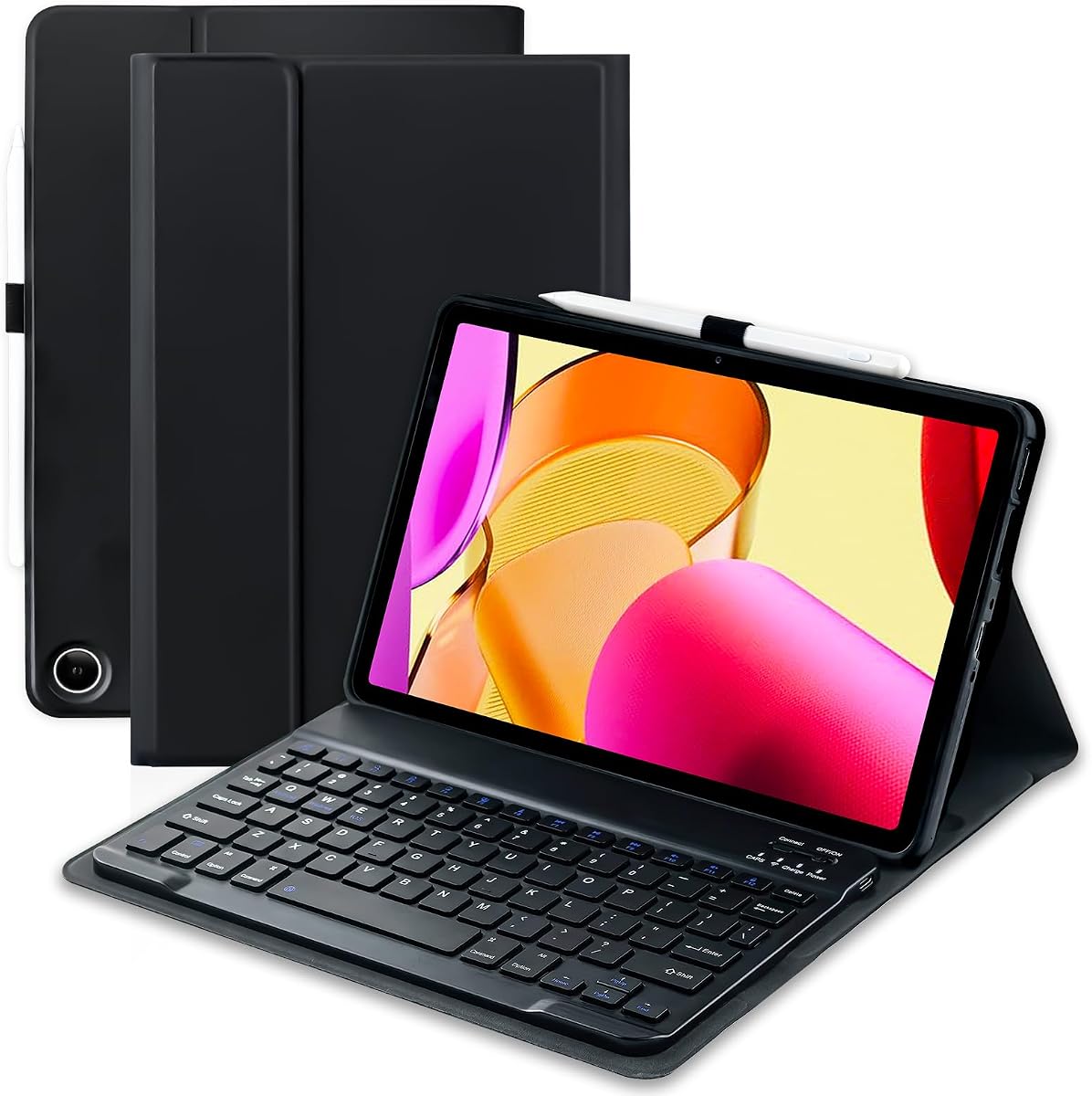
EAMPANG Case with Keyboard for Amazon Fire Max 11 inch (13th Generation, 2023 Release),7 Color Rainbow Backlit Detachable Type-C Charging Keyboard Magnetic Case Pen Holder 13th Gen-Black with Black
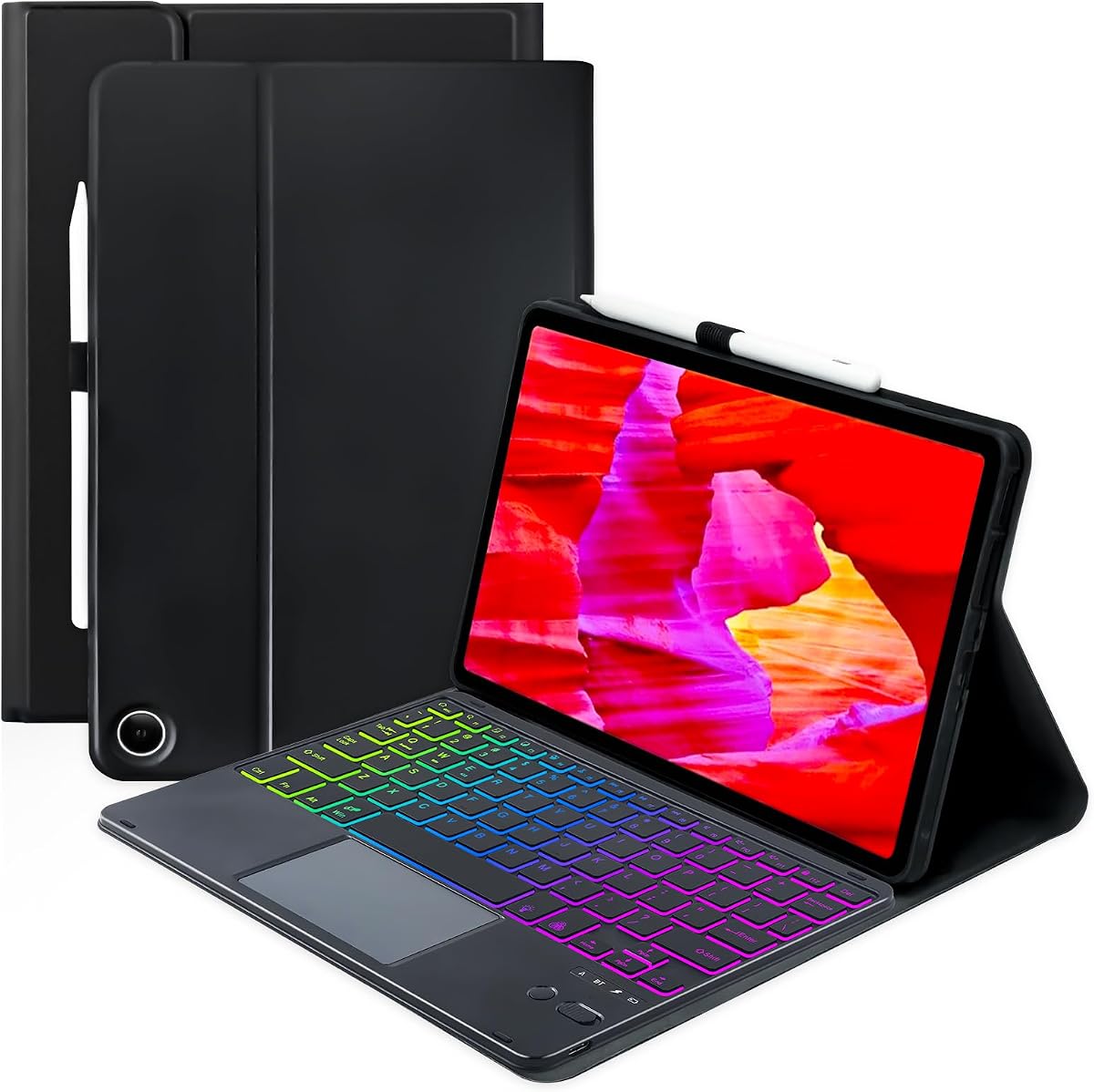
MePadKey Tablet Touchpad Keyboard Case for Amazon fire Max 11 11.0-inch 13th Generation 2023,Rainbow Backlight Rechargeable Detachable Keyboard with Pen Holder Cover (Black)
Keyboard Case for Amazon Fire Max 11 inch (13th Generation,2023 Release), 7 Color Backlight Detachable Bluetooth Keyboard Cover with Stylus Pen Holder for Kindle Fire Max 11 Tablet
Keyboard Case for Amazon Fire Max 11 11.0-inch (13th Generation,2023 Release),Detachable Type-C Charging Port Keyboard Magnetic Case with Pen Holder fit Max 11 Tablet (Black+Black)
EAMPANG Case with Keyboard for Amazon Fire Max 11 inch (13th Generation, 2023 Release),7 Color Rainbow Backlit Detachable Type-C Charging Keyboard Magnetic Case Pen Holder 13th Gen-Black with Blue
Keyboard Case for Fire Max 11 inch (13th Generation, 2023 Release), Rechargeable Detachable Bluetooth Keyboard, Smart Folio Leather Cover with Stylus Pen Holder for Kindle Fire Max 11 Tablet
This EAMPANG case is designed specifically for the Fire Max 11 13th Generation. It features a unique 7-color rainbow backlit keyboard that enhances visibility in low-light environments. The case provides solid protection with a PU leather exterior and a honeycomb TPU inner shell.
Pros
Bright rainbow backlight
Strong magnetic hold
Effective heat dissipation
Comfortable typing feel
Precise cutouts
Cons
No trackpad included
Keyboard separate charge
We may earn a commission when you buy through this link, at no additional cost to you.
The keyboard connects via Type-C charging and offers rich shortcut keys for efficient document editing. You can adjust the brightness or turn off the backlight to save power. The pen holder ensures your stylus is always accessible when you need it for notes or drawing.
While it lacks a built-in trackpad, the magnetic attachment allows for quick detachment. The heat dissipation design helps prevent overheating during extended sessions. Just remember to charge the keyboard separately since it does not draw power directly from the tablet.
This option is ideal for users who prioritize style and visual flair. If you often type in the dark and want a colorful setup, this case delivers. It balances protection and functionality well for daily use.
Colorful Typing Experience
The 7 adjustable colors and breathing light mode make typing visually engaging. You can switch colors automatically or manually depending on your preference.
Thermal Management
The honeycomb design inside the case aids in airflow. This helps maintain optimal tablet temperature during heavy workloads.
The MePadKey case stands out with its integrated touchpad. This feature allows you to navigate documents and webpages without needing a mouse. It supports multi-finger gestures which significantly boosts productivity on the go. The keyboard itself is rechargeable via USB.
Pros
Touchpad for navigation
Detachable design
Rechargeable keyboard
Multi-angle support
Non-slip lining
Cons
No separate mouse
Requires keyboard charging
We may earn a commission when you buy through this link, at no additional cost to you.
The detachable design means you can remove the keyboard when you just want to read or watch videos. The case includes anti-slip grooves to keep your tablet secure at any angle. The non-slip lining protects the device from scratches effectively.
While the keyboard does not charge from the tablet, the battery life is sufficient for most tasks. You will need to remember to charge it occasionally. The touchpad functionality makes up for this extra step for many users.
This case is perfect for those who want laptop-like navigation. It offers a good balance of typing comfort and screen control. If you often browse the web or work on tasks, the touchpad is a strong asset.
Enhanced Navigation
The built-in touchpad replaces the need for a mouse. You can use gestures to scroll or zoom efficiently.
Secure Placement
Anti-slip grooves ensure the tablet stays put. This prevents tipping when typing at various angles.
This TUNKARMOR case comes with a rechargeable Bluetooth mouse in addition to the keyboard. This setup turns your tablet into a true mini laptop. The magnetic keyboard attaches firmly but can be moved or adjusted as needed. It includes a built-in pen holder for convenience.
Pros
Extra Bluetooth mouse
Full 360 protection
Lightweight design
Auto sleep wake
Stylus holder
Cons
Keyboard battery separate
Basic lighting
We may earn a commission when you buy through this link, at no additional cost to you.
The case supports three viewing angles and features anti-slip slots for stability. The honeycomb grid pattern inside helps protect against overheating. It also offers full 360-degree protection against bumps and drops. The auto sleep/wake function preserves battery life.
While the mouse adds great value, it requires its own charging routine. The keyboard is also separate. However, having both pointing options gives you flexibility. It is a robust choice for users who want a complete work setup.
Choose this if you need precise cursor control. The extra mouse is a significant benefit over standard keyboard-only cases. It provides a professional experience for editing or browsing tasks.
Dual Pointing Devices
Includes both keyboard and a separate Bluetooth mouse. This provides maximum flexibility for navigation and input.
Full Protection
The honeycomb pattern offers cushioning and heat dissipation. This extends the lifespan of your device.
The official Amazon keyboard case offers seamless integration with your Fire Max 11. It connects via Pogo pin, meaning you never need to charge the keyboard separately. The integrated trackpad supports gestures like pinch to zoom and task switching. It is made with recycled plastics.
Pros
Direct power connection
Built-in trackpad
No extra batteries
Sustainable materials
Microsoft 365 trial
Cons
Higher price
Official branding only
We may earn a commission when you buy through this link, at no additional cost to you.
This case turns the tablet into a productivity powerhouse immediately. You can edit documents efficiently thanks to the 15 shortcut keys. The trackpad is responsive and includes adjustable pointer speed. It wakes the screen automatically when opened.
While it is pricier than third-party options, the convenience is unmatched. There are no cables or separate batteries to manage. The Microsoft 365 trial adds extra value for work or school tasks. It is designed for sustainability.
This is the top recommendation for hassle-free setup. If you want reliability and official support, this is the choice. It simplifies your workflow and reduces the risk of connection issues.
Zero Setup Hassle
The magnetic attach and Pogo pin connection mean no pairing is needed. It works instantly with your device.
Eco-Friendly Design
Made with post-consumer recycled plastics. The packaging is fully recyclable. This reflects a commitment to sustainability.
This bundle includes a Bluetooth mouse and a keyboard for complete control. The keyboard features a 3-zone rainbow backlight for visual appeal. You can attach or detach the magnetic keyboard easily. The case supports multiple viewing angles for comfort.
Pros
Bluetooth mouse included
Magnetic detachable
Rainbow backlight
Honeycomb cushioning
Customer support
Cons
Keyboard needs charge
Pen not included
We may earn a commission when you buy through this link, at no additional cost to you.
The honeycomb grid pattern protects the tablet from overheating. It offers 360-degree protection against drops. The auto sleep/wake function conserves battery power. The service team provides support within 24 hours for any questions.
While the keyboard and mouse need charging, the flexibility is worth it. You can detach the keyboard to use the case as a stand. This setup is versatile for both work and media consumption. It balances cost and features well.
Ideal for users who want a laptop feel. The mouse is a great addition for precise cursor movement. It provides a comprehensive solution for productivity and entertainment.
Complete Control Bundle
Includes a keyboard and a separate mouse. This allows for detailed navigation and typing.
Visual Customization
Choose from 7 colors for the backlight. This adds a personal touch to your setup.
Keyboard Case for Amazon Fire Max 11 inch (13th Generation,2023 Release), 7 Color Backlight Detachable Bluetooth Keyboard Cover with Stylus Pen Holder for Kindle Fire Max 11 Tablet
7 color backlit
Multi-angle view
Honeycomb design
90 hour battery
This budget-friendly case offers impressive battery life of up to 90 hours. The 7-color backlit keyboard enhances visibility at night. The magnetic detachable design makes it easy to adjust. It includes a pen holder for your stylus.
Pros
Long battery life
Quick Type-C charge
Stylus holder
Lightweight design
Affordable price
Cons
No mouse included
Basic trackpad
We may earn a commission when you buy through this link, at no additional cost to you.
The case is lightweight and easy to carry around. The honeycomb design helps with heat dissipation. You can choose from multiple viewing angles for comfort. The Type-C port allows for quick charging sessions.
While it lacks a mouse, the battery efficiency is a major plus. You can type for days without recharging. It fits the bill for light work or creative projects. The price point makes it accessible for many users.
Perfect for students or casual users. It provides reliable typing and protection without breaking the bank. The long battery life means less downtime during usage.
Extended Battery Life
Up to 90 hours of use on a single charge. The quick Type-C charging ensures minimal waiting.
Visual Appeal
The colorful backlight adds style to your workspace. It makes typing in the dark much easier.
Amazon Fire Max 11 Keyboard Case (Only compatible with 13th generation tablet, 2023 release)
Integrated trackpad
No charging required
Microsoft 365 trial
Recycled plastics
This official case features an integrated trackpad with adjustable pointer speed. It connects via Pogo pin so no separate charging is required. The case is made with recycled plastics for sustainability. It supports the Microsoft 365 trial for productivity.
Pros
Trackpad gestures
Official compatibility
Sustainable materials
Adjustable pointer
Multi-position stand
Cons
Higher cost
Brand specific
We may earn a commission when you buy through this link, at no additional cost to you.
The trackpad allows for smooth navigation like pinch to zoom. You can disable it with a simple key combo. The keyboard is lightweight and installs quickly. The detachable back cover acts as a stand for media viewing.
While the price is higher, the build quality is excellent. It ensures perfect fit and function with your device. The included software trial adds significant value. It is designed to last and support eco-friendly practices.
Best for those who want a premium experience. It removes friction from the typing process. If you value integration and support, this option is top-tier.
Gesture Support
The trackpad supports multi-finger gestures. This makes navigating apps and documents very quick.
Sustainability Focus
Made with post-consumer recycled plastics. This reduces the environmental impact of the product.
Keyboard Case for Amazon Fire Max 11 11.0-inch (13th Generation,2023 Release),Detachable Type-C Charging Port Keyboard Magnetic Case with Pen Holder fit Max 11 Tablet (Black+Black)
Type-C charging port
Magnetic adsorption
Anti-slip grooves
Multi-function buttons
This case features built-in magnets for strong adsorption of the keyboard. It provides 360-degree protection with scratch-resistant PU leather. The keyboard charges via Type-C and lasts up to 50 hours. It has multi-function buttons on the first row.
Pros
Strong magnet
Anti-slip stability
50 hour battery
Precise cutouts
Quick function keys
Cons
Keyboard separate charge
Basic design
We may earn a commission when you buy through this link, at no additional cost to you.
The anti-slip grooves help you adjust angles for viewing. Precise cutouts ensure all ports and sensors remain accessible. The honeycomb design prevents overheating during use. The pen holder on the back cover keeps your stylus safe.
While it requires separate charging, the magnetic hold is very secure. The multi-function keys allow quick media adjustments. It is a practical choice for daily use. The price point is competitive compared to others.
Good for users who prioritize stability. The magnets ensure the keyboard stays in place while typing. It offers reliable performance for typing and browsing tasks.
Stable Typing
Built-in magnets ensure a firm hold. This prevents slipping or shifting during use.
Convenient Shortcuts
The first row includes function keys. You can adjust volume or play music easily.
This EAMPANG case is designed for style with its rainbow backlit keyboard. The 7 colors can switch automatically in breathing mode. It includes a pen holder and offers full protection. The keyboard connects via Type-C for charging.
Pros
Rainbow colors
Breathing mode
Full coverage
Pen slot included
Precise cutouts
Cons
Lower rating
Separate charge
We may earn a commission when you buy through this link, at no additional cost to you.
The case is slim and lightweight for portability. It prevents scratches and drops effectively. The honeycomb design aids in heat dissipation. The precise cutouts allow for easy access to all functions.
While the rating is lower, the style features are unique. Users might find the separate charging a minor inconvenience. It offers a good mix of function and aesthetics. It is a solid choice if you like the color options.
Best for users who want a colorful setup. The breathing mode adds a dynamic visual element. It protects the tablet while adding a personal touch to your device.
Dynamic Lighting
The keyboard switches colors automatically. This breathing light mode creates a relaxing effect.
Full Coverage
The soft shell provides 360 protection. This ensures your device stays safe from scratches.
Keyboard Case for Fire Max 11 inch (13th Generation, 2023 Release), Rechargeable Detachable Bluetooth Keyboard, Smart Folio Leather Cover with Stylus Pen Holder for Kindle Fire Max 11 Tablet
Premium leather cover
Stable Bluetooth
4 viewing angles
Shortcuts included
This case features a premium vegan leather exterior for a sophisticated look. The keyboard attaches magnetically and uses Bluetooth. It offers four viewing angles for different modes like typing or reading. The keys are quiet for a comfortable experience.
Pros
Premium vegan leather
Stable Bluetooth connection
4 versatile modes
Silent keys
Satisfaction guarantee
Cons
Separate charging
No trackpad
We may earn a commission when you buy through this link, at no additional cost to you.
The Bluetooth connection is stable and easy to pair. The keyboard supports shortcuts for brightness and media. It has a 70-hour battery life. The warranty includes a 30-day money-back guarantee.
While it lacks a trackpad, the typing experience is excellent. The leather adds durability and style. It supports a hibernation mode to save power. It is a strong option for creative work.
Perfect for those who want a premium feel. The quiet keys are great for shared spaces. It offers a reliable connection and solid warranty support.
Quiet Typing
The keys are designed to be silent. This is ideal for libraries or meetings where noise matters.
Premium Materials
The vegan leather gives a high-end feel. It resists wear while looking stylish.
We may earn a commission when you buy through this link, at no additional cost to you.
Buying Guide – How to Choose the Best Keyboard Case for Fire Max 11
Selecting the right keyboard case involves balancing features with your specific needs. Consider connection types, build materials, and extra accessories.
Compatibility
Always verify the model number before buying. Cases designed for the Fire Max 11 13th Generation may not fit other versions.
Check the product description to ensure it states 13th Gen or 2023 release explicitly.
Connection Type
Third-party cases usually use Bluetooth or Type-C charging, while official ones use Pogo pins.
Pogo pin cases eliminate the need for separate batteries but cost more. Bluetooth offers flexibility but needs charging.
Battery Life
Look for rechargeable keyboards with long battery life. Many options offer 50 to 90 hours per charge.
A long battery life reduces downtime. This is crucial for travel or long work sessions.
Protection
The case should offer 360-degree protection against drops. Materials like PU leather and TPU shells are common.
Honeycomb interiors help with heat dissipation. This prevents overheating during heavy use.
Trackpad vs Mouse
Some cases include a built-in touchpad, while others may come with a separate Bluetooth mouse.
A trackpad saves space and offers instant navigation. A separate mouse provides more precision.
Lighting
Backlit keyboards improve visibility in low light. Options range from single color to rainbow modes.
Adjustable brightness helps save power. This is useful for working in dim environments.
Stylus Support
Many cases include a holder for your stylus. This keeps your pen safe and easily accessible.
Ensure the holder is secure enough for your stylus type. This adds value to your productivity setup.
Warranty
Check for customer support and warranty terms. Some brands offer 30-day money-back guarantees.
Reliable support ensures peace of mind. Look for brands with good reviews and service.
How to Use and Care for Your Keyboard Case for Fire Max 11
To start using your case, ensure your tablet is compatible with the model. Attach the keyboard to the case securely using magnets or connection points.
If your keyboard is Bluetooth, pair it through your tablet settings. Keep the keyboard charged to avoid interruptions during work.
Clean the case regularly with a soft cloth. Avoid harsh chemicals to maintain the material. Store it in a dry place when not in use.
Frequently Asked Questions
Do keyboard cases for Fire Max 11 work with other Fire tablets?
Most cases are specific to the Fire Max 11 13th Generation. Check the product description carefully. Using a case on the wrong model will not fit properly.
How do I charge the keyboard?
Third-party cases usually charge via Type-C. Official cases power directly from the tablet. Check your specific model instructions.
Can I detach the keyboard?
Yes, most cases allow the keyboard to be detached. This makes reading or watching videos easier. Use the magnetic connection to remove it.
Is a trackpad included?
Only some models include a built-in trackpad. Others may come with a separate mouse. Review the features before purchasing.
Does the case protect against drops?
Most cases offer 360-degree protection. They are designed to shield the device from scratches. Drops depend on the quality of the material.
What if my stylus doesn't fit?
Check the holder size before buying. Most standard styluses fit, but sizes vary. Some cases include a specific slot for storage.
Final Thoughts on Choosing the Best Keyboard Case for Fire Max 11
Choosing the best keyboard case depends on your specific needs and budget. We highlighted options ranging from budget-friendly to premium official builds.
Prioritize features like battery life or protection based on how you use your device. A good case should enhance productivity without adding bulk.
Remember to check current availability and verify compatibility. Prices and models may change so review the latest details before you buy.