
HP 15.6 FHD Touchscreen Laptop
4.0Editor score
AMD Ryzen 7 7730U Processor
32GB RAM and 1TB SSD
Full HD IPS Touchscreen Display
Finding the right laptop with a keypad and touchscreen can transform your workflow. These devices combine precise typing comfort with intuitive touch navigation for seamless productivity.
We evaluated ten models based on processor power, display clarity, and overall build quality. Our selection includes options for students, professionals, and creative users seeking versatility.
Each pick highlights key strengths and potential trade-offs to match your needs. Prices and availability may change, so verify details before making your final purchase decision today.
4.0Editor score

5.0Editor score

4.7Editor score
As an Amazon Associate we earn from qualifying purchases.
This side-by-side comparison highlights the key specifications and features of the top ten laptops featuring both a numeric keypad and touchscreen display for versatile use.


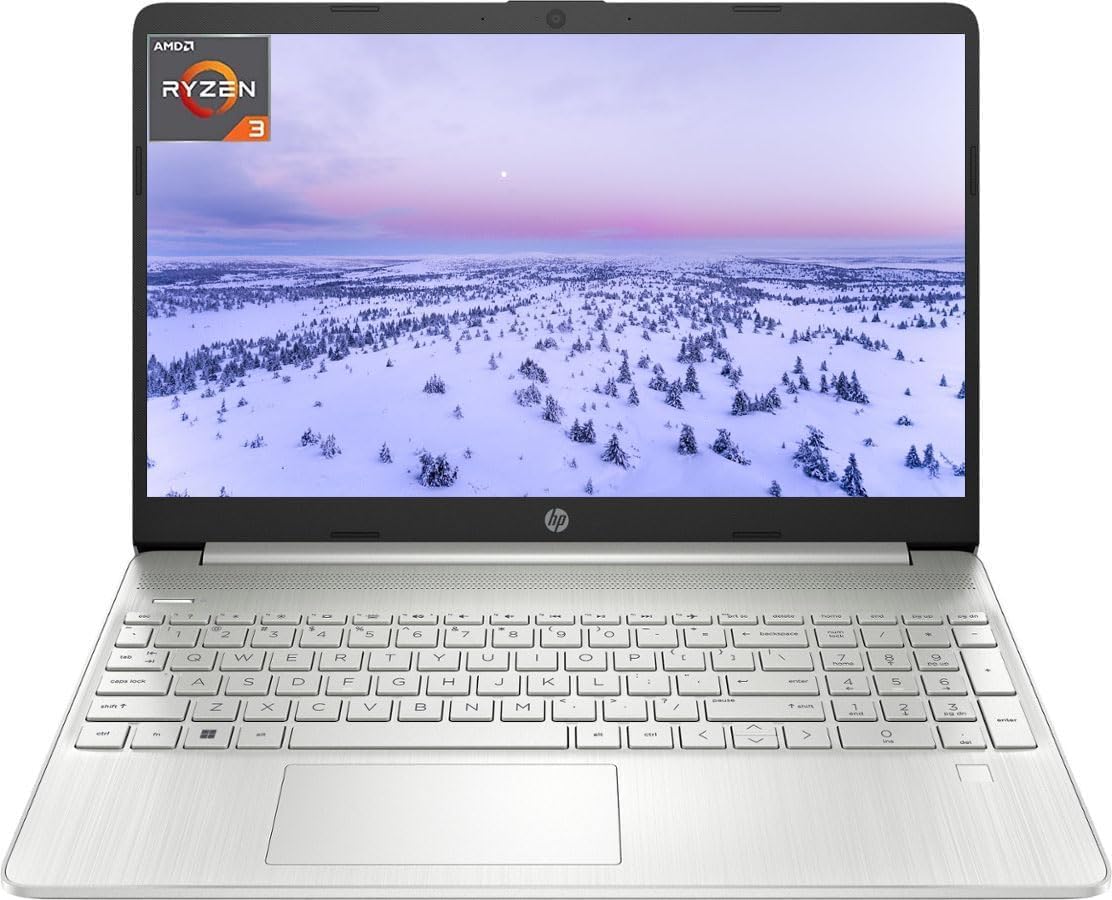

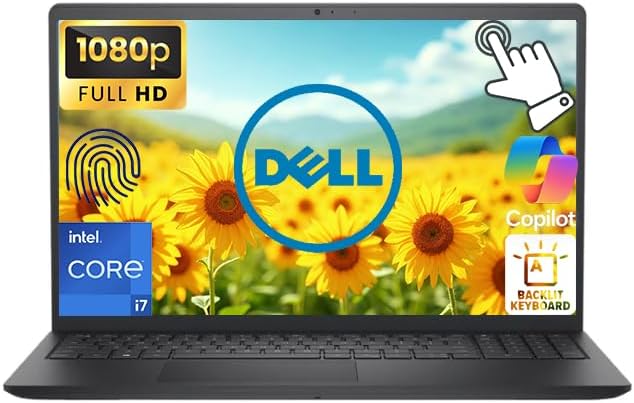


This HP laptop stands out for its powerful AMD Ryzen 7 processor and massive 32GB RAM capacity. It handles demanding multitasking effortlessly while maintaining a responsive touchscreen experience.
We may earn a commission when you buy through this link, at no additional cost to you.
The combination of 32GB RAM and a 1TB SSD ensures you never run out of memory or storage for large files. The Full HD IPS display provides clear visuals for work or entertainment.
While the battery life is decent, it may not last a full workday without a charger. The lightweight chassis is portable but might not feel as sturdy as premium metal builds.
Ideal for power users needing speed and storage, this model is a strong choice for productivity. It balances performance with essential features like a numeric keypad and touchscreen.
The Ryzen 7 processor with 8 cores handles heavy workloads like data analysis and video editing smoothly.
With 32GB RAM and 1TB SSD, you can keep dozens of browser tabs and applications open without slowdowns.
We may earn a commission when you buy through this link, at no additional cost to you.
The HP 17.3 model offers a spacious HD+ display that enhances productivity and media consumption. It earns a perfect rating for its balanced performance and features.
We may earn a commission when you buy through this link, at no additional cost to you.
Powered by an Intel Core i7 processor and 32GB RAM, this machine delivers lightning-fast responsiveness for complex tasks. The large screen provides ample workspace for spreadsheets and design work.
The larger chassis adds weight, making it less ideal for frequent travel. Battery performance is solid but users working away from outlets should expect moderate duration.
Best for stationary workstations or users prioritizing screen real estate, this laptop combines power and size effectively. The touchscreen and numeric keypad make data entry intuitive.
The 17.3 inch display offers significantly more screen space for multitasking and detailed visual work.
Intel Core i7-1355U processor ensures smooth performance for demanding business applications and media tasks.
We may earn a commission when you buy through this link, at no additional cost to you.
This Dell Inspiron provides excellent value with a 10-Core i5 processor and FHD touchscreen at an accessible price. It achieves a high user rating for reliability and performance.
We may earn a commission when you buy through this link, at no additional cost to you.
The 10-core processor delivers strong single-threaded performance for general computing. While 8GB RAM is standard, it handles everyday tasks like browsing and office work efficiently.
Limited storage and memory might require upgrades for heavy users. The SSD ensures fast boot times but may not hold large media libraries without external drives.
Perfect for students or home users needing a reliable touchscreen machine, this laptop balances cost and features well. The numeric keypad aids data entry without extra cost.
Delivers solid i5 performance and a high-quality touchscreen at a budget-friendly price point for most users.
The FHD display offers crisp visuals and intuitive touch controls for navigating Windows applications easily.
We may earn a commission when you buy through this link, at no additional cost to you.
The Dell Inspiron 15 3000 offers a solid business configuration with Windows 11 Pro and 16GB RAM. Its 1TB SSD provides ample space for files and applications.
We may earn a commission when you buy through this link, at no additional cost to you.
Windows 11 Pro adds security features like BitLocker for data protection. The 16GB RAM supports smooth multitasking for office applications and web browsing.
The older i5 processor may lag behind newer models in raw speed. Design is functional rather than sleek, fitting a typical office environment.
A great choice for small business users needing reliable features, it includes necessary ports and connectivity. The numeric keypad and touchscreen enhance usability for daily tasks.
Pro version includes enterprise-grade security and management tools suitable for business environments.
1TB PCIe SSD ensures quick file access and fast system boot times for productivity.
We may earn a commission when you buy through this link, at no additional cost to you.
This HP 17.3 model focuses on visual experience with a large HD+ display. It comes bundled with Microsoft 365 for productivity apps right out of the box.
We may earn a commission when you buy through this link, at no additional cost to you.
The large screen makes video streaming and reading more immersive. Backlit keyboard and fingerprint reader add convenience for late-night work and secure access.
Storage is limited to 128GB which may require cloud storage or external drives for large files. The N100 processor is adequate for browsing and light work but not heavy tasks.
Ideal for entertainment users or light students who want a big screen, this laptop offers good value. The touchscreen interface simplifies navigation for casual users.
The 17.3-inch screen provides a cinematic feel for videos and detailed work compared to smaller laptops.
Microsoft 365 subscription gives immediate access to Word, Excel, and PowerPoint without extra cost.
We may earn a commission when you buy through this link, at no additional cost to you.
The HP 2023 laptop offers a straightforward computing experience with essential features for home users. It features a touchscreen display and numeric keypad for ease of use.
We may earn a commission when you buy through this link, at no additional cost to you.
Windows 11 S Mode provides enhanced security against malware but limits app downloads to the Microsoft Store. The i3 processor handles basic tasks like web browsing effectively.
Switching out of S Mode is free but reduces security protections. The 256GB SSD is sufficient for documents and photos but may need management over time.
Best for seniors or basic users needing a simple device, it is easy to navigate with touch controls. The numeric keypad is helpful for financial tracking or forms.
Windows 11 Home S Mode offers robust protection against malware for casual browsing.
Integrated numeric keypad and touchscreen make data entry and navigation intuitive without peripherals.
We may earn a commission when you buy through this link, at no additional cost to you.
The HP OmniBook 3 features a stunning 2K IPS touchscreen with a 16:10 aspect ratio for modern work. It balances portability with high-end visual performance.
We may earn a commission when you buy through this link, at no additional cost to you.
The 16:10 aspect ratio provides more vertical space for documents and web pages. AMD Ryzen 5 processor ensures smooth performance for creative tasks and multitasking.
Advanced AI noise reduction improves call quality by filtering background noise. The lightweight design makes it easy to carry, but storage might need external expansion.
Perfect for creatives and professionals valuing screen quality, this model offers a premium experience. The numeric keypad and touchscreen facilitate precise data entry and interaction.
The 2K IPS display delivers vibrant colors and sharp text for a premium viewing experience.
AI noise reduction technology ensures clear audio during video conferences and online meetings.
We may earn a commission when you buy through this link, at no additional cost to you.
This Dell business laptop boasts a powerful 10-Core i7 processor and 1TB SSD for heavy workflows. It achieves a perfect rating for its robust performance and features.
We may earn a commission when you buy through this link, at no additional cost to you.
The i7-1355U handles demanding applications like data analysis and virtualization smoothly. Fingerprint reader ensures quick and secure logins without typing passwords constantly.
While RAM is fixed at 16GB, it is sufficient for most business tasks. The chassis design is practical but lacks the premium feel of metal bodies.
Ideal for business professionals needing reliability and speed, this machine offers great value. The numeric keypad and touchscreen make it versatile for various daily tasks.
The 10-Core i7 processor ensures fast performance for complex business applications and multitasking.
Built-in fingerprint reader provides quick and secure biometric login for enhanced privacy.
We may earn a commission when you buy through this link, at no additional cost to you.
The Dell Inspiron stands out with 32GB RAM and 1TB SSD for extensive multitasking and storage. It runs Windows 11 Pro for advanced management features.
We may earn a commission when you buy through this link, at no additional cost to you.
Having 32GB RAM allows running virtual machines and heavy applications without slowdown. The Full HD IPS display ensures consistent colors from any angle.
The older CPU generation is a trade-off for the high RAM. Performance is still adequate for most users but may not match top-tier speed.
Great for users needing memory capacity on a budget, this model handles complex workflows well. The numeric keypad and touchscreen enhance productivity for daily use.
With 32GB RAM, you can handle virtual machines and heavy data processing smoothly.
Windows 11 Pro adds enterprise features like remote desktop and enhanced security management.
We may earn a commission when you buy through this link, at no additional cost to you.
This HP laptop offers a unique Moonlight Blue design with an 8GB RAM configuration for everyday use. It stands out with a high user rating for satisfaction.
We may earn a commission when you buy through this link, at no additional cost to you.
The Octa-Core processor provides efficient performance for web browsing and office work. WiFi 6 ensures fast wireless connectivity in crowded networks.
Storage and memory are modest, which may limit heavy users. The design adds a touch of style to the typical laptop look.
Perfect for users seeking style and affordability, this model delivers solid everyday performance. The numeric keypad and touchscreen make it versatile for home or office use.
Moonlight Blue finish sets it apart from standard black or silver laptops with a professional look.
Supports WiFi 6 for faster internet speeds and more reliable wireless connections at home.
We may earn a commission when you buy through this link, at no additional cost to you.
Selecting the right laptop with a keypad and touchscreen requires evaluating several key factors to match your workflow and budget needs effectively.
The processor is the brain of your laptop and determines how smoothly it handles tasks. Look for modern Intel Core i5 or i7, or AMD Ryzen 5 or 7 chips for balanced performance.
A faster processor ensures that opening applications and switching between windows happens without delays.
Random Access Memory (RAM) allows you to run multiple programs simultaneously. For heavy multitasking, aim for at least 16GB of RAM to ensure smooth operation.
Lower RAM capacities may work for basic tasks but can slow down under heavy workloads or web browsing.
Solid State Drives (SSD) provide faster boot times and file access compared to traditional hard drives. A capacity of 512GB or more is recommended for storing files locally.
Consider how many photos and videos you keep locally to choose a storage size that fits your needs.
A touchscreen allows intuitive navigation with taps and swipes while a higher resolution ensures sharp text and images. IPS panels offer better viewing angles for collaboration.
Look for Full HD (1920×1080) or higher resolution to reduce eye strain during long work sessions.
A numeric keypad is essential for data entry and financial calculations. Ensure the keys have good travel and spacing for comfortable typing.
Backlit keys are beneficial for working in low-light environments without needing external light sources.
USB ports and HDMI connections allow you to connect external monitors and accessories easily. Wi-Fi 6 ensures stable internet performance for remote work.
Check for USB-C ports if you plan to use modern docking stations or fast charging peripherals.
Battery life determines how long you can work unplugged. Aim for at least 8 to 10 hours for all-day use on the go.
Fast charging features are a plus for quickly topping up power during short breaks or commutes.
A sturdy build protects your investment and ensures longevity. Consider the weight if you plan to carry the laptop regularly in a backpack.
Lightweight designs are portable but might sacrifice durability or thermal performance under heavy loads.
To use the touchscreen effectively, calibrate it in settings to ensure accurate touch response. Use stylus tools if available for drawing or precise selection.
Keep the numeric keypad clean by wiping it gently with a soft cloth. Avoid pressing keys too hard to maintain the longevity of the switches.
Store the laptop in a cool dry place to prevent overheating. Use a protective case when traveling to avoid scratches on the screen and chassis.
A numeric keypad allows for faster data entry and financial calculations without using the top row of keys. It is especially useful for accountants and analysts.
Yes, most capacitive touchscreens support active styluses for drawing and writing. Check if your specific model supports pen input for best compatibility.
8GB RAM is sufficient for web browsing and office tasks. However, upgrading to 16GB is recommended for heavy multitasking and future-proofing.
Use a microfiber cloth slightly dampened with water or glass cleaner. Avoid spraying liquid directly on the screen to prevent damage to internal components.
Most new models include Windows 11 Home or Pro as the operating system. Always verify the OS version in the product details before purchasing.
IPS panels provide wider viewing angles and better color accuracy than standard panels. This makes them ideal for creative work and sharing screens.
We highlighted top models like the HP 15.6 with Ryzen 7 and the HP 17.3 with i7 for performance. The Dell Inspiron 15.6 offers a strong budget-friendly alternative for students.
Prioritize processor power and storage if you work with large files or complex applications. Screen quality and build durability should also guide your final selection.
Always check current availability and verify the exact specifications on the retailer site before buying. This ensures you get the best value for your specific workflow needs.