
NIMO 15.6 AI Creator Laptop
5.0Editor score
AMD Ryzen 5 6600H Processor
16GB DDR5 RAM and 512GB SSD
100W PD Fast Charging Support
Creating high-quality video content requires reliable hardware capable of handling demanding editing software and recording tasks. A good laptop for vloggers balances processing power with portability, ensuring you can edit on the go without sacrificing performance or battery life.
We compared ten top-rated laptops based on processor speed, graphics capabilities, screen quality, and connectivity options. Our analysis focuses on models that support 4K editing, offer vibrant displays for color accuracy, and include essential ports for external cameras and drives.
Each pick showcases specific strengths like battery endurance, upgradeability, or lightweight design tailored to mobile creators. Note that prices and availability change frequently, so verify current listings before purchasing to ensure you get the best value for your needs.
5.0Editor score

4.3Editor score

4.9Editor score
As an Amazon Associate we earn from qualifying purchases.
This side-by-side comparison highlights key specifications across ten leading laptops designed for video creators. Evaluate processors, memory, storage, and display types to find the model that best fits your vlogging workflow and budget constraints.





This laptop earns our top budget spot with a perfect user rating and strong daily performance. It features an AMD Ryzen 5 6600H processor paired with 16GB of DDR5 RAM to handle video editing tasks without lag.
We may earn a commission when you buy through this link, at no additional cost to you.
Its standout quality lies in its expandability and connectivity. Dual SO-DIMM slots and M.2 SSD bays let you upgrade RAM to 64GB and storage to 4TB as your footage library grows. The USB-C port supports 100W PD charging for flexible power on the go.
Trade-offs include reliance on integrated Radeon 660M graphics, which may slow down complex 4K effects. The FHD display is clear but lacks the color depth of premium panels. These are acceptable compromises for a device aimed at cost-conscious beginners.
Beginners and budget-conscious creators who need a reliable starter machine should buy this. It offers the necessary processing headroom and storage expansion at a fraction of the cost of gaming laptops or workstations.
Dual RAM and SSD slots mean you can upgrade components as your editing needs scale without replacing the entire unit.
100W USB-C PD charging allows you to use compact chargers or even portable power banks during travel shoots.
We may earn a commission when you buy through this link, at no additional cost to you.
The GeekBook X14 Pro takes our Editor's Choice award for its unmatched blend of portability and visual fidelity. Its 2.8K OLED screen delivers true blacks and vibrant colors essential for grading footage on the move.
We may earn a commission when you buy through this link, at no additional cost to you.
Key strengths include the Intel Core Ultra 9 processor with an AI NPU for efficient tasks like noise reduction and background blur. The 72Wh battery supports up to 16 hours of work, making it ideal for travel vloggers who cannot always access outlets.
Trade-offs involve the high price and the fact that ultra-thin laptops may throttle slightly under sustained rendering loads compared to thicker models. However, the convenience and screen quality make these acceptable for most mobile workflows.
Mobile vloggers who prioritize weight and screen quality should choose this device. It transforms the editing experience with its vibrant display and ensures you can work comfortably anywhere throughout the day.
The 2.8K OLED panel covers 100% DCI-P3 color space for accurate grading and immersive viewing of your content.
A physical camera shutter and fingerprint login protect your privacy when working in public spaces or during remote calls.
We may earn a commission when you buy through this link, at no additional cost to you.
This model stands out as a premium powerhouse with a near-perfect rating and desktop-level speed. The AMD Ryzen 7 8745HS processor paired with 32GB of RAM handles 4K editing and heavy multitasking effortlessly.
We may earn a commission when you buy through this link, at no additional cost to you.
Its Radeon 780M graphics provide discrete-GPU-level performance for rendering and streaming without extra heat. The USB4 port allows future expansion with an external GPU if you need even more power for complex 3D projects.
Trade-offs include a 15.6-inch FHD display which is sharp but not as high-resolution as some competitors. The chassis is also slightly heavier due to its cooling system. These are acceptable for users prioritizing raw performance over portability.
Professional editors and power users who need maximum speed in a portable form factor should buy this. It offers future-proof upgradeability and the processing muscle required for demanding creative workloads.
The USB4 40Gbps port supports external GPUs and high-speed data transfer for rapid file management.
A 75Wh battery and 100W fast charger keep you working for hours while ensuring rapid power replenishment.
We may earn a commission when you buy through this link, at no additional cost to you.
The HP 17 Laptop excels for vloggers who prefer a large workspace for timeline editing. Its 17.3-inch anti-glare screen provides ample room to view multiple windows without squinting or straining your eyes.
We may earn a commission when you buy through this link, at no additional cost to you.
Key strengths include the Ryzen 5 processor which outperforms older i7 chips in multi-core tasks. The inclusion of Windows 11 Pro adds enterprise-level security features beneficial for business users. Accessories like the tablet stand enhance versatility in different environments.
Trade-offs are the 8GB RAM limit which may require closing apps during large exports. Its size makes it less convenient for travel but great for desk work. This fits users who prioritize screen real estate over portability.
Office-based vloggers or those who edit primarily at a desk should buy this. It offers a comfortable viewing experience and reliable performance for standard video editing workflows.
The 17.3-inch display allows you to keep your editing timeline and preview windows visible simultaneously.
Windows 11 Pro provides BitLocker encryption and advanced management tools for protecting your content and data.
We may earn a commission when you buy through this link, at no additional cost to you.
With a perfect user rating this HP 17 model proves its reliability for daily video editing tasks. It pairs the efficient Ryzen 5 processor with a large 17.3-inch screen to create a smooth workflow for content creators.
We may earn a commission when you buy through this link, at no additional cost to you.
Key strengths include the anti-glare display which reduces reflections during outdoor or bright indoor shooting. The included mouse and tablet stand make it ready to use out of the box for a fully mobile workstation setup.
Trade-offs include the 8GB RAM constraint which may slow down complex multitasking. Its weight makes it less suitable for backpack travel. However, the value and accessories make it a strong contender for home editing.
Home studio editors looking for a large screen and accessory value should buy this. It provides a cost-effective solution for handling high-bitrate streams and productivity workflows comfortably.
Included accessories like the mouse and stand mean you can start working immediately without extra purchases.
The Ryzen 5 architecture ensures quick boot times and responsive performance for everyday video editing needs.
We may earn a commission when you buy through this link, at no additional cost to you.
The Dell 16 Laptop focuses on eye comfort and business-ready features. Its Dell ComfortView Plus technology minimizes harmful blue light while maintaining true colors for extended editing sessions.
We may earn a commission when you buy through this link, at no additional cost to you.
Key strengths include the 16:10 aspect ratio which provides more vertical screen real estate for editing timelines. The up-to-FHD camera with noise reduction ensures your vlogs and calls look professional in various lighting conditions.
Trade-offs involve a mid-range price point compared to basic models. Battery life may be shorter under heavy loads. However, the comfort features and service support make it a solid long-term investment.
Vloggers who spend long hours editing and need eye comfort should buy this. It balances visual health with processing power to maintain productivity throughout the day.
ComfortView Plus technology reduces eye strain during long editing sessions without washing out your colors.
One year onsite service ensures that if hardware issues arise, help comes directly to your location.
We may earn a commission when you buy through this link, at no additional cost to you.
This NIMO model distinguishes itself with dual upgradable slots for both RAM and storage. This design ensures you can expand capacity as your 4K footage library grows without replacing the whole laptop.
We may earn a commission when you buy through this link, at no additional cost to you.
Key strengths include the powerful 45W Ryzen 7 processor that runs quietly even under heavy workloads. The local US warranty adds confidence for users worried about international shipping delays or support issues.
Trade-offs include the FHD display resolution which is standard but not ultra-high-definition. The cooling system adds weight to the unit. However, the raw speed and expandability make it a robust tool for professionals.
Tech-savvy creators who want to customize their specs should buy this. It offers the processing power and upgrade paths needed for long-term professional use without sacrificing portability entirely.
Final assembly and support handled in the US provide faster warranty resolution and easier returns.
Dual M.2 slots allow you to separate OS and media files for optimized performance and capacity.
We may earn a commission when you buy through this link, at no additional cost to you.
This 2026 model features the latest Intel Ultra 7 processor with a dedicated NPU for AI acceleration. This allows for real-time background blur and noise reduction directly in the hardware without taxing the CPU.
We may earn a commission when you buy through this link, at no additional cost to you.
Key strengths include a massive 2TB SSD and 32GB RAM to store and manage vast video libraries. The included USB hub eliminates dongle swapping and offers immediate access to HDMI and SD card ports.
Trade-offs involve a premium price point and a weight that exceeds ultralight standards. However, the AI features and storage capacity make it ideal for data-heavy workflows.
Editors who need fast AI tools and huge storage capacity should buy this. It reduces editing time with intelligent features and keeps your entire library accessible in one drive.
The NPU handles AI tasks like frame interpolation locally for faster performance and better privacy.
An included USB hub provides HDMI and Ethernet ports so you avoid carrying separate adapters.
We may earn a commission when you buy through this link, at no additional cost to you.
The Yoga 7i shines with a 16-inch 2K touchscreen that offers precise color and navigation. The 360° hinge allows you to use the device in tablet or tent mode for flexible viewing angles.
We may earn a commission when you buy through this link, at no additional cost to you.
Key strengths include the Core Ultra 7 processor which provides efficient performance for daily tasks. The Gigabit LAN port ensures a stable connection for uploading large files without relying on Wi-Fi.
Trade-offs include potential battery drain when using touch and pen features heavily. It is also heavier than smaller ultrabooks. However, the touch interface adds a new dimension to creative workflows.
Artists and editors who prefer pen input should buy this. The touchscreen allows for natural retouching and intuitive timeline adjustments that a trackpad cannot match.
The 360° hinge lets you switch between laptop and tablet modes seamlessly for presentations or consumption.
A dedicated LAN port ensures reliable high-speed internet for quick uploads in areas with poor Wi-Fi.
We may earn a commission when you buy through this link, at no additional cost to you.
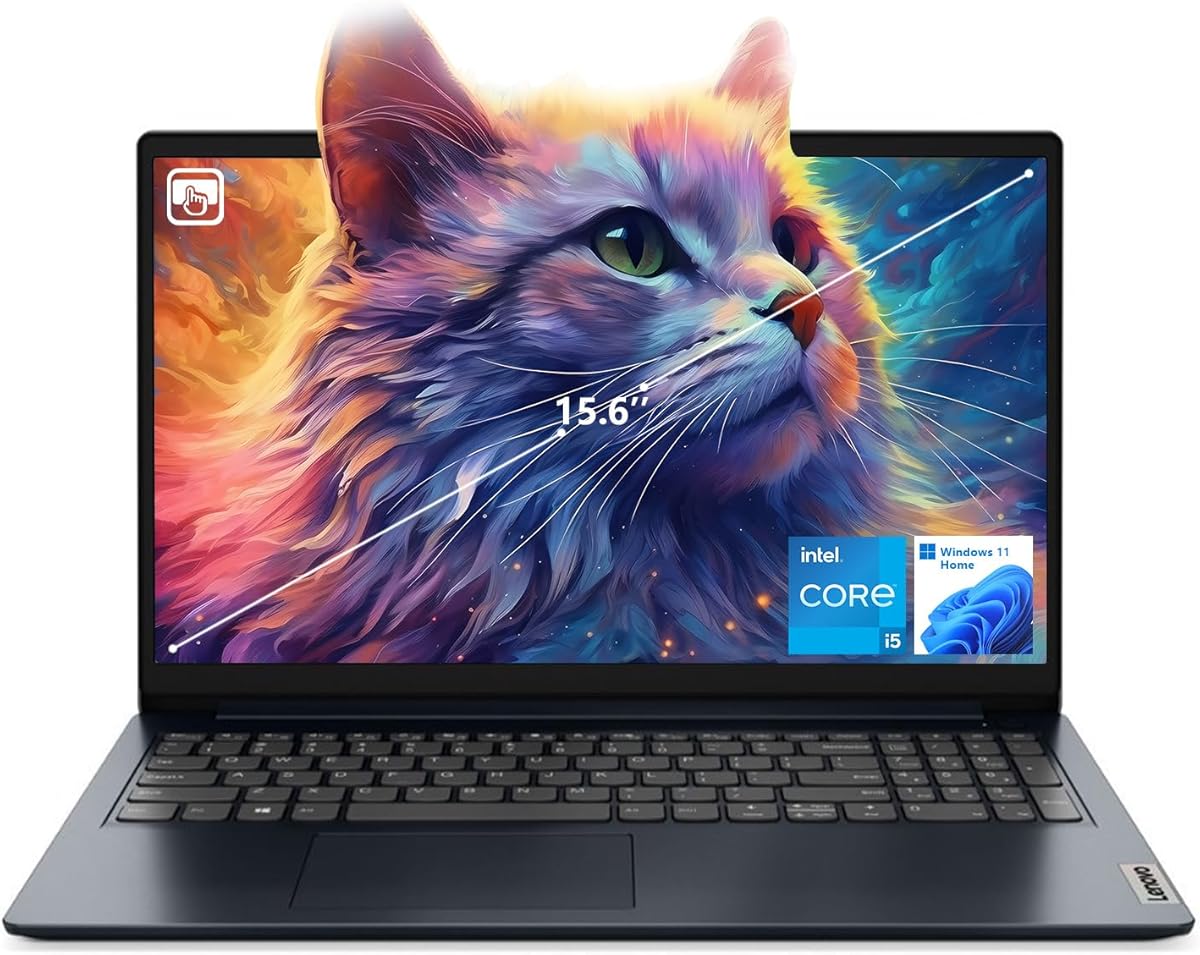
This IdeaPad model offers an affordable entry into touchscreen vlogging workflows. Its 15.6-inch FHD touchscreen allows you to tap to select tools and navigate timelines directly.
We may earn a commission when you buy through this link, at no additional cost to you.
Key strengths include 16GB of RAM which provides decent multitasking capability for its price. The Wi-Fi 6 support ensures fast data transfer and stable video calls even in crowded networks.
Trade-offs include DDR4 memory which is slower than DDR5 found in newer models. The screen is limited to 300 nits brightness which may struggle in bright sunlight. However it is a solid budget option.
Budget-conscious creators who want touch features should buy this. It provides the essential hardware to start editing without breaking the bank.
A touchscreen at this price point adds interactivity to your editing workflow that many competitors lack.
Wi-Fi 6 ensures your cloud uploads and streaming remain stable even with many devices on the same network.
We may earn a commission when you buy through this link, at no additional cost to you.
This NIMO laptop combines a powerful Ryzen 7 8745HS processor with 32GB of DDR5 RAM for robust performance. Its design supports massive RAM expansion up to 64GB which ensures longevity as software demands increase.
We may earn a commission when you buy through this link, at no additional cost to you.
Key strengths include dual SSD bays allowing you to separate your operating system from media files. This separation improves performance and data safety. The 180° hinge allows for easy screen sharing during collaboration sessions.
Trade-offs include a standard FHD display and a weight that reflects its cooling needs. However the raw processing power and upgrade paths make it a strong choice for heavy-duty projects.
Editors and students needing maximum performance flexibility should buy this. It offers desktop-like power and storage versatility in a portable chassis.
Separate SSDs for OS and media improve boot times and overall system responsiveness significantly.
The 180° lay-flat hinge allows you to share content directly with teammates sitting across the table.
We may earn a commission when you buy through this link, at no additional cost to you.
Choosing the right laptop for vlogging requires balancing processing power with portability. Consider these key factors to ensure your device handles editing software and recording tools efficiently.
For smooth 4K editing you need a processor with multiple cores such as Intel Core Ultra 7 or AMD Ryzen 7. Integrated graphics like Radeon 780M or Arc can handle moderate tasks but a dedicated GPU accelerates rendering.
Prioritize multi-core performance and hardware-accelerated encoding to reduce wait times during exports.
Video editing consumes significant memory so 16GB is a minimum standard for smooth multitasking. 32GB ensures you can run multiple apps without slowdowns while editing large projects.
Look for ample NVMe SSD storage to hold raw footage and choose a model with upgradeable slots for future expansion.
A vibrant display is essential for grading and review. OLED panels offer true blacks and wide color gamuts like DCI-P3 which improve accuracy. IPS screens are durable but ensure high brightness for outdoor viewing.
Select a screen with high resolution and wide viewing angles for better clarity in various environments.
Vloggers often work on the go so a battery that lasts 10 hours or more is crucial for all-day editing. Lightweight designs under 3 pounds reduce strain during travel.
Optimize for models with fast charging to quickly replenish power between shoots and editing sessions.
External cameras and drives require specific ports like USB-C Thunderbolt or SD card readers. A good laptop offers a mix of USB-A and HDMI to avoid dongle dependency.
Ensure high-speed data transfer capabilities like USB4 or Thunderbolt for moving large video files efficiently.
Most professional editing tools are optimized for Windows or macOS so ensure your hardware supports them. Consider systems with AI features that help automate tasks like noise reduction.
Check for regular driver updates to maintain performance and compatibility with the latest creative apps.
Soldered RAM limits future performance so prefer laptops with accessible slots for memory expansion. Models with extra M.2 bays allow you to increase storage as your footage library grows.
Invest in devices with replaceable components to extend the laptop's usable life and save money over time.
A sturdy chassis withstands travel wear and tear so look for metal bodies or reinforced hinges. Thermal management ensures the system stays cool during long rendering sessions.
Check for warranty terms and support options to protect your investment against hardware failures.
Set up your editing software immediately after purchase to ensure all drivers are current. Organize your media files into dedicated folders on an external drive to keep your SSD organized.
Use power saving modes when editing less demanding clips to extend battery life. Avoid editing directly from the internal drive for large 4K files to prevent slowdowns.
Protect your device from dust and heat by keeping it on a clean surface. Use a cooling pad if you run intensive tasks for long periods to prevent thermal throttling.
A dedicated GPU is ideal for complex effects and 4K rendering but modern integrated graphics like Radeon 780M can handle basic editing well. If you plan to work with heavy visual effects a dedicated card will significantly speed up your workflow.
16GB RAM is sufficient for basic 4K editing but 32GB offers better performance when using multiple browser tabs and other apps. Upgrading to 32GB ensures smoother playback and faster exports in demanding projects.
1080p is standard but 2K or higher provides more detail for precise grading. Ensure the screen has high color accuracy and brightness to match what your audience will see on their devices.
Most budget and mid-range models in this list support RAM upgrades via accessible slots. However some ultrabooks have soldered memory so check specific upgradeability before purchasing.
OLED offers better contrast and color for creative work but IPS panels are more durable and brighter. Choose based on whether you prioritize image quality or outdoor visibility.
Look for at least 10 hours of battery life to handle editing on the go. Fast charging support is a bonus for quickly replenishing power between shoots.
We highlighted ten excellent laptops ranging from budget-friendly options to premium powerhouses suitable for various creator needs. The NIMO and GEEKOM models led the list with their strong performance-to-value ratios.
Prioritize processing power and display quality to ensure your device can handle the rigors of video editing efficiently. Balance these features with portability to keep your workflow smooth whether at home or on the road.
Prices and availability change so check current listings to confirm the best fit for your budget. Investing in the right tool now will pay off in faster workflows and better content quality.