
WiFi 6E AX210 NGW Wireless Card M.2 2230/NGFF WiFi 6E Laptop Module with Bluetooth 5.3
4.6Editor score
5400Mbps tri-band speeds
MU-MIMO support
Windows 11/10 compatible
This guide compares the top ten M2 WiFi cards for laptops and desktops, covering latest standards like WiFi 6E and WiFi 7 to ensure you choose the right speed
Modern computing demands reliable wireless connectivity for work and entertainment. An M2 WiFi card upgrades your device to support newer standards like WiFi 6E and WiFi 7. Choosing the right module ensures faster speeds and stable connections for your specific hardware needs.
We evaluated ten top-rated cards based on chipset performance, Bluetooth integration, and compatibility. Our analysis focuses on real-world speed capabilities and driver support across Windows and Linux systems. This list covers options from entry-level AC cards to advanced tri-band solutions.
Each pick highlights specific strengths like latency reduction or bandwidth efficiency. We include detailed specs and pros to help you match the card to your motherboard slot. Note that availability and stock levels may change frequently online.
4.6Editor score

4.8Editor score

4.6Editor score
The table below compares key specifications for all ten products including chipset, speed, and compatibility requirements.


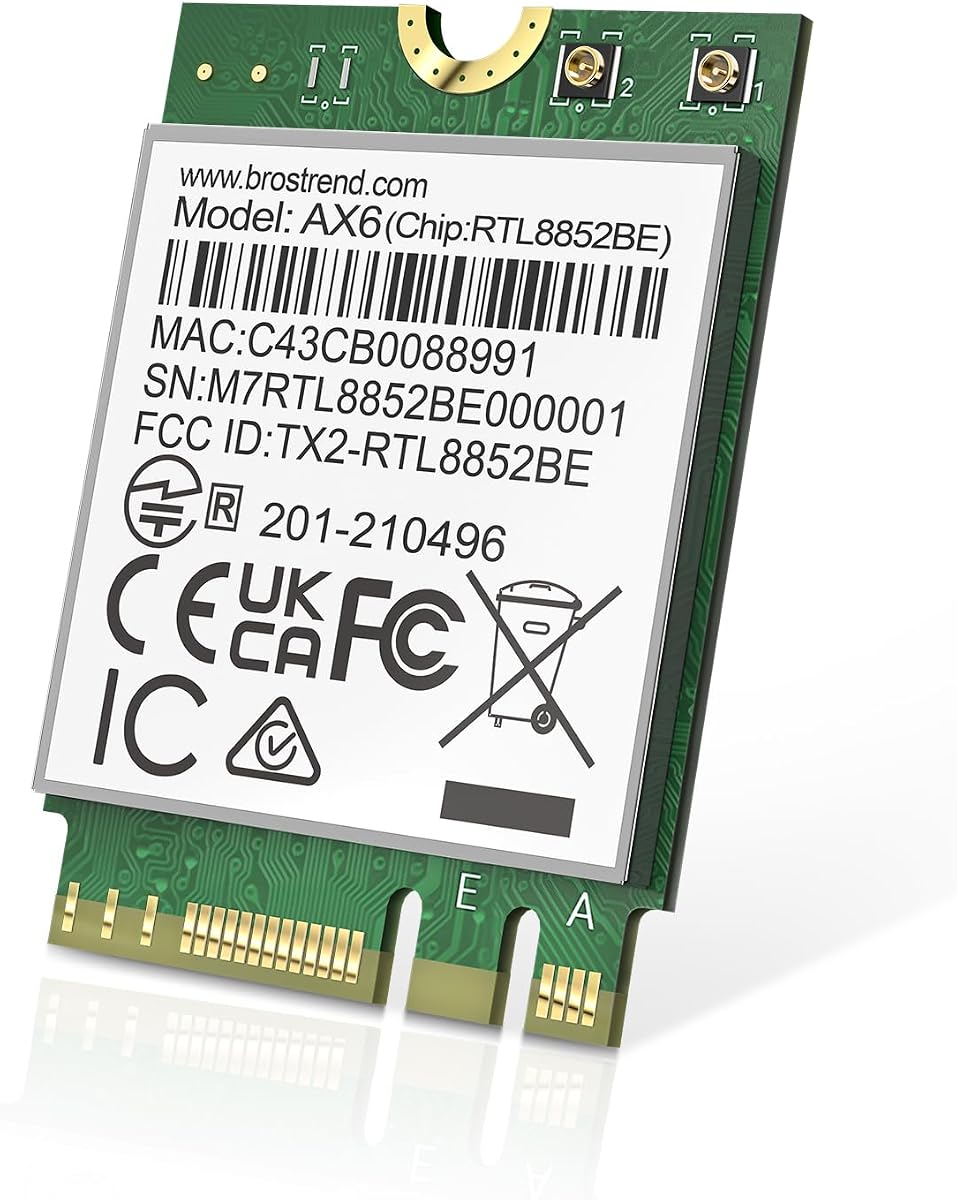


This kit delivers robust WiFi 6E performance with a complete installation package. It includes antennas and cables which simplifies desktop upgrades significantly. The AX210 chipset supports tri-band speeds up to 5400Mbps.
We may earn a commission when you buy through this link, at no additional cost to you.
The inclusion of 5dBi high-gain antennas improves range stability. You get target wake time technology to reduce laptop power consumption. MU-MIMO and OFDMA ensure better network efficiency during heavy usage.
You need to download drivers directly from Intel as they are not included. The package is best suited for users comfortable with hardware assembly. Ensure your router supports 6GHz to fully utilize this card.
This is an excellent choice for users needing a full WiFi 6E upgrade kit. It provides everything needed for installation beyond just the card itself. Reliable connectivity and tri-band support make it a top pick.
Includes all necessary RF cables and brackets for quick setup.
Uses 6GHz for speed and 2.4GHz for range without interference.
We may earn a commission when you buy through this link, at no additional cost to you.
This module offers a cost-effective way to upgrade to WiFi 6E. It matches the AX210 chipset performance found in more expensive kits. You get tri-band speeds and Bluetooth 5.3 connectivity without extra cost.
We may earn a commission when you buy through this link, at no additional cost to you.
It supports WPA3 network security for safer connections. The card works well with existing routers and future WiFi 6E releases. Performance is strong for streaming and gaming with minimal lag.
You will need to connect this to existing antenna cables inside your PC. It does not come with the installation hardware like other kits. Confirm your laptop has compatible M.2 slots before purchasing.
Choose this if you already have antennas and just need the module. It delivers premium features like MU-MIMO at a budget-friendly rate. Great value for users needing reliable wireless performance.
All features of AX200 plus 6GHz band support and better speed.
Supports WPA3 and older standards to ensure network safety.
We may earn a commission when you buy through this link, at no additional cost to you.
This is the official Intel AX210 NGW module trusted by notebook makers. It provides the cleanest software experience with verified driver support. The card integrates seamlessly with existing laptop hardware.
We may earn a commission when you buy through this link, at no additional cost to you.
Users benefit from high reliability and excellent network stability. It supports all standard protocols including 1024QAM and OFDMA. Performance matches top-tier third-party versions but with original branding.
Ensure you buy the specific NGW variant compatible with your slot. Documentation is minimal so technical familiarity helps with installation. The high user rating reflects consistent positive experiences across brands.
Ideal for notebook owners needing a reliable OEM replacement part. The pure Intel branding ensures compatibility with BIOS updates. This is the safest choice for maintaining device warranty.
Designed specifically for original equipment manufacturers and laptops.
Optimized to reduce battery drain during wireless usage.
We may earn a commission when you buy through this link, at no additional cost to you.
This card introduces the latest WiFi 7 standard for maximum speed. It leverages the BE200 chipset to deliver over 5Gbps throughput. Users get Bluetooth 5.4 which offers better connection stability than before.
We may earn a commission when you buy through this link, at no additional cost to you.
Ideal for high-end desktops with 12th gen Intel processors. The tri-band signal covers 6GHz for future-proofing home networks. Installation requires checking CPU compatibility before buying.
You must verify your motherboard supports M.2 E-key interface properly. Drivers are available but might need manual installation for Linux. The hardware is powerful but limited to Intel architectures.
Pick this for the fastest available consumer wireless performance. It is best for gaming and heavy streaming on compatible systems. A premium choice for enthusiasts wanting the latest tech.
Uses the latest Intel wireless engine for maximum bandwidth.
Enhanced LE connections improve peripheral response times.
We may earn a commission when you buy through this link, at no additional cost to you.
This module brings WiFi 7 to AMD platforms using the MT7925 chip. It supports Multi-Link Operation to select the best signal path. Users get Bluetooth 5.4 to connect multiple devices simultaneously.
We may earn a commission when you buy through this link, at no additional cost to you.
Ideal for gamers wanting low latency without Intel requirements. The card uses optimized hardware accelerators to reduce CPU load. It works well on Windows 11 with driver support.
You must disable built-in Bluetooth if your PC has integrated wireless. Check kernel version if installing on Linux for proper function. Drivers are hosted on the vendor site instead of Intel.
Choose this if you want WiFi 7 on a non-Intel system. It offers robust features like MLO and WPA3 at a competitive price. A strong option for heterogeneous PC builds.
Intelligently balances connections across bands for stability.
WPA3 and WPA2 ensure secure data transmission.
We may earn a commission when you buy through this link, at no additional cost to you.
This card offers excellent value for users upgrading to WiFi 6E. It uses the reliable AX210 chipset for broad compatibility. Bluetooth 5.3 ensures smooth peripheral connectivity across systems.
We may earn a commission when you buy through this link, at no additional cost to you.
The design supports 160MHz bandwidth for faster data transfer. Users report stable connections and low latency for daily tasks. It works well with Windows 10 and 11 operating systems.
Ensure your laptop supports the E-key slot specifically. Avoid if your device uses CNViO2 protocol which locks Intel chips. Drivers should be installed after physical installation.
Great for anyone needing a reliable upgrade without complex hardware. The high rating indicates consistent quality and ease of use. A smart middle-ground choice for laptop owners.
Engineered to reduce dropouts during heavy network usage.
Supports WPA3 to secure your wireless network.
We may earn a commission when you buy through this link, at no additional cost to you.
This card serves well for older systems needing an AC upgrade. It provides dual-band support for basic streaming and browsing. Bluetooth 5.1 offers sufficient range for standard peripherals.
We may earn a commission when you buy through this link, at no additional cost to you.
It is compatible with most Intel processors for stable operation. The 160MHz channels offer decent speed for typical home use. Ideal for devices that do not need 6GHz bands.
Not suitable for users seeking next-generation WiFi standards. Performance is limited compared to AX cards but reliable for the cost. Good for extending life of older hardware.
Choose this only if your system limits 6E or 7 options. It remains a solid choice for basic connectivity needs. A budget-friendly option for legacy laptops.
Operates on 2.4 and 5GHz for balanced performance.
Allows multiple devices to connect simultaneously efficiently.
We may earn a commission when you buy through this link, at no additional cost to you.
This card brings affordable WiFi 6 to standard laptops. It focuses on dual-band performance for improved speed over AC. Bluetooth 5.2 ensures reliable wireless peripheral connections.
We may earn a commission when you buy through this link, at no additional cost to you.
It works well with standard Windows systems for home use. The installation is simple with standard A and E key slots. Linux support is available but limited for technical help.
You will not get the 6GHz bands available in 6E cards. Ideal for users needing better speed without upgrading their router yet. Good for basic gaming and streaming needs.
Pick this if you need WiFi 6 on a standard budget. It offers a balance between cost and performance. A practical choice for general home computing.
Offers 1201Mbps on 5GHz for fast streaming.
Compatible with kernel 6.5+ for users.
We may earn a commission when you buy through this link, at no additional cost to you.
This card focuses on gaming with ultra-low latency features. It uses Killer optimization to prioritize real-time traffic. You get tri-band 7 capabilities for maximum bandwidth.
We may earn a commission when you buy through this link, at no additional cost to you.
Ideal for serious gamers needing smooth online performance. The hardware supports Windows 11 natively for best results. Bluetooth 5.4 connects to modern controllers without lag.
Requires an available PCIe slot with Key E interface. It does not work on AMD systems or older Windows versions. Ensure your motherboard supports the latest WiFi standards.
Choose this for competitive gaming requiring stable connections. The latency reduction makes a noticeable difference in tournaments. A premium option for dedicated gaming rigs.
Prioritizes gaming data over background downloads.
Designed to minimize lag during real-time play.
We may earn a commission when you buy through this link, at no additional cost to you.
This module is designed for servers and enterprise workloads. It offers high stability with clean channel selection. The AX411 chipset ensures consistent performance under load.
We may earn a commission when you buy through this link, at no additional cost to you.
It includes Killer networking to manage traffic efficiently. Bluetooth 5.3 provides reliable peripheral connections. Users report a perfect rating for reliability and uptime.
It may be overkill for standard laptops or home use. Best for environments needing stable wireless for many devices. Drivers are optimized for Windows systems.
Select this for workstations needing server-grade reliability. The high rating reflects proven performance in demanding settings. A professional choice for critical connectivity.
Optimized for continuous high-load operations.
Uses Killer tech to manage bandwidth smartly.
We may earn a commission when you buy through this link, at no additional cost to you.
Selecting the right card depends on your hardware and usage needs.
Choose a card that matches your router capabilities. WiFi 6E offers 6GHz bands for speed while WiFi 7 is for future proofing.
Match your card to your router to avoid bottlenecks.
Ensure the card fits your M.2 slot and CPU. Some cards only support Intel 12th gen or newer.
Check your motherboard manual before buying.
Newer Bluetooth versions improve peripheral latency. Look for 5.3 or 5.4 for best device support.
Update Bluetooth for smooth peripheral usage.
Consider your internet speed and local network needs. Higher theoretical speeds like 5400Mbps help with file transfers.
Get a card that matches your internet plan.
Decide if you need antennas or just the module. Kits include cables but modules are cheaper if you have parts.
Buy a kit if you lack installation hardware.
Check if drivers are easily available online. Some brands host drivers on their own sites instead of Intel.
Ensure drivers exist for your OS version.
Verify support for WPA3 security. This ensures your connection remains safe from modern threats.
Prioritize cards with WPA3 for better security.
Look for products with manufacturer support. One year warranty ensures protection against defects.
Choose brands with technical support backing.
Start by powering down your computer and unplugging it from the wall. Remove the laptop back cover to access the internal components safely.
Insert the card into the M.2 slot at a 30-degree angle and secure it with the screw. Connect the antenna cables to the gold connectors on the card.
Power on your computer and download the correct drivers from the Intel website. Restart your system after installation to ensure all drivers load properly.
Yes, you need a WiFi 6E router to use the 6GHz band. Standard WiFi 6 routers work but will not utilize the extra spectrum available on these cards.
Yes, they are plug and play for users with basic skills. You just need to remove the cover and fit the card into the slot. Always check your laptop manual first.
Most cards require manual driver installation from the Intel site. Windows often installs generic drivers but official ones offer better performance.
Yes, if your desktop has an M.2 slot. You may need an adapter card if the slot is not exposed or accessible.
MLO allows the card to use multiple bands simultaneously. This reduces latency and improves connection stability during heavy usage.
Yes, all modern cards include integrated Bluetooth support. You can connect headphones and mice simultaneously via the same device.
WiFi 7 is faster but requires new hardware. WiFi 6E is sufficient for most users today and costs less than WiFi 7.
We have reviewed ten top options for laptops and desktops. The Intel AX210 offers the best balance of price and performance for most users.
Prioritize 6GHz support if you want future proofing. Check your motherboard slot before buying to ensure compatibility.
Prices and availability change so verify current stock. Choose a card that fits your budget and hardware needs.