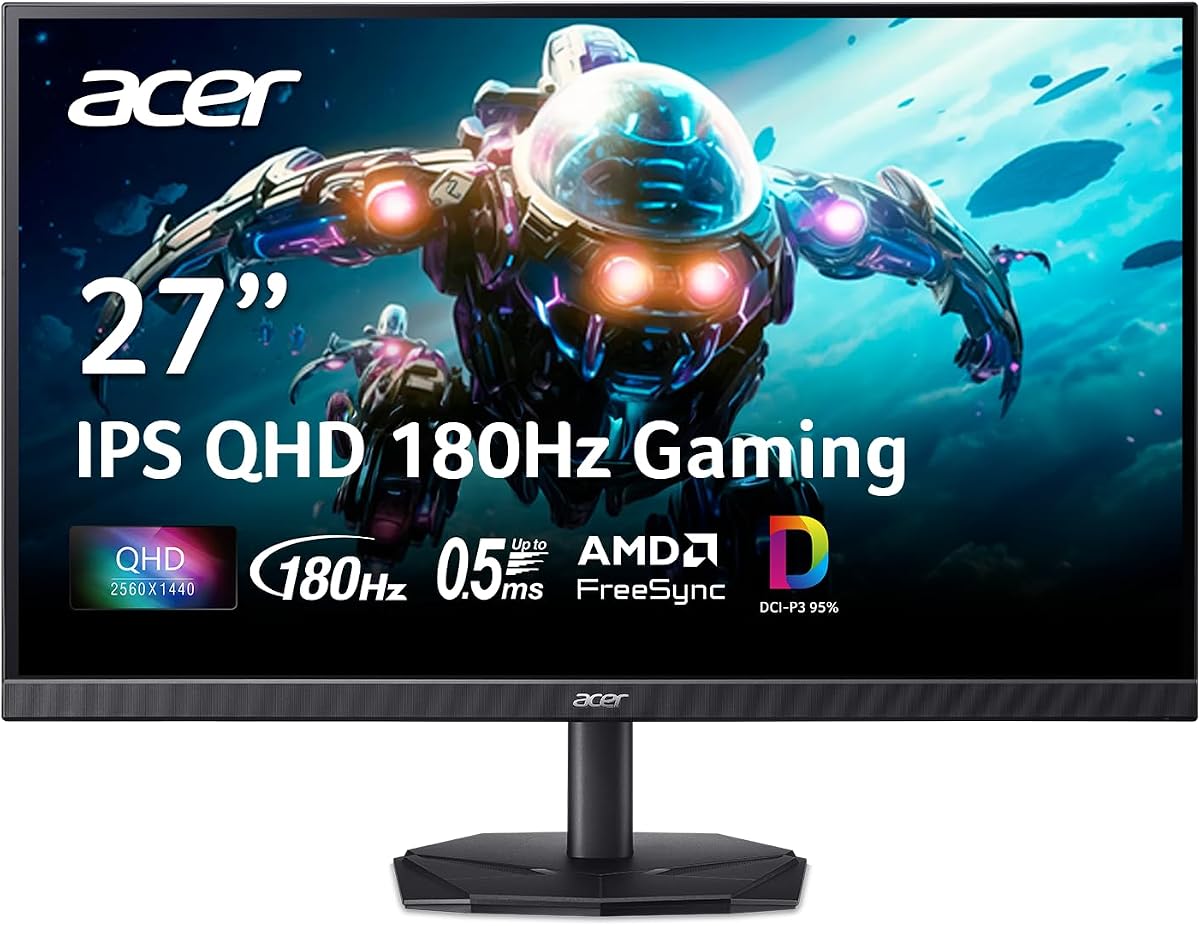
Acer Nitro 27in QHD 2560×1440 IPS 180Hz Gaming Monitor KG271U N3bmiipx
4.5Editor score
180Hz refresh rate
IPS panel technology
AMD FreeSync support
Choosing the right display for your console setup can transform your gaming experience significantly. A high-quality 1440p IPS monitor offers sharp visuals and vibrant colors that make every game pop with detail and realism.
We have carefully evaluated ten leading models based on refresh rate, response time, connectivity options, and overall build quality. Our comparison ensures you find a screen that matches both your budget and performance needs effectively.
Each selection below highlights specific strengths to help you decide which monitor fits your setup best. Please note that pricing and availability can fluctuate frequently, so always check current listings before purchasing your new display.
4.5Editor score
4.6Editor score
4.4Editor score
As an Amazon Associate we earn from qualifying purchases.
The following table provides a side-by-side comparison of all ten selected monitors to help you quickly identify key specifications and features that matter most for your console gaming setup.
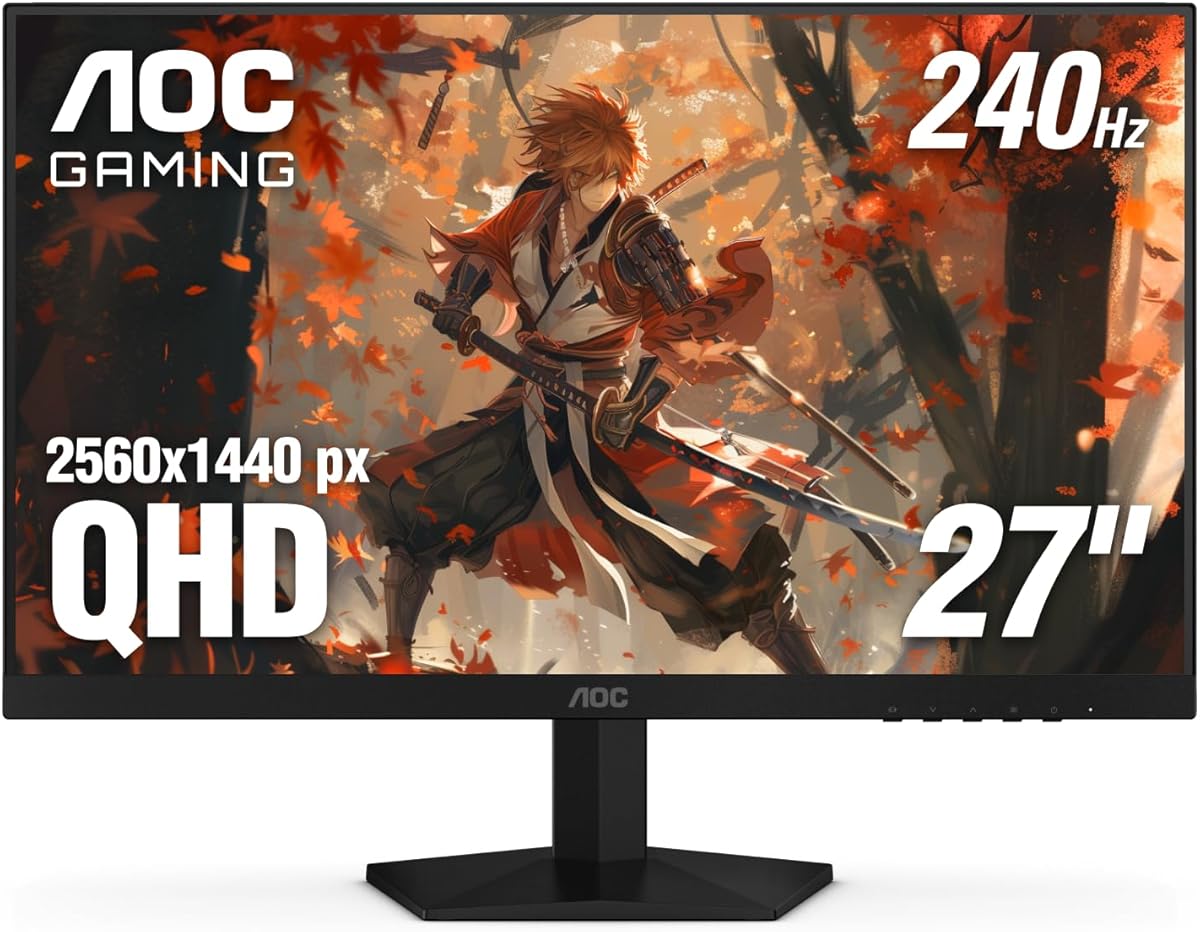


This AOC monitor stands out with its incredibly high refresh rate tailored for competitive gaming. It receives strong ratings from users who appreciate its fast performance and crisp image quality across various titles.
We may earn a commission when you buy through this link, at no additional cost to you.
The 240Hz refresh rate ensures that every frame renders smoothly without stuttering or lag during intense gameplay. Combined with a 0.3ms response time, motion blur is kept to an absolute minimum even in fast-paced action scenes.
While the stand lacks extensive ergonomic adjustments, the tilt function offers enough flexibility for most desk setups. These minor limitations are outweighed by the exceptional visual performance and responsive controls available for tuning the display.
Gamers seeking a high-speed display for competitive console or PC play should consider this model. It delivers the clarity and speed needed to stay ahead of opponents while maintaining beautiful color reproduction for immersive visual experiences.
The 240Hz refresh rate provides unmatched smoothness for fast-moving games, reducing motion blur significantly compared to standard displays.
IPS technology ensures accurate colors and wide viewing angles so the screen looks great from any position in your gaming room.
We may earn a commission when you buy through this link, at no additional cost to you.
The Acer Nitro KG271U offers excellent value for gamers who want high performance without breaking the bank. It is highly rated for its balance of speed and visual fidelity at a competitive price level.
We may earn a commission when you buy through this link, at no additional cost to you.
With an 180Hz refresh rate and 0.5ms response time, this monitor handles rapid motion with ease. The IPS panel delivers vibrant colors and accurate visuals that enhance the experience of both casual and competitive titles.
Although it lacks advanced HDR features and the stand is somewhat basic, the overall performance remains strong for the price. The zero-frame design also helps maximize screen real estate for a more immersive viewing environment.
This model is ideal for budget-conscious gamers looking for a reliable 1440p display that supports modern refresh rates. It provides a solid foundation for building a high-quality gaming station without overspending on unnecessary features.
This monitor delivers premium specs like 180Hz and IPS panels at a price point that fits most gaming budgets comfortably.
Fast response times ensure that quick movements in games appear fluid and clear without distracting ghosting effects.
We may earn a commission when you buy through this link, at no additional cost to you.
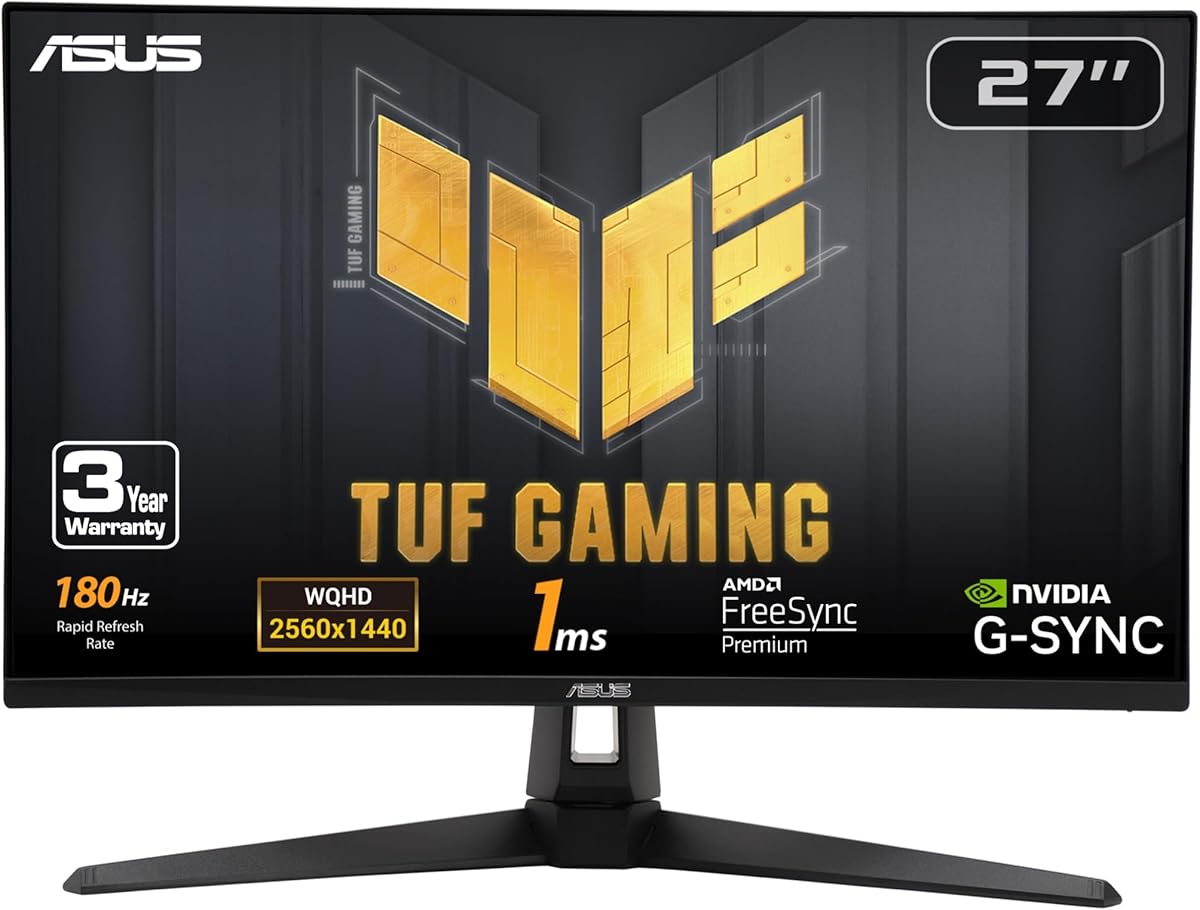
The ASUS TUF Gaming VG27AQ3A is a favorite among enthusiasts for its balanced mix of features and performance. It holds high ratings for its reliable operation and versatile capabilities across different gaming scenarios.
We may earn a commission when you buy through this link, at no additional cost to you.
Key strengths include the ELMB Sync technology which reduces ghosting without sacrificing refresh rates. This makes gameplay exceptionally smooth and clear even during intense sequences where every frame matters for optimal performance levels.
While the lack of USB ports is a minor inconvenience, the included Adobe subscription adds extra value beyond gaming. The build quality is robust and ensures longevity even with frequent use in demanding environments.
This monitor is an excellent choice for gamers who need versatility and reliability in their setup. It handles both competitive and cinematic titles with equal grace, making it a top recommendation for most users.
This feature allows variable refresh rates and motion blur reduction to work together for sharper images in motion.
Whether playing shooters or story-driven adventures, this monitor adapts well to different genres and visual styles.
We may earn a commission when you buy through this link, at no additional cost to you.
The GIGABYTE GS27QA SA provides a solid gaming experience with its high refresh rate and responsive panel. Users frequently praise its ability to deliver fluid motion and consistent visuals during extended gaming sessions effectively.
We may earn a commission when you buy through this link, at no additional cost to you.
With an 180Hz refresh rate and 1ms response time, this monitor handles fast-paced games with impressive clarity. The SuperSpeed IPS panel ensures that colors remain vibrant and consistent regardless of the viewing angle or lighting conditions.
While the brightness is average and the OSD menu could be more intuitive, these factors do not detract from the overall value. The monitor delivers excellent performance for the price and fits well in most modern gaming setups.
Gamers looking for a straightforward and reliable display should consider this model. It offers the essential features needed for high-quality gaming without unnecessary complexity or expensive price tags.
The SuperSpeed IPS panel maintains accurate color reproduction even when viewed from different angles in the room.
Fast response times minimize delays between your input and what appears on screen for a more immersive feel.
We may earn a commission when you buy through this link, at no additional cost to you.
The Acer Nitro XV271U stands out for its comprehensive ergonomic stand which allows for precise positioning. It is well-received by users who prioritize comfort and flexibility in their desk setup arrangements.
We may earn a commission when you buy through this link, at no additional cost to you.
The monitor supports 180Hz refresh rates and offers FreeSync Premium for tear-free gaming. Colors are accurate and the panel provides sharp visuals that make text and game details easy to read comfortably.
While the stand takes up some desk space and there are no built-in speakers, the adjustability is a major plus. These trade-offs are acceptable given the strong overall performance and reasonable price point for the features provided.
This option is perfect for gamers who need a versatile stand for long sessions. It combines comfort with high performance ensuring you can play for hours without physical strain affecting your focus.
The adjustable stand lets you tilt and height the screen to match your eye level for reduced neck strain.
FreeSync Premium ensures that the display refresh rate matches the console output for smooth and stable gameplay.
We may earn a commission when you buy through this link, at no additional cost to you.
Samsung's Odyssey G5 delivers strong performance with features designed to enhance visibility and stability. It has earned good ratings for its ability to reduce input lag and improve aiming precision effectively.
We may earn a commission when you buy through this link, at no additional cost to you.
The Black Equalizer feature brightens dark areas without washing out the rest of the image. This is particularly useful in games where shadow details can make a difference in tactical decision-making during matches.
While the on-screen menu system can be tricky to navigate at times, the image quality remains excellent. The height adjustable stand adds convenience allowing you to position the screen precisely for comfort.
Gamers who want a reliable monitor with helpful visual tools will appreciate this model. It offers a great mix of performance and utility that suits both casual play and competitive scenarios equally well.
Black Equalizer technology helps you spot enemies hidden in shadows without losing overall contrast.
Auto Source Switch+ detects when a new device is connected and switches inputs automatically for ease.
We may earn a commission when you buy through this link, at no additional cost to you.
The ASUS ROG XG27ACS stands out due to its versatile USB-C hub that reduces cable clutter. Users appreciate the modern design and the convenience it offers for connecting multiple devices efficiently.
We may earn a commission when you buy through this link, at no additional cost to you.
With a 1ms response time and 180Hz refresh rate, the display handles fast action with clarity. The Fast IPS panel ensures vibrant colors and wide viewing angles that make every frame look sharp and realistic.
Although the price is slightly higher than comparable models, the added connectivity and software features justify the cost. These conveniences allow for a cleaner desk setup and easier workflow when using peripherals.
This monitor is ideal for gamers who value connectivity and organization. It provides a high-performance display that supports modern workflows while keeping your gaming area tidy and efficient.
The USB-C hub allows you to connect devices directly to the monitor reducing the number of cables on your desk.
DisplayWidget Center lets you adjust settings easily using a mouse instead of physical buttons on the monitor.
We may earn a commission when you buy through this link, at no additional cost to you.
LG's UltraGear model offers a high refresh rate and advanced audio support for an immersive experience. It is rated highly for its crisp visuals and effective audio features that enhance gaming immersion significantly.
We may earn a commission when you buy through this link, at no additional cost to you.
The 240Hz refresh rate delivers extremely smooth motion while the DTS Headphone:X technology provides spatial audio. This combination ensures that every sound and visual detail is clear and positioned accurately for you.
The higher price point is justified by the HDMI 2.1 support which prepares the monitor for future console generations. Although menu navigation can be a bit unintuitive, the overall feature set remains compelling.
This monitor is best suited for gamers who want top-tier performance and audio quality. It bridges the gap between current and future technology offering features that will remain relevant for years.
DTS Headphone:X creates a three-dimensional sound field that helps you locate enemies by their audio cues accurately.
HDMI 2.1 support ensures compatibility with future consoles providing high bandwidth for advanced features.
We may earn a commission when you buy through this link, at no additional cost to you.
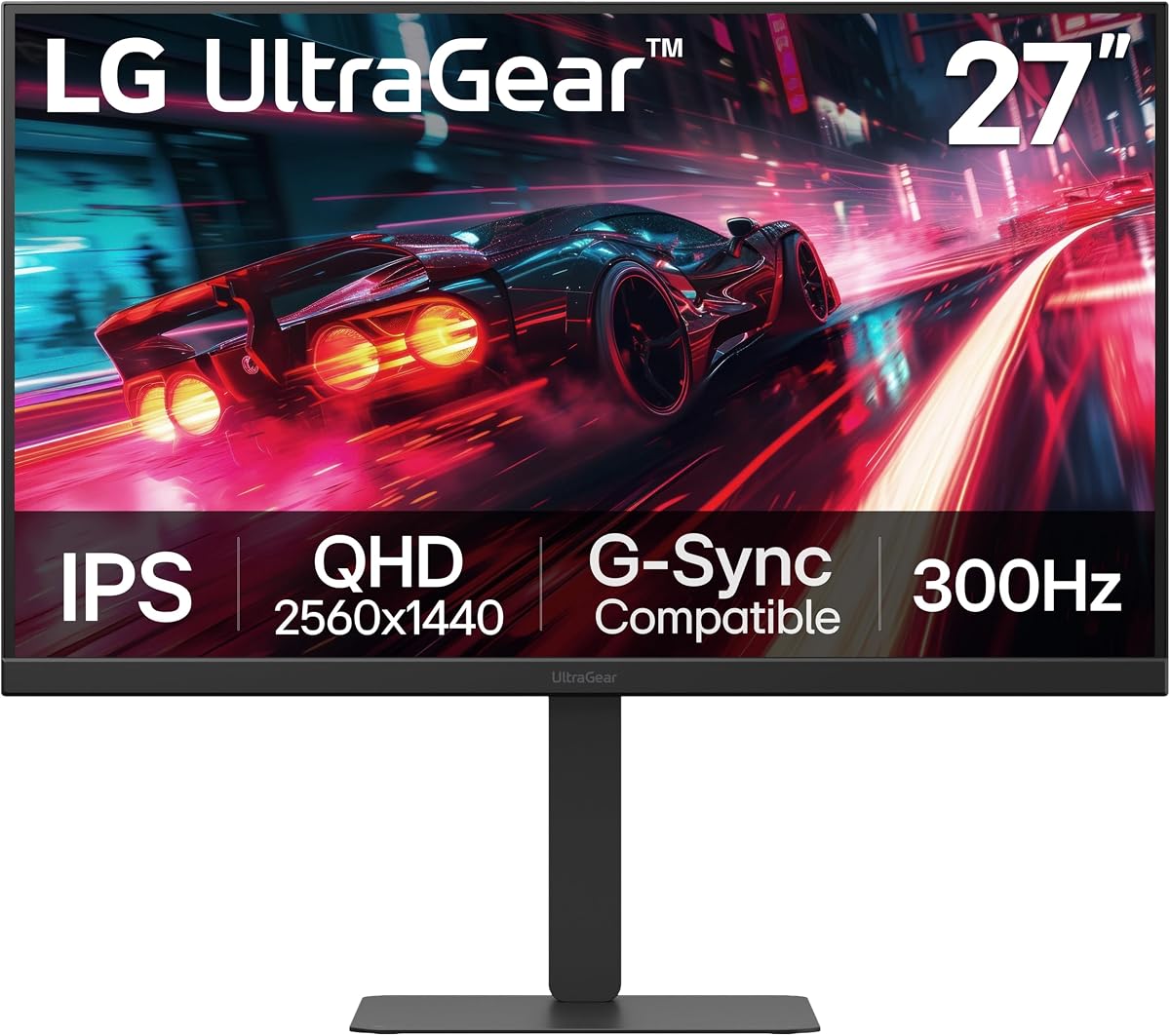
The LG 27G640A-B offers top-tier specifications designed for users who demand the highest level of performance. It stands out for its blistering refresh rate and comprehensive connectivity options for all devices.
We may earn a commission when you buy through this link, at no additional cost to you.
With a 300Hz refresh rate, this monitor delivers unmatched smoothness in fast-paced games. The USB-C port adds versatility for modern setups allowing power delivery and video transmission through a single cable.
While the cost is high compared to other options, the build quality and feature set justify the investment. The fully adjustable stand ensures comfort which is critical for long gaming sessions and productivity tasks alike.
This is the ideal choice for enthusiasts who want the best possible experience. It future-proofs your setup with features that will remain relevant as technology advances in the coming years.
The 300Hz refresh rate provides a competitive edge by displaying motion with near-instantaneous updates.
USB-C and HDMI 2.1 ports ensure compatibility with a wide range of devices and future consoles.
We may earn a commission when you buy through this link, at no additional cost to you.
The MSI G272QPF delivers a reliable experience with a balanced set of features for general gaming needs. It receives decent ratings for its consistent performance and sturdy build quality over time.
We may earn a commission when you buy through this link, at no additional cost to you.
The Rapid IPS panel offers good color accuracy and viewing angles which are important for both gaming and content. The stand supports tilt swivel and pivot so you can adjust the screen to suit your viewing habits.
While the refresh rate is lower than some competitors it is still sufficient for most console gaming. The absence of advanced HDR capabilities keeps the cost down while still delivering a pleasant visual experience overall.
This model is best for gamers who prioritize versatility and ergonomics over extreme speed. It provides a stable platform for daily use without requiring an investment in high-end features.
The adjustable stand allows for pivoting the screen vertically which is great for reading documents or code.
Rapid IPS technology ensures that colors look vibrant and accurate across the entire screen surface.
We may earn a commission when you buy through this link, at no additional cost to you.
Selecting the right monitor involves understanding several key factors that affect performance and usability for gaming setups.
Refresh rate determines how many frames per second your screen can display. Higher rates like 180Hz or 240Hz make motion appear smoother which helps competitive gamers track moving targets easier.
Look for models with refresh rates matching your console output capabilities for optimal performance.
Response time measures how quickly a pixel changes color. Lower response times reduce ghosting and blur ensuring fast moving objects remain sharp and distinct during gameplay.
Prioritize monitors with response times of 1ms or less for the best visual clarity.
Adaptive sync technologies like FreeSync and G-Sync eliminate screen tearing by matching the refresh rate to the frame rate. This creates a smoother experience and protects against visual artifacts.
Choose a monitor that supports sync tech compatible with your console or graphics card setup.
Check the ports available on the monitor to ensure they match your consoles needs. HDMI 2.1 offers higher bandwidth which is useful for high refresh rate gaming on next-gen consoles.
Verify that you have the correct number and type of inputs for your devices.
IPS panels are preferred for gaming because they provide wide viewing angles and accurate colors. This ensures that the image remains consistent even when viewed from different positions in the room.
IPS technology is generally superior for color fidelity and viewing flexibility compared to other panel types.
A stand that allows height tilt swivel and pivot adjustments can improve comfort during long gaming sessions. Proper alignment reduces neck strain and helps maintain focus on the game.
Invest in a monitor with a fully adjustable stand for better long term comfort.
HDR capabilities enhance contrast and color range for more realistic visuals. While not all HDR implementations are equal even basic HDR10 can improve dark scenes and vibrant highlights.
Consider if HDR is a priority for your specific gaming preferences before paying extra.
Prices vary significantly across models so it is important to determine a realistic spending limit. Many mid-range monitors offer excellent performance without the premium cost of top tier features.
Balance your desired features with your budget to find the best value proposition.
Connect your console to the monitor using a high-speed HDMI or DisplayPort cable to ensure you get the full refresh rate and resolution. Check that your console is set to output 1440p to match the monitor's native resolution.
Adjust the monitor settings to optimize for gaming by enabling game modes or disabling unnecessary image processing. Use the ergonomic stand to position the screen at eye level to reduce strain during long sessions.
Clean the screen regularly with a soft microfiber cloth to avoid scratches. Avoid using harsh chemicals or sprays directly on the panel to maintain the longevity of the display components.
Most models listed are native 1440p and will downscale 4K content unless explicitly specified. If you plan to connect a 4K source ensure the monitor supports 4K input or use it strictly for 1440p output.
HDMI 2.1 is recommended for 120Hz or higher refresh rates on next-gen consoles. However some monitors support high refresh rates via DisplayPort or HDMI 2.0 depending on the specific model specifications.
PlayStation 5 and Xbox Series X support variable refresh rates through FreeSync Premium or similar standards. Check each monitor's specs to confirm compatibility with the specific console you own for tear-free play.
Yes IPS panels offer great color accuracy and viewing angles which are beneficial for content creation and office work. The QHD resolution provides enough screen real estate for multitasking across multiple windows.
Enable Game Mode in the OSD menu to bypass extra image processing and reduce latency. Ensure your console is set to Performance Mode and that you are using a high-speed certified cable.
IPS monitors generally last 5 to 10 years with normal usage. Proper care such as avoiding overheating and cleaning gently helps extend the life of the screen and its internal components.
We have reviewed ten outstanding options ranging from budget-friendly picks to premium models with top-tier specs. The AOC 27 Gaming Monitor leads for speed while the Acer Nitro models offer excellent value for money.
Consider your specific gaming needs whether that is competitive edge or ergonomic comfort when selecting a display. Prioritizing refresh rate and connectivity ensures your investment remains viable for years to come.
Prices and stock levels change frequently so verify current details before finalizing your purchase. Take your time to weigh the pros and cons of each model to find the perfect fit for your setup.